Discover how to choose task management software for teams that boosts collaboration and delivers real results. Go beyond features to find the right fit.
January 27, 2026 (8mo ago)
Choosing Task Management Software for Teams That Actually Works
Discover how to choose task management software for teams that boosts collaboration and delivers real results. Go beyond features to find the right fit.
← Back to blog
Choosing Task Management Software for Teams That Actually Works
Discover how to choose task management software for teams that boosts collaboration and delivers real results. Go beyond features to find the right fit.
Moving From Team Chaos to Clarity
Task management software for teams is a central command center for getting work done. It pulls scattered spreadsheets, endless email threads, and sticky-note reminders into one organized space. The goal is simple: make sure everyone on the team knows exactly who is doing what and by when.
Let’s be real—disorganized workflows cost more than a few headaches. When deadlines get missed and communication breaks down, people unknowingly duplicate work and productivity drops. That doesn’t just frustrate the team, it hits your bottom line.
Picture a marketing team launching a campaign. Without a single source of truth, the designer uses an outdated brief, the writer waits for feedback buried in chat, and the project manager spends the day hunting for updates instead of managing the project. That’s team chaos.
The True Cost of Disorganization
Inefficiency creates a ripple effect: declining morale, eroded client trust, and stalled growth. When teams are always putting out fires, there’s no time left for innovation.
Common symptoms of disorganization:
- Endless follow-ups: Inboxes fill with “just checking in” messages because nobody has a clear view of progress.
- Vague ownership: Tasks get tossed into the ether without a clear owner, so they’re forgotten or duplicated.
- Lost information: Files, feedback, and decisions live across emails, chat apps, and personal drives, making retrieval impossible when you need it.
“A great task management tool acts as the central nervous system for your team's productivity. It connects every action to a larger goal, helping teams move from busy to effective.”
Why a Strategic Choice Matters
Choosing task management software for teams isn’t about the longest feature list. It’s about a strategic investment in your team’s ability to collaborate and deliver, especially for remote or hybrid teams. The right platform should reflect how your team actually works, not force them into an awkward process they’ll resent.
The tool you pick can be the difference between a team that’s overwhelmed and one that’s proactive, efficient, and in control. The global task management market is growing fast, reflecting rising demand for tools that solve real workflow challenges1.
Map Your Team's Actual Workflow
Before demoing tools, pause and map how your team really works. Too many teams buy the flashiest tool and later discover it doesn’t fit their rhythm. The goal is not the “best” software, it’s the software that mirrors your team’s natural workflow.
Start with a blunt, honest blueprint of your current process: how a task goes from idea to done, the handoffs, the back-and-forth, and the bottlenecks that kill productivity.
How Does Your Team Really Work?
Talk to everyone doing the work, not just managers. Their perspective is essential.
Ask questions like:
- Where do tasks come from? Email, Slack, meetings, or a formal intake system?
- What does “done” mean for different roles? Definitions vary across teams.
- How do you handle feedback and approvals? Chaotic email threads are a common friction point.
- What are you using now? Expect a mix of official tools and shadow systems—spreadsheets, personal Trello boards, or sticky notes.
Mapping makes the invisible visible. It lets you choose a tool that supports how you work, instead of forcing a new process on everyone.
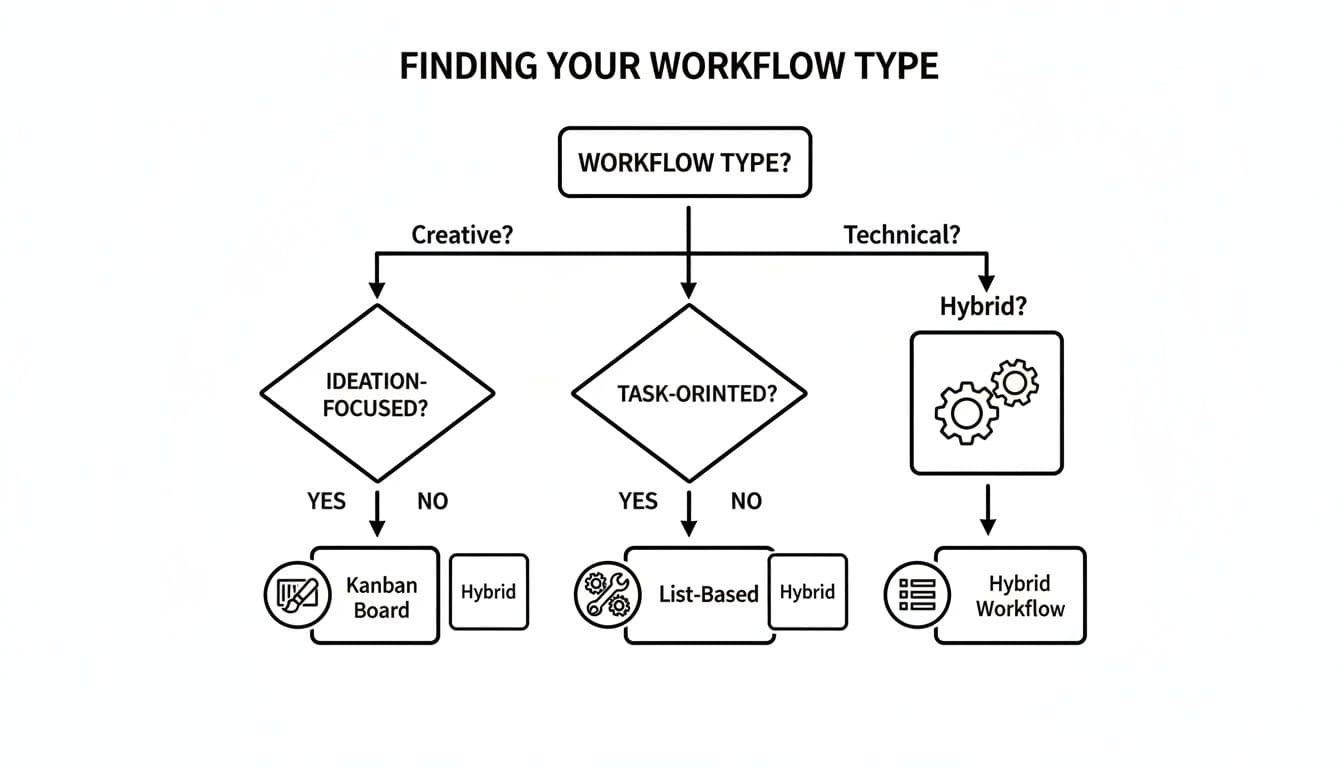
Some teams prefer visual Kanban boards for creative work, while engineering teams often need structured lists with dependencies and subtasks. A Kanban setup can change how visual teams plan work, while list-based tooling helps manage complex technical projects.
Build Your Requirements Checklist
Turn your workflow map into a requirements checklist. Instead of a feature wishlist, list the problems you need to solve based on the bottlenecks you found.
This homework gives you a huge advantage: you’ll evaluate tools against real needs rather than sales pitches. The task management software market’s growth reflects companies seeking workflow-specific solutions1.
How to Evaluate Software Without the Overwhelm
With your workflow mapped, you still need a clear evaluation framework to avoid being dazzled by gimmicks. Focus on four pillars that affect team performance: usability, collaboration, integrations, and scalability.
Ask practical questions: Will the team learn the interface quickly? Does it integrate with Slack, Google Drive, or your CRM? Can it scale as your team grows?
A decision tree helps match workflow styles—creative, technical, or hybrid—to the right tool type. Visual Kanban, structured lists, or hybrid systems each have strengths depending on how your team operates.
Go Deeper Than the Feature List
Feature lists can be misleading. The only way to know if a tool will work is to test it in the real world. Run a pilot on a small, low-stakes project and manage it entirely in the trial software. You’ll see how easy it is to assign tasks, attach files, and communicate where the work happens.
This trial separates genuinely useful tools from those with shiny but impractical features. North America currently dominates the market, with major players like Asana and Trello shaping adoption patterns2.
Comparing Your Top Contenders
After trialing a few options, create a simple comparison chart against your non-negotiable requirements. Below is a high-level view of common tool categories and what they’re best for.
| Feature | Simple To-Do Lists | Kanban Boards | Full Project Suites | AI-Assisted Platforms |
|---|---|---|---|---|
| Primary Use | Individual tasks, checklists | Visual workflow, continuous delivery | Complex projects, resource planning | Automated delegation, smart scheduling |
| Best For | Small teams, simple tasks | Agile, creative, marketing teams | Large orgs, enterprise projects | Teams focused on efficiency & scale |
| Learning Curve | Very low | Low to moderate | High | Low, focused on intuitive use |
| Collaboration | Basic commenting & sharing | Strong visual collaboration | Advanced team & client management | Real-time suggestions & automation |
| Integrations | Limited | Good | Extensive (APIs) | Seamless, AI-driven connections |
| Scalability | Low | Moderate | High | Very high, adapts to growth |
This structured comparison turns stress into strategy and helps you choose a tool that matches needs and budget. For deeper tracking and project metrics, see project tracking guidelines and examples that help build your ROI case5.
Getting Your Team On Board: A Rollout Plan That Actually Works
Choosing software is a milestone, but adoption is where the real work begins. A “big bang” rollout rarely succeeds. People are busy and resistant to change. A phased approach with champions wins consistently.
Start Small with a Pilot Group
Assemble a small group of champions—tech-savvy, enthusiastic users—and run a real project in the new software for a few weeks. Their feedback will reveal confusing features and workflow snags.
Pilot benefits:
- Find sticking points early.
- Build and standardize templates.
- Create internal advocates who support the wider rollout.
Communicate the “Why,” Not Just the “What”
When you announce the change, sell the outcome: less email, clearer deadlines, and fewer status questions. Focus on benefits that improve daily work rather than a long feature list.
“Explain how this will cut stress, save time, and let people focus on meaningful work.”
Make Training Hands-On and Practical
Training should be interactive. Get people into the platform and have them perform real tasks.
A practical onboarding checklist:
- Personalize your space: profile photo, notification settings.
- Assign a real task: title, assignee, clear due date.
- Work together on a task: comment, attach files, change status.
- Show a key view: Kanban or calendar to visualize deadlines.
Hands-on training builds confidence and muscle memory from day one.
Unlocking Efficiency with Automation and Delegation
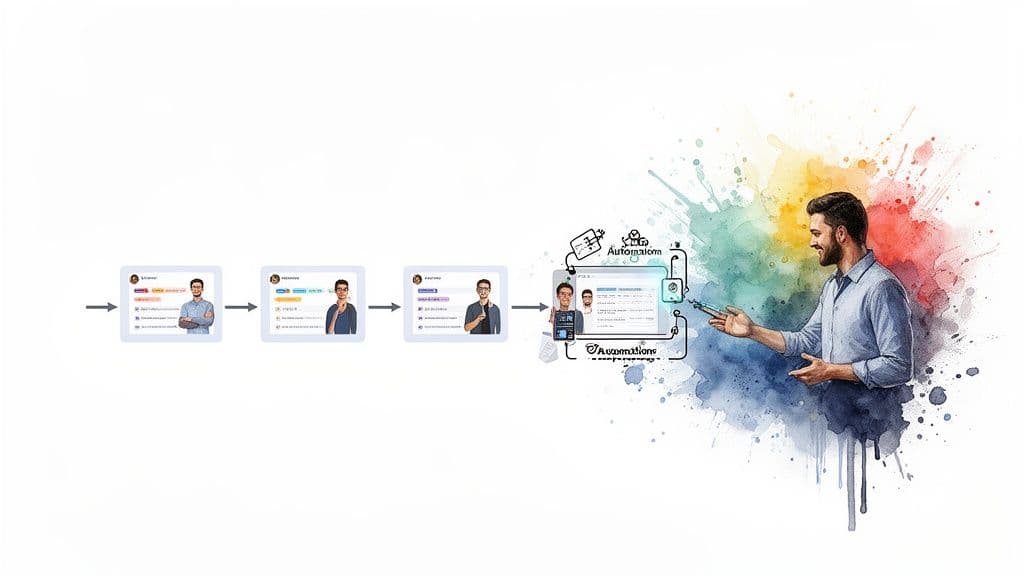
Once the team is comfortable with the tool, focus on automation and delegation to reclaim time. Automations remove repetitive busywork like assigning the next task, pinging stakeholders, or updating project boards.
Putting Repetitive Tasks on Autopilot
Automations are often simple “if-then” rules. For example: if a task moves to “Ready for Review,” automatically assign it to QA. Examples that work well:
- Trigger-based assignments: Moving a task to “Editing” assigns it to the editor with a due date.
- Automated status alerts: Overdue high-priority tasks post a notification in Slack.
- Streamlined progression: Completing final subtasks moves the parent project into “Monitoring.”
These small automations add up, saving hours and letting your team focus on important work. Many vendors highlight automation as a core capability of modern task management tools4.
The Power of Smart Delegation
Beyond software automation, delegation to skilled assistants can free up your core team. Delegating routine tasks like research or data entry lets specialists focus on strategic work.
Some platforms connect teams with human assistants for pay-per-task support, turning your task system into a dynamic resource that helps you get more done.
Measuring Success and Proving the ROI
After rollout, measure real impact with KPIs rather than vanity metrics. Track before-and-after changes to tell a clear story about the investment.
Key Metrics That Actually Matter
Track metrics that reflect workflow improvements:
- Project completion rate: Percentage of projects finishing on time.
- Average time-to-completion: Cycle time from backlog to done.
- Task overdue percentage: Share of tasks missing due dates.
- Team adoption rate: Percent of team using the tool daily.
Show leadership how better organization drives outcomes. For example, a measurable increase in on-time completion can be tied directly to revenue and client satisfaction.
Calculating Your Return on Investment
Start with time saved. If automations and clearer workflows save 2 hours per week for each of 10 team members, that’s 20 hours reclaimed weekly. Multiply by your hourly rate to get a concrete dollar value for efficiency gains. Use project tracking metrics to refine your ROI analysis5.
Ultimately, proving value is about telling a compelling story with data—connecting streamlined workflows to faster delivery, higher output, and a healthier bottom line.
Ready to turn chaos into clarity and prove your team's ROI? Fluidwave combines task management with automation and delegation to help teams get organized and measure success. Discover how Fluidwave can transform your workflow today.
Frequently Asked Questions
Q: How do I know which task management style fits my team?
A: Map how work flows today and test tools with a small pilot. Creative teams often prefer Kanban; technical teams usually need list views with dependencies. Choose the tool that mirrors your workflow.
Q: What should I measure to prove the software’s impact?
A: Focus on project completion rate, average time-to-completion, task overdue percentage, and team adoption rate. Translate time saved into dollars to show ROI.
Q: How do I increase adoption across the team?
A: Start with a pilot group of champions, communicate the benefits clearly, and run hands-on training that uses real tasks.
1.
Fortune Business Insights, “Task Management Software Market Size, Share & COVID-19 Impact Analysis,” https://www.fortunebusinessinsights.com/task-management-software-market-102249
2.
Breeze, “Task Management Statistics,” https://www.breeze.pm/blog/task-management-statistics
3.
Asana, https://asana.com; Trello, https://trello.com
4.
Wrike, “What Is Task Management Software?” https://www.wrike.com/blog/task-management-software/
5.
Fluidwave, “Project Tracking Metrics,” https://fluidwave.com/blog/project-tracking-metrics
Focus on What Matters.
Experience lightning-fast task management with AI-powered workflows. Our automation helps busy professionals save 4+ hours weekly.