Drowning in project chaos? Learn to choose and implement the right project management software for small business with this practical, step-by-step guide.
December 24, 2025 (8mo ago)
Mastering Project Management Software for Small Business
Drowning in project chaos? Learn to choose and implement the right project management software for small business with this practical, step-by-step guide.
← Back to blog
Small Business Project Management Software
Summary: Stop the chaos: choose and implement project management software that centralizes tasks, improves collaboration, and saves time for small businesses.
Introduction
If your small business runs on a tangle of spreadsheets, endless email threads, and sticky notes, you’re not alone — and you’re losing time and money. This practical, step-by-step guide shows how to pick, implement, and roll out the right project management software so your team can work with clarity and control.
Escape the Chaos of Spreadsheets and Email Chains

The familiar spreadsheet-and-email approach costs more than frustration. Communication fragments, files get buried, and accountability becomes guesswork. Missed deadlines and wasted hours hit your bottom line.
I see this with agencies all the time. One small marketing agency used a master Excel file for deadlines, a few Slack channels for quick updates, and Google Drive for assets. The result: the design team worked from an old brief, the copywriter missed feedback in an email, and the client was left in the dark. That organized chaos eroded time and client trust.
Why Old Habits Stick
Makeshift systems feel free and familiar, so they’re easy to keep using. But as you grow, the cracks widen. Without a central source of truth, teams spend more time hunting for updates than doing the work. That reactive mode stalls progress and creates burnout. Learn how to fix this with a shared tasks approach in our guide on shared to-do lists: https://fluidwave.com/blog/shared-todo-lists.
This shift away from manual methods is reflected in market demand: the global project management software market was estimated at USD 4.3 billion in 2024 and is projected to grow significantly by 20351.
Shift to Clarity and Control
Project management software isn’t just another subscription — it’s an investment in efficiency. Centralizing communication, defining task ownership, and making progress visible transforms how your team works.
Example results for that marketing agency:
- Centralized communication: discussions, feedback, and file versions attach directly to tasks.
- Clear task ownership: tasks have a designated owner and due date, eliminating confusion.
- Visible progress: the team and clients see project status in real time, reducing check-in meetings.
This transition turns inconsistent workflows into predictable processes and lets you leverage data analytics to make smarter decisions about projects and profitability2.
Define What Your Business Actually Needs

Jumping into demos without a plan is a classic mistake. The right tool isn’t the one with the longest feature list — it’s the one that matches your workflow and solves your biggest pain points.
Start with an honest assessment: where do projects get stuck? What information is impossible to find when you need it? Only 23% of organizations use dedicated project management software today, which means many teams still rely on fragmented methods that don’t scale3.
Diagnose Your Pain Points
Pull your team together and ask targeted questions:
- Where do conversations go to die? Are critical decisions lost in email threads?
- Who owns this task? Do people say, “I didn’t know that was on my plate”?
- What’s the status of everything? Can you get a bird’s-eye view in 30 seconds?
- Why are we behind? Are dependencies unmapped or tasks falling through the cracks?
Use these answers to define the capabilities a new tool must provide.
Distinguish Needs from Wants
Map pain points to features and separate must-haves from nice-to-haves. Small businesses frequently overpay for platforms full of unused features. Simplicity often wins when you need team buy-in.
Core vs. Advanced Feature Checklist for Small Businesses
Use this checklist to identify essentials versus optional extras.
| Feature Category | Essential for Us (Yes/No) | What This Solves | Example in Fluidwave |
|---|---|---|---|
| Centralized Task Management | Prevents tasks from falling through the cracks | Assign tasks, set deadlines, track progress on one dashboard | |
| Team Collaboration & Communication | Keeps project discussions in context | @mentions, file sharing, project comments | |
| Time Tracking | Accurate client billing and project profitability | Log hours against tasks for financial reporting | |
| Client Portal & Guest Access | Keeps clients informed without email overload | Share boards or files for client feedback and approvals | |
| Basic Reporting & Dashboards | Quick visual view of project health | Dashboards showing overdue tasks and timelines | |
| Mobile App Access | Update tasks from anywhere | Fluidwave mobile app for on-the-go updates | |
| File Storage & Management | Stores assets where teams can find them | Attach files directly to tasks | |
| Advanced Gantt Charts | Visualize timelines and dependencies | Map multi-phase projects with critical paths |
Also weigh custom software versus off-the-shelf solutions and how each aligns with long-term goals: https://upnorthmedia.co/blog/custom-software-vs-off-the-shelf.
Navigate Features and Pricing Models
With a clear requirements list, evaluate options by real cost and value. The cheapest sticker price can hide limits that cost you time.
Common Pricing Structures
- Per-user, per-month: predictable but scales with headcount.
- Tiered plans: predictable features per tier, but a needed function might be locked behind a higher plan.
- Freemium: great for trials, often too limiting for daily use.
- Usage-based: pay for what you use, but costs can vary month to month.
Cloud-based tools are increasingly accessible because they reduce upfront IT costs and complexity4.
Software Philosophies
Tools usually fall into “all-in-one” suites or “focused task managers.” Many small teams do best with a middle-ground: simple, focused tools that still handle real-world complexity. For a deeper comparison, see our task management software guide: https://fluidwave.com/blog/task-management-software-comparison.
How Fluidwave Balances Power and Simplicity
Fluidwave is built to give small teams essential project management features without enterprise bloat. For example, a client portal provides a curated view for clients without exposing internal data, and visual task boards make ownership and progress obvious.
A Smart Rollout Plan Your Team Will Embrace
Choosing software is only half the battle — adoption is the other half. Avoid top-down mandates. Use a gradual rollout that builds momentum and trust.
Start Small With a Pilot Project
Run a live pilot on a low-risk, high-impact project. Choose two or three respected, tech-friendly team members to act as champions. Your goal is one small, tangible win that shows the rest of the team the benefits.
Pre-Launch Checklists
Data Migration Checklist
- Identify critical information to migrate: active projects, contacts, essential files.
- Clean your data: archive old projects and delete duplicates.
- Test import with a single project to catch formatting issues.
First Training Session Plan
- Explain the “why”: connect the tool to real pain points.
- Teach the essentials: creating a task, assigning an owner, adding a comment.
- Make it hands-on: have everyone complete a real task during training.
Create quick-reference cheat sheets based on pilot feedback and iterate before company-wide rollout.
How a Project Management Tool Solves Real Problems
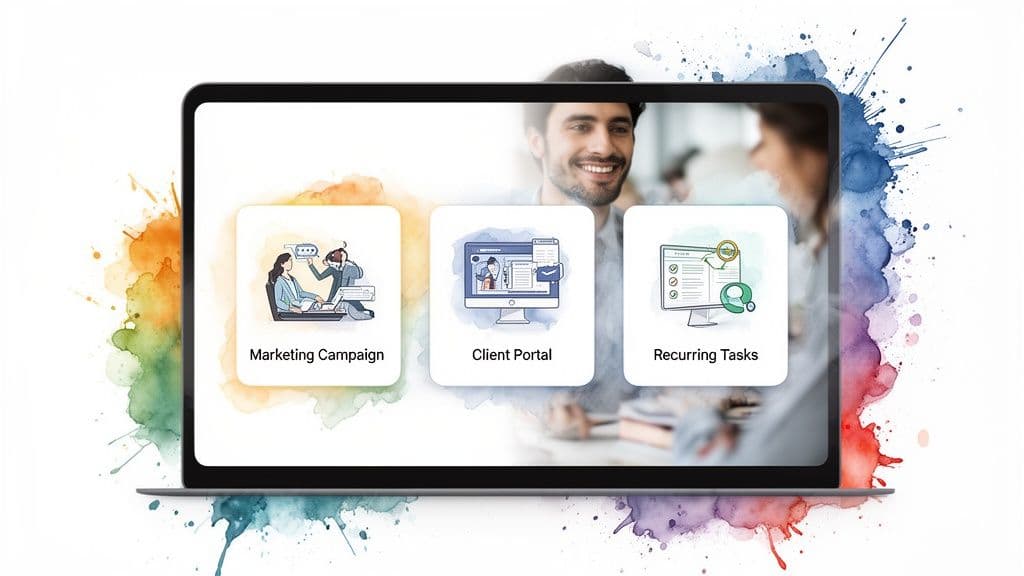
Here are common scenarios where the right platform brings immediate value.
The Chaotic Marketing Campaign
Problem: An e-commerce launch stalls because assets and approvals are scattered across emails and chats.
Fix: A visual project board shows dependencies and locks downstream tasks until prerequisites are complete. Assets attach to tasks so no one hunts for files.
The Opaque Client Project
Problem: Clients constantly ask for status updates, and the project manager spends hours compiling reports.
Fix: A client portal provides curated, real-time visibility and lets clients leave feedback directly on drafts, reducing status emails and building trust.
The Overwhelmed Service Team
Problem: Routine maintenance tasks are created manually, increasing human error and uneven workload.
Fix: Recurring tasks automate routine work and a workload view lets leads rebalance assignments quickly, preventing burnout and missed duties. This kind of workflow automation drives efficiency for small teams: https://fluidwave.com/blog/workflow-automation-for-small-business.
These scenarios show how centralizing information, clarifying ownership, and automating repetitive work turn persistent challenges into streamlined successes.
Common Concerns and Straight Answers
Is project management software too complicated for a small team?
Not if you pick the right tool. Choose something built for small teams, start with core features, and run a small pilot to test in real conditions.
How do I justify the monthly cost?
Reframe it as an investment. Calculate hours saved from fewer meetings, reduced rework, and faster approvals. Most platforms offer free trials so you can measure the impact first.
How long to onboard a small team?
With a phased rollout and focused training, a small team can be operational in one to two weeks. Move one project first, hold a focused kickoff, and provide a one-page cheat sheet.
Ready to swap chaos for clarity? Fluidwave helps small businesses stay organized and deliver better work. Start for free: https://fluidwave.com.
Quick Q&A
Q: What’s the first step to pick a tool?
A: Diagnose your pain points, then map them to must-have features rather than chasing every shiny option.
Q: How do I ensure team adoption?
A: Run a small pilot with champions, train on essentials only, collect feedback, and provide simple cheat sheets.
Q: What pricing model is best for small businesses?
A: It depends. Per-user works for stable teams; freemium is good to test; tiered plans suit teams that match a clear feature set.
1.
Fortune Business Insights, “Project Management Software Market Size, Share & Industry Analysis,” https://www.fortunebusinessinsights.com/industry-reports/project-management-software-market-104712.
2.
Vizule, “Data Analytics for Small Business,” https://vizule.io/data-analytics-for-small-business/.
3.
Capterra, “Project Management Software Statistics,” https://www.capterra.com/p/project-management-software-statistics/.
4.
Markets and research on cloud adoption and SaaS trends, e.g., Statista and industry reports: https://www.statista.com and related market analyses.
Focus on What Matters.
Experience lightning-fast task management with AI-powered workflows. Our automation helps busy professionals save 4+ hours weekly.