Streamline project transitions with our essential project handoff template. Learn to create clear documentation, align teams, and ensure project continuity.
November 29, 2025 (10mo ago)
Your Essential Project Handoff Template
Streamline project transitions with our essential project handoff template. Learn to create clear documentation, align teams, and ensure project continuity.
← Back to blog
A project handoff template is basically a standardized document that helps you pass a project's knowledge, assets, and responsibilities from one team to the next. Think of it like a relay race—the template is the baton, making sure you don't drop it during the exchange. It pulls all the critical information into one spot**, so important details don't get lost in the shuffle.
The True Cost of a Disorganized Handoff
We've all been there. That sinking feeling when a project lands on your desk, but key details are missing. One minute you're ready to hit the ground running, and the next, you're on a frantic scavenger hunt for login credentials, chasing down stakeholders for context, or trying to make sense of cryptic notes buried in a shared drive. That's the chaotic reality of a bad handoff.

When project transitions hinge on informal chats and scattered emails, the fallout can be felt across the entire organization. In fact, research shows that companies with poor project management practices waste nearly 12% of their resources. A huge chunk of that waste comes directly from sloppy handoffs where momentum stalls and teams are forced to rediscover information that was never documented properly in the first place.
Why Informal Handoffs Fail
That casual "let's just have a quick call" approach might feel efficient at the moment, but it’s loaded with hidden costs. Key details are inevitably forgotten, critical dependencies aren't explained, and the new team is left trying to assemble a puzzle without all the pieces.
This breakdown in process almost always leads to serious problems:
- Blown Deadlines: The incoming team wastes the first week just getting their bearings instead of actually making progress.
- Scope Creep: Without a clear, documented record of what was agreed upon, new requests and "nice-to-haves" can easily derail the project's original goals.
- Team Frustration: Nothing burns out a talented team faster than feeling like they've been set up to fail with incomplete information.
- Lost Knowledge: When someone leaves the company, their undocumented project knowledge walks out the door with them, forcing your organization to solve the same problems over and over again.
A project handoff is more than a transfer of files; it's a transfer of ownership, context, and responsibility. Without a structured process, you’re just passing along chaos.
Making the switch to a standardized project handoff template isn't about creating more red tape. It’s a strategic move to safeguard your project’s momentum and, frankly, your team's sanity. By setting up a single source of truth, you create a reliable, repeatable process that ensures every transition is a step forward, not a stumble backward. Honing these internal processes is a fundamental part of learning how to improve communication skills in the workplace.
Building Your Core Project Handoff Template
Alright, let's roll up our sleeves and build the foundation of your go-to project handoff template. Think of this as the master blueprint for any transition. It’s the one document anyone can pick up and immediately understand a project's history, where it stands today, and where it’s headed. Creating a solid template is what separates a smooth, professional handoff from a chaotic, frustrating one.
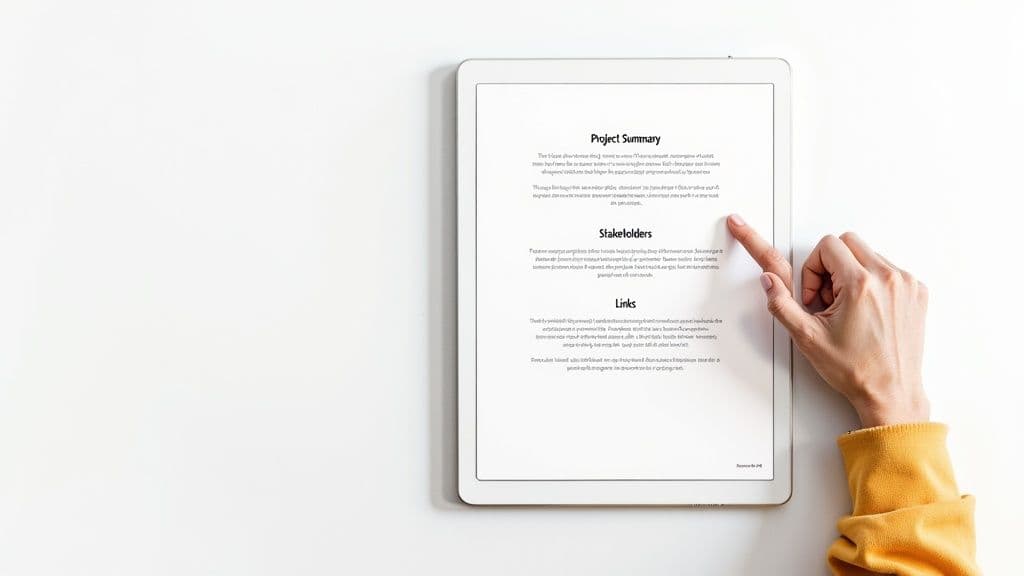
The value of having a standard process can't be overstated. In fact, industry data shows that about 80% of project managers see a huge jump in communication and collaboration when they use standardized handover templates. This isn't just about checking a box; it's a proven way to reduce friction and get everyone aligned from the get-go.
The Project Summary: Your 30-Second Overview
Every handoff needs a high-level overview right at the top. This isn't the place for jargon or getting lost in the weeds. It’s the project’s elevator pitch.
Your summary should be able to answer these questions in just a few sentences:
- What was the original goal? In simple terms, what problem were we trying to solve?
- What's the current status? Are we at 90% completion, in the final review, or launching next week?
- What are the immediate next steps? What are the very first things the new team needs to tackle?
This section gives instant context. It saves the new owner from having to dig through old emails and meeting notes just to figure out what the project is all about.
Essential Components of a Project Handoff Template
To make sure nothing gets missed, I've found it's best to break the template down into clear, non-negotiable sections. Each part serves a distinct purpose, creating a complete picture for the incoming team.
| Component | Purpose | Example Entry |
|---|---|---|
| Project Summary | Provides a quick, high-level overview of the project's goal, status, and next steps. | Project Phoenix: A redesign of the customer checkout flow to reduce cart abandonment by 15%. Currently in UAT, with a go-live date of Oct. 28. |
| Key Stakeholders | A directory of all essential people, their roles, and how to contact them. | Jane Doe, Lead UX Designer, jane.doe@email.com, Slack: @janedoe |
| Central Resource Hub | A single, organized list of direct links to all critical documents, tools, and assets. | Design Files: [Link to Figma board], Project Brief: [Link to Google Doc] |
| Project Timeline & Milestones | A visual or written record of key dates, major achievements, and upcoming deadlines. | Milestone 3: Backend API Integration - Completed Sept. 15. Next: Final QA - Begins Oct. 20. |
| Outstanding Tasks & Known Issues | A transparent list of what's left to do and any bugs or risks the new team should know about. | Bug #123: Mobile Safari rendering issue on checkout button. Priority: High. |
Having these components locked in means you’re not reinventing the wheel every time. It’s a reliable checklist that ensures consistency and clarity.
Who's Who: Identify Key People and Their Roles
A project is really just a group of people working together, but it’s amazing how often contact info gets buried during a handoff. Your template absolutely must have a dedicated stakeholder list. This isn’t just a list of names; it's a map of who does what.
For each key person, make sure you include their:
- Name and Title: Simple and clear.
- Role on the Project: Be specific—think "Lead Back-End Developer" or "Client-Side Marketing Contact."
- Contact Information: Their primary email and any relevant channels, like a specific Slack handle.
This simple directory cuts out the guesswork and empowers the new team to find the right person fast. It's a critical piece of any solid communication strategy, a topic we explore more deeply in our guide on the project communications plan template.
The Central Hub: All Essential Links in One Place
The "document dump"—a shared folder overflowing with disorganized files—is the enemy of a clean handoff. Your template should act as a central hub, a curated library with direct links to every single essential resource.
Create a single source of truth that links out to everything else. This prevents version control nightmares and ensures everyone is working from the most up-to-date documents.
Organize your links logically. I like to use subheadings for things like the project charter, scope documents, design files, and meeting notes. You should also clearly list any crucial tools, noting the platform and who to contact for access credentials. A well-structured client onboarding process template offers great insights here, as both processes are all about creating clarity during a critical transition period.
Documenting Technical Specs and Project Assets
Once you've covered the high-level details, it’s time to dig into the nuts and bolts. This is where you lay out all the technical specifications and project assets—the critical information that prevents future headaches and stops technical debt from piling up.
Skipping this part is like handing someone the keys to a complex piece of machinery without the instruction manual. A truly effective project handoff depends on a transparent, meticulously organized inventory of every technical component and creative asset involved. This isn't just about zipping up a folder; it’s about transferring the practical knowledge that keeps the project running long after the original team has moved on.
The Technical Deep Dive
For any project with a technical backbone—whether it's software, a website, or an internal tool—this section is non-negotiable. You’re essentially providing a detailed map of the architecture, dependencies, and environments so the new team isn't flying blind. Think of it as leaving a clear set of blueprints for the next crew.
Your technical documentation should include:
- Code Repositories: Direct links to every relevant repo on platforms like GitHub or GitLab. Don't just drop a link; include clear instructions on your branching strategy and any specific commit guidelines.
- Environment Details: A full rundown of the development, staging, and production environments. Get specific about server configurations, databases, and any crucial setup steps.
- API Keys & Credentials: A secure and clear list of all third-party services, API keys, and access credentials. For obvious security reasons, this should point to a secure vault or password manager, not be stored in plain text.
- Key Dependencies: A comprehensive list of the critical libraries, frameworks, or external services the project relies on to function.
A well-documented technical handoff empowers the new team to not only maintain the project but also build upon it with confidence. Any ambiguity here is a direct path to costly mistakes and frustrating delays.
If you’re new to this, learning How To Write Technical Documentation is an invaluable skill that pays dividends in every handoff. It's all about creating clarity that outlasts your direct involvement.
Cataloging Creative and Brand Assets
Technical details are only half the picture. Projects in marketing, design, and product management are built on a well-organized library of creative assets. Just dumping everything into a shared drive is a recipe for chaos and brand inconsistency.
Instead, create a central directory that’s intuitive and easy to navigate. This is where you can point everyone to the single source of truth for all creative work.
Your asset inventory needs to cover:
- Brand Guidelines: The master document detailing logos, color palettes, typography, and tone of voice. This is your bible for maintaining brand consistency.
- Design Files: Links to the source files in tools like Figma, Sketch, or Adobe Creative Suite. Double-check that permissions are correctly set for the incoming team.
- Final Assets: A logically organized folder structure for all final, approved assets, like images, videos, ad copy, and social media content.
- Content & Copy Docs: Easy-to-find links to all master copy documents, from website content and blog posts to marketing campaign materials.
Mapping out these creative workflows is just as important as documenting code. For a deeper look into structuring these kinds of operational details, our guide on how to create a process map can help you visualize and clarify even the most complex steps.
Mastering the Handoff Meeting
A rock-solid project handoff template is a great start, but it’s only half the job. Think of the document as the map; the handoff meeting is where you actually walk the new team through the landscape. The real success of any transition comes down to a well-run, human conversation.
This isn’t just a box to check. It's a critical moment for alignment. A sloppy meeting can unravel all the careful work you put into your documentation, leaving the new team confused and hesitant. The goal is to make this session productive, thorough, and a genuine transfer of ownership.
Setting a Clear and Productive Agenda
Showing up to a handoff meeting without an agenda is a surefire way to have a rambling, unfocused discussion. You need a solid structure that respects everyone’s time and guarantees you cover every crucial point. It's the flight plan for your conversation.
Here's a practical structure I’ve found works wonders:
- The High-Level Flyover (15% of meeting time): Kick things off with the big picture. The outgoing lead should spend about five minutes summarizing the project’s original goals, where things stand now, and what success looks like moving forward.
- Template Walkthrough (40% of meeting time): This is the heart of the meeting. Guide everyone through your project handoff template, section by section. Don't just read it out loud; explain the reasoning behind key decisions and highlight the most critical documents and links.
- Open Floor for Q&A (30% of meeting time): This might be the most valuable part of the entire meeting. Carve out dedicated time for the incoming team to ask anything and everything. Encourage them to voice concerns and get clarity.
- Defining Next Steps & Support (15% of meeting time): Always end by clearly outlining the immediate next steps. It's just as important to set clear expectations for what post-handoff support will look like.
The Art of the Walkthrough
When you get to the template walkthrough portion of the agenda, don't just share your screen and scroll. This is your opportunity to bring the document to life. Point to specific sections and add the human context that a static document can never fully provide.
For example, when you get to the stakeholder section, you might add a personal tip like, "You'll be working a lot with Sarah from Marketing on this. For quick questions, you'll get a faster response on Slack than email."
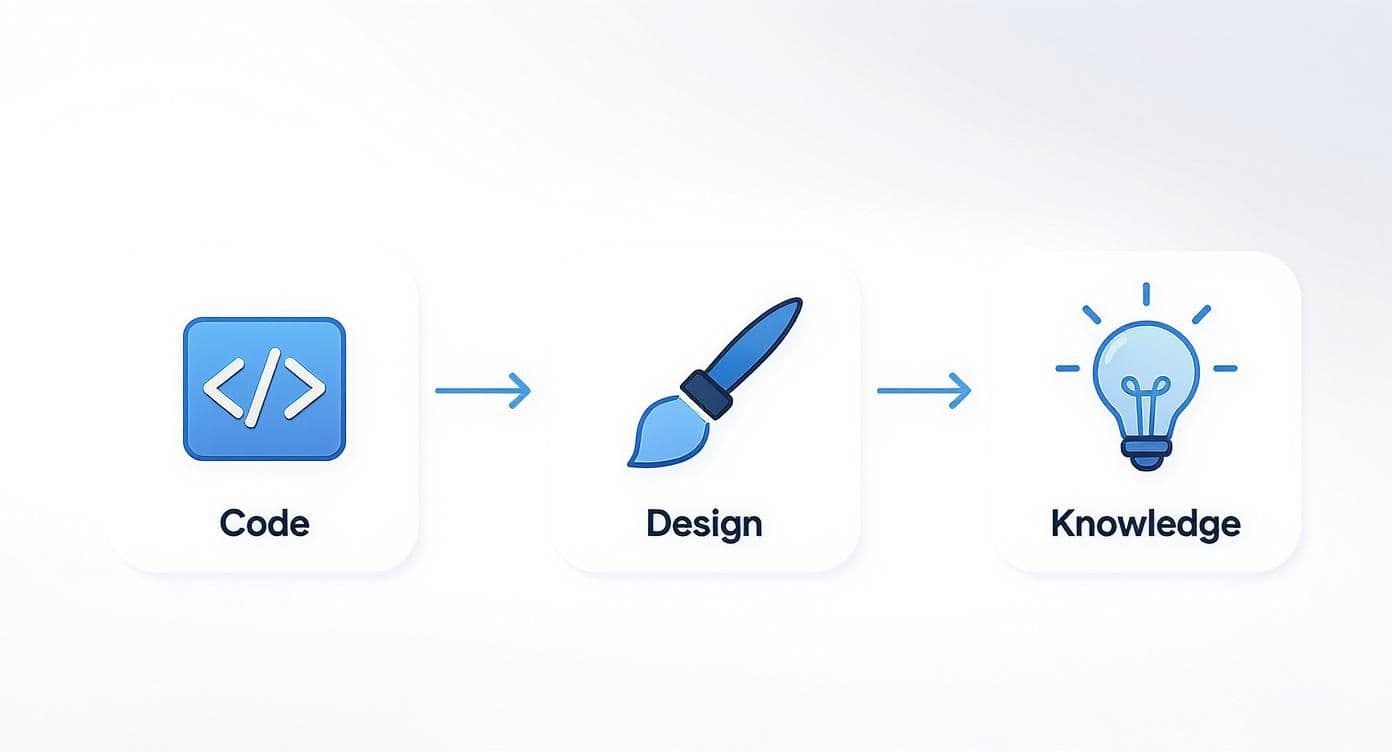
This workflow is a great reminder that a complete handoff involves more than just code. You're also transferring design rationale and the institutional knowledge that holds everything together.
The goal of the handoff meeting isn't just to transfer information; it's to build the new team's confidence. They should leave the meeting feeling empowered, not overwhelmed.
Before you wrap up, make sure you establish clear communication protocols for the transition period. Agree on a specific timeframe—say, two weeks—where the outgoing lead will be on standby for questions. This small step provides a crucial safety net and helps the new team feel fully supported as they get up to speed.
Adapting Your Template for Different Projects
A rigid, one-size-fits-all approach to project handoffs is a recipe for confusion. I've learned over the years that the real power of a great project handoff template isn't in its structure, but in its flexibility. You wouldn't use the same blueprint for a skyscraper and a single-family home, right? The same logic applies here—your handoff document needs to be adapted to the unique demands of each project.
The goal isn't to create more work. It’s about providing maximum clarity with minimum noise. For a software launch, the incoming team is going to care deeply about build processes and testing environments. But for a marketing campaign? They need access to creative assets and analytics dashboards. Tailoring your template ensures you're handing over the most relevant information, not just a data dump.
For Technical and Software Projects
When you're handing over a software or IT project, the details are everything. Any ambiguity can lead to bugs, downtime, and a very frustrated development team. Your template needs to expand to include highly specific technical sections that leave absolutely no room for guesswork.
This kind of handoff has to be incredibly precise. I always think of it as passing along a complex machine; the new team needs the full operator's manual, not just a quick start guide.
- Build & Deployment Processes: Give them the step-by-step instructions for building the project and deploying it to all environments—development, staging, and production.
- Testing Environments & Protocols: Detail how to access and use the testing environments. Don't forget any specific test accounts or data they'll need.
- System Architecture Diagram: A visual map of how all the components fit together is often more valuable than pages and pages of text.
- Code Style Guides & Best Practices: Link to any documentation on coding standards to ensure consistency for future development. It’s a small step that saves a lot of headaches later.
For Creative and Marketing Campaigns
In the creative world, the context behind the assets is just as important as the assets themselves. A handoff for a marketing campaign or a design project has to focus on the "why" behind the creative decisions. The incoming team needs to really understand the strategy to carry the torch effectively.
Handoffs for creative projects are about transferring the brand's voice and the campaign's soul. The template must capture the strategic intent behind every asset.
For these projects, your project handoff template should focus less on code repositories and much more on the narrative and creative foundation.
- Audience Personas & Targeting: Who is this campaign for? Include detailed personas and any specific targeting parameters from ad platforms.
- Key Messaging & Brand Voice: What are the core messages? What's the specific tone of voice they need to use?
- Creative Asset Library: Provide organized links to all final assets, source files (like Figma or Photoshop documents), and any talent usage rights or licenses.
- Analytics & Performance Dashboards: Share direct links to dashboards (e.g., Google Analytics, social media analytics) and give a brief rundown on the key performance indicators (KPIs).
For Client-Facing and Agency Projects
When the handoff involves transitioning a project to a client or another agency, the focus shifts to relationship management and operational continuity. This is less about your internal processes and more about making sure the client feels secure and supported through the change.
Clarity and reassurance are your primary goals here. Your template should be structured to build the client's confidence in the new team from day one. It's all about demonstrating a seamless and professional transfer of responsibility.
Template Customization for Project Types
To make this crystal clear, I've found that thinking about the project type is the best way to determine which extra sections you need. A little customization goes a long way.
| Project Type | Key Sections to Add | Primary Focus |
|---|---|---|
| Technical | Build Processes, API Docs, Environment Details | Operational Stability & Code Integrity |
| Creative | Audience Personas, Brand Voice, Asset Library | Brand Consistency & Strategic Alignment |
| Client-Facing | Client Communication Log, Contract Details, Billing Info | Relationship Continuity & Service Delivery |
By adapting your core template, you create a purpose-built tool for every situation. This thoughtful customization is what elevates a good handoff process to a great one, ensuring every project transition is smooth, efficient, and sets the new team up for immediate success.
Common Project Handoff Questions
Even with the most buttoned-up process and a rock-solid template, questions are going to pop up during a handoff. It's a complex moment, full of moving parts, and it’s completely normal to second-guess whether you’ve covered everything.
Let’s walk through some of the most frequent questions I hear from teams navigating this transition. Getting these sorted out upfront saves a ton of back-and-forth and makes the whole process smoother for everyone.
How Detailed Should a Handoff Be?
The sweet spot is comprehensive but not overwhelming. You want the new team member to be able to open your handoff document and, without needing to ping you constantly, understand the project's goals, where things stand, and who to talk to about what.
Here’s a good way to think about it: the document should empower them to make smart decisions for the project’s next phase. That means you can't just list what was done; you have to explain the why behind key choices. The real goal is to get the new team to a place of self-sufficiency as quickly as possible.
A great project handoff doesn't just transfer information; it transfers understanding. The new team should grasp the project's history and its future trajectory.
Who Is Responsible for the Handoff Document?
The outgoing project manager or team lead typically owns the creation of the handoff document. They're the one on the hook for making sure it’s complete, accurate, and delivered on time.
But, and this is a big but, it has to be a collaborative effort. It’s a huge mistake for one person to try and write the entire thing from memory.
- Developers need to provide the technical specs and environment details.
- Designers should be linking up the final assets and brand guidelines.
- Marketers need to outline campaign goals and key performance metrics.
The project manager acts as the editor-in-chief, pulling all these contributions together into one coherent story. I also highly recommend having the receiving team review a draft. This simple step ensures the document actually meets their needs and preemptively answers their biggest questions.
What Are the Biggest Mistakes to Avoid?
Most handoff failures I've witnessed boil down to a few common, and totally avoidable, mistakes. Knowing what they are is half the battle.
The biggest one is the "document dump." This is when someone just sends a link to a cloud folder packed with unorganized files and zero context. Another classic is the "last-minute rush," where the handoff doc is sloppily assembled an hour before the final meeting. And of course, there's the "disappearing act," where the outgoing team goes completely radio silent the moment the handoff is officially "done."
A successful handoff isn't just a document; it's a process. It absolutely must include a live walkthrough and a clearly defined period of post-transition support. This ensures the new team doesn't just have the information—they feel genuinely equipped to run with it.
Ready to eliminate messy handoffs and streamline your entire workflow? Fluidwave combines intelligent task management with on-demand virtual assistants to keep your projects moving forward seamlessly. Create your free account and discover a smarter way to manage and delegate work. Get started with Fluidwave today.
Focus on What Matters.
Experience lightning-fast task management with AI-powered workflows. Our automation helps busy professionals save 4+ hours weekly.