Learn planning and prioritizing techniques that work, from Eisenhower to RICE, plus how to put them into practice with automation and delegation.
October 16, 2026 (3d ago)
Planning and Prioritizing Work That Actually Gets Done
Learn planning and prioritizing techniques that work, from Eisenhower to RICE, plus how to put them into practice with automation and delegation.
← Back to blog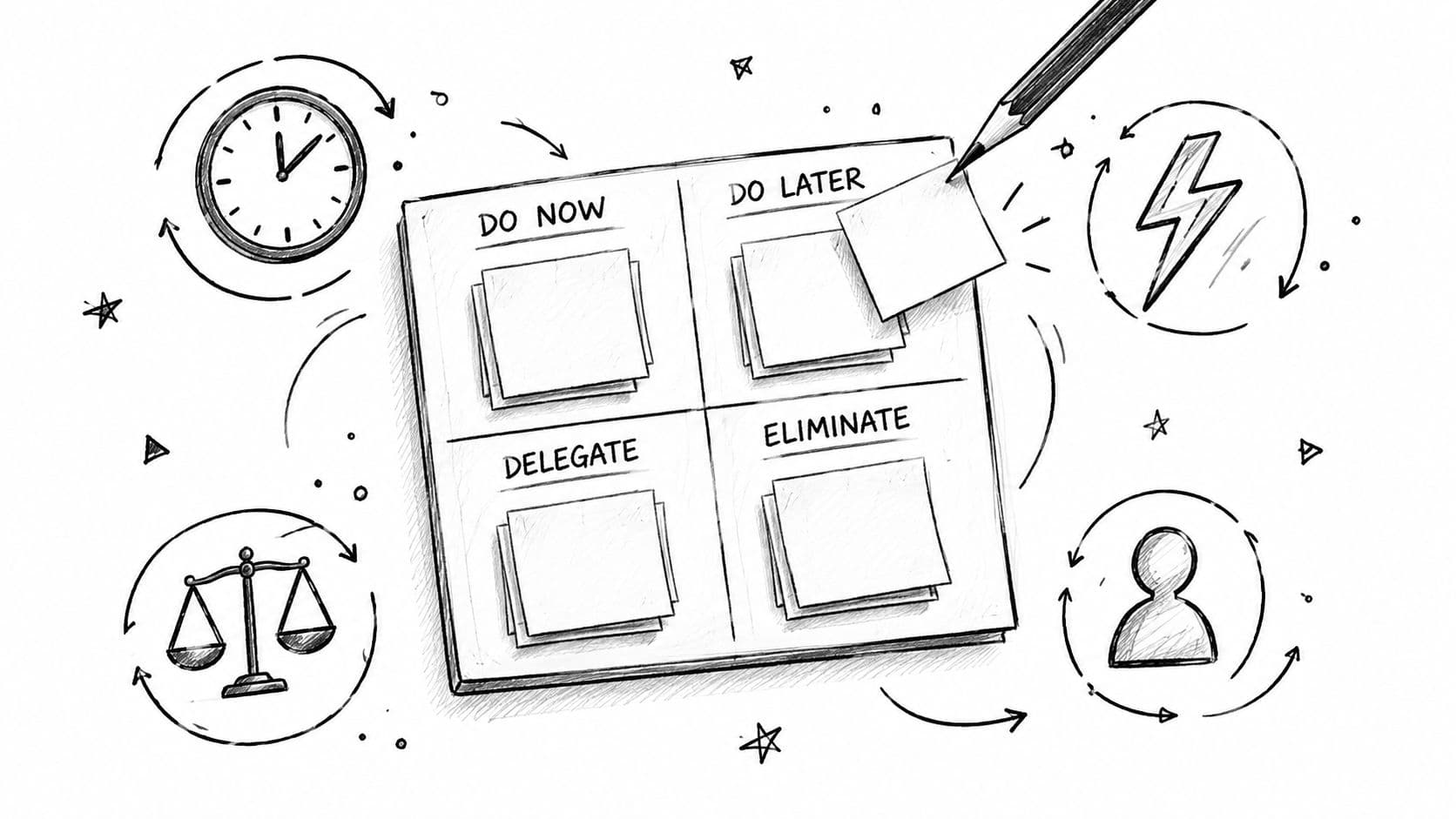
You start the morning with a clean list, a clear head, and a reasonable plan. By mid-morning, a client request has arrived, a meeting has overrun, your inbox has created six more tasks, and the item that mattered most is still untouched. The list didn't fail because you lack discipline. It failed because it treated every hour as equally usable and every decision as something you could keep making indefinitely.
Planning and prioritizing work that gets done requires a sturdier system. You need a way to choose the right framework, turn priorities into triggered actions, budget energy instead of merely counting hours, automate low-value decisions, and use a task platform that can sort the workload when the day goes sideways. Good planning and organization tips for adults help, but busy professionals also need operating rules that survive interruptions.
The aim isn't a prettier to-do list. It's an operating system for attention.
Why Most Priority Lists Fail Before Noon
A priority list often fails before the first serious piece of work begins. It mixes strategic projects with quick replies, treats an urgent request as automatically important, and assumes the person writing it will have the same focus at four in the afternoon as they had at nine in the morning. That's why a list can look sensible and still produce a chaotic day.
The first correction is to separate ranking from execution. Ranking tells you what matters. Execution requires a time, a context, a next action, and a fallback when your original block disappears. Without those details, “finish the proposal” remains an intention rather than something you can start.
The second correction is to stop treating all work as a personal scheduling problem. Project priorities affect budgets, staffing, dependencies, and business outcomes. PMI reported that only 62% of projects met their original goals and business intent in 2012, down from 72% in 2008, while approximately 17% failed outright. The same report estimated losses of about $135 million for every $1 billion invested in failed projects. (PMI's 2013 Pulse of the Profession report)
Five shifts that make the list usable
- Choose the right framework: Use Eisenhower for daily triage, RICE for a scored initiative backlog, and MoSCoW when a team must agree on scope.
- Attach a trigger: Convert important tasks into if-then actions with a specific time, place, or event.
- Budget energy: Reserve your strongest attention for complex work, and downgrade tasks when your mental capacity is low.
- Stop re-deciding: Automate recurring choices, delegate low-judgment work, and maintain a deliberate “not now” queue.
- Give the system the sorting job: Put incoming work into one reliable workspace, then use views, deadlines, dependencies, and delegation to make the next action visible.
Task switching makes the problem worse. Workplace observation research found that people changed activities about once every three minutes on average, including conversations, computer applications, and phone calls. (Research on interruption and resumption lag) A list that constantly invites you to scan, reconsider, and react becomes another source of interruption.
Practical rule: A priority system should reduce the number of decisions you make during the day, not give you more decisions to make.
Choosing Between Eisenhower, RICE, and MoSCoW
These frameworks aren't competing philosophies. They answer different questions.
Eisenhower helps a founder sort a noisy day. A customer escalation, hiring decision, investor follow-up, and routine approval may all arrive with a sense of urgency. The matrix separates urgent and important work from work that should be scheduled, delegated, or removed. Use it when volume is high and the immediate question is, “What deserves my attention now?”
RICE belongs on a product or growth backlog. A product manager can score a feature by its expected reach, impact, confidence, and effort, then compare it with other initiatives using a shared logic. It's useful when the team has more plausible ideas than capacity and needs a transparent way to discuss trade-offs.
MoSCoW is a team alignment tool. A project manager preparing a release can classify requirements as Must, Should, Could, or Won't. The value isn't mathematical precision. The value is getting stakeholders to agree on what ships, what can wait, and what the current scope explicitly excludes.
For a broader guide to project-level prioritization, see how to prioritise projects. The important point is to resist framework collecting. A method earns its place when your team can use it under pressure without reopening the entire debate.
| Framework | Best Used When | Main Output | Watch Out For |
|---|---|---|---|
| Eisenhower | Incoming work has mixed urgency and importance | A triage decision for each task | Treating urgency as proof of value |
| RICE | A backlog contains competing features or initiatives | A comparative score and ranked backlog | False precision when confidence is weak |
| MoSCoW | A team must agree on scope and delivery | Shared categories for what ships and what waits | Allowing every request to become a “Must” |
Pick one default for each layer
Use Eisenhower daily, RICE during roadmap reviews, and MoSCoW during delivery planning if your work has all three layers. If you work alone, Eisenhower may be enough for incoming work, while a simple value-versus-effort judgment handles longer-term projects.
Don't use RICE to decide whether to answer an urgent operational question. Don't use MoSCoW to manage every email. And don't turn Eisenhower into a permanent spreadsheet that requires more maintenance than the work itself.
Turning Priorities Into If-Then Actions
A ranked task still leaves a key question unanswered: how will you begin?
Implementation intentions solve that gap by linking a situation to a preselected response. A 2006 meta-analysis by Peter Gollwitzer and Paschal Sheeran examined 94 independent studies involving more than 8,000 participants and found a medium-to-large positive effect on goal achievement, with an average effect size of d = 0.65. The analysis also connected these plans with initiating action, protecting effort from distractions, disengaging from ineffective strategies, and conserving resources. (The implementation intentions meta-analysis)
The practical format is simple:
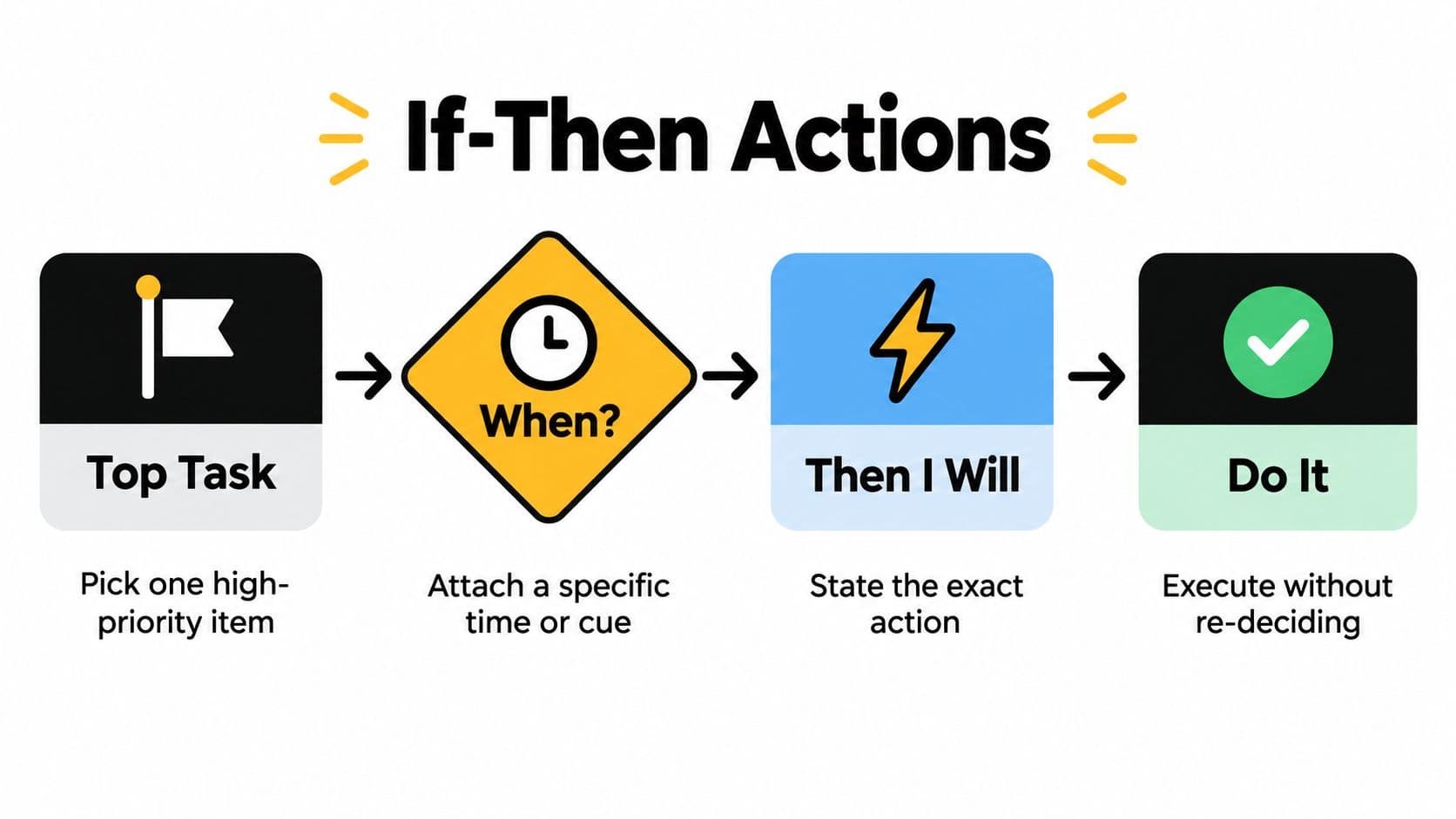
If [specific cue], then I will [specific action].
Build the intention in under a minute
- Pick one or two top tasks. Don't create an if-then statement for everything. Reserve the method for work that matters and is easy to postpone.
- Name the cue. Use a time, location, calendar event, or completed action. “When I have time” is not a cue. “When the 9:00 a.m. team meeting ends” is.
- State the exact behavior. Replace “work on the proposal” with “open the proposal, write the recommendation section, and draft the first paragraph.”
- Write it into the task. Keep the trigger and action where you'll see them, rather than trusting memory.
A useful example is: If it is 9:00 a.m. and I'm at my desk, then I'll write the recommendation section before checking email. The instruction removes a decision at the moment action should begin.
For another practical planning format, use how to create an action plan. The same discipline applies: define what “start” means, not just what “done” should eventually look like.
Fix the usual breakdowns
Vague cues create vague behavior. Replace “after lunch” with a calendar event or a visible transition, such as “when I return from the client call.” Too many intentions create competition, so limit them to the work that would make the day meaningful. Finally, don't leave the statement in a notebook separate from the task. The trigger belongs beside the action.
Motivation is unreliable because it changes with sleep, stress, interruptions, and ambiguity. A preselected response gives you something more useful: a small rule that tells you what to do when the moment arrives.
Budgeting Energy Instead of Hours
A free hour isn't automatically a usable hour. Attention, energy, and recovery determine whether that hour can support deep writing, a difficult decision, or only routine administration.
The cost of switching supports this view. The American Psychological Association summarizes research showing that task-switching creates measurable time costs, with greater costs for complex tasks. Researcher David Meyer has estimated that brief mental blocks caused by task shifting can consume as much as 40% of productive time. (APA's overview of multitasking research) A Microsoft diary study also found that tasks people returned to after interruptions accounted for an average of 4.5 hours in a 40-hour workweek, or 11.25% of weekly working time. (Microsoft's diary study)
Schedule around capacity, not fantasy.
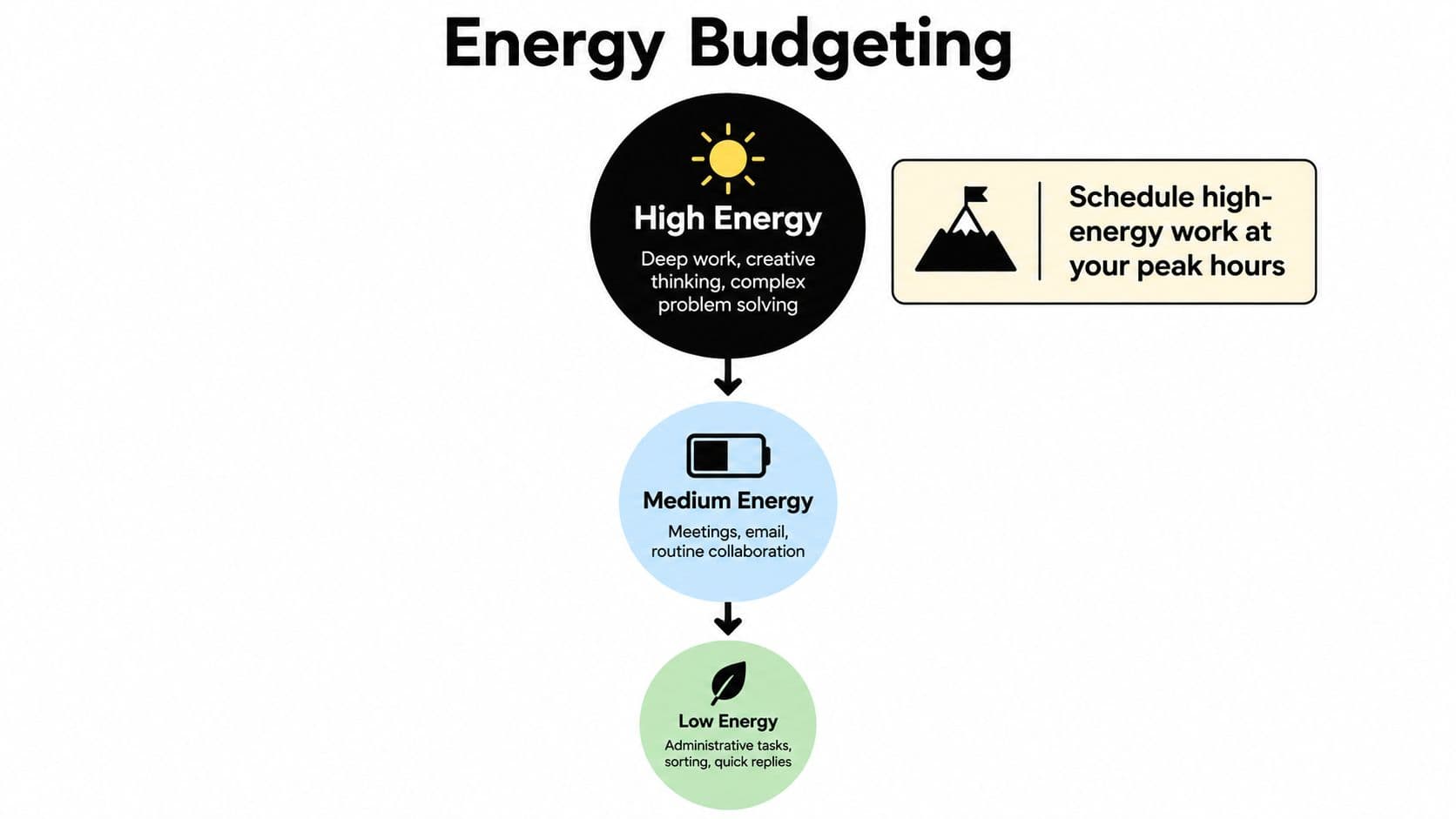
Use an energy-adjusted priority score
You don't need a complicated formula. Use this judgment:
Energy-adjusted priority = strategic value plus deadline risk, divided by effort, context-switching cost, and current mental load.
Score each factor qualitatively as low, medium, or high. A high-value task with a near deadline may still lose its top slot if it requires sustained concentration and you're depleted after a run of meetings. That doesn't mean abandoning it. It means choosing a smaller next action, moving it to a stronger focus window, or protecting it by removing lower-value work.
Watch for predictable low-energy windows:
- Post-meeting slumps: Use them for notes, approvals, or routine follow-ups.
- After inbox clearing: Avoid letting communication consume the rest of your best focus period.
- Late afternoon fatigue: Batch administrative work instead of starting complex analysis.
- High-interruption periods: Choose tasks with clear stopping points and low reconstruction costs.
Batch similar work to reduce the switching tax. Keep writing, analysis, calls, and administrative tasks in separate blocks where possible. If an interruption is unavoidable, record the next action before switching. That small note reduces the effort required to reconstruct context later.
Protect your best attention for work that needs judgment. Don't spend peak energy proving that you can answer routine messages quickly.
Stop Re-Deciding Everything
Many professionals respond to a messy day by reopening the entire priority list. That feels responsible, but continuous micro-ranking creates its own drain. A 2026 synthesis of 23 studies identified ten contributors to decision fatigue, including decision duration, complexity, workload, break availability, number of alternatives, decision order, and uncertainty. It linked fatigue with poorer well-being and performance. (The decision fatigue synthesis)
The answer isn't to make better decisions about every small task. It's to decide once, write the rule down, and preserve judgment for consequential work.
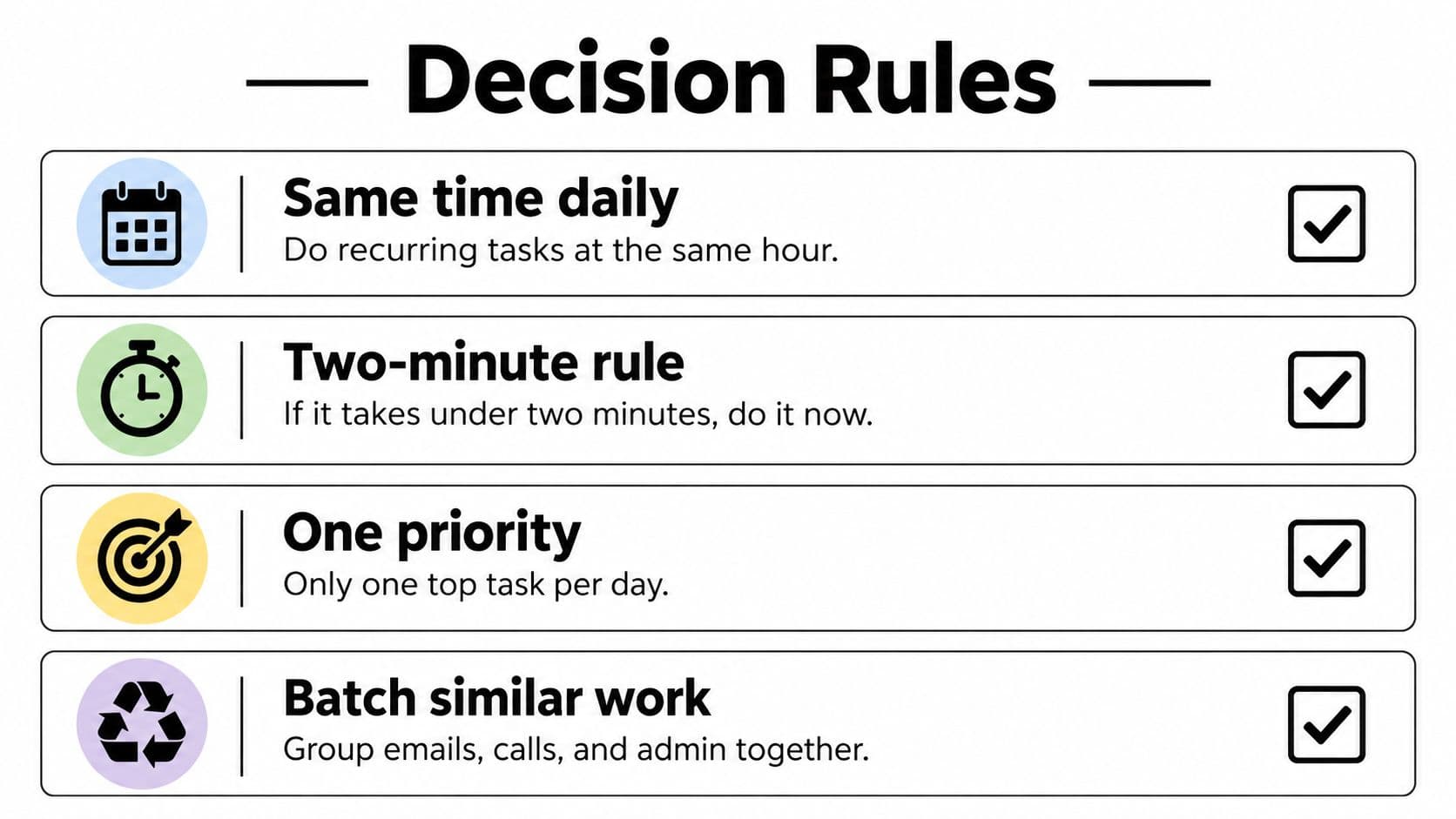
Install four operating rules
- Automate: Recurring administration, follow-up reminders, status updates, and routine notifications should run on schedules or templates.
- Delegate: Hand off research, formatting, calendar coordination, data gathering, and other work that needs effort but little of your judgment.
- Defer: Put ideas, optional meetings, low-stakes reviews, and attractive distractions into a visible “not now” queue.
- Default: Create a standing rule for predictable choices, such as responding to routine requests during a dedicated communication block or declining meetings that lack a clear decision.
Delegation deserves a clear trigger. If the task has a defined output, a reasonable deadline, and limited need for your personal context, it probably shouldn't occupy your highest-value attention. If someone else can complete it with a short brief and one review, delegate it.
Automation should cover repetition, not judgment. A recurring client report can use a template. A sensitive client decision should not be reduced to a rule because the inputs look familiar.
Protect high-consequence judgment
A useful decision threshold is: Will a mistake be expensive, hard to reverse, or strategically important? If yes, keep the decision close. If no, use a default, assign it, or defer it.
This approach also helps teams. Unclear ownership forces several people to reconsider the same item, while too many alternatives keep discussions open long after the meaningful choice is obvious. Your system should show who owns the next action, what “done” means, and when an issue needs escalation.
The mature priority list contains fewer active decisions. That isn't laziness. It's capacity management.
Putting It All to Work in Fluidwave
A workable daily system starts with one inbox, not five places where work can hide. Capture requests, ideas, follow-ups, and assigned actions in one task list. Then add the information that makes a priority defensible: deadline, dependency, estimated effort, energy demand, and owner.
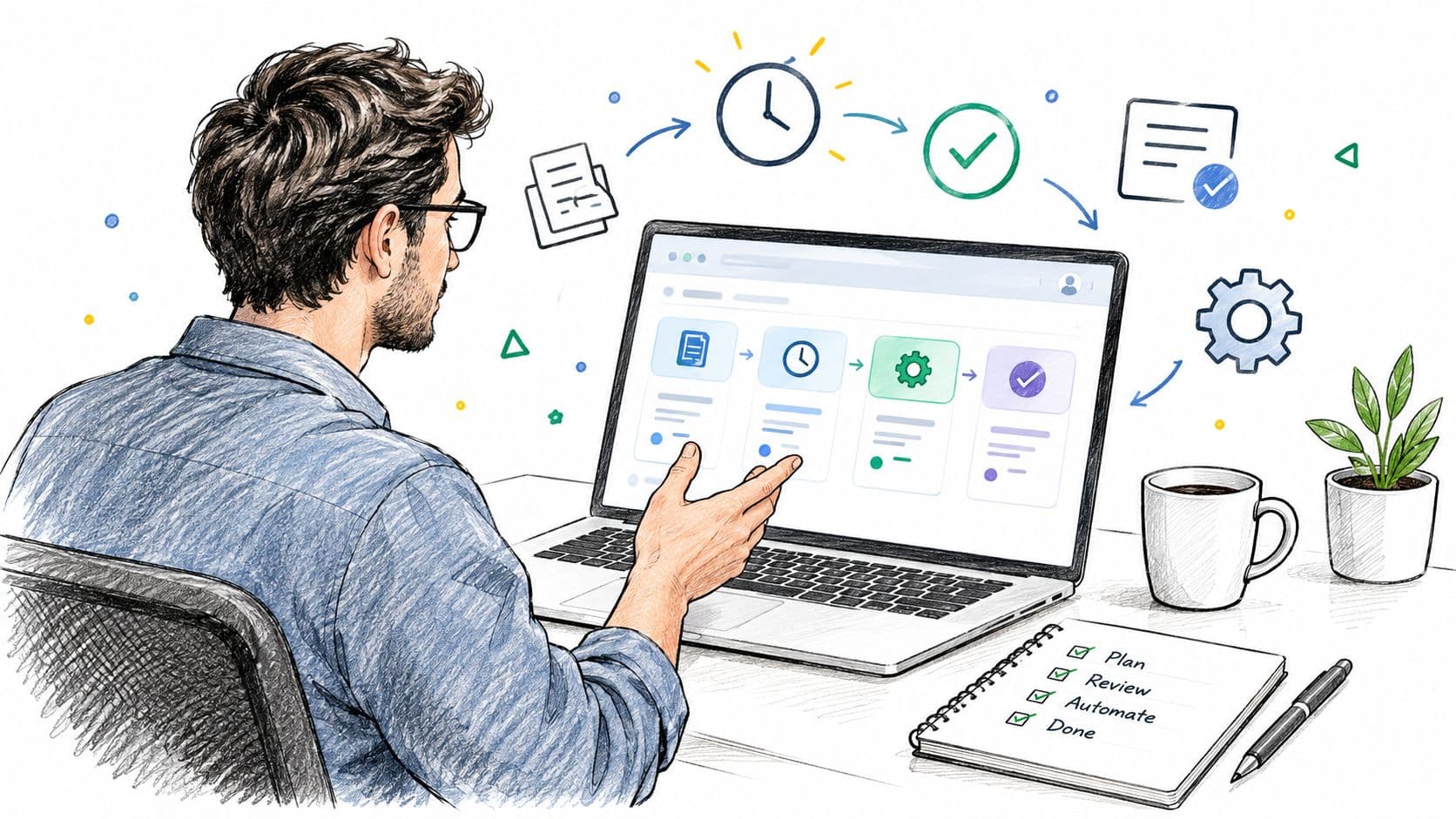
A platform such as Fluidwave can auto-prioritize tasks using information such as deadlines, dependencies, and stated budgets, then present the work in table, list, calendar, Kanban, or card views. The view should match the question you're answering. Use list view for “what starts next,” calendar view for capacity, Kanban for work in progress, and a board view for blocked items or handoffs.
A ten-minute morning run
At 8:50, a founder opens the inbox and reviews new items. A product decision with a deadline stays at the top. A research request is assigned to an assistant with a defined output and budget. A routine approval moves into a communication block. A useful idea goes into “not now,” where it can be reviewed later without competing with today's work.
The founder then checks dependencies and calendar space, selects one deep-work task, and writes its if-then trigger into the task. The result isn't a perfect prediction of the day. It's a plan that explains what matters, what can wait, and what another person owns.
Delegation works best when the handoff includes the brief, source material, deadline, acceptance criteria, and escalation rule. A research or administrative task can go to a Fluidwave assistant on a pay-per-task basis, while low-judgment work can be routed away from the focus block entirely. That keeps the person accountable for the outcome without requiring them to perform every step.
The platform's value is not that it eliminates judgment. It makes the judgment visible, then removes avoidable sorting from the rest of the day.
The workflow is easier to see in motion. This video shows how a task-management workspace can support capture, prioritization, and follow-through.
Your Weekly Planning Operating Routine
Run the system on a simple cadence.
On Sunday, spend ten minutes emptying your head into the task inbox. Identify the outcomes that matter this week, check deadlines and dependencies, and reserve your strongest focus windows before other commitments fill them. Move optional work into the “not now” queue instead of pretending it will fit.
Each workday has three touches:
- Morning plan: Choose the single outcome that would make the day worthwhile, then select supporting work.
- Midday checkpoint: Recalculate against actual energy, interruptions, and new information. Protect the main outcome or deliberately renegotiate it.
- End-of-day close: Record what shipped, what remains open, the next action for each unfinished priority, and the first task for tomorrow.
Friday needs an honest review. Ask:
- What shipped?
- What slipped, and why?
- What should change next week?
Look for operational signals rather than emotional ones. The system is working when you re-plan less frantically, start Mondays with less ambiguity, delegate earlier, and protect more uninterrupted time for consequential work. It's also working when unfinished tasks carry clear next actions instead of vague guilt.
Planning and prioritizing are skills that improve through feedback. Review the system, change the rules that keep failing, and keep the parts that make action easier.
Fluidwave combines AI-driven task organization, auto-prioritization, multiple work views, and human assistant delegation so you can protect attention while keeping work moving. Create a focused task system for this week, then visit Fluidwave to see how it can handle the sorting and handoffs that keep pulling you away from important work.
Focus on What Matters.
Experience lightning-fast task management with AI-powered workflows. Our automation helps busy professionals save 4+ hours weekly.