Transform team training with microlearning platforms. Explore features, benefits, selection criteria & how to measure real impact for 2026 success.
July 17, 2026 (2mo ago)
Microlearning Platforms: Transform Team Training
Transform team training with microlearning platforms. Explore features, benefits, selection criteria & how to measure real impact for 2026 success.
← Back to blog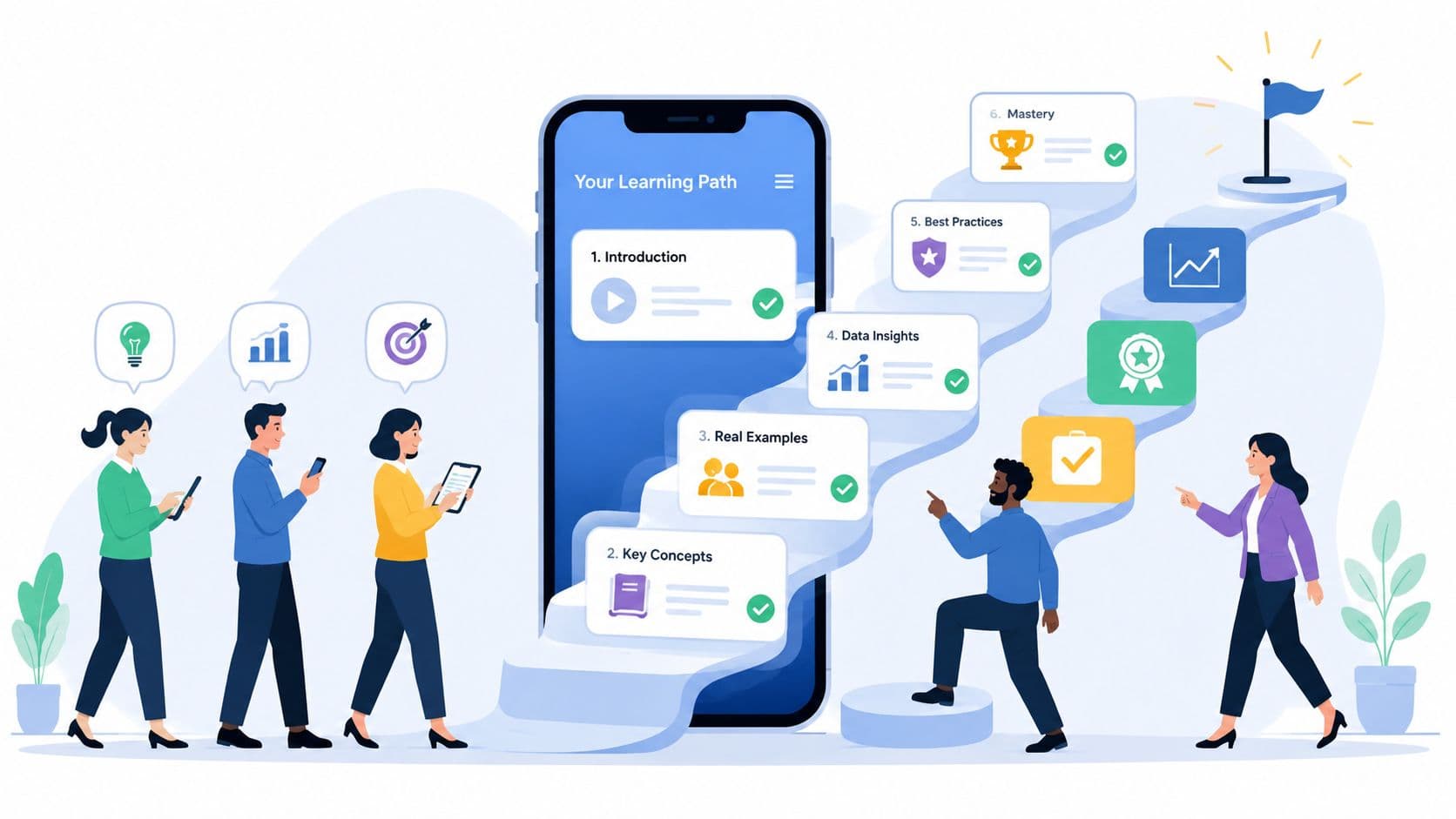
Your team blocks a full day for training. Calendars clear. People sit through decks, demos, and breakout sessions. By the next week, the urgent work has taken over again, half the key points are gone, and managers can't point to any visible change in output, quality, or speed.
That cycle is why so many teams are rethinking training delivery. They don't need more content. They need learning that fits the pace of work and shows up where people need it.
The End of the All-Day Training Session
A lot of workplace training still follows an old assumption. Pull people out of work, load them up with information, then expect them to remember and apply it later. That model often breaks down fast.
The problem isn't effort. It's timing, overload, and context. People forget what they can't use right away. They skip optional refreshers. Managers end up repeating the same coaching because the training lived in a one-time event instead of the daily workflow.
Why the old format keeps failing
Traditional long-form sessions ask too much at once. Employees have to absorb multiple concepts, hold them in memory, then retrieve them later under real pressure. That rarely matches how work happens.
A stronger model spreads learning into smaller moments:
- Closer to the task: A short lesson lands when someone can use it.
- Lower friction: People are more likely to start a five-minute module than a one-hour course.
- Easier reinforcement: Managers can repeat a key behavior over time instead of hoping one session was enough.
This matters most in teams with constant change. Onboarding, compliance updates, product knowledge, sales enablement, and software adoption all benefit when learning becomes part of the work rhythm. If you're tightening your process for new hires, a practical employee onboarding checklist often exposes where long training sessions are wasting time instead of building capability.
The broader market shift confirms this isn't a niche preference. The global microlearning platforms market is projected to grow from over $2.2 billion in 2026 to more than $4.3 billion by 2031, at nearly 12% CAGR, according to Research and Markets' microlearning platforms market outlook. That's not a fad. That's organizations moving budget toward a format that fits modern work.
The fastest training isn't the one you can launch first. It's the one people can actually use without stepping away from the job.
Microlearning won't fix weak content or unclear expectations. But it does solve a very real operational problem. Teams need short, targeted training they can use in the flow of work, not another all-day session that feels productive in the moment and disappears by Friday.
What Exactly Is a Microlearning Platform
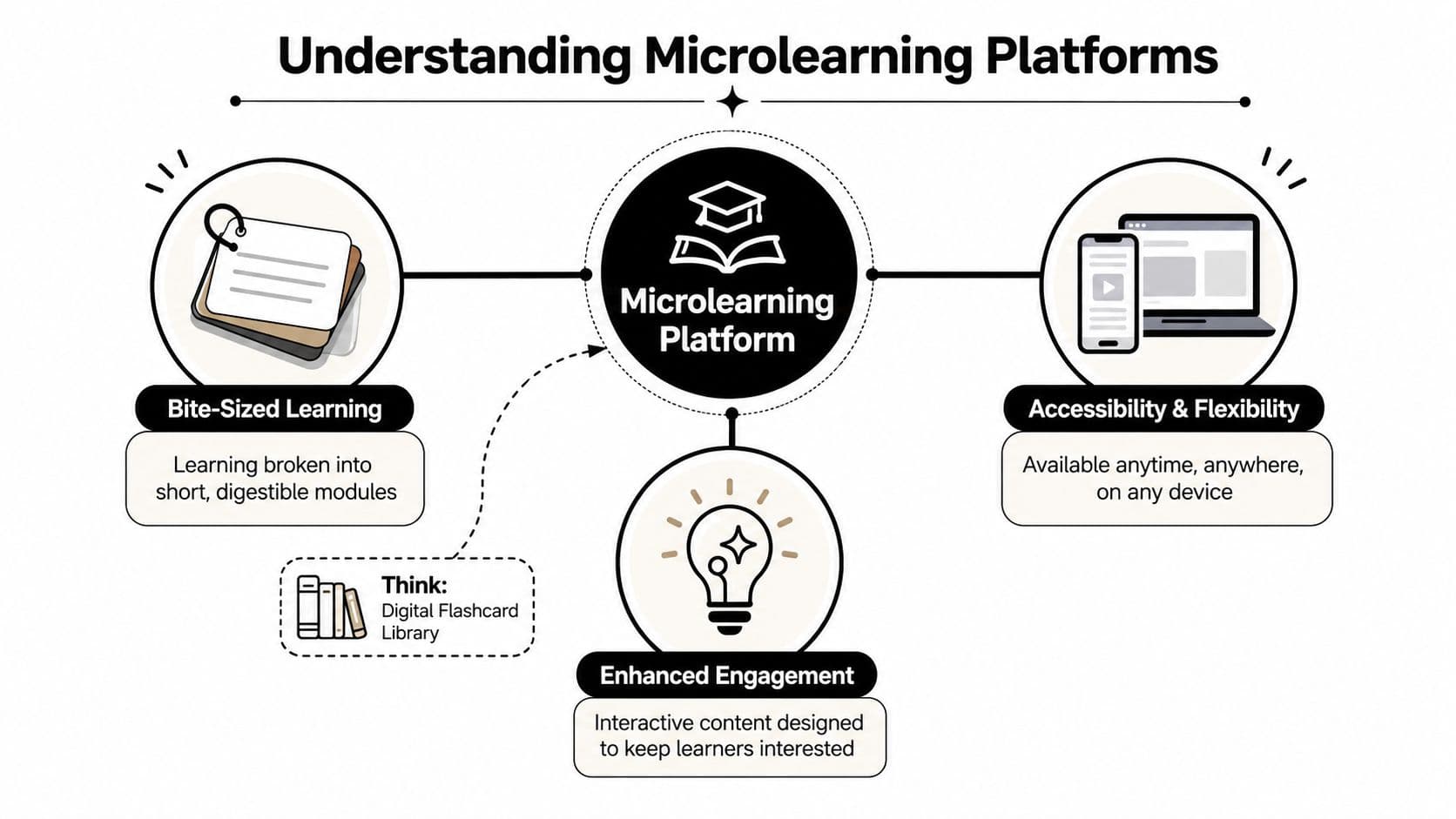
Think of a microlearning platform as a digital flashcard library for work skills, not a shelf full of textbooks. Each item is small, focused, and built to teach one thing well.
That distinction matters. A short video alone isn't automatically microlearning. A trimmed-down webinar isn't either. The format only works when each lesson is built around a single learning objective and designed for quick use and quick recall.
The practical definition
The clearest definition is simple. Microlearning platforms deliver granular content focused on one objective in assets lasting 2 to 10 minutes, often with push delivery and spaced repetition rather than relying on people to log into a traditional LMS on their own, as described by Learning Systems Authority's explanation of microlearning platforms.
That creates a few practical rules:
- One concept per asset: Not "customer service fundamentals." More like "how to de-escalate an angry customer in the first response."
- Short enough to finish now: A lesson should fit between meetings, during a shift change, or right before a task.
- Built for repeat exposure: The system should bring content back when reinforcement matters.
Why this format works better
When teams break a complex topic into smaller units, they reduce cognitive overload. Learners don't have to sort through ten ideas to find the one they need. They focus on the immediate skill, practice it, then move on.
That's why strong microlearning platforms feel less like course catalogs and more like operating support. A rep gets a quick refresher before a call. A manager reviews one coaching technique before a one-on-one. A new hire learns a single workflow step, then applies it the same day.
Practical rule: If a lesson covers multiple unrelated takeaways, it probably isn't microlearning yet.
The delivery model matters too. Push reminders, spaced review, and mobile access are what turn short lessons into a learning system. Without that, you're just storing tiny content objects in another library people forget to open.
A useful test is this: can an employee find the exact lesson they need, complete it quickly, and change what they do in the next hour? If the answer is yes, you're looking at a real microlearning platform, not just a smaller LMS.
Core Features That Drive Engagement and Retention
The best microlearning platforms don't win because they have the longest feature list. They win because they remove the reasons people ignore training in the first place.
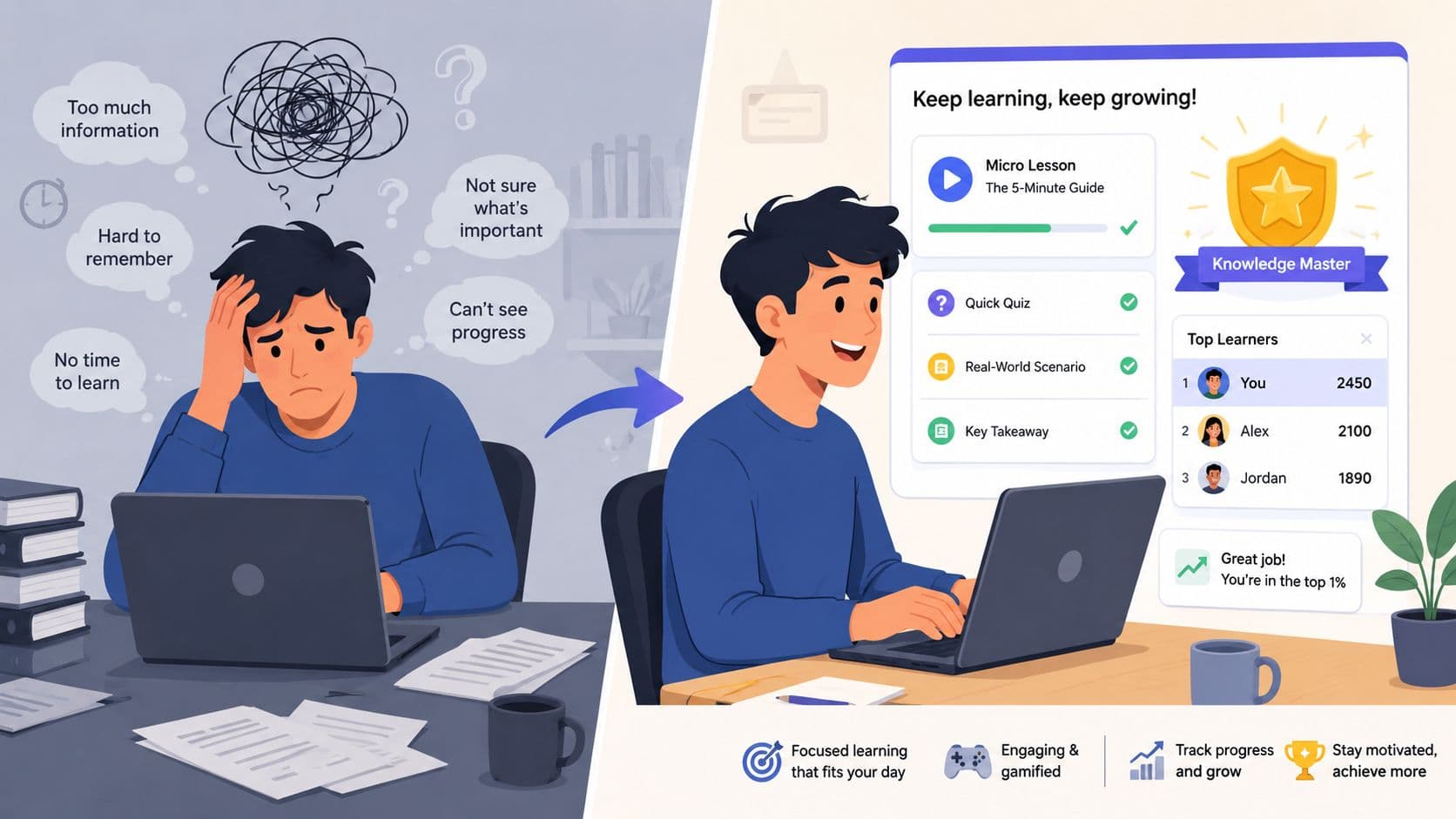
Busy teams don't skip learning because they hate development. They skip it because the platform feels heavy, the content feels generic, and the reminders arrive at the wrong time. The right features solve those problems directly.
Features that reduce friction
Start with access. If a platform isn't fast on mobile, easy on desktop, and simple to resume after interruption, adoption drops. Frontline teams, hybrid staff, and managers between meetings won't fight through clunky navigation.
These features usually matter most:
- Mobile-first delivery: People need to start and finish learning on a phone without pinching, zooming, or hunting for buttons.
- Fast search: If employees can't find the exact lesson they need, the library becomes shelfware.
- Smart notifications: Reminders should reinforce behavior, not spam inboxes.
- Clean UX: A crowded interface kills momentum.
For companies evaluating tools across their stack, it is integration capabilities in workplace software that become important. Training tools that connect cleanly with collaboration systems, HR tools, and existing knowledge hubs are easier to adopt because they fit how work already moves.
Features that keep people coming back
Engagement isn't just about fun. It's about repeated voluntary use. That's where light gamification can help, if it's tied to a real purpose.
Leaderboards, badges, and streaks can work well when they reinforce practice and visibility. They don't work when they turn serious training into a gimmick. I've seen teams respond well to simple progress markers and role-based challenges, while flashy point systems often fade after the launch period.
A strong platform usually supports:
| Feature | What it helps with | What to watch for |
|---|---|---|
| Quizzes | Reinforces recall | Too many low-value questions |
| Badges or streaks | Builds repeat habits | Novelty wears off fast |
| Role-based paths | Keeps content relevant | Hard to maintain if roles change often |
| Push reminders | Supports spaced practice | Over-notification creates fatigue |
Features that improve retention, not just clicks
Retention improves when the platform resurfaces the right content at the right time. Spaced repetition, short knowledge checks, and quick scenario practice tend to do more than passive watching.
This is also where platform architecture matters more than most buyers realize. If you need personalized content delivery and real-time progress tracking at scale, the platform should be built on a cloud-native microservices model with API-based services that can scale independently, as outlined in Zigpoll's guidance on scalable microlearning platform architecture. That sounds technical, but the practical takeaway is simple. If the system slows down, breaks personalization, or reports data late, engagement drops.
The feature checklist matters less than the behavior it creates. The question isn't "Does this platform have gamification?" It's "Will this platform make daily practice easy enough that people do it?"
The Real-World Benefits for Busy Teams
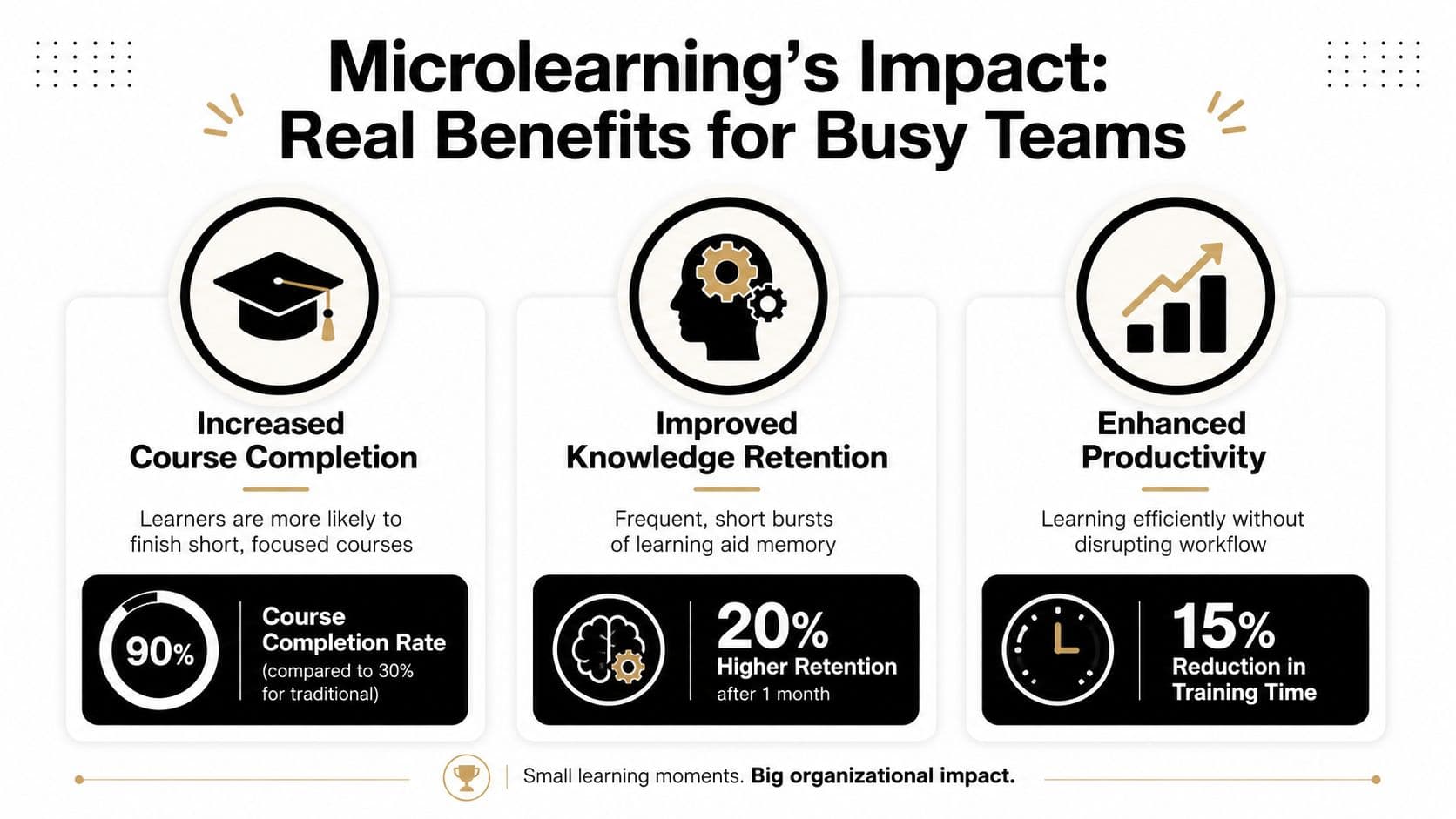
The business case for microlearning gets strong once you stop treating it as a content trend and start looking at operating outcomes. Good microlearning platforms help people complete training, retain more of it, and get new material faster.
The measurable gains are hard to ignore. Organizations using microlearning report 80% to 90% course completion rates, a 50% boost in knowledge retention, 31% higher ROI on training, and content development that is three times faster than traditional eLearning. The same source reports that 93% of companies see microlearning as essential for effective training delivery, based on Engageli's 2026 microlearning statistics roundup.
What employees notice first
Employees usually feel the benefit before the company measures it. The learning feels manageable. Instead of blocking an afternoon, they can finish a lesson in a short gap between real tasks.
That changes behavior in useful ways:
- Less avoidance: Short modules are easier to start.
- Less disruption: People don't have to leave the workflow for long stretches.
- More confidence: They can review one skill right before using it.
For overloaded teams, training that respects attention is often the difference between adoption and quiet resistance.
Here's a helpful walkthrough if you want a visual look at how the format works in practice.
What managers and leaders gain
Managers care less about course catalogs and more about whether the team improves. Microlearning helps because it shortens the path from content creation to behavior support. If product messaging changes, process steps update, or a recurring performance issue appears, L&D can respond faster.
For leadership teams, the benefits are operational:
| Team view | Practical benefit |
|---|---|
| Employee | Learning fits the day instead of interrupting it |
| Manager | Coaching can target a specific gap quickly |
| Business | Training investment is easier to justify when adoption and speed improve |
A lot of this connects directly to work design. Teams trying to improve team productivity without constant context switching usually find that long, centralized training events create the same attention problems they're trying to solve elsewhere.
Short learning works best when it's attached to a real job moment. If there's no moment of use, even a good module becomes just another completed task.
Microlearning isn't automatically better for every topic. Deep certification, complex judgment training, and collaborative workshops still have a place. But for reinforcement, onboarding, software adoption, product updates, and frontline skill building, the format matches how busy teams learn.
How to Choose the Right Microlearning Platform
Most buying teams start in the wrong place. They compare feature grids, watch polished demos, and ask whether the platform supports video, quizzes, badges, and mobile. Almost every serious vendor says yes.
A better selection process starts with one question. What performance problem are you trying to improve? If the answer is fuzzy, you'll end up buying a library tool when you really needed a reinforcement tool, or a content authoring system when you really needed manager-facing analytics.
Start with your use case
The platform for onboarding new hires isn't always the right one for field enablement or software adoption. Narrow the decision before you look at vendors.
Use cases usually fall into a few buckets:
- Operational onboarding: You need fast ramp-up, repeatable workflows, and role-specific essentials.
- Sales or product enablement: You need frequent updates, searchable refreshers, and mobile access.
- Compliance reinforcement: You need concise refreshers, proof of completion, and recurring reminders.
- Manager coaching: You need practical prompts, short scenarios, and easy reinforcement between one-on-ones.
If a vendor can't show how the product supports your primary use case, the rest of the demo doesn't matter much.
Evaluate the parts that usually get missed
Teams often make expensive mistakes. They buy based on learner-facing polish and ignore the admin and measurement layers that determine whether the system lasts.
Check these areas carefully:
-
Content authoring
Can your internal experts build useful lessons without waiting on a specialist every time? If authoring is too technical, content gets stale fast.
-
Search and discoverability
Employees won't dig through folders when they need an answer in the moment. Search has to be fast and obvious.
-
Analytics depth
Completion data is table stakes. You also need insight into repeat use, skill checks, manager visibility, and behavior indicators tied to job performance.
-
Integration fit
Look at how the tool connects with your LMS, HRIS, collaboration stack, and identity systems. Weak integration usually means extra admin work and lower adoption.
-
User experience for two audiences
Learners need speed. Admins need control. Many platforms are good at one and frustrating at the other.
Buy for maintenance, not for launch. Most platforms look good in week one. The real test is whether your team can keep content current in month six.
Microlearning Platform Vendor Landscape 2026
| Platform | Best For | Key Feature | Integration Focus |
|---|---|---|---|
| EdApp | Mobile-first frontline learning | Rapid lesson creation and mobile delivery | Works best when teams want lightweight deployment |
| 7taps | Very short lesson workflows | Minimalist authoring for bite-sized modules | Fits simple sharing and quick distribution needs |
| TalentCards | Deskless and distributed teams | Card-based mobile learning experience | Useful where phone-first access matters most |
| Axonify | Reinforcement and frontline performance | Habit-building delivery and ongoing practice | Strong fit for operational learning ecosystems |
| Whatfix | In-app guidance and software adoption | Workflow-based support inside the tools people use | Best where learning must happen inside software |
This table isn't a winner list. It's a reminder that different platforms solve different problems. A strong buying process usually includes a small pilot, a realistic admin test, and one hard question for managers: did this change anything on the job?
Measuring What Matters The Performance Impact
Most L&D dashboards look better than the training itself performs. Completion rates climb, views look healthy, and quiz scores appear solid. Then leaders ask the only question that matters. Did anything change at work?
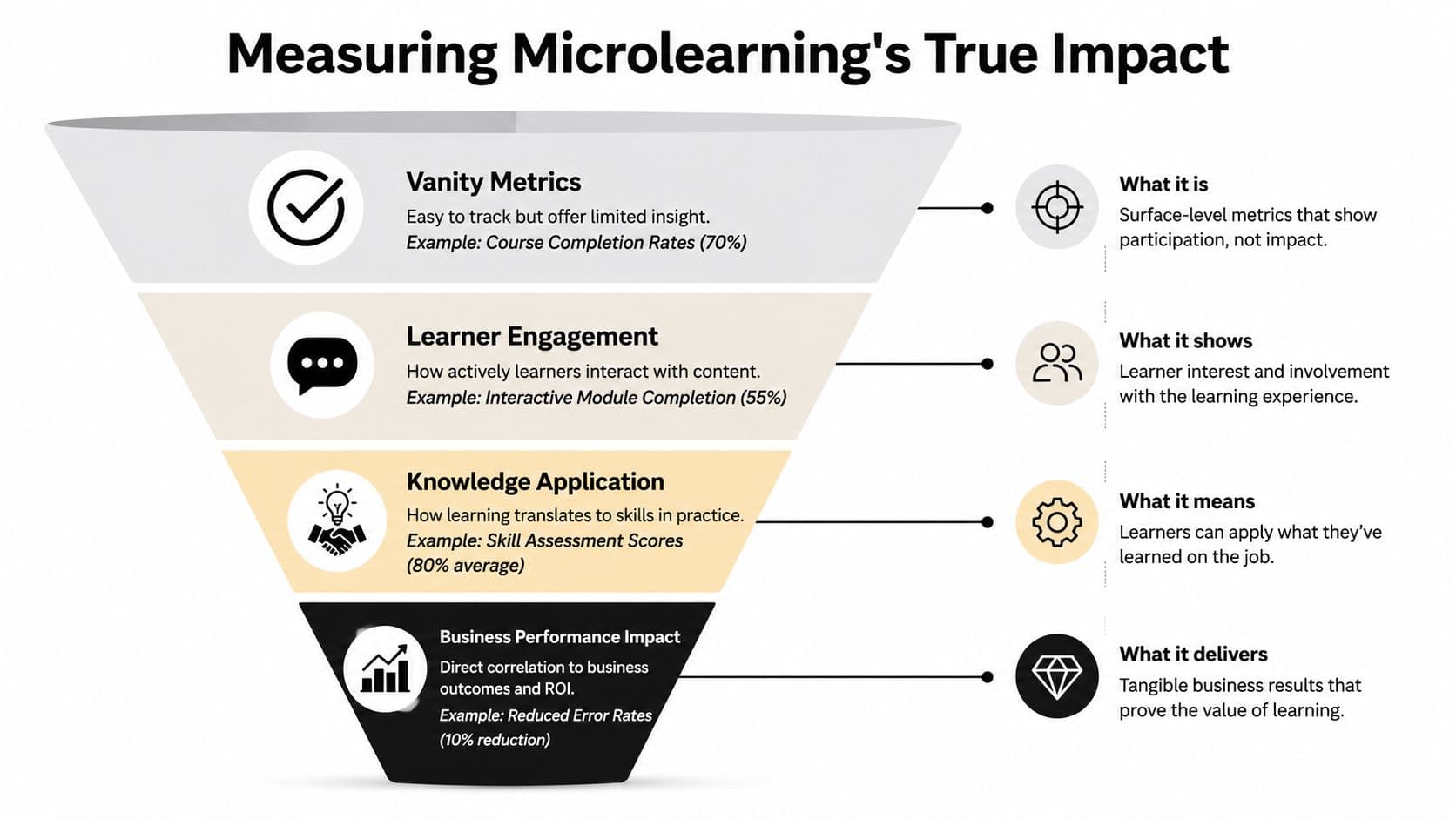
That's where many microlearning programs stall. 89% of L&D leaders say they track completion rates, but only 12% can reliably measure whether learners apply skills on the job, according to Whatfix's analysis of microlearning measurement gaps. That's a significant blind spot.
Stop treating completion as proof
Completion is useful, but it only tells you that someone finished the content. It doesn't tell you whether they used the skill, used it correctly, or kept using it after the first week.
A practical measurement ladder looks like this:
- Level one: Did people access and complete the lesson?
- Level two: Did they show understanding in a realistic check?
- Level three: Did managers or systems observe the behavior on the job?
- Level four: Did that behavior improve a business outcome?
If your reporting stops at level one, you don't have an ROI story. You have activity data.
A better way to prove value
Tie each microlearning module to one visible behavior. Then define what evidence would show that behavior happened in the workflow.
For example:
| Training focus | On-the-job behavior to watch | Evidence source |
|---|---|---|
| New CRM workflow | Reps enter records correctly and on time | System usage review |
| Customer service de-escalation | Agents use the approved first-response structure | QA review or manager observation |
| Manager feedback training | Managers hold shorter, more specific coaching conversations | Observation checklist and employee feedback |
This doesn't need to become a giant research project. Keep it tight. Pick one role, one skill, and one business-relevant behavior. Run the learning, watch the behavior, compare before-and-after quality in the workflow, and document what managers saw.
If a platform can't help you connect learning to behavior, its analytics are only telling half the story.
The strongest microlearning programs don't just report consumption. They create a traceable line from lesson, to behavior, to performance. That's the point where training stops being a support function expense and starts looking like an operating lever.
Putting Microlearning into Practice
Microlearning works when teams treat it as a performance system, not a content format. Short modules matter. Mobile access matters. Good authoring matters. But none of that is enough if the learning never shows up in the work itself.
The best microlearning platforms make three things easier. They help employees learn in small, usable moments. They help managers reinforce specific behaviors. They help L&D prove that training changed something beyond course completion.
That means the practical path is straightforward:
- Start small: Pick one business problem with visible behavior attached.
- Build tightly: Create short modules around a single objective.
- Launch in workflow: Deliver training where people can use it quickly.
- Measure application: Watch the behavior, not just the click.
- Refine fast: Keep what changes performance. Cut what only looks good in reports.
Teams don't need another training library with polished dashboards and weak impact. They need a tool and a method that help people do better work, more consistently, under real conditions.
If you're evaluating microlearning platforms now, don't ask which one has the most features. Ask which one will help your team learn faster, apply better, and prove the result.
If your team is trying to turn learning into better execution, Fluidwave can help on the operational side. It gives busy professionals a simpler way to organize work, delegate tasks, and keep follow-through visible, which makes it easier to support training rollouts, manager check-ins, and performance-focused workflows without adding more chaos to the day.
Focus on What Matters.
Experience lightning-fast task management with AI-powered workflows. Our automation helps busy professionals save 4+ hours weekly.