Feeling overwhelmed? Learn how to organize work tasks with proven methods that boost focus and productivity. This guide offers practical, actionable strategies.
November 10, 2025 (11mo ago)
How to Organize Work Tasks and Reclaim Your Day
Feeling overwhelmed? Learn how to organize work tasks with proven methods that boost focus and productivity. This guide offers practical, actionable strategies.
← Back to blog
To really get a handle on your work, you need a system you can trust. It all boils down to a simple, four-part rhythm: Capture** every single task, Clarify what each one actually means, Organize them with the right context, and then Review your system regularly. This approach gets you beyond simple to-do lists and into building a reliable productivity engine.
Why Your To-Do List Feels Like a Trap

Ever feel like you’re drowning in tasks but somehow not getting anything important done? You’re not imagining it. That traditional, never-ending to-do list is often the culprit. It’s just a flat list of obligations, staring back at you without any real sense of priority or context.
This constant jumble forces your brain to re-evaluate and make decisions over and over. It’s a direct path to what experts call cognitive overload, where your mind is simply trying to juggle too much information at once.
The Real Cost of Disorganization
The modern workday is a constant stream of interruptions. On average, we get sidetracked every three minutes, and it can take a staggering 23 minutes to fully get back on track. When your focus is that fragmented, having a clear, organized system isn't a luxury—it's essential for getting any kind of meaningful work done.
An unstructured list just makes this chaos worse. When everything looks equally important, we naturally drift toward the small, easy wins just to feel productive, while the truly important projects get pushed to another day.
To see the difference a structured approach makes, just compare it to a standard to-do list.
Traditional To-Do List vs. Structured Task Management
| Feature | Traditional To-Do List | Structured Task Management |
|---|---|---|
| Structure | A single, linear list of items. | Organized by project, context, or priority. |
| Prioritization | Relies on guesswork or "what feels urgent." | Uses clear criteria like deadlines or impact. |
| Context | Lacks details; "Email John" means nothing later. | Includes notes, files, and sub-tasks. |
| Outcome | Leads to decision fatigue and overwhelm. | Creates clarity and enables focused work. |
A structured system isn't just a fancier list; it's a completely different way of working that gives you back control.
A disorganized task list is more than just messy—it's a recipe for decision fatigue. By offloading the mental work of remembering and prioritizing into a structured system, you free up cognitive resources for deep, focused work.
The goal isn't just to write things down, but to build a system that brings true clarity to your day. For a deeper dive, check out these practical strategies to get more organized without the overwhelm.
Mastering Task Capture to Clear Your Mind

Real organization begins the moment you stop trying to remember everything. Your brain is fantastic for having ideas, not for holding them. The first, most practical step to getting your work under control is to get every single commitment out of your head and into a trusted place.
This process, often called task capture, is all about creating a central "inbox" for everything that comes your way. This isn't just one place; it's a small network of reliable tools you can count on. It might be a physical notebook for ideas on the go, an email folder for actionable messages, and a digital tool like Asana or Todoist for project-specific items. The key is consistency—everything has to land in one of these spots, without fail.
From Vague Ideas to Actionable Steps
Once you have everything captured, the real work of clarification begins. A task like "Launch project" is way too big and vague. It’s the kind of thing that sits on a to-do list for weeks because you’re not sure where to even start. That's a classic recipe for procrastination.
To make it actionable, you have to break it down. Ask yourself two simple but powerful questions for every item in your inbox:
- What is the desired outcome? This defines what "done" actually looks like. For "Launch project," the outcome might be "The new marketing campaign is live and announced to all customers."
- What is the very next physical action? This pinpoints the immediate, concrete step you can take. For our launch example, it could be something as small as "Draft an outline for the announcement email" or "Schedule a kickoff meeting with the design team."
This simple technique transforms intimidating projects into a series of small, manageable steps you can actually tackle. It's a cornerstone of many productivity frameworks. If you want to dive deeper into this concept, you can learn more about the Getting Things Done methodology in our detailed guide.
The whole point of a capture system is to build complete trust that nothing will be forgotten. When your mind trusts that every idea and task is safely stored, it stops that constant, low-level anxiety of trying to remember it all. That’s what frees you up to truly focus.
This initial brain dump is the foundation for a calm, controlled workflow.
Finding the Right Task Organization Method
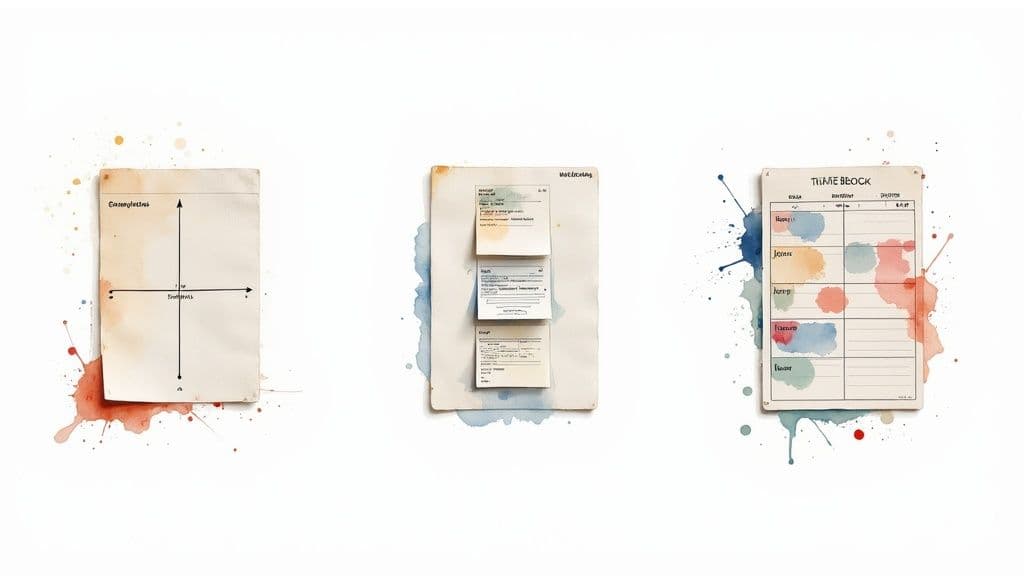
Alright, you've captured all your tasks. Now comes the real work: giving them some structure. Here's something I've learned over the years: there is no single "best" way to organize your work. The most effective method is the one that actually clicks with your brain, your role, and your unique workflow.
Think of it like choosing the right tool for a job. You wouldn't use a sledgehammer to hang a picture frame. In the same way, the system a project manager uses to wrangle a massive team effort is probably total overkill for a sales exec who needs to stay on top of client relationships.
Let's walk through three powerful, battle-tested systems. The goal isn't to become an expert in all of them, but to find the one that feels like a natural extension of how you already operate.
Deciphering Your Work Style
The first step is a bit of self-awareness. Let’s look at a few common scenarios to see which one sounds most like your day-to-day reality.
-
For the Strategic Leader: Is your day a constant firehose of high-stakes decisions? If you need to instantly separate what's truly important from what’s just loud, the Eisenhower Matrix is your new best friend. It forces you to prioritize based on a simple grid of urgency and importance.
-
For the Visual Project Manager: Do you see your work as a flow, moving from one stage to the next? If you’re managing projects with lots of moving parts and need to see where everything is at a glance, a Kanban board will feel like it was designed just for you.
-
For the Overwhelmed Professional: Does your calendar look like a series of reactions to everyone else’s needs? If you can't seem to carve out time for focused, deep work, Time Blocking can help you take back your schedule by giving every minute of your day a specific job.
The right productivity system doesn’t add complexity; it reveals simplicity. Its purpose is to reduce the mental friction between having a task and actually doing it, creating a clear path forward.
Each of these methods provides a different lens to view your responsibilities. Let's break down how they compare.
Comparison of Popular Task Organization Methods
I've seen people succeed—and fail—with all of these methods. The key is understanding the core trade-offs. This table gives you a quick snapshot of what each one brings to the table and where it might fall short.
| Method | Best For | Key Principle | Potential Downfall |
|---|---|---|---|
| Eisenhower Matrix | Leaders and decision-makers who need to prioritize high-level tasks quickly. | Separating tasks into four quadrants based on urgency and importance. | Can oversimplify complex tasks that don't fit neatly into one box. |
| Kanban | Visual thinkers and teams managing projects with distinct stages. | Visualizing workflow in columns (e.g., To Do, In Progress, Done). | May become cluttered without regular maintenance and clear column rules. |
| Time Blocking | Individuals seeking to control their schedule and dedicate time for deep work. | Allocating specific time slots in your calendar for every single task. | Can be rigid and difficult to adapt when unexpected issues arise. |
Ultimately, choosing a method is about finding what reduces your cognitive load. Don't be afraid to experiment. Try one for a week. If it feels like you're fighting the system more than you're getting work done, it's not the right fit—and that's perfectly okay. Move on and try another.
Organizing Tasks by Context and Energy Levels
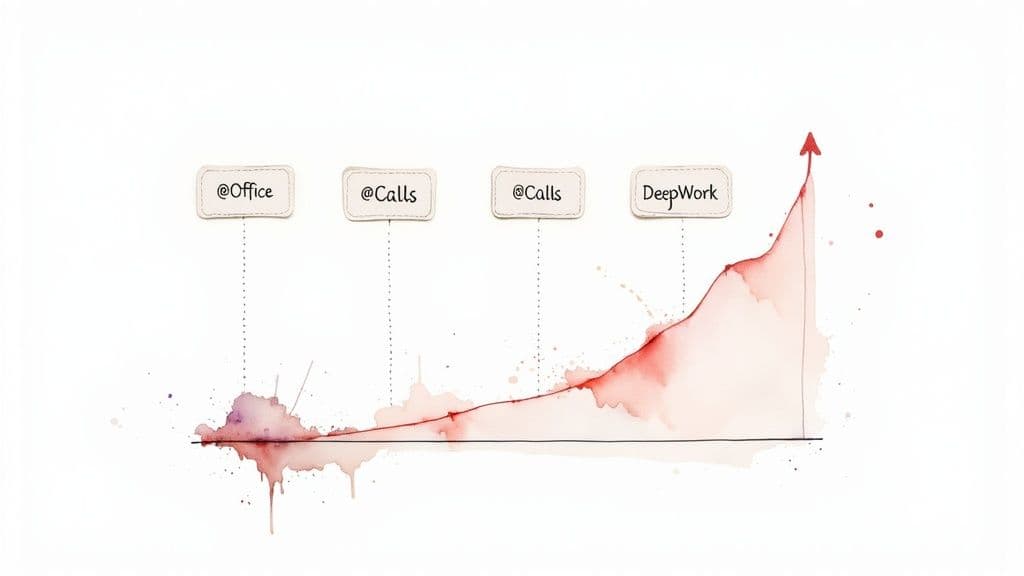
Having a solid prioritization method is one thing, but making it work in the real world is another. The secret to truly effective task management is matching your to-do list with your current circumstances—where you are, what tools you have, and, just as importantly, how you feel.
This is where organizing by context and energy comes into play. It’s a practical layer on top of any system that helps you answer the most important question of the day: "What can I actually get done right now?"
Using Context to Your Advantage
Think of context-based sorting as creating smart playlists for your work. Instead of facing an overwhelming list of everything you need to do, you simply tag tasks with the specific tools or locations they require.
Let’s say you find yourself with 15 unexpected minutes between meetings. You’re away from your desk, with just your phone. Instead of scrolling aimlessly, you can pull up all tasks tagged with @Calls and make a few quick follow-ups. Later, when you're back at the office with your dual-monitor setup, you can filter for @DeepWork and finally tackle that complex data analysis.
This simple habit cuts down on the mental energy you waste just deciding what to do next. It also helps you avoid the productivity killer known as context switching. If you want to dive deeper into the science behind this, our guide on what is context switching explains just how much focus is lost when you jump between unrelated tasks.
Here are a few common context tags I’ve found incredibly useful:
- @Office: Anything that requires your full desktop setup or access to specific files on the server.
- @Home: For quiet, focused work or tasks you've specifically set aside to finish after hours.
- @Calls: A running list of every phone call you need to make.
- @Errands: Groups together all the things you need to do while you're out and about.
- @Computer: For general tasks that just need a laptop and an internet connection, doable from anywhere.
The real power of context-based organizing is that it ensures you're only ever looking at a list of things you can act on immediately. This simple filter turns scattered moments into genuinely productive time.
When you pair context with energy management, you create a truly powerful system. We all have times of day when we feel sharp and focused, and other times when we hit a wall. Don't fight it—lean into it.
Schedule your most demanding, creative work for your peak energy window (for many, that’s first thing in the morning). Then, save the low-brainpower administrative stuff, like cleaning out your inbox or processing expenses, for that inevitable post-lunch slump. This approach helps you work with your natural rhythms instead of constantly fighting against them.
Building a Sustainable System with Regular Reviews
Let's be honest: even the most brilliantly designed organization system will fall apart without a little upkeep. Over time, the best intentions can give way to clutter and chaos. The secret to making it stick isn't a more complex tool; it's building simple, repeatable review rituals.
Think of these reviews as preventative maintenance for your productivity. They're not about enforcing rigid perfection. Instead, they’re designed to give you consistent moments of clarity, preventing that feeling of being overwhelmed and ensuring nothing important gets lost in the shuffle.
When your system genuinely supports you, the impact is huge. We see this with teams all the time—when people feel supported by clear structures, their engagement skyrockets. In fact, highly engaged teams can see up to 21% higher profitability. On the flip side, low engagement costs the global economy an estimated $438 billion in lost productivity. Discover more insights about employee productivity statistics.
The Cornerstone: Your Weekly Review
If you adopt only one new habit, make it the Weekly Review. This is your non-negotiable appointment with yourself. Block out 30 minutes every Friday afternoon or Sunday evening to step back and get the lay of the land for the week ahead.
This dedicated time is for looking at the big picture. Your main objectives are to:
- Process Your Inboxes: Get your email, physical mail, and any other collection buckets down to zero.
- Look Ahead: Scan your calendar for the next two weeks. What commitments are coming up? What do you need to prepare for?
- Set Priorities: Based on your goals and deadlines, decide what a successful week looks like. What are your key outcomes?
A Weekly Review isn't about micromanaging your schedule. It’s about creating clarity and setting intentions so you can make smarter decisions when Monday morning's inevitable chaos hits.
The Five-Minute Daily Check-In
While the weekly review sets your strategy, a quick Daily Check-In keeps you on course. This takes no more than five minutes each morning, and it's best done before you even open your email.
Just take a moment to look at your calendar and task list for the day. From there, identify your top 1-3 'must-do' tasks. These are the handful of items that, if you get them done, will make the day a win. It’s a simple but powerful way to start your day with purpose instead of just reacting to whatever lands in your inbox first.
Common Questions About Organizing Work Tasks
Getting a new system in place to organize your work is a great start, but the real challenge begins when your well-laid plans collide with the reality of a busy day. It's completely normal to run into a few hurdles. Let's walk through some of the most common questions that come up and give you some practical advice to build a habit that actually sticks.
How Do I Handle Unexpected Tasks That Ruin My Plan?
A good system is built for flexibility, not rigidity. When a surprise task lands on your desk, the goal is to avoid letting it completely derail your momentum.
A good rule of thumb is the "two-minute rule." If the new thing will take less than two minutes, just knock it out right then and there. It's often faster than tracking it.
For anything more significant, resist the urge to drop what you're doing. Instead, immediately capture it in your inbox or a dedicated "catch-all" list. You can figure out where it fits into your schedule later, during a planned break. This way, you acknowledge the new item without letting an urgent (but maybe not important) request hijack your day.
What Is the Best Digital Tool to Organize Work Tasks?
Honestly, the best tool is the one you’ll actually stick with. It’s so easy to fall into the trap of hunting for the "perfect" app, which can quickly become a sneaky form of procrastination. Tools like Asana, Trello, and Todoist are popular for a reason—they're incredibly flexible. But a simple notebook or your digital calendar can be just as effective if you have a solid process behind them.
The most effective approach is to master a method first—like Kanban or Time Blocking—and then find a tool that supports it. The system is always more important than the software.
How Often Should I Review My Task List?
Consistency is what turns a good idea into a reliable system. Over the years, I've found that a two-part rhythm works best for staying on top of things without feeling bogged down by planning.
-
The Weekly Review: Block out about 30 minutes every Friday afternoon or Sunday evening. This is your time to clear out all your inboxes, look at your calendar for the coming week, and decide on your big-picture priorities.
-
The Daily Check-in: Before you even open your email, spend just 5-10 minutes each morning reviewing your plan for the day. Pinpoint the top 1-3 tasks that, if completed, would make the day a win.
This combination of a high-level weekly review and a focused daily check-in keeps you connected to your goals while giving you the flexibility to adapt to daily changes.
What if I Fall Off the Wagon and My System Gets Messy?
It happens to all of us. A chaotic week or an unexpected project can throw even the most organized person off their game. The key is not to see it as a failure and abandon the system altogether. The goal isn't perfection; it's having a clear path to get back on track.
When things feel out of control, just schedule a 30-minute "reset session" on your calendar. Go right back to the beginning: capture everything. Do a full brain dump of everything on your mind, in your email, and on your desk. Once it's all captured, you can simply start organizing it again. A truly resilient system isn't about never getting messy; it's about knowing exactly how to restore order when you do.
Ready to stop juggling tasks and start achieving your goals with clarity? Fluidwave combines smart task management with on-demand virtual assistants to help you focus on what truly matters. Build your perfect workflow today.
Focus on What Matters.
Experience lightning-fast task management with AI-powered workflows. Our automation helps busy professionals save 4+ hours weekly.