Staying organized at work isn’t just about a tidy desk or a color-coded calendar. It’s about building a practical system that helps you manage tasks, time, and your environment so you can actually get things done. The most effective approach combines a simple, repeatable workflow, a decluttered digital and physical space, and tools that streamline your day — not overwhelm it. This guide shows how to move from simply making to-do lists to running a reliable engine for productivity.
October 22, 2025 (11mo ago) — last updated February 14, 2026 (7mo ago)
Keep Organized at Work and Boost Productivity
Learn practical systems to organize digital and physical workspaces, master task management, and boost focus and productivity with actionable steps.
← Back to blog
Keep Organized at Work and Boost Productivity
Staying organized at work isn’t just about a tidy desk or a color-coded calendar. It’s about building a practical system that helps you manage tasks, time, and your environment so you can actually get things done. The most effective approach combines a simple, repeatable workflow, a decluttered digital and physical space, and tools that streamline your day — not overwhelm it. This guide shows how to move from simply making to-do lists to running a reliable engine for productivity.
Why Staying Organized at Work Feels Impossible 1

Let’s be real for a moment. Trying to keep everything under control at work often feels like you’re fighting a losing battle. If you’re struggling to stay on top of it all, you’re definitely not alone. It’s not about a lack of effort; it’s that the modern workplace is practically designed to work against deep, sustained focus.
The nature of our jobs has shifted dramatically. A Gensler Global Workplace Survey highlighted a major trend over the last two decades: the time we spend working alone has plummeted, while face-to-face collaboration has shot up. This push toward a constantly interactive environment means more interruptions and less time for the solo work that requires real concentration. 1
The Modern Workplace Paradox
We’re all caught in a paradox. We’re expected to be instantly responsive and collaborative, but at the same time, we’re supposed to produce deep, thoughtful work. This creates a constant tug-of-war for our attention.
The endless stream of notifications from Slack, email, and a dozen other apps shatters our focus. Every single ping pulls you out of what you’re doing, and getting back into that flow state is incredibly difficult. This relentless context-switching is a key cause of cognitive overload 2.
The feeling of disorganization isn’t a personal failure. It’s a natural response to an environment filled with constant digital noise, back-to-back meetings, and the pressure to be perpetually available.
To help visualize these common hurdles, here’s a quick breakdown of the challenges many of us face and the first small step to take for each.
Common Organization Roadblocks and First Steps
| Challenge | Underlying Cause | Initial Action Step |
|---|---|---|
| Constant Interruptions | An "always-on" culture that prioritizes immediate responses. | Block out dedicated "focus time" in your calendar and turn off notifications. |
| Information Overload | Too many communication channels (email, chat, PM tools). | Designate specific channels for specific types of communication. |
| Unrealistic Workloads | Poor estimation of task duration and a culture of saying "yes." | Track your time for one week to get a realistic picture of your capacity. |
| Vague Priorities | Lack of clarity from leadership or on project goals. | Start each day by defining your top 1-3 "must-do" tasks. |
This table isn’t exhaustive, but it shows that for every common frustration, there’s a tangible, underlying cause and a simple, proactive step you can take today.
Taking the First Step
To start taking back control, you have to know what you’re up against. You need a clear picture of where your time is actually going. That’s why a crucial starting point is conducting a time audit to get an honest look at how you spend your hours. 3
Acknowledging these external pressures is the key. You can then begin to build a system that works with the reality of your job, not against it. True organization isn’t about reaching some perfect, static state of order. It’s about creating a flexible, resilient workflow that can handle daily pressures without falling apart, freeing you to focus on the work that truly matters.
Mastering Your Digital Workspace
Your digital environment is your office now. A cluttered digital space is just as chaotic and distracting as a physical desk piled high with papers. When you’re dealing with random files scattered across your desktop, an overflowing inbox, and a dozen different apps pinging you, it’s almost impossible to find your focus. Getting this digital chaos under control is one of the biggest steps you can take to stay organized at work.
It really starts with recognizing the friction that comes from using too many disconnected tools. Think about it: your tasks are in one app, team chats are in another, and your project files are stashed somewhere else entirely. You end up spending your day just switching between browser tabs instead of actually getting deep work done. This constant context-switching is a massive drain on your mental energy and a total momentum killer.
Taming the Tool Sprawl
This kind of fragmentation is more common than you’d think. According to the 2025 Workplace Index by Eptura, a staggering 50% of companies are juggling an average of 17 disconnected tech solutions just for workplace management. Even more eye-opening, 37% of these organizations need 11 or more full-time employees whose main job is just to pull data together from all these separate systems. You can dig into more of these productivity-draining stats in Eptura’s workplace report. 2
The answer isn’t to just throw another tool into the mix. It’s about creating a central hub. Imagine having your tasks, messages, and project files all in one streamlined place. This isn’t about finding some mythical, does-it-all app, but about building a command center for your workflow that cuts down on the time you waste just trying to find things.
Your Inbox Is Not a To-Do List
For most of us, email is ground zero for digital clutter. A huge part of mastering your digital workspace is learning how to organize your email inbox to reclaim your productivity. One of the single most effective habits I’ve ever adopted is the "touch it once" rule.
It’s simple: when you open an email, you decide its fate right then and there. Don’t just read it and leave it to languish in your inbox. You have four choices:
- Act: If it takes less than two minutes, just do it.
- Delegate: Forward it to the right person.
- Defer: Move it into your task manager and assign a deadline.
- Delete/Archive: If it’s just for your information or it's junk, get it out of sight.
This one habit prevents your inbox from turning into a graveyard of forgotten tasks and half-read conversations. If you’re struggling to get started, our guide on how to manage email overload has a lot more strategies to help. 5
> Treat your inbox like a processing station, not a storage unit. When you do, you take back control and make sure nothing important ever falls through the cracks. It becomes a tool that serves you, not the other way around.
Build a File Structure Anyone Can Understand
Finally, let’s talk about file storage. No one should need a treasure map to find a document. Whether your team uses Google Drive, Dropbox, or a shared server, the goal should be logical simplicity. Start by creating a high-level folder structure that’s intuitive to everyone.
A good, common-sense approach is to organize by broad categories first and then drill down. For example:
- Department (e.g., Marketing, Sales, Engineering)
- Project Name (e.g., Q4 2024 Ad Campaign)
- File Type (e.g., Graphics, Copy, Reports, Invoices)
A clear hierarchy like this means anyone can find what they need without having to ping you for a link. It cuts out the guesswork and saves everyone countless minutes every single day. A logical system is truly the backbone of an organized digital workspace.
Building a Practical Task Management System
Let’s be honest: a simple to-do list often feels less like a plan and more like a collection of things you feel guilty about not doing yet. It lacks context, priority, and any real direction. To genuinely get organized, you need to graduate from that passive list to an active task management system—something that actually drives your productivity instead of just listing your obligations.
The goal isn’t to chase the "perfect" app that promises to solve everything. The real secret is to figure out your process first, then find a tool that fits. It’s all about building a system that clicks with how your brain works, not trying to cram yourself into someone else’s rigid method.
Finding Your Organizational Philosophy
Before you build anything, you need a blueprint. A few tried-and-true methodologies offer fantastic frameworks for thinking about your tasks. You don’t have to follow one religiously; think of it more like a buffet where you can pick the concepts that make the most sense to you.
-
Getting Things Done (GTD): Developed by David Allen, GTD is all about getting tasks out of your head and into an external system you can trust. The core idea is simple: capture everything, clarify what it means, organize it, reflect on it, and then engage. This is a lifesaver for anyone who feels bogged down by mental clutter and a constant stream of new requests.
-
The Eisenhower Matrix: This is your go-to for ruthless prioritization. It forces you to categorize tasks based on urgency and importance, sorting them into four buckets: Do, Decide, Delegate, and Delete. It’s incredibly effective when you’re staring down a dozen competing priorities and need to figure out what really needs your attention right now. We cover a similar concept in our guide to the Action Priority Matrix. 6
A lot of people land on a hybrid approach. For example, you might use the GTD capture method to get everything down, then apply the Eisenhower Matrix each morning to decide what to tackle that day.
The best system is the one you’ll actually use. It should make your life easier, not add more administrative work to your plate. Play around with different ideas until you find a flow that feels both natural and powerful.
This simple decision tree can help you diagnose where your organizational weak points might be.
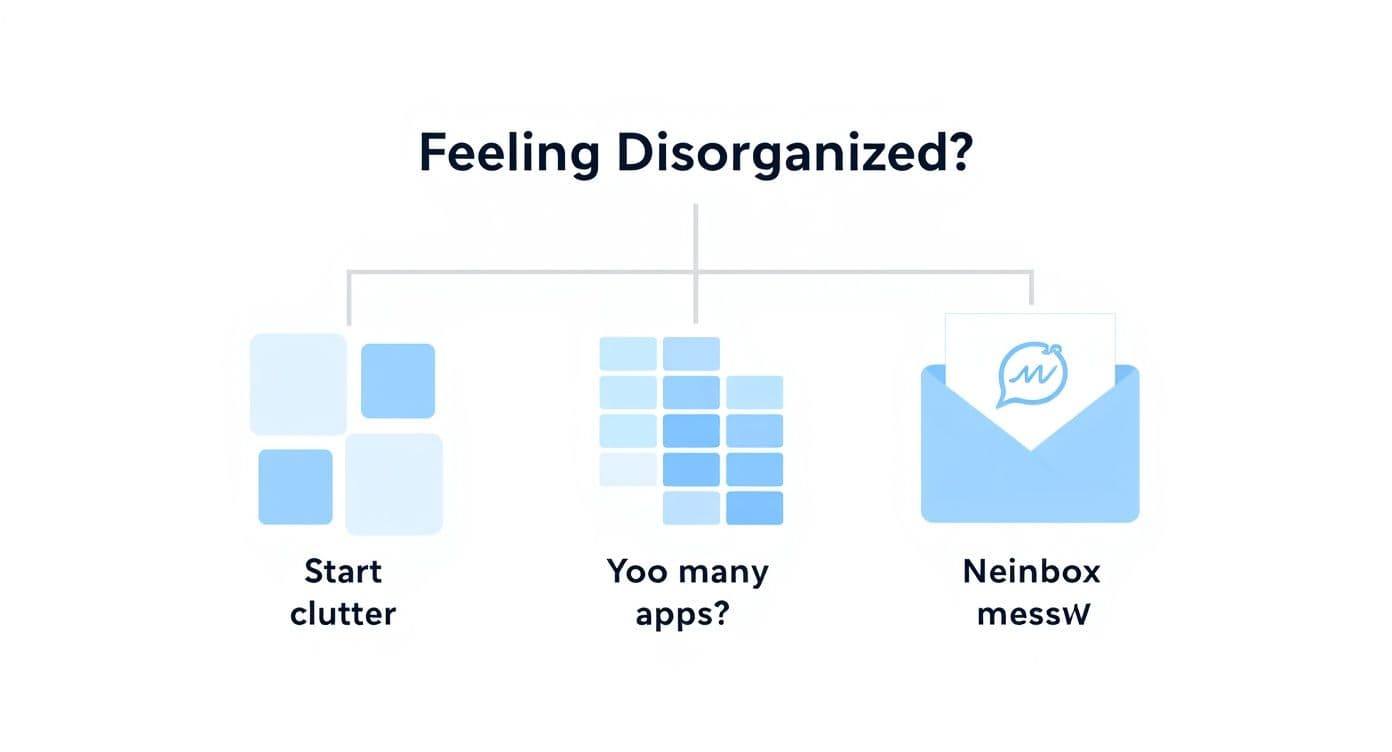
As the visual shows, feeling disorganized often comes from common issues like juggling too many apps or dealing with an overflowing inbox. A well-designed task management system can centralize and tame that chaos.
Choosing Your Task Management Method
Not sure which philosophy fits your style? This table breaks down some of the most common approaches to help you find a starting point.
| Methodology | Best For | Core Principle |
|---|---|---|
| Getting Things Done (GTD) | Individuals with high-volume, varied tasks and a lot of mental clutter. | Capture everything in an external system, then process and organize it to free up mental space. |
| Eisenhower Matrix | Leaders and decision-makers who need to prioritize constantly. | Differentiate between urgent and important tasks to focus on what truly matters. |
| Kanban | Visual thinkers and teams managing multi-step projects. | Visualize workflow in columns (To Do, In Progress, Done) to track progress and identify bottlenecks. |
| Time Blocking | People who get easily distracted or need to protect time for deep work. | Schedule specific blocks of time for individual tasks directly on your calendar. |
Remember, you can mix and match. The goal is to find a framework that brings clarity, not complexity. Once you have a general idea, you can look for tools that support it. 7
Turning Theory into Action with the Right Tools
With a philosophy in hand, you can pick a tool to bring it to life. A modern task manager like Fluidwave is more than a list—it's a command center. Here’s how you can use its features to build out your own system:
- Priority Tags: Don’t just star "important" items. Get specific. Create tags like
High Impact,Quick Win, orWaiting Onthat directly map to your chosen method. - Due Dates and Reminders: A task without a deadline is just a wish. Assigning a due date makes it a real commitment, and setting reminders ensures you’re prompted at the right moment so you’re not constantly checking your list.
- Project Boards: A Kanban-style board is perfect for visualizing workflow. Setting up columns like
Backlog,This Week, andDonegives you a clean, at-a-glance overview of where everything stands—a must-have for team projects. (Learn more about Fluidwave)
By pairing a clear philosophy with smart digital tools, you can finally turn that messy pile of responsibilities into an actionable plan you can rely on. This is the foundation for staying organized at work for the long haul.
Designing Your Physical Workspace for Deep Focus 1

We spend countless hours fine-tuning our digital tools, but it’s easy to overlook how much our physical environment directs our ability to concentrate. A cluttered, chaotic desk doesn’t just look messy—it's a constant, low-grade distraction that pulls your attention away from what truly matters.
Learning how to stay organized at work means creating a space where focus feels natural, not like an uphill battle. This isn’t about having a sterile, magazine-perfect office. It’s about being intentional. When your brain isn’t busy processing visual noise, it frees up an incredible amount of energy for deep, productive thinking.
Creating Functional Zones
One of the most effective ways to declutter a desk is to stop seeing it as one giant surface. Instead, think of it as a collection of purpose-driven zones. This simple mental shift can completely change your workflow.
Try dividing your desk into a few key areas:
- The Digital Zone: This is your command center, the prime real estate right in front of your monitor. Only the absolute essentials belong here: your keyboard, mouse, and maybe a notepad for jotting down a quick thought. Everything else gets moved out of your immediate line of sight.
- The Analog Zone: To your left or right, set aside a small area for any task that doesn’t involve a screen. This is where you might review a printed document or sketch out an idea in a notebook. This physical separation is a great mental cue that helps you switch gears.
- The Reference Zone: This zone is for things you need but don’t use every minute, like a stack of project files or a few key reference books. A nearby shelf or the back corner of your desk works perfectly. They’re within reach but not cluttering your primary workspace.
When everything has a designated place, the pile-up of random items just doesn’t happen.
Your workspace should work for you, not against you. Every item on your desk should have a purpose and a designated home, making it easier to focus on the task at hand and not the clutter around it.
The Power of an End-of-Day Reset
Here’s a habit that has made a huge difference for me: the five-minute end-of-day reset. It’s exactly what it sounds like. Before you sign off for the day, take just five minutes to tidy up.
Put away loose papers, wipe down the surface, and straighten your keyboard and mouse. It’s a small investment of time that pays off big the next morning. When you walk in, you’re greeted by a clean slate—a calm, inviting space that’s ready for you to dive right into productive work.
This simple ritual prevents clutter from ever getting out of hand. It ensures your physical environment is a source of clarity, not a source of stress, helping you stay locked in day after day.
How Personal Engagement Drives Organization
You can have the most sophisticated systems and the sleekest tools, but they won’t make a dent if you feel disconnected from your work. It’s almost impossible to maintain a sense of order when you’re just going through the motions. This is the powerful, often-missed link: genuine engagement is what makes organization feel purposeful, not like just another chore.
When you’re truly invested, your priorities naturally become clearer. You start to see how even the smallest daily tasks connect to the big-picture company mission and, just as importantly, your own career goals. That intrinsic motivation is what actually pushes you to keep your workspace tidy, your inbox under control, and your projects on track. Apathy, on the other hand, is where disorganization thrives.
The Alarming Engagement Gap 4
Unfortunately, feeling checked out is more common than you’d think. Gallup’s State of the Global Workplace Report 2025 uncovered a startling statistic: a mere 21% of employees worldwide feel engaged at work. That’s one of the lowest figures recorded since the pandemic began. This widespread disengagement is directly tied to lower productivity and a weaker company culture. You can find more employee engagement statistics and their impact on the modern workplace. 4
Organization isn’t just a skill; it’s an outcome of being invested. When you find meaning in what you do, the systems you build to support that work become second nature.
Reconnecting with Your Work and Purpose
If you feel your own motivation slipping, it’s time to be intentional about reconnecting with your role. This isn’t about faking enthusiasm, but about rediscovering the "why" behind what you do every day.
A great first step is to start linking your daily to-do list to your bigger aspirations.
- Connect Tasks to Goals: Instead of writing "finish the weekly report," reframe it. Try: "Complete the report that shows our team’s Q3 success, which supports my goal of leading a project next quarter." The context changes everything.
- Understand Your Impact: Make an effort to see how your specific contributions help a customer or move the company forward. You could even ask your manager to share a recent win that your work directly supported.
- Schedule ‘Growth Time’: Block off just 30 minutes on your calendar each week to learn a new skill related to your job or simply research an area of your industry that genuinely excites you.
For managers, the takeaway here is huge. Fostering an environment that boosts engagement is one of the most effective ways to build a more proactive and organized team. That means providing clarity on how each person’s role matters, recognizing great work when you see it, and giving people the autonomy to truly own their projects.
When people are engaged, they don’t just complete tasks—they take ownership. They start anticipating needs, solving problems before they escalate, and naturally creating order from chaos because they care deeply about the results. That internal drive is the real secret to staying organized for the long haul.
Common Questions About Staying Organized at Work
Even with the best intentions, putting a new organizational system into practice can hit a few snags. It’s totally normal to have questions pop up as you figure out how to stay organized in a way that actually works for you long-term. Let’s tackle a few of the most common hurdles people face.
How Do I Stay Organized When Priorities Constantly Change?
This is the reality for most of us, right? The secret is to build a system that’s flexible, not a rigid structure that crumbles the second a deadline shifts. Your best bet here is a digital task manager, where you can reprioritize entire projects with a simple drag-and-drop. This lets you pivot in the moment without having to scrap your whole to-do list.
Even more critical is making the weekly review a non-negotiable habit. I block out 30 minutes every Friday afternoon to scan the week ahead. It’s my time to adjust priorities based on new developments, clear out completed tasks, and make sure Monday’s plan is actually achievable. This simple routine puts you back in the driver's seat, so you’re navigating change instead of just reacting to it. 3
An organization system isn’t about perfectly predicting the future. It’s about creating a framework that’s resilient enough to handle the unpredictable nature of modern work without derailing you.
What Is the Best First Step If I Am Completely Overwhelmed?
When you’re feeling buried and don’t know where to start, the most effective first move is a brain dump. Seriously. Grab a notebook or open a blank doc and just spend 15 minutes writing down every single task, worry, and half-formed idea bouncing around in your head. Don’t edit, don’t organize—just get it all out.
Once you can see it all in front of you, scan the list and pick just one thing that’s both important and relatively quick to knock out. Finishing that single item delivers a small but potent hit of accomplishment. That little bit of momentum makes tackling the rest of your list feel far less daunting. 3
How Can I Help My Team Get Organized Without Micromanaging?
This is the classic leadership tightrope. The key is to shift your focus from policing individual to-do lists to creating shared systems and providing absolute clarity. Think of it as empowerment, not enforcement.
Here’s what works in practice:
- Create a Central Source of Truth: Get everyone on a collaborative project management tool like Fluidwave. When everyone can see project statuses, key deadlines, and who owns what, the need for constant “just checking in” messages vanishes. 7
- Talk About Outcomes, Not Activities: In your team huddles, frame the conversation around progress and roadblocks instead of asking, "Did you finish task X?" It’s a subtle but powerful shift.
- Set Crystal-Clear Goals: When your team deeply understands the "why" behind their work, they’re better equipped to make smart prioritization decisions on their own.
This approach gives your team the autonomy they crave while keeping everyone pulling in the same direction. When people have the right tools and clear expectations, organization often follows naturally.
Ready to build a system that adapts to your needs and gets your team in sync? Fluidwave combines intelligent task management with on-demand virtual assistants to help you cut through the chaos and focus on what really moves the needle. Start organizing your work with Fluidwave today.
Designing Your Physical Workspace for Deep Focus
We spend countless hours fine-tuning our digital tools, but it’s easy to overlook how much our physical environment directs our ability to concentrate. A cluttered, chaotic desk doesn’t just look messy—it’s a constant, low-grade distraction that pulls your attention away from what truly matters.
Learning how to stay organized at work means creating a space where focus feels natural, not like an uphill battle. This isn’t about having a sterile, magazine-perfect office. It’s about being intentional. When your brain isn’t busy processing visual noise, it frees up an incredible amount of energy for deep, productive thinking.
Creating Functional Zones
One of the most effective ways to declutter a desk is to stop seeing it as one giant surface. Instead, think of it as a collection of purpose-driven zones. This simple mental shift can completely change your workflow.
Try dividing your desk into a few key areas:
- The Digital Zone: This is your command center, the prime real estate right in front of your monitor. Only the absolute essentials belong here: your keyboard, mouse, and maybe a notepad for jotting down a quick thought. Everything else gets moved out of your immediate line of sight.
- The Analog Zone: To your left or right, set aside a small area for any task that doesn’t involve a screen. This is where you might review a printed document or sketch out an idea in a notebook. This physical separation is a great mental cue that helps you switch gears.
- The Reference Zone: This zone is for things you need but don’t use every minute, like a stack of project files or a few key reference books. A nearby shelf or the back corner of your desk works perfectly. They’re within reach but not cluttering your primary workspace.
When everything has a designated place, the pile-up of random items just doesn’t happen.
Your workspace should work for you, not against you. Every item on your desk should have a purpose and a designated home, making it easier to focus on the task at hand and not the clutter around it.
The Power of an End-of-Day Reset
Here’s a habit that has made a huge difference for me: the five-minute end-of-day reset. It’s exactly what it sounds like. Before you sign off for the day, take just five minutes to tidy up.
Put away loose papers, wipe down the surface, and straighten your keyboard and mouse. It’s a small investment of time that pays off big the next morning. When you walk in, you’re greeted by a clean slate—a calm, inviting space that’s ready for you to dive right into productive work.
This simple ritual prevents clutter from ever getting out of hand. It ensures your physical environment is a source of clarity, not a source of stress, helping you stay locked in day after day.
How Personal Engagement Drives Organization
You can have the most sophisticated systems and the sleekest tools, but they won’t make a dent if you feel disconnected from your work. It’s almost impossible to maintain a sense of order when you’re just going through the motions. This is the powerful, often-missed link: genuine engagement is what makes organization feel purposeful, not like just another chore.
When you’re truly invested, your priorities naturally become clearer. You start to see how even the smallest daily tasks connect to the big-picture company mission and, just as importantly, your own career goals. That intrinsic motivation is what actually pushes you to keep your workspace tidy, your inbox under control, and your projects on track. Apathy, on the other hand, is where disorganization thrives.
The Alarming Engagement Gap 4
Unfortunately, feeling checked out is more common than you’d think. Gallup’s State of the Global Workplace Report 2025 uncovered a startling statistic: a mere 21% of employees worldwide feel engaged at work. That’s one of the lowest figures recorded since the pandemic began. This widespread disengagement is directly tied to lower productivity and a weaker company culture. You can find more employee engagement statistics and their impact on the modern workplace. 4
Organization isn’t just a skill; it’s an outcome of being invested. When you find meaning in what you do, the systems you build to support that work become second nature.
Reconnecting with Your Work and Purpose
If you feel your own motivation slipping, it’s time to be intentional about reconnecting with your role. This isn’t about faking enthusiasm, but about rediscovering the "why" behind what you do every day.
A great first step is to start linking your daily to-do list to your bigger aspirations.
- Connect Tasks to Goals: Instead of writing "finish the weekly report," reframe it. Try: "Complete the report that shows our team’s Q3 success, which supports my goal of leading a project next quarter." The context changes everything.
- Understand Your Impact: Make an effort to see how your specific contributions help a customer or move the company forward. You could even ask your manager to share a recent win that your work directly supported.
- Schedule ‘Growth Time’: Block off just 30 minutes on your calendar each week to learn a new skill related to your job or simply research an area of your industry that genuinely excites you.
For managers, the takeaway here is huge. Fostering an environment that boosts engagement is one of the most effective ways to build a more proactive and organized team. That means providing clarity on how each person’s role matters, recognizing great work when you see it, and giving people the autonomy to truly own their projects.
When people are engaged, they don’t just complete tasks—they take ownership. They start anticipating needs, solving problems before they escalate, and naturally creating order from chaos because they care deeply about the results. That internal drive is the real secret to staying organized for the long haul.
Common Questions About Staying Organized at Work (FAQ)
Q: How can I stay organized when priorities constantly change?
A: Build a flexible system and use a digital task manager so you can reprioritize with drag-and-drop. Add a weekly review (about 30 minutes) to adjust priorities, clear completed tasks, and plan for Monday. 1
Q: What’s the best first step if I feel overwhelmed?
A: Do a brain dump for 15 minutes, then pick one important, quick win to complete. Momentum builds from small, tangible progress. 3
Q: How can I help my team stay organized without micromanaging?
A: Create a central source of truth with a collaborative tool like Fluidwave and focus conversations on outcomes, not activities. Give people clear goals and autonomy. 6
Ready to build a system that adapts to your needs and gets your team in sync? Fluidwave combines intelligent task management with on-demand virtual assistants to help you cut through the chaos and focus on what really moves the needle. Start organizing your work with Fluidwave today.
Citations and Footnotes
1.
Gensler, Global Workplace Study, 2024. https://www.gensler.com/research-insight/global-workplace-study
2.
Eptura, Workplace Index 2025. https://www.eptura.com/solutions/workplace-index
3.
Timetackle, Mastering Time Management: A Comprehensive Guide to Conducting a Time Audit. https://www.timetackle.com/mastering-time-management-a-comprehensive-guide-to-conducting-a-time-audit/
4.
Gallup, State of the Global Workplace 2025. https://www.gallup.com/workplace/349484/state-of-the-global-workplace.aspx
5.
SageKit, How to Organize Email Inbox. https://sagekit.com/blog/how-to-organize-email-inbox
6.
Fluidwave, Action Priority Matrix. https://fluidwave.com/blog/action-priority-matrix
7.
Fluidwave, Product overview. https://fluidwave.com
Focus on What Matters.
Experience lightning-fast task management with AI-powered workflows. Our automation helps busy professionals save 4+ hours weekly.