Explore how an AI project management assistant transforms workflows, reduces busywork, and boosts team productivity with practical implementation insights.
October 9, 2026 (Today)
AI Project Management Assistant: The Practical Guide
Explore how an AI project management assistant transforms workflows, reduces busywork, and boosts team productivity with practical implementation insights.
← Back to blog
Knowledge workers spend 58% of their day on “work about work”, and better processes could save 4.9 hours per week. An AI project management assistant should reclaim that coordination time, but it must recommend and organize work without taking accountability away from the people responsible for delivery.
The right product isn't a chatbot bolted onto a task list. It's an operational layer that turns scattered updates, dependencies, deadlines, and decisions into a working plan. The wrong product creates polished summaries while hiding weak data, unclear ownership, and unreviewed assumptions.
The Hidden Cost of Unstructured Workflows
A project rarely fails because nobody opened a task manager. It fails when information is scattered, priorities change without a recorded decision, and managers spend their day requesting updates instead of removing obstacles.
A founder checks a chat thread for a promised deliverable, opens a document for the latest version, searches email for approval, then schedules a meeting because nobody can confirm whether a dependency is resolved. Distributed teams repeat this pattern across projects. By afternoon, people hired to design, sell, build, or advise are coordinating instead of applying their expertise.
The scale is measurable. A 2023 global survey of 9,615 knowledge workers found that 58% of the workday went to “work about work,” including communication, scheduling, and task management. Respondents estimated that better processes could save 4.9 hours per week, equivalent to more than six 40-hour workweeks annually.

Coordination Fatigue Is an Operating Problem
Meetings multiply when the workflow lacks a reliable source of truth. According to the same survey, unnecessary meetings consumed 3.6 hours per week for senior leaders and 2.8 hours for knowledge workers. Executives were 30% more likely than the average worker to miss deadlines because of excessive meetings or video calls.
Adding another dashboard will not solve that failure. Teams need fewer manual handoffs, clear next actions, and an automatic record of what changed. An AI assistant can summarize a project, identify overdue dependencies, prepare follow-ups, and keep routine coordination moving without forcing a manager to reconstruct the full context.
Governance determines whether that automation helps or creates risk. AI should organize evidence, flag conflicts, and recommend action. A named owner must approve consequential decisions, verify uncertain information, and retain authority when the project involves customers, money, compliance, or reputation.
Operational rule: Automate the coordination that consumes attention, not the judgment that carries consequences.
This standard applies to entrepreneurs, project managers, executives, freelancers, and distributed teams. They need less memory-heavy administration, not more activity. Owners, deadlines, decisions, and approval points must remain visible so speed never replaces accountability.
Defining the AI Project Management Assistant
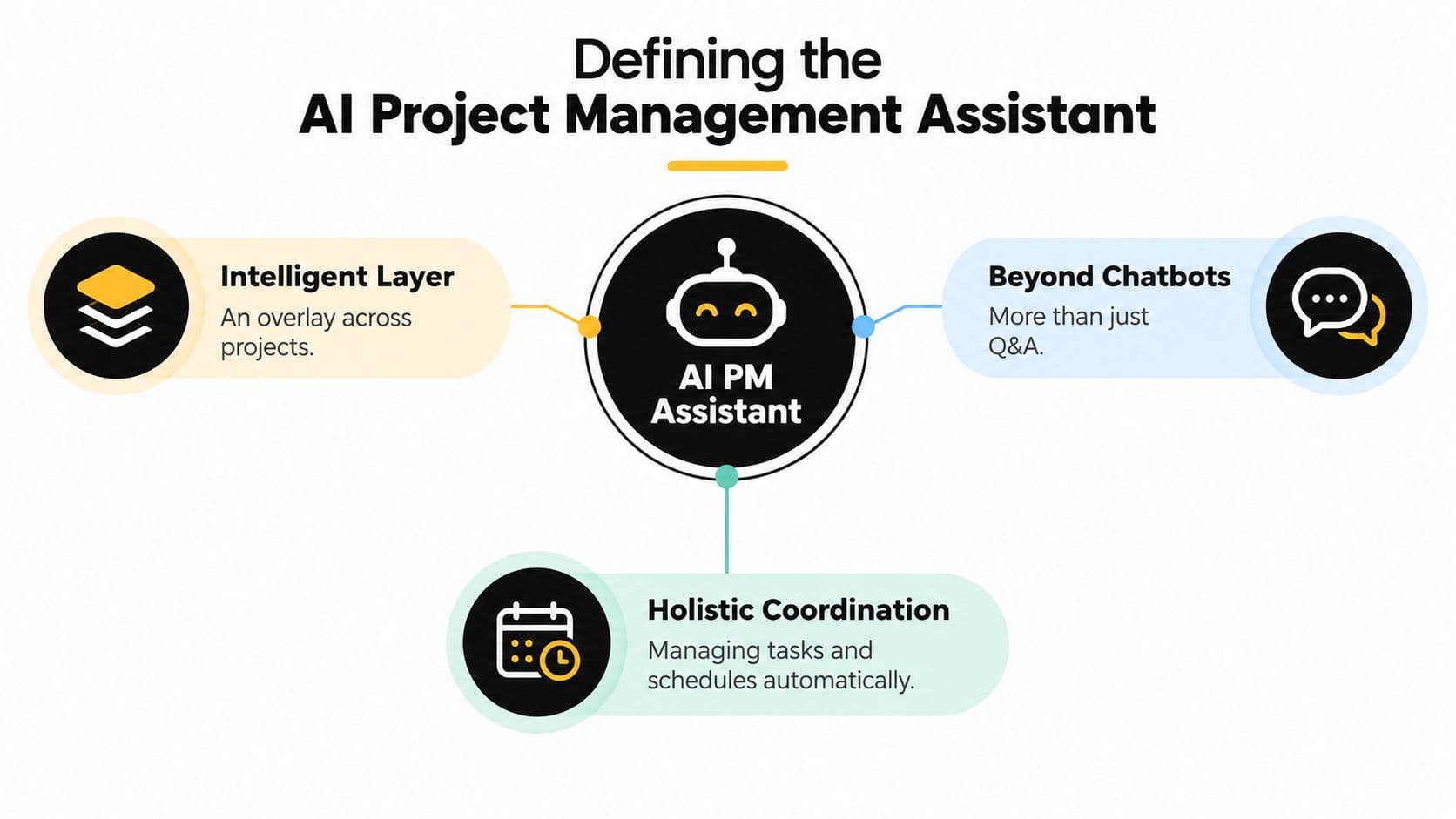
An AI project management assistant is an intelligent layer across the project lifecycle. It works with structured project information and natural-language input to support planning, execution, monitoring, forecasting, risk analysis, and reporting.
A chatbot answers a question. A calendar schedules a meeting. A rule-based automation moves a task when a field changes. An assistant connects these activities to project context and proposes what should happen next.
What the assistant actually does
A useful assistant should handle four connected jobs:
- Planning: Convert an objective into tasks, milestones, owners, dependencies, and review points. The output is a draft plan, not an unquestionable schedule.
- Coordination: Track changes, identify blocked work, surface missing information, and prepare reminders or follow-ups.
- Documentation: Turn updates, meetings, and decisions into structured status reports, action lists, and searchable project knowledge.
- Monitoring: Compare current activity with the approved plan and flag risks, delays, or inconsistent task information.
The assistant becomes valuable when it can move from “summarize this” to “show me what needs a decision, why it matters, and who owns the next action.” That requires clean task data, explicit ownership, and integrations with the systems where work already happens.
Session boundaries are another practical concern. If focused work and interruption-heavy coordination compete for the same attention, teams need predictable rules for when work can be interrupted and when it can't. A useful explanation of how session blocking works can help teams design those boundaries before adding automated reminders or delegation.
What it shouldn't be
The assistant shouldn't silently change priorities, approve spending, promise delivery dates, or escalate a risk without an accountable person reviewing the recommendation. It should expose its reasoning through the relevant task, dependency, source update, or missing field.
That makes the product less like an autonomous project manager and more like a persistent operations analyst. It handles repetitive interpretation and preparation, while a human decides what the team will do.
How AI Transforms Core Project Functions
The strongest use cases sit close to recurring operational work. Teams get value from an assistant when it reduces the time between an update and a decision, not when it produces impressive text that nobody uses.
A 2025 study of organizational AI adoption in project management found that 56.5% of surveyed organizations had initiated some form of AI adoption, while only 21.7% had achieved full integration. The most common applications were knowledge-management or copilot functions, used by 73.9%, and automated reporting, used by 65.2%, according to the study published by SCIRP.
That adoption gap points to a clear recommendation: start with high-frequency coordination, then expand only when the data and review process are reliable.
Reporting should become a decision tool
An assistant can collect task updates, summarize progress, identify unresolved blockers, and draft a stakeholder report. The manager shouldn't have to spend the meeting reading the report aloud. The report should make the decisions visible:
- Which milestone is at risk?
- Which dependency is unresolved?
- Which owner needs support?
- What changed since the previous review?
- Which recommendation requires approval?
Automated reporting earns its place here. It removes transcription and consolidation work, but it doesn't remove the review meeting where people resolve trade-offs.
Knowledge management needs structure
Project knowledge becomes useful when the assistant can connect a decision to its owner, date, affected tasks, and supporting context. A summary without those connections is just another document to search.
Use the assistant to extract action items from notes, classify updates, identify duplicate work, and answer questions from approved project sources. Keep a human review step for decisions that change scope, resources, timelines, or customer commitments.
Risk analysis should surface candidates
Risk monitoring is a good fit for AI because the assistant can scan dependencies, milestones, issue histories, and status changes faster than a person can. It can suggest that a late upstream task threatens downstream work or that an owner has reported a recurring blocker.
It shouldn't decide that the risk is real without validation. The manager must confirm the context, probability, impact, mitigation, and owner. That balance gives teams earlier visibility without turning a prediction into a fact.
The same study reported that 82.6% of respondents experienced faster decision-making cycles, 56.5% reported cost savings, and 47.8% reported quality improvements. It also identified implementation barriers, including skills gaps at 56.5%, internal resistance and change-management difficulties at 47.8%, and uncertainty about return on investment at 43.5%. Those findings support targeted augmentation, not a rush toward full autonomy.
Combining Automation with Human Virtual Assistants
AI is good at sorting, grouping, summarizing, and proposing. Human virtual assistants are better at handling ambiguity, contacting people, checking details, and completing work that requires judgment about tone or context.
That division creates a practical hybrid workflow. The AI organizes incoming work, identifies urgency, and prepares a clear brief. A human assistant executes the delegated task, asks for clarification when the brief is incomplete, and records the result. The project owner reviews the outcome instead of managing every intermediate step.
A useful division of labor
| AI Automation Tasks | Human Assistant Tasks |
|---|---|
| Organize incoming tasks by project and priority | Clarify ambiguous requests with stakeholders |
| Identify missing owners, dates, or dependencies | Contact vendors, clients, or internal teams |
| Draft status updates and meeting agendas | Edit communications for tone and context |
| Surface overdue work and potential blockers | Complete research, data entry, and follow-up |
| Suggest next actions from project activity | Verify details before final submission |
| Prepare a delegation brief with scope and deadline | Execute the work and report exceptions |
The point isn't to make the AI appear autonomous. The point is to create a closed loop: machine interpretation, human execution, manager accountability.
Delegation needs a complete brief
A weak AI-generated task says, “Follow up with the client.” A usable brief states the client, the open issue, the desired outcome, the deadline, the approved communication channel, and the condition that requires escalation. The assistant can draft that brief, but a person should confirm it before delegation.
A platform such as Fluidwave combines AI task organization with optional delegation to human virtual assistants. Its workflow supports multiple task views and pay-per-task delegation, which can fit teams that want automated triage without hiring for every recurring administrative need. For more detail on the operating model, see this guide to project management with a virtual assistant.
Measure the handoff, not the novelty
Don't measure success by how many tasks the AI creates. Measure whether approved work moves with less friction:
- Time from intake to an approved plan
- Missing dependencies found during review
- Rework after a human handoff
- Recommendations accepted by a qualified reviewer
- Time spent preparing routine status updates
A hybrid model works when it makes responsibility clearer. If nobody knows whether the AI, assistant, or manager owns the result, automation has increased risk rather than reduced workload.
The Necessity of Human Oversight and Governance
The dangerous assumption is that a fluent recommendation is a reliable recommendation. AI can produce a complete-looking risk plan while misunderstanding the project context, inheriting bias from its data, or overlooking an issue that experienced staff would recognize immediately.
A study comparing GPT-4 with 16 construction risk-management experts found that GPT-4 received an average score of 8.6, compared with 5.7 for human experts, when generating risk-management plans. Yet separate evaluation showed stronger performance in risk response and monitoring than in risk identification and analysis, with identification accuracy varying by project context. The evidence is available in the construction risk-management study.
The lesson isn't that AI replaces experts. It produces useful candidate strategies, while humans validate whether the underlying risk exists and whether the response fits the actual project.
Define decision rights before deployment
Create an approval matrix before turning on autonomous actions.
- Auto-approved: Formatting reports, grouping tasks, drafting reminders, and generating summaries from approved data.
- Human-confirmed: Changing priorities, assigning owners, moving milestones, escalating blockers, or delegating work.
- Manager-only: Changing scope, approving budget changes, accepting material risk, making personnel decisions, or committing to external deadlines.
Every recommendation should show its source context, assumptions, confidence or uncertainty, and proposed action. Users need a way to reject, edit, and reverse changes. An audit trail should record who approved the action, what the assistant proposed, and what information supported the decision.
Accountability test: If you can't identify the human who approved a consequential change, the workflow isn't governed.
Quality control must also happen after execution. Review the practical assistant quality control process alongside your AI rules, especially when human assistants and automated recommendations share the same task system.
Privacy, cybersecurity, data quality, and overreliance are not side issues. They determine whether the assistant deserves access to project information at all. Keep sensitive data scoped, maintain accurate records, and treat every AI output as a recommendation until a qualified owner accepts it.
Practical Steps to Implementing Your Assistant
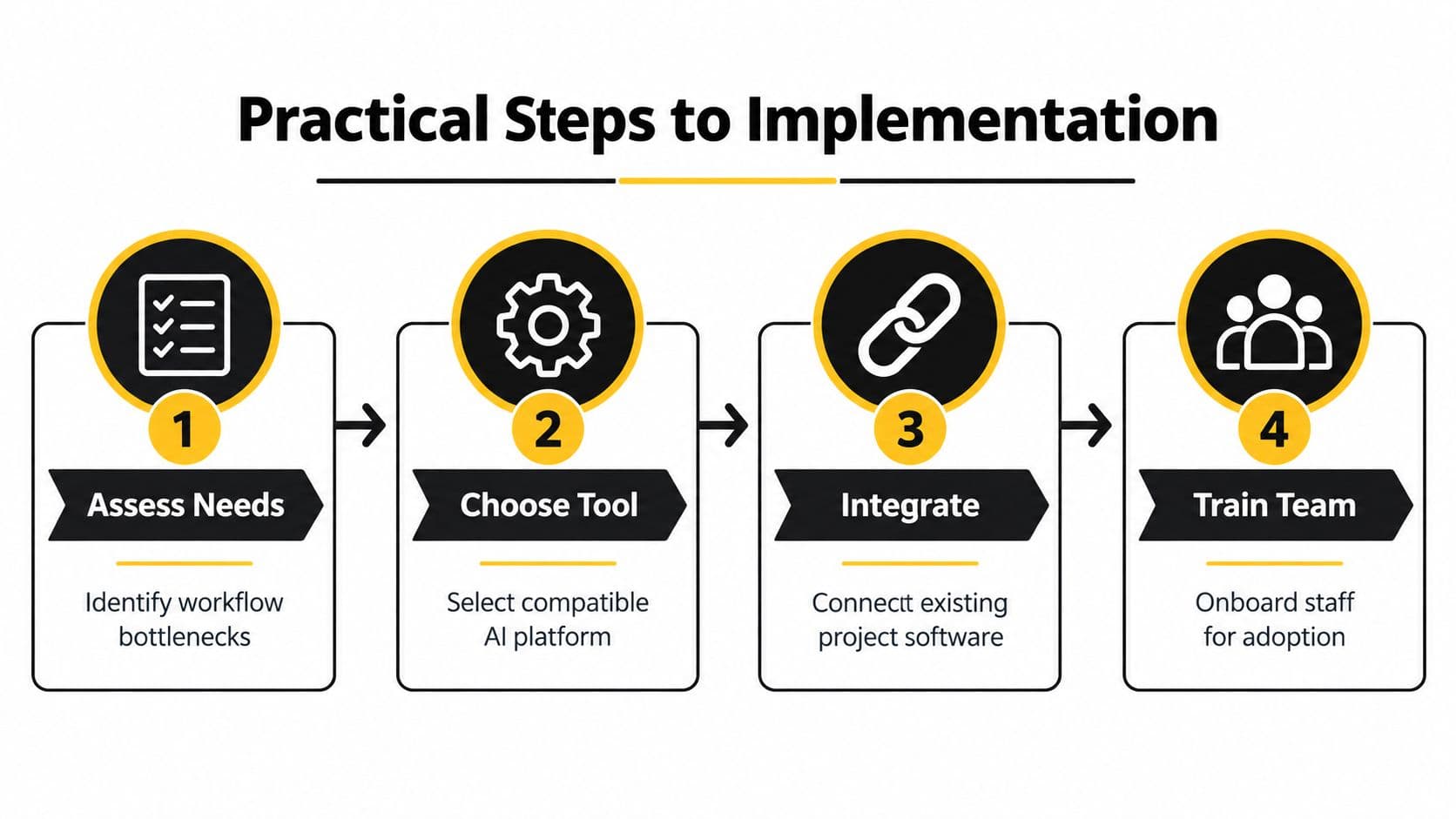
Start with the workflow, not the vendor demo. Choose one recurring process where coordination is expensive and the output is easy to inspect, such as weekly reporting, intake triage, or dependency follow-up.
Assess the work before choosing the tool
Document the current path from request to completion. Mark every handoff, duplicate entry, approval, and delay. Set a baseline using operational measures such as plan-approval time, missing dependencies, rework, accepted recommendations, and time spent producing reports.
Then define the red lines. Decide which actions the assistant may perform automatically, which require confirmation, and which remain entirely human-controlled.
Choose for fit, not feature volume
Evaluate how the assistant handles your actual data, integrations, permissions, and review requirements. Test whether users can see why a recommendation was made, correct bad output, and restore a previous state.
Accessibility needs the same attention. A 2025 scoping review found that many human-AI studies lack meaningful neurodivergent participation and don't adequately address sensory and cognitive heterogeneity, accessibility barriers, or gender bias in datasets, as reported in the review of human-AI accessibility research.
For users with ADHD or other neurodivergent needs, provide configurable notification intensity, clear task decomposition, visual and text alternatives, uncertainty labels, user-controlled prioritization, and a focus mode. In the United States, 15.5 million adults, or 6.0% of the adult population, had a current ADHD diagnosis in 2023, and 55.9% were diagnosed during adulthood, according to the CDC report on adult ADHD. These figures don't make software medical treatment. They do show why external structure and autonomy settings belong in the product conversation.
Integrate narrowly, then train deliberately
Connect the assistant to the project system that contains the most reliable task and milestone data. Don't integrate every tool at once. Run a controlled workflow, review outputs with experienced staff, and document corrections so the team learns where the assistant performs well and where it needs context.
Use AI-powered workflow automation as a reference point for connecting task organization, automation, and delegation without removing human review.
Train people on approval rules, data quality, escalation, and reversals, not just on buttons. Review the baseline after the pilot and keep the assistant only where it reduces coordination cost without weakening ownership.
Fluidwave combines AI task organization and auto-prioritization with multiple project views and optional delegation to human virtual assistants. If you want to test a workflow that keeps automation accountable to real people, visit Fluidwave and start with one process you can measure.
Focus on What Matters.
Experience lightning-fast task management with AI-powered workflows. Our automation helps busy professionals save 4+ hours weekly.