Discover 10 evidence-based working memory improvement strategies. Boost your focus, reduce cognitive load, and enhance productivity with these techniques.
January 22, 2026 (8mo ago)
10 Powerful Working Memory Improvement Strategies for 2026
Discover 10 evidence-based working memory improvement strategies. Boost your focus, reduce cognitive load, and enhance productivity with these techniques.
← Back to blog
Ever feel like your brain is a browser with too many tabs open? You’re not just misplacing your keys; you’re managing an overtaxed working memory. This is the mental workspace where you actively juggle information, and it’s the engine behind your focus, planning, and problem-solving1. In a world of constant notifications and endless to-do lists, this vital cognitive resource is always under siege2.
The fallout is real: mental fatigue, trouble concentrating in meetings, and that frustrating feeling of not being able to keep track of multiple project details. But what if you could not only protect this system but actually strengthen it? We’re not talking about generic advice like “get more sleep,” though that’s important. This guide dives into ten practical, evidence-based working memory improvement strategies designed for the realities of a busy career.
From ancient mnemonic tricks like the Memory Palace to modern approaches like offloading your thoughts, these are methods you can start using right away. You’ll learn how to reclaim your focus, cut down on mental friction, and operate at your best. This article gets straight to the point, offering concrete steps and real-world examples to help you turn mental chaos into calm, focused productivity. We’ll explore exactly how to weave these powerful techniques into your daily workflow to make better decisions and boost your overall effectiveness.
1. Chunking
Chunking boosts working memory by breaking large, complex items into smaller, meaningful groups. This technique—originally described by George A. Miller and refined by later research—leverages our brain’s pattern-finding ability to reduce overload1.
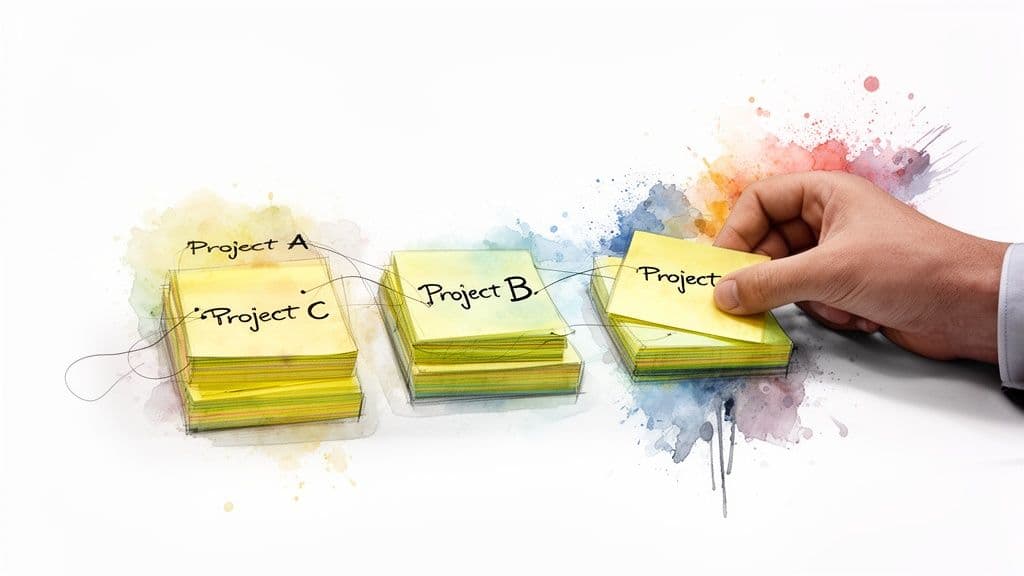
This is a foundational working memory improvement strategy because it tackles capacity limits directly. For busy professionals, chunking turns an overwhelming project plan or chaotic to-do list into a structured roadmap.
How to implement
- Project management: Group 50 separate tasks into 3–4 phases like “Research & Discovery,” “Development,” and “Launch & Review.”
- Presentations: Break a 45-minute talk into 5–7 minute chunks with one core idea each.
- Daily tasks: Group items by context—“Client Calls,” “Deep Work,” and “Admin.”
Tips for professionals
- Look for natural categories by deadline, energy required, or stakeholders.
- Create hierarchies with parent tasks and subtasks to keep detail accessible but not overwhelming.
- Visualize chunks with a Kanban board or collapsible lists to reduce cognitive load.
- Review and refine your chunks weekly as projects evolve.
2. Method of Loci (Memory Palace)
The Method of Loci ties new information to familiar locations so you can retrieve it by mentally walking the route. This ancient mnemonic transforms abstract data into a navigable mental map4.
How to implement
- Project milestones: Place milestones on items in your mental office—desk = budget, window = hiring, door = kickoff.
- Meeting agendas: Map agenda items to landmarks on your commute.
- Client facts: Assign each client to a room and place key details on the furniture.
Tips for professionals
- Choose a highly familiar location for your palace.
- Make images vivid and unusual—funny or sensory associations stick.
- Rehearse your route regularly to strengthen retrieval.
- Document the structure externally so you can update or share it.
3. Spaced Repetition with Active Recall
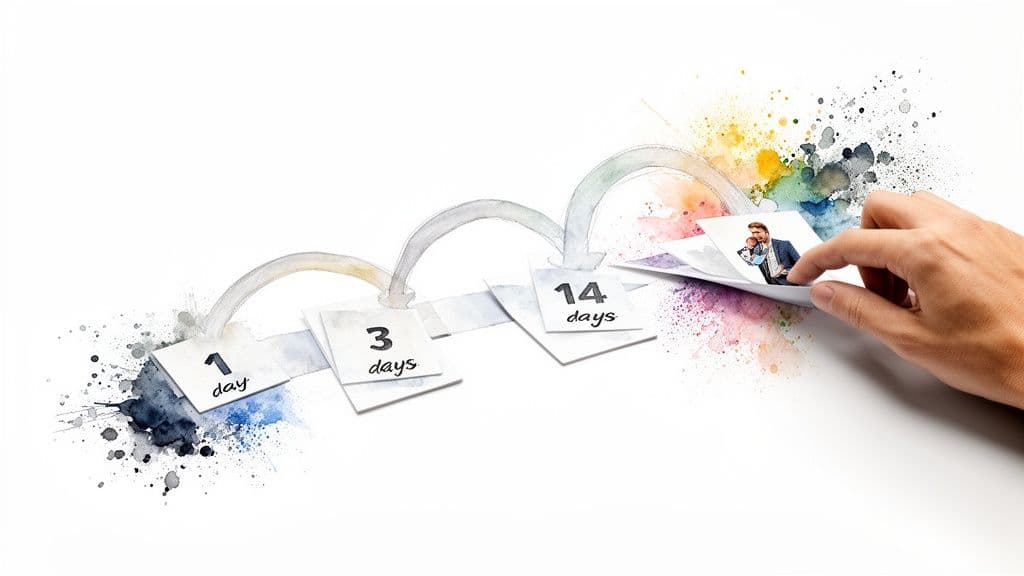
Spaced repetition paired with active recall helps information move into long-term memory, freeing working memory for immediate tasks. Retrieval practice strengthens memory more than passive review, and expanding review intervals combats the forgetting curve3.
How to implement
- Client management: Review account details 1 day, 3 days, 1 week, then monthly after a key meeting.
- Sales training: Practice product features and objections at expanding intervals.
- Procedures: Schedule quick reviews of checklists or workflows after rollout.
Tips for professionals
- Automate reviews with a tool or recurring tasks.
- Always try to recall information before consulting notes.
- Track consistently difficult items and shorten their review intervals.
- Delegate creation of study materials to scale the process for teams.
4. Externalization and Offloading (Cognitive Offloading)
Externalization moves memory demands from your head to trusted tools—notes, calendars, and project systems. Relying on external systems reduces wasted recall effort and frees mental bandwidth for higher-level thinking. Research shows people offload memory when they expect information to be stored externally5.
How to implement
- Capture every task immediately in a single trusted system.
- Take meeting notes that include decisions, owners, and deadlines.
- Use a digital calendar for all appointments with reminders.
Tips for professionals
- Capture everything; don’t assume you’ll remember it later.
- Be detailed: add context, links, and next actions to tasks.
- Use visual workflows and integrate calendars to reduce mental organizing.
- Establish a short, regular review ritual to trust your external system.
5. Focused Attention and Distraction Elimination
Distraction elimination protects your working memory from constant drains. Notifications and multitasking fragment attention and reduce productivity; intentional focus time allows deeper, more accurate thinking2.

How to implement
- Time-block 60–90 minutes for deep work and guard that time like a meeting.
- Minimize open tabs and apps to reduce temptation to multitask.
- Use Do Not Disturb or Focus modes on devices.
Tips for professionals
- Establish “focus hours” so colleagues know when you’re unavailable.
- Try the Pomodoro rhythm for sustained focus with breaks.
- Delegate inbox triage to reduce interruptions.
- Optimize your workspace—noise-canceling headphones can help.
6. Metacognition and Self-Monitoring
Metacognition—thinking about your thinking—lets you detect when your working memory is strained and adapt. By noticing overload patterns, you can tailor strategies to your unique work style and improve over time.
How to implement
- Identify overload triggers: note when you feel overwhelmed or forgetful.
- Analyze where information gets lost and change the workflow accordingly.
- Test different strategies and keep what works.
Tips for professionals
- Do a 15-minute weekly reflection to assess what helped or hindered your focus.
- Log overload moments with quick notes about context and task.
- Use flexible tools to test views (calendar, Kanban, table) and stick with what reduces friction.
- Solicit feedback on delegated tasks to spot communication gaps.
7. Elaboration and Meaningful Association
Elaboration strengthens working memory by linking new information to existing knowledge. By asking “why” and building context, isolated facts become part of a useful mental model, improving recall and transfer.
How to implement
- Onboarding: Have new hires explain why each step exists rather than only memorizing steps.
- Strategic planning: Document how each deliverable connects to the bigger goal.
- Client work: Frame new proposals with past wins to create continuity.
Tips for professionals
- Document the “why” in task descriptions.
- Use the Feynman Technique: explain concepts simply to reveal gaps.
- Link related items in your system to create a visible knowledge web.
- Ask clarifying questions to build deeper context.
8. Prioritization and Single-Tasking
Prioritization with single-tasking reduces competing demands on working memory. Limit active tasks and focus on one priority to preserve cognitive capacity for complex work.
How to implement
- Daily focus: pick the top 3 priorities and commit to finishing them.
- Team sprints: limit the team’s active commitments for a defined period.
- Executive time: block dedicated time for your highest-priority initiative.
Tips for professionals
- Use frameworks like the Eisenhower Matrix to set priorities.
- Set a Work-in-Progress limit on your Kanban board—WIP=1 for true single-tasking.
- Block focus time on your calendar and defer or delegate less important tasks.
9. Structured Breaks and Recovery Periods
Working memory is finite. Structured breaks restore cognitive capacity and prevent fatigue. Short, intentional breaks improve sustained performance and reduce errors7.
How to implement
- Use Pomodoro: 25 minutes focus, 5 minutes break; longer break after four cycles.
- Align with 90-minute work cycles when possible and follow with a 15–20 minute recovery.
- Use breaks for active recovery—walk, stretch, or listen to music rather than checking email.
Tips for professionals
- Block recovery time in your calendar and treat it as non-negotiable.
- Truly disconnect during breaks—avoid task-like activities that still tax working memory.
- Encourage team norms that respect restorative time.
10. Visualization and Mental Rehearsal
Visualization primes neural pathways by mentally rehearsing a performance or process. Mental practice improves execution and reduces cognitive load at the moment of action6.
How to implement
- Presentations: rehearse the delivery mentally—see the room, hear the audience, and run through each key point.
- Projects: visualize the workflow, pitfalls, and recovery steps.
- Difficult conversations: rehearse calm delivery and positive outcomes.
Tips for professionals
- Make imagery specific and sensory-rich.
- Use structured project plans as scripts for rehearsal.
- Run pre-mortem visualizations to spot and plan for likely issues.
- After action, compare outcomes to your rehearsal and refine future sessions.
Comparing the 10 Strategies
| Method | Complexity | Requirements | Outcomes | Ideal Use Cases | Advantage |
|---|---|---|---|---|---|
| Chunking | Low–Medium | Minimal | Faster recall; better throughput | Project breakdowns, presentations | Quick wins reducing load |
| Method of Loci | High | Low tools; high practice | Very durable recall | Speeches, ordered lists | Massive memory gains |
| Spaced Repetition | Medium | Scheduling tools | Strong long-term retention | Training, procedures | Highly efficient learning |
| Externalization | Low–Medium | Digital tools | Immediate load reduction | Task management, scaling work | Frees mental bandwidth |
| Focused Attention | Medium | Environment control | Better accuracy, speed | Deep work, complex tasks | Boosts effective working memory |
| Metacognition | Medium | Reflection time | Personalized gains | Performance tuning | Tailors strategies to you |
| Elaboration | Medium–High | Time for context | Deeper understanding | Onboarding, strategy | Enhances transfer and problem-solving |
| Prioritization | Low–Medium | Discipline | Higher completion quality | High-value initiatives | Reduces multitasking cost |
| Structured Breaks | Low | Scheduling | Sustained performance | Long workdays | Prevents burnout |
| Visualization | Medium | Practice time | Improved execution | Presentations, high-pressure tasks | Prepares you for action |
From Strategy to System: Building Your Cognitive Toolkit
The real gains come from combining strategies into a reliable system. For a complex launch, you might use Elaboration to define goals, Chunking for phases, and Externalization to track every task. For deep problem-solving, pair Focused Attention with Single-Tasking and Structured Breaks.
Actionable path forward
- Identify your biggest bottleneck: meetings, planning, or constant interruptions.
- Pick 1–2 starter strategies that directly tackle that pain point.
- Run a one-week experiment and observe what changes.
- Review, refine, and layer additional strategies as habits form.
The true value
Improving working memory is about changing how you handle complexity. You’ll free up mental space for creativity, make fewer mistakes, and work with more calm and control. Many of these strategies underpin efficient learning and high performance—investing in them is investing in your most valuable professional asset: your ability to think clearly and solve problems.
Ready to supercharge your cognitive offloading and build a powerful external brain? Fluidwave helps capture, organize, and connect information so your system supports your working memory. Try Fluidwave today.
Frequently Asked Questions
Q: Which strategy is best for remembering details from meetings?
A: Combine Externalization (capture notes immediately) with Spaced Repetition (review key points at expanding intervals). This reduces reliance on fragile working memory and improves long-term recall3.
Q: How do I protect focus when my team expects fast responses?
A: Set clear “focus hours,” use Do Not Disturb, and delegate inbox triage. Communicate availability so others know when you’ll respond and when you’re in deep work2.
Q: Can these strategies work together or should I pick only one?
A: They work best combined. Start with 1–2 that address your biggest pain point, test them for one week, then layer additional techniques as habits form.
1.
George A. Miller; Cowan’s refinement on capacity limits. See Cowan, N. “The magical number 4 in short-term memory: A reconsideration of mental storage capacity.” https://pubmed.ncbi.nlm.nih.gov/11790884/.
2.
Research on attention fragmentation and the cost of interruptions. See Mark, G.; Gudith, D.; Klocke, U. “The cost of interrupted work: More speed and stress.” https://dl.acm.org/doi/10.1145/1124772.1124816.
3.
Evidence for retrieval practice and spaced repetition. See Karpicke, J. D.; Roediger, H. L. “The Critical Importance of Retrieval for Learning.” https://www.pnas.org/content/105/45/16955.
4.
Method of Loci overview and mnemonic effectiveness. See Method of Loci (Memory Palace) summary. https://en.wikipedia.org/wiki/Method_of_loci.
5.
Cognitive offloading and external memory effects. See Sparrow, B.; Liu, J.; Wegner, D. M. “Google effects on memory: Cognitive consequences of having information at our fingertips.” https://science.sciencemag.org/content/333/6043/776.
6.
Meta-analysis on mental practice and performance. See Driskell, J. E.; Copper, C.; Moran, A. “Does Mental Practice Enhance Performance?” https://psycnet.apa.org/record/1994-38399-001.
7.
Breaks, recovery, and cognitive performance. See research on microbreaks and sustained performance; for example, Trougakos, J. P.; Hideg, I. “Momentary work recovery.” https://psycnet.apa.org/record/2009-11887-002.
Focus on What Matters.
Experience lightning-fast task management with AI-powered workflows. Our automation helps busy professionals save 4+ hours weekly.