Stop juggling tasks. We reviewed the 12 best to do list apps of 2026 to help you find the perfect fit, from simple lists to powerful AI-driven platforms.
March 31, 2026 (5mo ago)
The 12 Best To Do List Apps for Peak Productivity in 2026
Stop juggling tasks. We reviewed the 12 best to do list apps of 2026 to help you find the perfect fit, from simple lists to powerful AI-driven platforms.
← Back to blog
In the search for productivity, the humble to-do list is still a cornerstone of getting things done. But pen and paper have given way to some seriously powerful to do list apps that don't just list your tasks—they help you organize, prioritize, and actually get them done more efficiently. The problem is, there are a million options out there, each claiming to be the magic bullet. From simple checklists to complex project management beasts, how do you find the right one for you?
This guide is here to cut through the noise. We’re going to break down the best apps available, but we're going beyond just listing features. For each tool, you'll get a clear look at what makes it stand out, who it's really for (from busy execs to folks with ADHD), and the honest pros and cons from real-world use. We'll show you exactly what each app looks like with screenshots and give you direct links to get started.
Our goal is to help you make a smart choice, whether you're a freelancer juggling clients, a team lead coordinating projects, or just trying to bring some order to your own hectic schedule. We'll look at the big names like Todoist and Asana, plus some specialized tools, giving you what you need to pick a platform that actually works for you. On top of the usual suspects, founders might also get some good ideas from articles like 'Top Tools For Founder Time Management' to really level up their productivity. This article is your resource for finding the perfect digital sidekick to master your tasks.
1. Fluidwave
Fluidwave isn't just another item on the list of to do list apps; it’s trying to be the command center for your entire workflow. It’s built for busy professionals, teams, and anyone who feels like their productivity is scattered across too many different platforms. Its main strength is bringing task management, delegation, and communication all into one place.
The platform really sets itself apart with its deep AI automation. This isn't just about suggesting when a task is done; Fluidwave's AI, which they call 'Flow,' actually analyzes your projects and suggests who to delegate tasks to, spots potential roadblocks, and even automates routine status updates. For instance, if a project milestone is coming up, Flow can pull together a progress report from completed tasks and draft an update email to stakeholders, just waiting for your final okay. This smart assistance makes it a huge help for executives and managers trying to boost team output without adding more admin work for themselves.
Key Benefit: Fluidwave’s standout feature is its AI-powered delegation engine. It learns your team’s strengths and workloads, then suggests which tasks to assign to whom, complete with context and deadlines. This takes a huge mental load off managing a team and helps make sure tasks are handled efficiently.
Best For:
- Project Managers & Team Leads: The delegation and AI-driven oversight tools are built for managing complex team workflows.
- Busy Executives: Automates reporting and task tracking, freeing up time for high-level strategic work.
- Individuals with ADHD: The structured interface and AI prompts can help maintain focus and reduce the executive dysfunction associated with prioritizing and initiating tasks.
Getting Started with Fluidwave: Quick Setup
- Import Your Projects: Use the one-click import from platforms like Asana, Trello, or a simple CSV to get your existing tasks into Fluidwave instantly.
- Define Your Team: Add your team members and let the AI assistant, Flow, run a quick analysis of their past roles or imported tasks to build initial profiles.
- Activate Your First 'Flow': Choose a simple automation, like a "Daily Digest" of your team's completed tasks, to see the platform's power in action immediately.
Pricing & Availability
Fluidwave has a few pricing tiers, including a free-forever plan that works well for individuals and small teams just starting out.
- Free: Core task management features for up to 3 users.
- Pro ($12/user/month): Unlocks advanced AI features, unlimited integrations, and team delegation tools.
- Enterprise (Custom Pricing): Provides dedicated support, security compliance, and advanced analytics for large organizations.
Website: fluidwave.com
2. Todoist
Todoist has definitely earned its reputation as one of the most reliable and flexible to-do list apps out there, mostly because of its clean look and killer "Quick Add" feature. It’s fantastic at getting tasks out of your brain and onto your list in seconds using plain English. For example, you can just type “Review project brief every Friday at 10 AM #Work” and Todoist automatically sets up a recurring task for you.
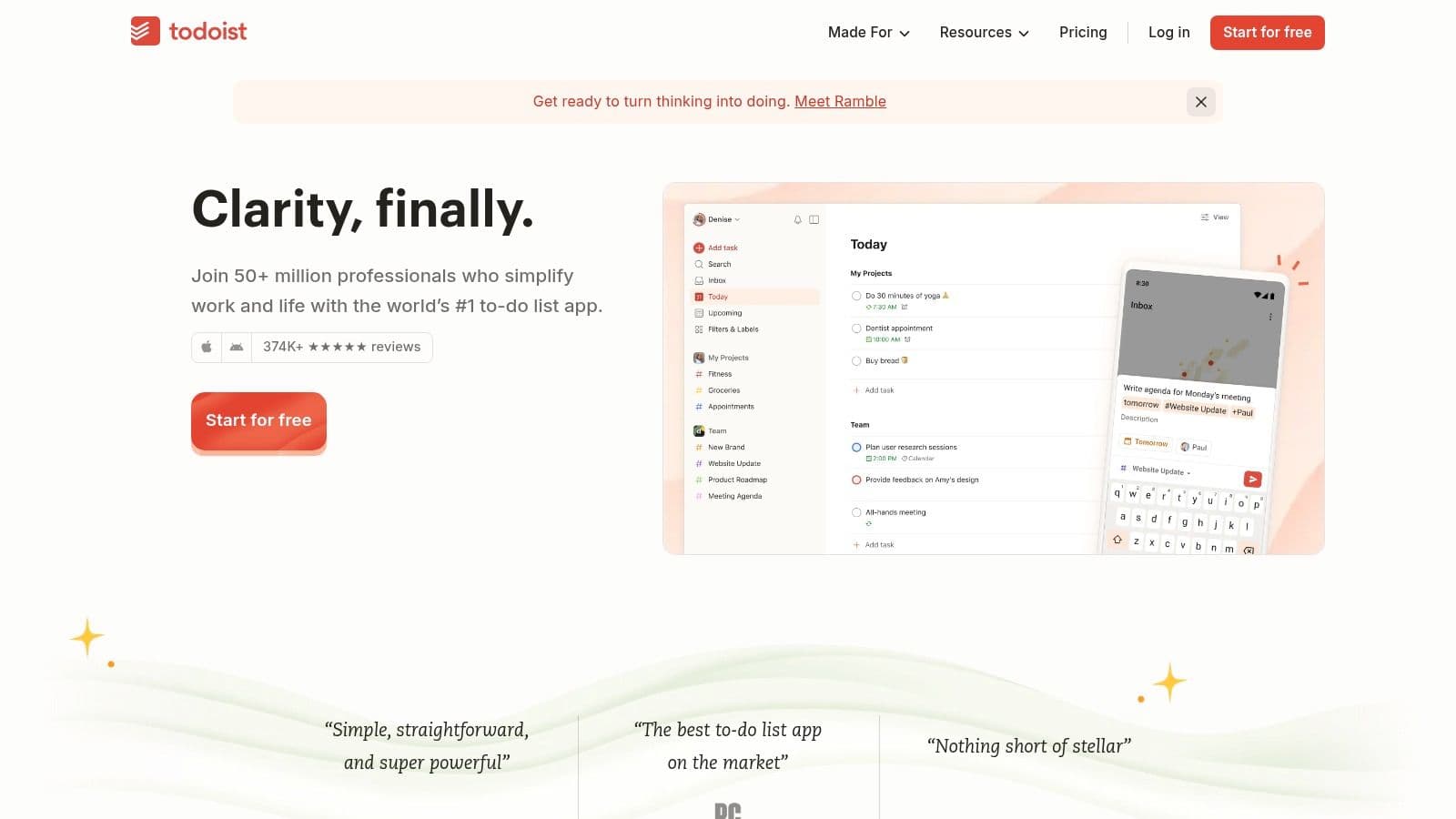
The app is super flexible, offering list, board, and calendar views to fit different ways of working. For teams, it has shared workspaces and project permissions, while individual power users can create some really complex, custom-filtered views to manage what they focus on. These views are great for putting various task prioritization techniques into practice, giving you a clear picture of what needs your attention next.
Key Details & Pricing
- Best For: Individuals and teams who need a fast, reliable way to capture tasks that can scale from simple lists to more complex projects.
- Standout Feature: The natural language processing for quick task entry is a massive time-saver and a huge reason it's so popular.
- Pros: Syncs flawlessly across all platforms, has a huge library of integrations with other apps, and lets you grow from a free personal account to a full business plan.
- Cons: Some key features like reminders, advanced filters, and comments are locked behind the paid plan. The syntax for advanced filters can be a bit tricky to learn at first.
- Website: https://todoist.com
| Plan | Price (Billed Annually) | Key Features |
|---|---|---|
| Beginner | Free | Up to 5 personal projects, 5 MB file uploads, 3 filters. |
| Pro | $4/user/month | 300 personal projects, reminders, unlimited activity history, AI Assistant. |
| Business | $6/user/month | 500 projects per member, team workspaces, admin roles, and permissions. |
3. Microsoft To Do
Microsoft To Do is a no-nonsense, cloud-based task management app that really shines for people deep in the Microsoft 365 world. As the replacement for the beloved Wunderlist, it offers a clean, easy-to-use interface for organizing your daily tasks without a big learning curve. Its real power comes from how it connects with Outlook—flagged emails can instantly become tasks—and its "My Day" feature, which nudges you to pick a few key priorities each morning.
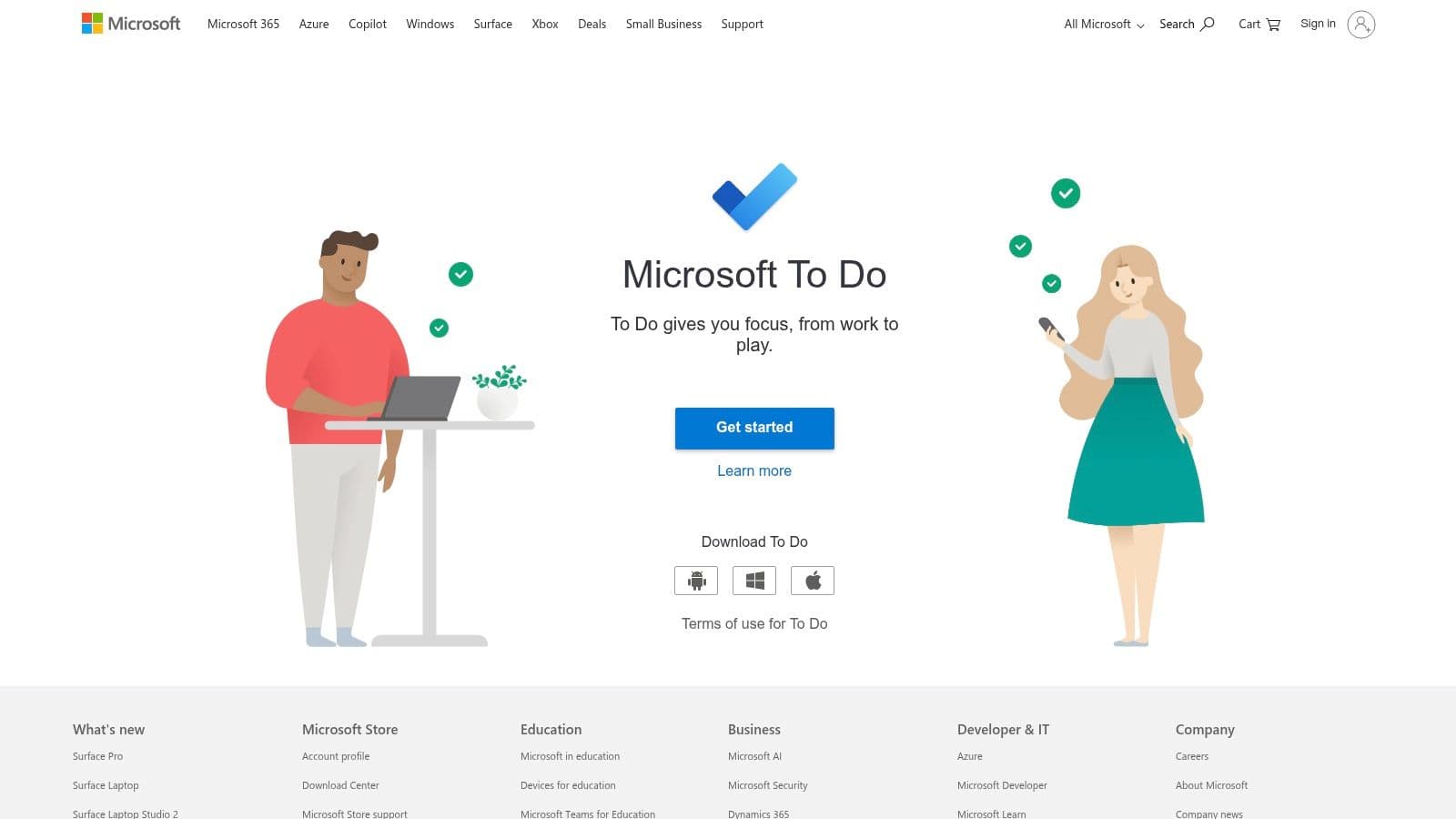
This platform isn't about complicated project management; it's more about personal and small-team productivity. You can create simple lists, set due dates and reminders, and share lists with coworkers for basic collaboration. For anyone who lives in Outlook and other Microsoft products, it really stands out among other to do list apps by becoming the central spot for personal action items pulled from all over the M365 suite, which simplifies task management a lot.
Key Details & Pricing
- Best For: Individuals and teams who are already using Microsoft 365 and need a simple, free, and integrated task manager.
- Standout Feature: The deep integration with Outlook Tasks, where flagged emails automatically show up as suggested tasks, creates a really smooth workflow.
- Pros: Totally free with a Microsoft account, great native apps for Windows, and a super smooth experience for anyone in the Microsoft ecosystem.
- Cons: It doesn't have the advanced features of paid competitors, like complex filtering or sub-task dependencies. For bigger projects, you might have to move up to Microsoft Planner or Project.
- Website: https://todo.microsoft.com
| Plan | Price (Billed Annually) | Key Features |
|---|---|---|
| Free | $0 | Unlimited lists and tasks, 25 MB file attachments, list sharing, and Outlook integration. |
4. Google Tasks
For anyone deeply plugged into the Google ecosystem, Google Tasks is pretty much the path of least resistance for managing to-dos. Its biggest strength isn't a long list of features, but its seamless integration with Gmail and Google Calendar. You can drag an email right into the Tasks sidebar to create a to-do item, or see your tasks with due dates pop up on your calendar. It's an excellent, no-friction way to capture things.
While it doesn't have the complex project management chops of its competitors, its simplicity is actually a feature, not a bug. It's perfect for straightforward task and deadline tracking without the extra baggage of a more powerful system. The recent move to merge Google Reminders into Tasks has made the experience more unified, so whether you create a task in Calendar, Assistant, or the Tasks app itself, it all ends up in one predictable place.
Key Details & Pricing
- Best For: Individuals and professionals who live in Google Workspace and need a simple, integrated way to manage their personal to-dos.
- Standout Feature: The seamless link with Gmail and Google Calendar, which lets you create tasks from emails and see them next to your events, is killer.
- Pros: Completely free with a Google account, incredibly easy to use with basically no learning curve, and always right there within other Google apps.
- Cons: The features are very basic. There are no labels, custom views, collaboration tools, or advanced sorting. It's not great if you aren't all-in on the Google ecosystem.
- Website: https://tasks.google.com
| Plan | Price (Billed Annually) | Key Features |
|---|---|---|
| Standard | Free | Unlimited lists and tasks, integration with Gmail and Calendar, mobile apps. |
| Workspace | Included with plan | Same features as standard, but integrated within a business's Google Workspace environment. |
5. TickTick
TickTick is a real powerhouse for people who want a single, unified productivity system. It expertly combines a to-do list with a calendar, habit tracker, and even a Pomodoro timer, making it the perfect app for users who want to consolidate their productivity tools into one place. This makes it a strong contender among to do list apps for anyone who finds jumping between different apps a major pain.
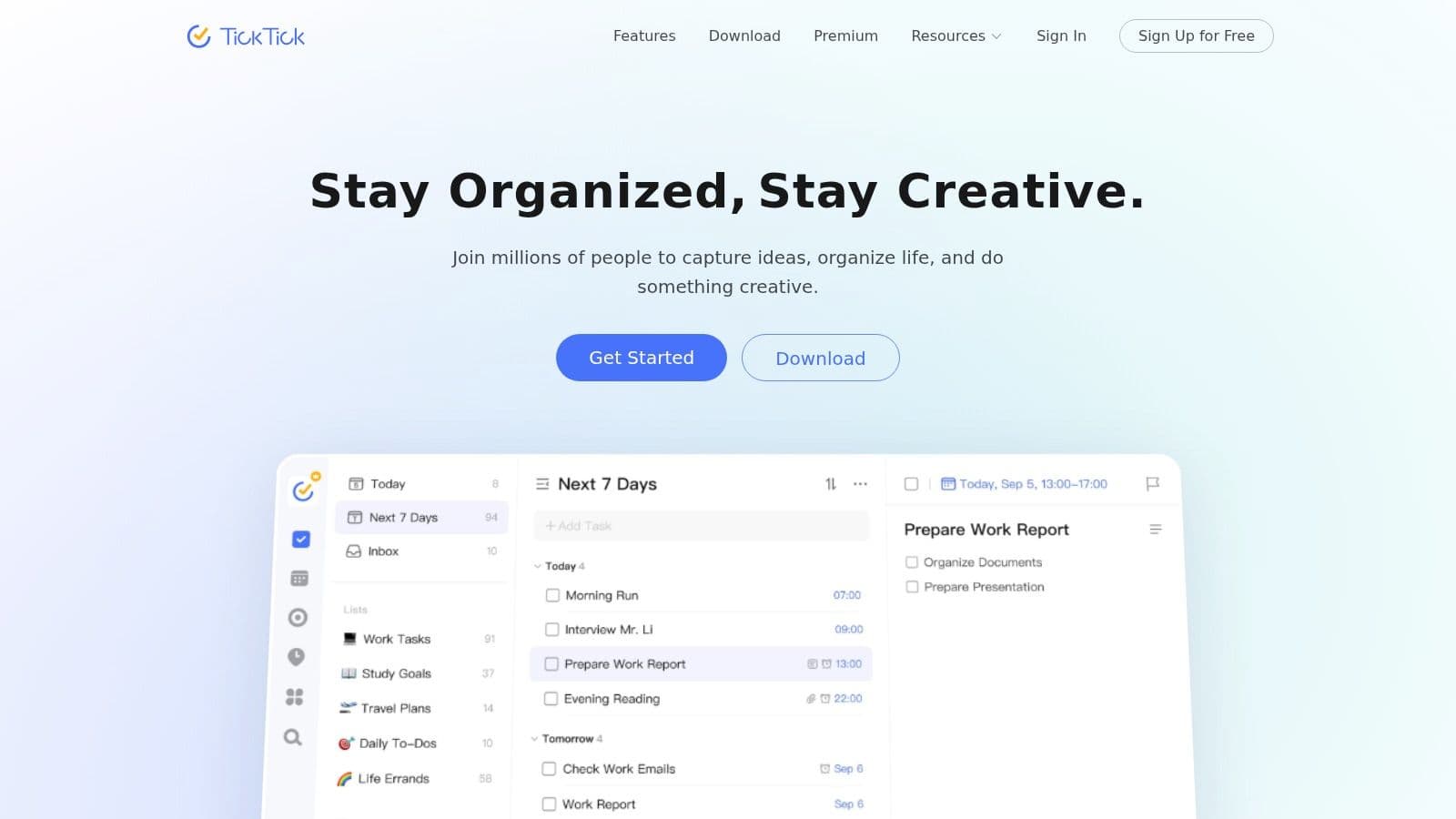
The app's strength is that it's packed with features but doesn't feel overwhelming for everyday use. You can view your tasks in a list, on a calendar, or as Kanban boards, and organize them with tags and smart lists. The built-in habit tracker is a particularly cool feature, letting you track streaks and stay consistent with your goals right next to your tasks. For focus, the integrated Pomodoro timer helps you block out specific chunks of time for deep work.
Key Details & Pricing
- Best For: Power users and individuals looking for an all-in-one personal productivity hub that combines tasks, habits, and focus timers.
- Standout Feature: The integration of a habit tracker and Pomodoro timer right inside the task management system is an incredible value.
- Pros: A great "everything in one place" solution for personal productivity, offering a ton of value for its rich feature set on all platforms.
- Cons: The collaboration features aren't as polished as dedicated project management tools. The pricing and upgrade options can sometimes be different between the web version and various app stores.
- Website: https://ticktick.com
| Plan | Price (Billed Annually) | Key Features |
|---|---|---|
| Free | Free | Up to 9 lists, 99 tasks per list, 1 attachment per day, 2 reminders per task. |
| Premium | $3.59/month | 299 lists, full calendar functionality, custom smart lists, advanced habit tracking, more themes. |
6. Things 3
For those deep in the Apple ecosystem, Things 3 is an award-winning task manager that's all about a clean, thoughtful design and a smooth user experience. It’s built around the main ideas of the Getting Things Done (GTD) method, making it easy to capture ideas instantly and organize them later. The app smartly organizes your tasks into views like "Today" for your daily focus and "Upcoming" for planning ahead.
Things 3 really shines with its native performance and deep integration with Apple's software, including interactive widgets, Siri shortcuts, and a fantastic quick entry window on the Mac. Its natural language date parser, powerful search, and keyboard support make it one of the fastest to-do list apps for personal productivity. Using "Areas" and "Projects" gives you a clear way to organize both work and personal life without it feeling too complicated.
Key Details & Pricing
- Best For: Individuals inside the Apple ecosystem who want a beautifully designed, premium task manager with a one-time purchase.
- Standout Feature: The polished, distraction-free user interface combined with extremely fast and responsive native apps on every Apple device.
- Pros: A beautiful user experience that actually makes task management enjoyable, a one-time payment instead of a subscription, and super responsive performance.
- Cons: It's strictly for Apple devices (no Windows or web app). You have to buy it separately for Mac, iPhone, and iPad, which can be expensive upfront. Collaboration features are pretty minimal.
- Website: https://culturedcode.com/things
| Plan | Price (One-Time) | Key Features |
|---|---|---|
| Things 3 for Mac | $49.99 | Full desktop experience with keyboard shortcuts, quick entry, and powerful search. |
| Things 3 for iPhone | $9.99 | Full-featured mobile app with Siri integration and lock screen widgets. |
| Things 3 for iPad | $19.99 | Optimized for iPad with multitasking support and Apple Pencil scribble. |
7. Apple Reminders
For users all-in on the Apple ecosystem, the preinstalled Reminders app has evolved from a basic utility into a genuinely capable task manager. It offers a clean, direct way to capture tasks and is seamlessly integrated across iPhone, iPad, Mac, and Apple Watch, making it a powerful default choice for personal organization. Its strength is this deep OS integration, letting you create tasks with Siri or share things directly into a list from other apps.
The app now supports modern features like smart lists that automatically group tasks by due date or priority, tags for flexible organization, and sections for breaking down project lists. You can add subtasks, attach things like URLs or images, and set location-based alerts that go off when you arrive at or leave a specific place. You can get some inspiration by checking out various to-do list examples to see how you might structure your own projects within the app.
Key Details & Pricing
- Best For: Individuals who only use Apple devices and want a free, deeply integrated, and user-friendly task manager for personal use.
- Standout Feature: The deep OS integration is its killer feature, with flawless Siri commands, widget support, and system-wide sharing capabilities.
- Pros: Completely free and preinstalled on all Apple devices, seamless iCloud synchronization, and a simple interface that is great for most individual needs.
- Cons: Not available on Windows or Android, which limits cross-platform collaboration. It doesn't have the advanced filtering, reporting, and complex project views of dedicated power-user apps.
- Website: https://www.apple.com/ios/reminders/
| Plan | Price (Billed Annually) | Key Features |
|---|---|---|
| Standard | Free | Smart lists, tags, subtasks, attachments, time/location alerts, and shared lists. Included with all Apple devices. |
8. Any.do
Any.do is a popular to-do list app known for its clean design and a great mobile experience that makes organizing your life on the go super simple. It combines a personal task manager with a daily planner, neatly blending tasks and calendar events into a single view. The app's standout feature is its smart reminders, which include options for location-based alerts and direct integration with WhatsApp, making it a powerful tool for how we communicate today.
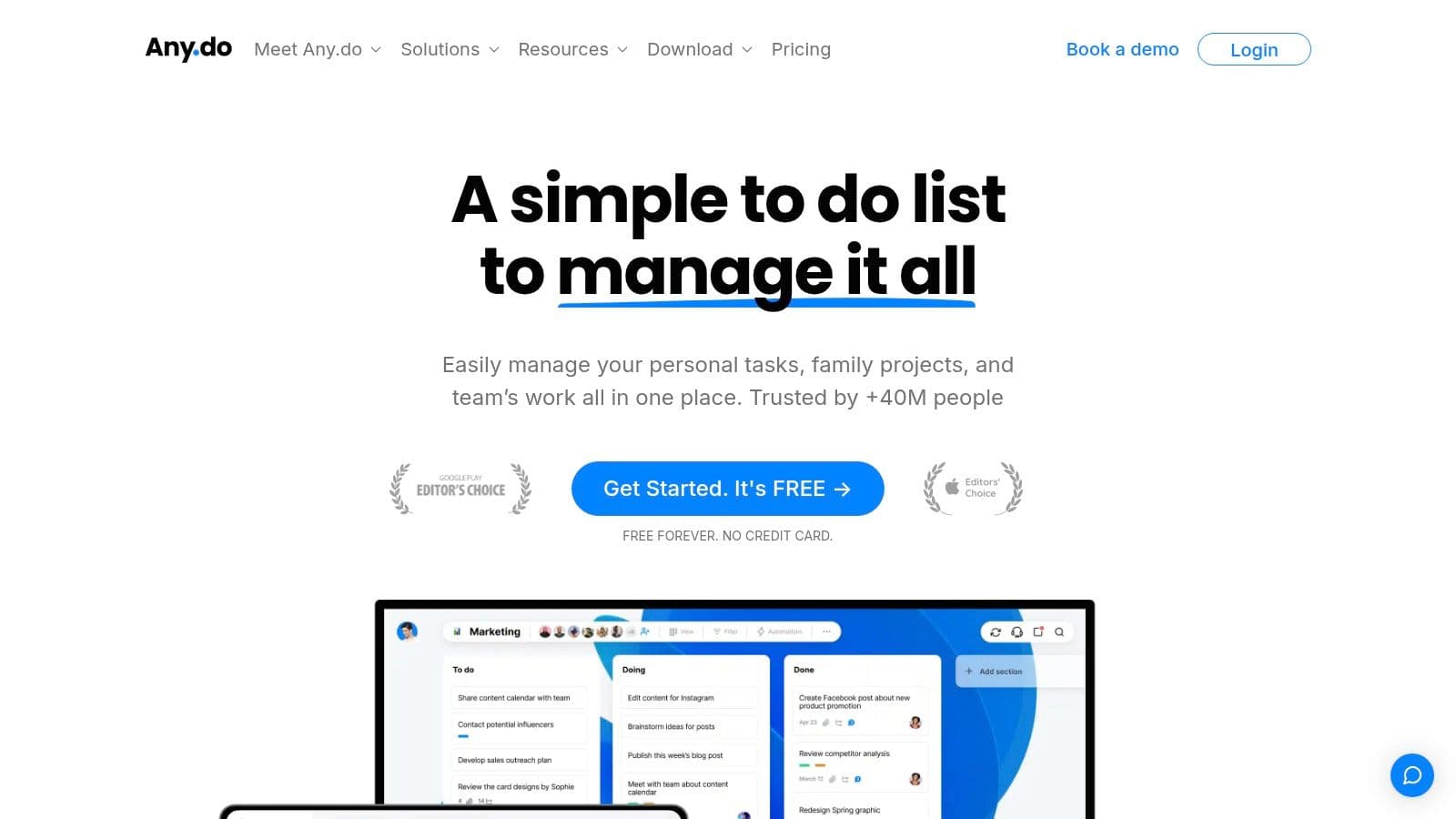
Its strength is in its simplicity and accessibility, making it a great choice for individuals, families, and small teams. With features like shared lists and assigned tasks, it can handle everything from managing personal errands to coordinating small team projects. While it might not have the deep automation of bigger project management suites, its focus on core usability makes it one of the most approachable to do list apps you can find.
Key Details & Pricing
- Best For: Individuals and families who want a straightforward daily planner with smart, modern reminder features.
- Standout Feature: The integration with WhatsApp for creating tasks and receiving reminders is a unique and really practical feature for staying organized.
- Pros: Very easy to learn and use every day, with a beautiful interface on all platforms. The plan structure is flexible, working for solo users, families, and teams.
- Cons: Most of the powerful features, like location-based reminders, unlimited recurring tasks, and advanced sharing, are reserved for the paid plans. It lacks the complex workflow automation you find in more project-focused tools.
- Website: https://www.any.do
| Plan | Price (Billed Annually) | Key Features |
|---|---|---|
| Personal | Free | Basic tasks, lists, and reminders. |
| Premium | $2.99/month | Unlimited recurring tasks, WhatsApp & location reminders, 5000+ app integrations. |
| Teams | $4.99/user/month | Shared workspace, unlimited team boards, admin tools, up to 100 members. |
9. OmniFocus
OmniFocus is a professional-grade task manager built around the "Getting Things Done" (GTD) methodology, making it a heavyweight contender for serious personal productivity fans. It stands out with its deeply layered organizational options, including projects, contexts (tags), defer dates, and due dates, which give you granular control over every single task. This app is designed for users who want to build a really robust system from the ground up.
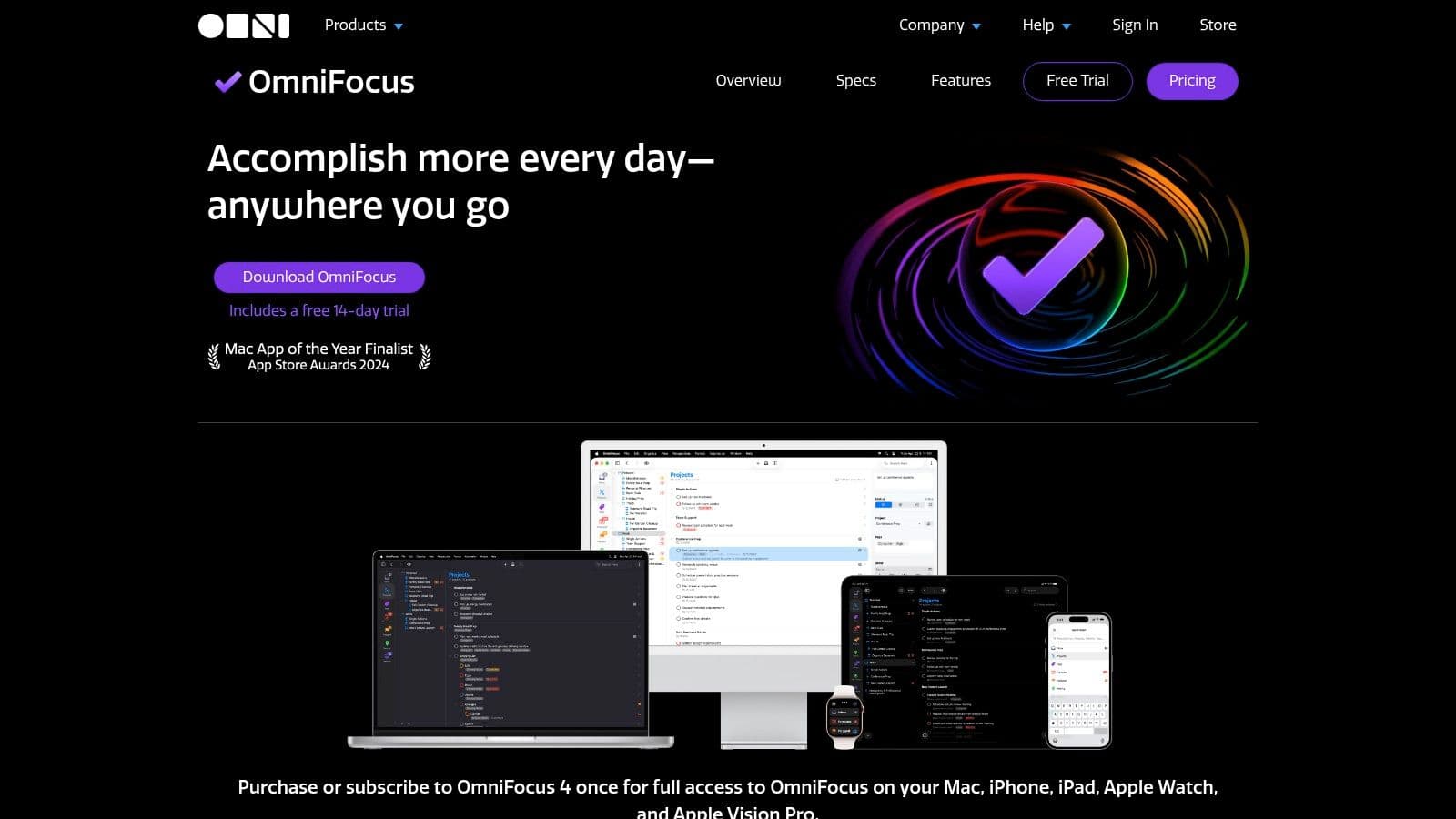
The full power of OmniFocus comes from its custom "Perspectives," which are saved filters and views that let you see only the tasks relevant to your current situation. For example, you can create a perspective that shows only available tasks for "Errands" when you're out of the house. Combined with its Forecast view and structured Review mode, it provides an amazing framework for maintaining complex projects and making sure nothing falls through the cracks. This makes it one of the most powerful to do list apps for dedicated GTD followers.
Key Details & Pricing
- Best For: Power users, GTD enthusiasts, and individuals deep in the Apple ecosystem who need to manage complex personal projects.
- Standout Feature: Custom Perspectives allow you to create unique, hyper-focused views tailored to any context, workflow, or location.
- Pros: An extremely deep feature set for complex personal systems, excellent for GTD workflows, and powerful customization options.
- Cons: It's mainly for Apple users and has a significant learning curve for newbies. The pricing is on the high side compared to simpler cross-platform apps.
- Website: https://www.omnigroup.com/omnifocus
| Plan | Price (Billed Annually) | Key Features |
|---|---|---|
| OmniFocus Standard | $49.99/year | Core features for Mac, iPhone, iPad, Apple Watch, and Web. |
| OmniFocus Pro | $99.99/year | All Standard features plus Custom Perspectives, Focus Mode, and advanced automation. |
10. Notion
Notion is less a to-do list app and more of a digital Lego set where you build your own ideal system. It combines notes, docs, wikis, and databases, letting individuals and teams create a completely customized task management setup from scratch or with powerful templates. You can arrange your tasks in Kanban boards, tables, calendars, or timeline views, all interconnected within a bigger knowledge base.
The platform's real power is in its database functionality. Using relations and rollups, you can link tasks to projects, meeting notes, and team members, creating a single source of truth for all your work. While it can be total overkill for someone who just needs a simple checklist, it's a builder's dream. It's perfect for creating detailed and integrated project management systems that grow with your needs.
Key Details & Pricing
- Best For: Teams and individuals who want to build a custom, all-in-one workspace that combines tasks with documentation and knowledge management.
- Standout Feature: Its database-driven flexibility. The ability to create multiple, linked views (board, table, calendar) of the same task database is incredibly powerful.
- Pros: Extreme customizability lets you build the exact system you want. It can replace several separate tools by consolidating your docs, wiki, and tasks.
- Cons: The setup and maintenance can be time-consuming, and the sheer number of options can feel overwhelming. Big workspaces can sometimes feel slow, and its offline mode has some limitations.
- Website: https://www.notion.so
| Plan | Price (Billed Annually) | Key Features |
|---|---|---|
| Free | Free | Collaborative workspace, basic page analytics, integrations, 7-day page history. |
| Plus | $8/user/month | Unlimited blocks for teams, unlimited file uploads, 30-day page history. |
| Business | $15/user/month | SAML SSO, private teamspaces, advanced page analytics, 90-day page history. |
11. Asana
Asana is a team-focused work management platform that excels where simple to-do lists just don't cut it. It's designed for teams that need to coordinate complex projects, moving beyond individual tasks to manage workflows, who's doing what, and deadlines across multiple views. The platform offers a clear structure with projects, sections, and dependencies, helping teams see how individual tasks fit into the bigger picture.
With List, Board, Timeline, and Calendar views, team members can work in the format that feels best to them while keeping everyone on the same page. Its automations, called Rules, and project templates cut down on manual setup and ensure consistency. Asana is a powerful tool for turning collaborative plans into action, and it really shows the value of effective shared to-do lists for professional teams.
Key Details & Pricing
- Best For: Growing teams and departments that have outgrown basic lists and need a centralized system for coordinating projects.
- Standout Feature: The multi-view functionality (List, Board, Timeline) lets different team members look at the same data in their preferred format, which boosts adoption and clarity.
- Pros: Scales well from small teams to entire companies, has powerful automation and reporting features, and a wide range of third-party integrations.
- Cons: It can feel like too much for solo users or simple task tracking. The per-user pricing can get expensive for large teams, and many of its best features are locked in the paid tiers.
- Website: https://asana.com
| Plan | Price (Billed Annually) | Key Features |
|---|---|---|
| Personal | Free | Unlimited tasks and projects, list/board/calendar views, up to 15 collaborators. |
| Starter | $10.99/user/month | Timelines, unlimited dashboards, custom fields, advanced search. |
| Advanced | $24.99/user/month | Portfolios for project overviews, workload management, goals, advanced reporting. |
12. Trello
Trello basically invented the visual, Kanban-style approach to task management, making it one of the most intuitive to do list apps around. Its main strength is its simplicity: you create a board for a project, make lists representing stages (like "To Do," "Doing," and "Done"), and add cards for individual tasks. Each card can hold checklists, due dates, attachments, and comments, and you just drag them across the board as work gets done.
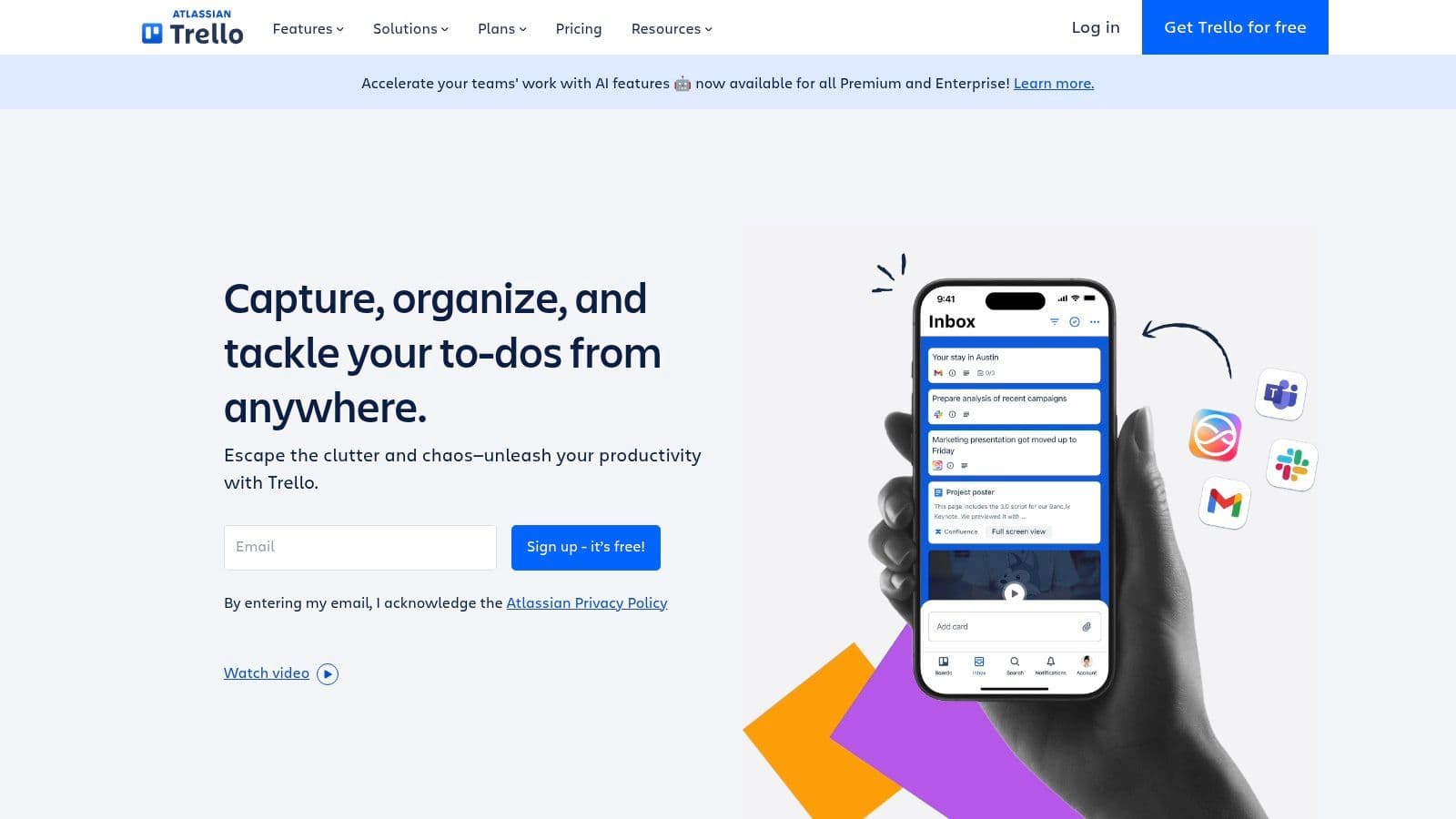
While the free version is a great personal planner, Trello’s paid plans turn it into a more serious project tool. Features like calendar, timeline, and dashboard views give teams new ways to look at their workload. The "Butler" automation tool can handle repetitive stuff, like marking a task complete when its card is moved to the "Done" list, which helps keep the workflow consistent. Its visual nature makes it a great choice for task prioritization techniques that rely on seeing the bigger picture.
Key Details & Pricing
- Best For: Visual thinkers, individuals, and small teams who prefer a flexible, card-based system for managing tasks and simple projects.
- Standout Feature: The drag-and-drop card interface on a Kanban board is extremely easy to learn and use, making it super accessible for non-technical folks.
- Pros: Extremely intuitive and easy to get new users up to speed. A huge ecosystem of "Power-Ups" (integrations) adds more functionality. Great for agile workflows.
- Cons: Can get cluttered on large, complex projects. Advanced features and reporting are limited compared to more dedicated project management software. Costs can add up with more users and Power-Ups.
- Website: https://trello.com
| Plan | Price (Billed Annually) | Key Features |
|---|---|---|
| Free | Free | Up to 10 boards per workspace, unlimited cards, 10MB file uploads. |
| Standard | $5/user/month | Unlimited boards, advanced checklists, custom fields, 250MB file uploads. |
| Premium | $10/user/month | Multiple views (Timeline, Calendar, Dashboard, Map), unlimited Butler automations, admin and security features. |
| Enterprise | $17.50/user/month | Organization-wide permissions, public board management, multi-board guests. |
Top 12 To-Do List Apps Feature Comparison
| Product | Core features ✨ | UX & Quality ★ | Price & Value 💰 | Target 👥 | USP / Notes |
|---|---|---|---|---|---|
| Fluidwave 🏆 | AI auto‑prioritization, multi‑views (table/list/calendar/Kanban/cards), workflow automations, VA marketplace (pay‑per‑task) | ★★★★★ — distraction‑free, instant responses, saves 4+ hrs/wk | 💰 Free Forever (up to 100 tasks), Premium $10/mo or $120/yr; pay‑per‑task delegation | 👥 Executives, founders, freelancers, teams, neurodivergent users | ✨ AI + human VA delegation, deep‑focus UI, marketplace model |
| Todoist | Quick Add (NLP), list/board/calendar, labels & filters, integrations | ★★★★ — fast capture, mature cross‑platform | 💰 Freemium; Premium unlocks filters/reminders | 👥 Individuals → teams needing scalable capture | ✨ Fast capture + broad integrations |
| Microsoft To Do | My Day, smart suggestions, recurring tasks, Outlook/365 tie‑ins | ★★★★ — lightweight, native across Microsoft apps | 💰 Free with Microsoft account | 👥 Microsoft 365 users, Outlook-heavy workflows | ✨ Seamless Outlook/Exchange integration |
| Google Tasks | Gmail & Calendar integration, quick capture, due dates | ★★★ — simple, zero‑friction in Google apps | 💰 Free with Google account | 👥 Google Workspace/ Gmail users | ✨ Built into Gmail & Calendar for instant tasks |
| TickTick | Multi‑view (list/calendar/Kanban), habit tracking, Pomodoro, templates | ★★★★ — feature‑rich personal hub | 💰 Freemium; paid adds advanced features | 👥 Individuals and power users wanting all‑in‑one | ✨ Built‑in Pomodoro + habit tracking |
| Things 3 | Today/Upcoming/Areas, natural dates, checklists, deep Apple integration | ★★★★★ — polished, responsive native apps | 💰 One‑time purchase per Apple device | 👥 Apple users wanting premium native UX | ✨ Best‑in‑class Apple integration & design |
| Apple Reminders | Smart lists, tags, subtasks, location/time alerts | ★★★★ — free, seamless iCloud sync | 💰 Free & preinstalled | 👥 Apple ecosystem users | ✨ Deep OS features (Siri, widgets, Share Sheet) |
| Any.do | Lists, subtasks, reminders, calendar, WhatsApp reminders | ★★★ — easy onboarding, mobile focus | 💰 Freemium; Teams/paid unlock AI & boards | 👥 Personal, family, small teams | ✨ WhatsApp reminders and family/team spaces |
| OmniFocus | Projects/contexts/tags, perspectives, review mode, forecasting | ★★★★ — pro‑grade, steep learning curve | 💰 Premium pricing (one‑time & subscription options) | 👥 GTD power users, Apple‑centric pros | ✨ Extremely deep GTD customization |
| Notion | Databases (table/board/calendar), templates, relations/rollups | ★★★★ — highly customizable, requires setup | 💰 Freemium; paid for team/advanced features | 👥 Teams and builders needing flexible workspaces | ✨ Modular workspace replacing multiple tools |
| Asana | Projects, dependencies, custom fields, rules/automations | ★★★★ — team‑scaled, intuitive templates | 💰 Freemium; per‑seat paid plans for advanced features | 👥 Teams, departments coordinating projects | ✨ Strong automation + templates for teams |
| Trello | Boards/lists/cards, Power‑Ups, Butler automations, multi‑views (premium) | ★★★★ — intuitive visual boards | 💰 Freemium; premium adds views & admin controls | 👥 Visual thinkers, small teams, flexible workflows | ✨ Simple card UI + easy automations (Butler) |
From List to Action: Making Your New To-Do List App Stick
We've explored a whole range of to-do list apps, from the simple power of Google Tasks and Apple Reminders to the project management muscle of Asana and Notion. Each tool has a different idea about how to organize your life and work. The goal was never to declare one "best" app, but to give you a detailed map of what's out there so you can find the best fit for your own needs.
The most powerful app is the one you actually use. It’s easy to get hyped about fancy features and complex systems, but real productivity comes from being consistent. A simple tool that fits how you work is always better than a complicated one you give up on after a week.
Key Takeaways for Choosing Your App
Your journey to find the right task manager should start with being honest with yourself. Before you commit, think about these key ideas we've talked about:
- For the Individual Professional: If you mostly manage your own tasks, take a close look at tools like Todoist or TickTick. Their strength is in personal task management, offering solid scheduling and filtering without the baggage of team-based systems. Things 3 is still a top-tier choice for those in the Apple ecosystem looking for a beautiful and focused experience.
- For the Collaborative Team: When your lists involve other people, your needs change completely. Asana and Trello are built for team transparency and shared workflows. Fluidwave takes this a step further by adding AI-powered delegation and automated check-ins, actively reducing the management headache of working on projects together.
- For Simplicity and Integration: Sometimes, the best to-do list app is the one you already have. Microsoft To Do and Google Tasks are perfect examples. Their deep integration with their respective ecosystems (Outlook and Gmail) means you can capture tasks without ever leaving your inbox, which makes task management a natural part of your day.
- For Neurodivergent Minds: For users with ADHD or other executive function challenges, the visual and structural parts of an app are crucial. The Kanban-style boards in Trello, the customizability of Notion, or the gentle, proactive reminders in a tool like Any.do can make a huge difference. The key is finding a system that works with your brain, not against it.
Making It Stick: Implementation Matters
Choosing an app is only the first step. To really make it a cornerstone of your productivity, you need a plan. Don't try to import your entire life's work on day one.
Start small. Pick one part of your life, like "Work Projects" or "Household Chores," and commit to managing it only in the app for one week. Get comfortable with the basics of adding, scheduling, and completing tasks.
Most importantly, schedule a weekly review. This is a non-negotiable appointment with yourself to clear your inbox, process new tasks, and plan the week ahead. This simple habit is what separates a cluttered, abandoned list from a dynamic system that actually gives you clarity and focus. The best to-do list apps become an extension of your own mind—a reliable place to offload thoughts so you can focus on the action itself.
Ready to move beyond simple lists and into automated action? Fluidwave combines task management with AI-powered delegation, turning your to-do list into a command center for getting work done. Try Fluidwave to experience how intelligent automation can handle the follow-up, so you can focus on what's next.
Focus on What Matters.
Experience lightning-fast task management with AI-powered workflows. Our automation helps busy professionals save 4+ hours weekly.