Reclaim your time, reduce stress, and thrive! This guide offers practical strategies for effective time management and work life balance.
April 1, 2026 (6mo ago)
Mastering Time Management and Work Life Balance for Success
Reclaim your time, reduce stress, and thrive! This guide offers practical strategies for effective time management and work life balance.
← Back to blog
If you're reading this, you're probably fed up with the constant juggle. That feeling of always being one step behind, with a to-do list that never shrinks, isn't just in your head. It's the reality for a lot of us, and it’s high time we stopped thinking of it as a personal failure.
This isn't about some magical productivity hack you haven't heard of yet. Real time management and work-life balance comes from tackling the root cause: a work culture that demands we're always on. This guide is designed to help you push back, reclaim your time, and blend well-being with real productivity.
The Unspoken Crisis of Work-Life Balance
Let's get real—the usual advice just isn't working anymore. "Wake up earlier," "get more organized," "try this new app." These tips feel pretty empty when you're staring down a mountain of expectations and the line between your living room and your office has all but vanished.
You're not just imagining the pressure. It's a systemic problem, and the stats tell a stark story.
A Widespread Disconnect
A recent poll found that a staggering 66% of Americans feel they don't have a healthy work-life balance, even though a massive 94% say it's a top priority. That’s a huge gap between what we want and the life we’re actually living.
This isn't just about feeling stressed out. It leads to some serious consequences. A full 77% of workers say they've experienced burnout at their current job. With 33% still logging on during weekends and holidays just to keep up, it's no wonder 73% of professionals now see work-life balance as a major factor when looking for a new job.
"Feeling constantly behind isn't a personal failure. It’s a systemic problem that traditional time management hacks simply don't solve."
The Vicious Cycle of Overwhelm
I’ve watched this play out again and again. It starts with a genuine desire for a life that feels balanced and meaningful. But then, the realities of modern work create a disconnect, and before you know it, you're on the fast track to burnout.
I call this cycle the Work-Life Crisis Process Flow.
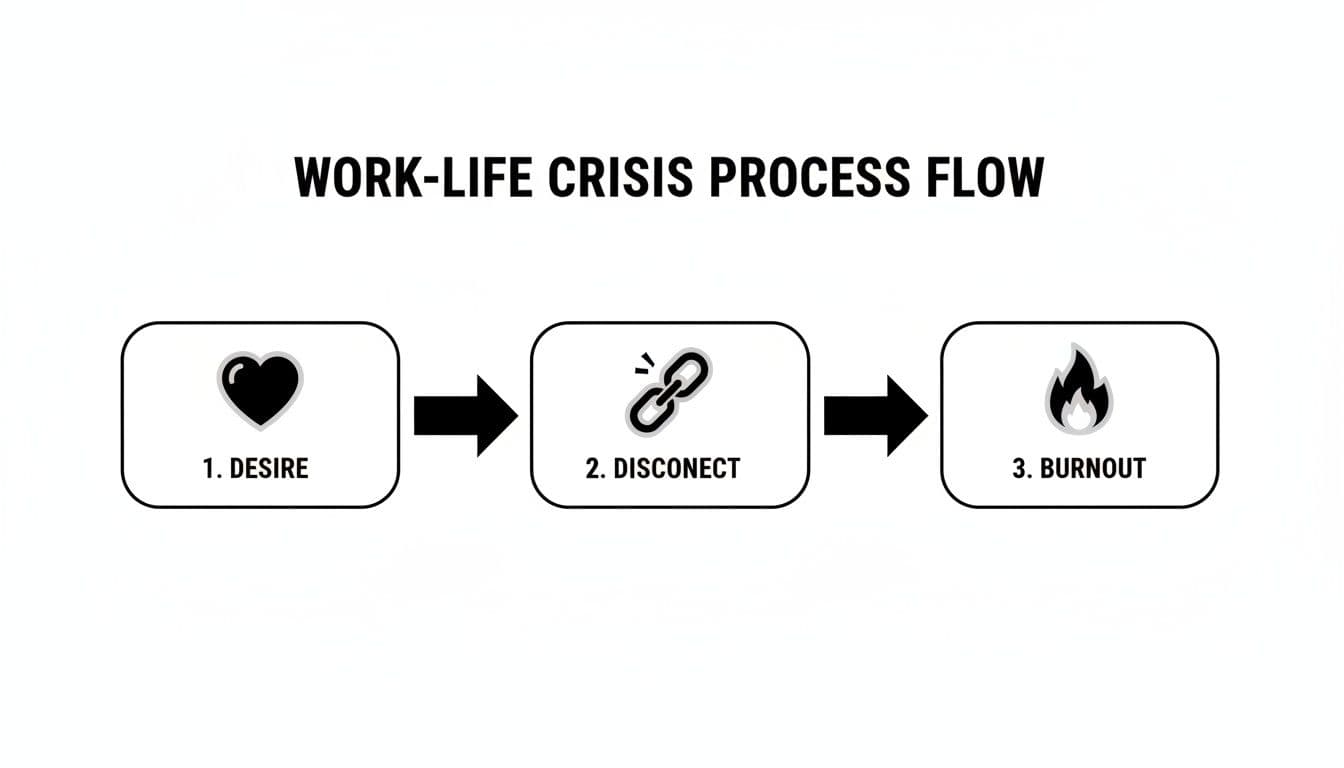
It’s a simple but telling visual. The gap between our core values (Desire) and the daily grind (Disconnect) is what ultimately leads to that feeling of exhaustion and cynicism (Burnout). It shows exactly why we need a new approach.
One of the biggest culprits here is the constant flood of digital noise. The endless emails, pings, and notifications keep our brains on high alert, making it impossible to ever truly switch off. A great first step is to tame your inbox; for example, you can achieve mental clarity with Inbox Zero and grab a piece of your sanity back.
This guide will walk you through a framework built for today's world. It's time to stop just surviving and start building a schedule—and a life—that you actually control.
Conducting Your Personal Time Audit
If you want to manage your time, you first need to know where it's actually going. We all think we have a decent handle on our day, but I've found that reality is almost always a surprise. The first step toward better time management and work life balance isn't guessing; it's getting hard data through a personal time audit.
Don't think of this as a chance to criticize yourself for scrolling social media or getting lost in your inbox. This is just about awareness. You can't fix a problem you can't see. A time audit is your diagnostic tool, showing you precisely how you're spending your most valuable resource: your time.
Choosing Your Tracking Method
There's no single best way to track your time. The best method is simply the one you'll actually stick with for at least a full week. Consistency is way more important than complexity. Here are a few options that work well:
- The Simple Notebook: Just carry a small notebook with you. Every hour or so, jot down what you were just doing. This low-tech approach is powerful because it makes you pause and be mindful.
- The Spreadsheet Log: If you spend your day in spreadsheets, this is a natural fit. Set up columns for the date, start/end time, the activity, and a broader category like Deep Work, Admin, Break, or Personal.
- Time Tracking Apps: Tools like Clockify or Toggl can make this feel a bit more automatic. You just have to get into the habit of hitting "start" and "stop" for each task. It's great for accuracy, but it does take discipline.
Whatever you choose, be brutally honest. If you spent 20 minutes just browsing news sites, write it down. If that "quick sync" turned into an hour-long rabbit hole, log the full hour. Your insights will only be as good as the data you gather.
A study by Health Assured notes that the average full-time UK employee works nearly 39 hours per week. The first step to making sure those hours don't bleed into your personal life is knowing exactly how you're spending them.
Uncovering Hidden Time Sinks
After tracking for a full week, it's time to look at the data. This is where the lightbulbs really start going off. Tally up the hours you've logged in each category, and you'll immediately see patterns you never knew were there.
I once worked with a project manager, Sarah, who felt she never had time for the high-level strategic planning that was her main job. Her time audit revealed something shocking: all those "quick check-ins" and shoulder taps from her team were eating up over three hours every single week. These constant interruptions were wrecking her focus, pushing her most important work into the evenings.
Sarah's 'Time Sink' Breakdown:
- Scheduled Check-ins: 5 meetings x 15 minutes = 1.25 hours
- 'Quick Question' Interruptions: ~10 interruptions x 10 minutes = 1.67 hours
- Total Lost Time: Nearly 3 hours per week
Armed with this information, Sarah didn't get mad at her team. Instead, she set up daily "office hours"—two dedicated 30-minute blocks where anyone could come with questions. This simple change grouped the interruptions together, gave her back large chunks of protected focus time, and reclaimed those lost hours.
From Data to Action
With your own data in hand, you can start making the same kind of smart, targeted changes. Look for your top two or three time sinks—those low-impact tasks that are gobbling up way too much of your day. With this knowledge, you can begin to build a schedule that works for you and put these insights into practice.
Think of this audit as a skill, not a one-off thing. Try doing a "day in the life" audit once a month to make sure you're staying on track. This is how you stop reacting to your schedule and start designing it with intention, for both your career and your life.
Setting Priorities and Boundaries That Actually Stick
So, you’ve done the hard work of tracking your time. You’ve faced the beast of your schedule and now you know exactly where the hours are going. The guessing is over. Now for the fun part: taking back control.
This isn’t about magically creating more time. It's about consciously deciding what gets your best energy and what doesn't. We'll turn your time audit findings into a real strategy, first by getting ruthless about your priorities and then by building the boundaries to protect them.

Refreshing the Eisenhower Matrix for Today
You've probably heard of the Eisenhower Matrix—that simple but brilliant grid for sorting tasks by urgency and importance. It's a classic for a reason. But let's be honest, the original wasn't designed for a world of non-stop Slack notifications and back-to-back Zoom calls.
Here’s how I’ve tweaked it for the realities of modern work:
-
Urgent & Important (Do First): These are the true emergencies—the system-down alerts, the major client crisis, the immovable project deadline. Your time audit should show that these are, or should be, rare. If they're not, that's a whole other problem.
-
Important & Not Urgent (Schedule): This is your sweet spot. This is where real progress is made: strategic planning, learning new skills, building key relationships, and doing the deep, focused work that moves your career forward. These tasks don't yell for attention, so you have to proactively carve out and defend time for them in your calendar.
-
Urgent & Not Important (Delegate or Automate): Welcome to the danger zone. This box is full of distractions pretending to be work—most of those "quick question" interruptions, low-value emails, and meeting requests that serve someone else's agenda more than yours. These are perfect candidates for delegation or automation.
-
Not Urgent & Not Important (Eliminate): Be ruthless here. This is the mindless social media scrolling, the optional meetings you sit in on mute, the busywork you do just to feel productive. Every minute you cut from this quadrant is a minute you can reinvest in what actually matters.
The whole point is to intentionally shift your time and energy away from the urgent but unimportant stuff and pour it into the important, non-urgent tasks. That’s the secret to moving from a reactive, firefighting mode to a proactive, strategic one.
The Art of Setting Professional Boundaries
Getting your priorities straight is a great first step. But without boundaries, those priorities will get steamrolled by the first "urgent" request that lands in your inbox.
Let's clear this up: setting boundaries isn't about being unhelpful or difficult. It’s about clearly and professionally communicating your capacity so you can protect your focus.
Setting boundaries is a communication skill. It's about professionally and proactively managing expectations to protect your focus and deliver your best work, preventing burnout before it begins.
This is often the hardest part for high-achievers and people-pleasers. The urge to say "yes" is strong. But saying "yes" to everything means you're unintentionally saying "no" to the things that matter most—including your own well-being. A burned-out you isn't helpful to anyone.
Field-Tested Scripts for Saying No
Having a few prepared phrases in your back pocket can make a world of difference. It takes the panic out of the moment and lets you respond with confidence instead of guilt.
Here are a few scripts I’ve seen work like a charm.
When you get a last-minute "urgent" request...
- Don't say: "I'm too busy."
- Try this: "Thanks for trusting me with this. I'm currently focused on finishing [Project X] for our deadline today. I can give this my full attention first thing Thursday morning. Does that work for you?"
When a client asks for something outside the original scope...
- Don't say: "That's not in the contract."
- Try this: "That's an interesting idea. It falls outside the scope of our current project, but I'd be happy to map out what a phase two for that would look like."
When you get the dreaded "Can you hop on a quick call?" interruption...
- Don't say: "I can't right now."
- Try this: "I'm in a focused work block until 11 AM. Could you send me a quick email with the key points? That way I can review and come prepared to chat when I'm free."
See the pattern? You’re not just shutting them down. You are reaffirming your current priority, offering a clear alternative, and reinforcing your own effective workflow. It’s a powerful way to earn respect for your time while still being a great colleague. Mastering this is an absolute game-changer.
Designing Your Ideal Week with Smart Systems
Now that you’ve sorted out your priorities and started setting boundaries, it’s time to build a smart framework for your week. Forget the rigid, minute-by-minute schedules that fall apart at the first sign of an unexpected meeting. The real goal is to create a flexible system—a reliable default setting for your week that helps you get high-impact work done and keeps burnout away.
Think of it as designing your week's architecture before you start placing the furniture. This proactive approach to time management and work life balance shifts you from a reactive, chaotic state to a predictable, productive flow. You'll know exactly when you’re supposed to be doing deep work, when you're handling admin tasks, and—just as importantly—when you’re switching off completely.
The way we work now gives us a golden opportunity to do this. Hybrid and remote models have been a game-changer for many. In fact, 85% of fully remote employees and 76% of hybrid workers say their flexible schedule is a huge benefit. With 51% feeling most productive at home, reclaiming the old 45-minute commute opens up a window to design a week that truly works for you. You can find more data on these work-life balance trends over at Clockify.
Use Time Blocking to Protect Your Focus
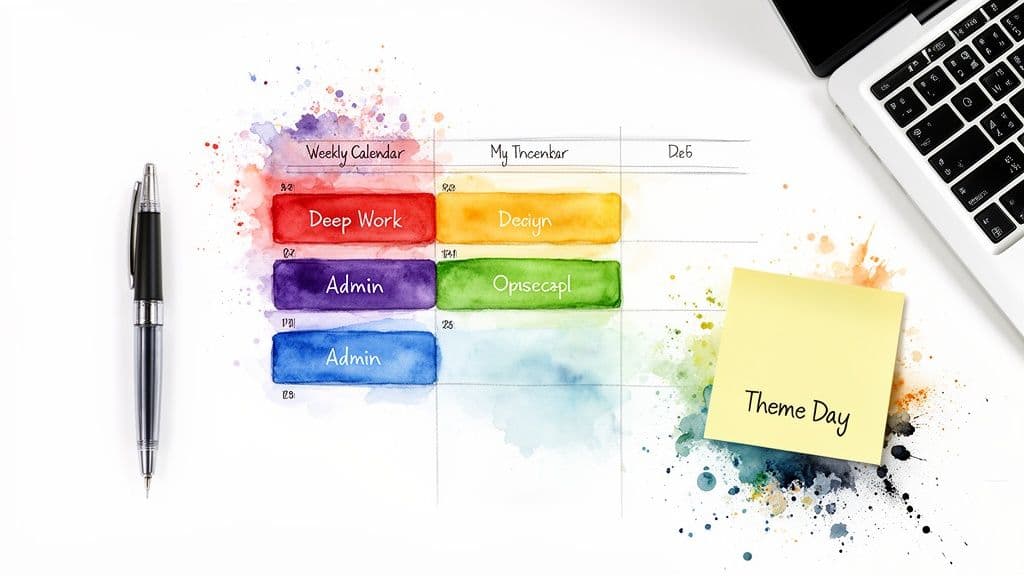
A fragmented calendar is the number one enemy of important, non-urgent work. Time blocking is the perfect defense. It’s a simple but powerful habit: schedule blocks of time in your calendar for specific tasks, just like you would for a meeting.
Instead of working from a hopeful to-do list, your calendar becomes your concrete plan. You’re no longer just hoping to find time for that big quarterly report. Instead, you've scheduled a 90-minute "Deep Work" block on Tuesday morning specifically to draft the executive summary.
This is a game-changer for protecting the deep, focused work that actually moves your career forward. A block on your calendar creates a visual boundary, signaling to colleagues (and to yourself) that your attention is already taken. If you're looking for a head start, you can find some great frameworks in our guide on how to create a time-blocking schedule template.
Master Task Batching for Maximum Efficiency
If time blocking is your tool for deep work, then task batching is its sidekick for shallow work. The technique is simple: group similar, small tasks together and knock them all out in one dedicated session.
Think about all the little things that pull you out of your flow—answering a few emails, responding to a quick Slack message, approving a minor request. Every time you switch contexts, you burn precious mental energy, even if you don't realize it.
Task batching helps you save that energy. Here’s what it looks like in action:
- Email Power Hour: Instead of checking your inbox constantly, set aside two specific times a day (say, 10:00 AM and 4:00 PM) to process it all at once.
- Admin Block: Group your administrative chores—filling out expense reports, booking travel, updating project trackers—into a single 45-minute session once or twice a week.
This simple habit stops the "death by a thousand cuts" that so often ruins a productive day.
To get the most out of your schedule, it's useful to know the difference between these two powerful techniques.
Time Blocking vs Task Batching
| Feature | Time Blocking | Task Batching |
|---|---|---|
| Primary Goal | Protect time for high-focus, important tasks (deep work). | Increase efficiency by minimizing context switching for low-focus tasks (shallow work). |
| Unit of Focus | A specific block of time. | A specific type of task. |
| Example | "From 9 AM to 11 AM, I will work on the Q3 marketing proposal." | "From 4 PM to 4:30 PM, I will respond to all my emails." |
| Best For | Strategic planning, writing, coding, creative work, complex problem-solving. | Answering emails, processing invoices, making phone calls, updating trackers. |
While they serve different purposes, time blocking and task batching work beautifully together. You can time block a session specifically for task batching—the ultimate productivity combo!
Create Themed Days to Streamline Your Week
Ready to take it to the next level? Try assigning a specific theme to each day of the week. This is a strategy I’ve seen many successful leaders use to cut down on decision fatigue and build a powerful weekly rhythm. It creates a mental container for different kinds of work, which helps you stay focused and on track.
Your weekly theme might look something like this:
- Monday: Team syncs and weekly planning.
- Tuesday: Deep work and content creation.
- Wednesday: Client meetings and external calls.
- Thursday: Project management and administrative tasks.
- Friday: Long-term strategy, professional development, and weekly wrap-up.
This is just an example, of course. The real magic happens when you build a rhythm that fits your specific role. A designer might have a "Creative Exploration Day," while a sales manager could have a "Pipeline Review Day."
The most effective people don't just manage their tasks; they manage their focus. Time blocking protects your deep work, while task batching corrals the shallow work. Together, they create a powerful system for weekly productivity.
When you combine themed days with time blocking and task batching, you create a robust operating system for your professional life. Your calendar transforms from a simple list of obligations into a powerful tool for intentionality, directly fueling your goals for better time management and work life balance.
The Strategic Art of Delegation and Automation
Let’s be honest. The thought of handing off a task often feels more stressful than just doing it yourself. That little voice whispering, "It's just faster if I do it," is probably the single biggest thing standing between you and a manageable workload.
But we need to call that voice what it is: a saboteur of your time and focus. Delegation isn't giving up. It's a strategic move, a core leadership skill that separates the frantic from the focused. By intelligently offloading tasks, you create breathing room—both on your calendar and in your head—to tackle the high-value work that truly matters.
Escaping the “Faster Myself” Trap
The "I can do it faster myself" mindset is a classic trap. It might be true for a one-off task, right this second. But what about next week? And the week after? When you find yourself stuck in that loop, you’re losing way more time than you’re saving.
Let's do some quick math. That 30-minute recurring task you do every week? That's over 25 hours a year. Now, imagine spending just two hours, one time, to properly train a team member or set up an automation for it. You’ve just bought back 25 hours. It’s an investment with an incredible return.
The goal of delegation isn't just offloading work. It's about empowering your team, building trust, and creating a scalable system for productivity that doesn't rely solely on you.
What’s Actually Worth Delegating (or Automating)?
So, what should you pass on? The key is to be surgical. Not everything is a good candidate for delegation. Your time audit from the previous section is the perfect place to start looking for opportunities. I've found that the best tasks to hand off usually fall into one of these buckets:
- Recurring: Anything you do on a predictable schedule—daily, weekly, or monthly—is a prime candidate. Think generating that standard weekly report, scheduling social media posts, or processing routine invoices.
- Time-Consuming but Low-Impact: These are the necessary evils that eat up your day but don't require your unique strategic mind. We're talking about data entry, transcribing meeting notes, or doing the first-pass filtering of support tickets.
- Teachable: Can you outline the task in a clear, step-by-step process? Then you can delegate it. If you can break it down into a series of "if this, then that" rules, you can probably automate it.
On the other hand, you should hold on to the work that is core to your role. This includes tasks that demand your strategic vision, rely on your personal relationships, or require deep institutional knowledge.
How to Hand Off Tasks Without the Headaches
Nothing is worse than delegating a task only to have it come back wrong, forcing you to do it yourself anyway. This is almost always a failure of process, not of people. Simply throwing a task at someone with a vague "handle this" is a recipe for mutual frustration.
To set your team up for success, you need to prepare a "Delegation Package." It sounds formal, but it's really just about providing clarity. It should include:
- The Desired Outcome: What does "done" actually look like? Be incredibly specific. Instead of "update the client list," try "Update the 'Active Clients Q3 2026' spreadsheet by cross-referencing it with new sign-ups from the CRM since July 1. Please highlight any accounts with no activity in the last 90 days in yellow."
- All Necessary Resources: Give them everything they need upfront. This means links to documents, login credentials, relevant contact info, and maybe an example of a previously completed task.
- Clear Deadlines and Budget: Set a firm but realistic deadline. If you’re using a platform like Fluidwave, where you might pay per task, define the budget to avoid any surprises.
Putting in 20 minutes to build a solid delegation package will save you hours of back-and-forth and rework. If you're looking to take this even further, check out our guide on how to automate tasks effectively and free up even more of your schedule.
Unlocking the Power of Automation
While delegation relies on people, automation is all about systems. Many of the same recurring, rules-based tasks you'd delegate can be put on complete autopilot.
Start small to see the impact. Use email filters to automatically sort your inbox. Use a scheduling tool like Calendly to eliminate the endless email chains for booking meetings. Platforms like Fluidwave take this a step further, letting you design automated workflows that can assign tasks, send reminders, and update project statuses without you lifting a finger.
By strategically combining smart delegation with thoughtful automation, you build a powerful productivity engine. You're not just buying back time; you're investing in a more focused, effective, and balanced professional life.
Answering Your Toughest Work-Life Balance Questions
Even with the best plans, life has a way of throwing curveballs. You've done the audits and set your priorities, but some tricky situations always pop up. Let's walk through a few of the most common questions I hear from people trying to master their time management and work life balance.
What If My Company Culture Expects Long Hours?
This is a tough one, and I see it all the time. When you're swimming against a cultural current that celebrates being "always on," it can feel impossible to set boundaries without looking like you're not a team player.
The trick is to be strategic. Don't announce a massive change. Instead, start by drawing one small, consistent line in the sand. Maybe you stop checking emails after 7 PM, or you make a point to take your full lunch break away from your desk every single day.
Your real leverage here isn't a grand declaration; it's your performance. Double down on the efficiency strategies we've talked about. When you’re at work, be fully present and productive. Make your contributions impossible to ignore. This shifts the narrative from hours logged to value delivered.
The goal is to make your results so undeniable that no one questions how many hours you spent at your desk.
If you prove your worth within a reasonable schedule and the culture still won't budge, that clarity is its own kind of power. It gives you the mental space and energy to find a role at a company that respects your well-being.
I'm Completely Burned Out. Where Do I Even Start?
When you’re already running on empty, the thought of implementing a whole new system is just exhausting. So don't. Your first, and only, priority is to create a little bit of breathing room.
Forget the big time audit for now. Your mission this week is to reclaim just one single hour. Find one low-priority task you can immediately drop, delegate, or automate.
- Could you use a grocery delivery service just this once?
- Is there a non-critical meeting you can politely decline?
- Can a daily check-in call become a quick, asynchronous update in your project tool?
That small win does more than just free up 60 minutes. It gives you a much-needed mental boost, providing the energy to start tackling the bigger pieces, like a full time audit or setting more significant boundaries.
Is Technology Helping or Hurting My Balance?
Technology can feel like your best friend and your worst enemy at the same time. The constant pings and notifications are a huge drain, but the right tools, used intentionally, can be game-changers for your work-life balance.
The secret is to command your tech, not let it command you.
Be ruthless about the tools you use. Choose platforms designed to reduce noise, not add to it. A great task management app, for instance, should centralize communication and clarify responsibilities, killing all those "just checking in" emails that constantly break your focus. For those navigating the complexities of family and career, resources like these Top Tips For Working Moms can also offer some much-needed, practical advice.
Think about how technology can actively serve you:
- Automate repetitive tasks and reports.
- Centralize all project updates in one place.
- Delegate work clearly and efficiently.
When you’re deliberate, your technology becomes a shield that protects your time and focus. You make it work for your goals—not the other way around.
Ready to stop juggling and start living? Fluidwave blends smart task management with seamless delegation tools, helping you reclaim your focus and build a life with more balance. Create your free account today and discover how much time you can get back each week. Get started at https://fluidwave.com.
Focus on What Matters.
Experience lightning-fast task management with AI-powered workflows. Our automation helps busy professionals save 4+ hours weekly.