Tired of project chaos? Our 2026 guide to resource management software explains features, benefits, and how to choose the right tool to boost team efficiency.
May 8, 2026 (4mo ago)
Resource Management Software: The Ultimate 2026 Guide
Tired of project chaos? Our 2026 guide to resource management software explains features, benefits, and how to choose the right tool to boost team efficiency.
← Back to blog
Monday starts with three people asking for help at once. Sales wants a delivery date before lunch. One of your strongest operators is buried in work nobody saw coming. Another team member looks free on paper but is tied up fixing last week's mess. By Wednesday, managers are moving tasks around in Slack, updating an old spreadsheet, and hoping nobody notices that two priorities now depend on the same person.
That's the point where many organizations realize they don't have a performance problem. They have a visibility problem.
Resource management software exists to solve that exact issue. It gives managers a live view of capacity, workload, timing, and assignment decisions so they can stop guessing. This isn't a niche category anymore. The market is projected to grow from USD 6.2 billion in 2025 to USD 12.8 billion by 2035 at a 7.52% CAGR, according to Spherical Insights. That kind of growth usually means the old way has stopped working at scale.
Moving Beyond Project Chaos
Most project chaos looks random from the outside. It usually isn't. It comes from the same few operating failures over and over again.
A manager commits work before checking capacity. A specialist gets assigned based on reputation instead of availability. Time spent on internal support never makes it into planning. Then deadlines slip, people work late, and leadership thinks execution got sloppy. In reality, the system never showed the truth.

What chaos looks like in practice
New managers often watch the wrong signals. They watch task lists. They watch status meetings. They watch who seems busiest.
Those signals matter, but they don't answer the operating questions that keep work on track:
- Who has real capacity: Not who has white space on a calendar, but who can take on work without breaking another commitment.
- Where the hidden load sits: Admin, approvals, rework, and urgent support all consume capacity even when nobody plans for them.
- Which deadlines are fragile: Some delivery dates depend on a single person or sequence. If that dependency isn't visible, the plan is weaker than it looks.
Practical rule: If managers need three different tools and two private messages to understand who can take on a task, they are already managing reactively.
What changes when the system gets better
Good resource management software doesn't remove pressure. It removes blind spots.
It lets teams see allocation across projects, compare planned work against actual effort, and flag overload before it turns into missed delivery. That changes the manager's job. Instead of firefighting, they can rebalance work early, say no when needed, and make trade-offs with evidence.
The shift matters because complexity keeps rising. Teams are handling more concurrent work, more shared specialists, and more cross-functional dependencies than the spreadsheet era was built for. The organizations that get ahead are usually not the ones with the biggest teams. They're the ones that can see demand clearly enough to make disciplined assignment decisions.
What Is Resource Management Software Really
The cleanest way to explain resource management software is this. It's air traffic control for your team's time and talent.
Planes don't just need destinations. They need sequencing, spacing, runway access, and live coordination. Teams work the same way. A project plan might say what should happen, but resource management software tells you whether the right people are available to do it, when they can do it, and what gets disrupted if priorities change.
What it does at its core
At minimum, a solid system gives you one operating view of four things:
| Focus | What managers need to see |
|---|---|
| People | skills, availability, role fit, current assignments |
| Work | projects, tasks, deadlines, dependencies |
| Capacity | remaining bandwidth, overload risk, gaps |
| Reality | actual time spent, changes, slippage, reallocation |
That sounds basic, but teams usually fail at this stage. They often have all this information. It's just spread across spreadsheets, chat threads, project boards, calendars, and someone's memory.
Why spreadsheets finally lost the lead
The market crossed an important threshold. In 2026, 54% of teams use dedicated resource management software, up from 44% in 2025, while spreadsheet usage fell from 58% to 44%, according to Runn's resource management statistics. That marks the first time dedicated RM software moved ahead of spreadsheets as the primary planning tool.
That shift makes sense. Spreadsheets are flexible, but they're weak at live coordination. They don't tell you when two managers assign the same person. They don't update themselves when project dates change. They don't make dependency risk obvious unless someone is obsessive about maintenance.
A spreadsheet can store a plan. It can't reliably manage a moving one.
What it is not
Resource management software isn't just scheduling. It isn't HR software. It isn't only project management either.
It sits in the middle. It connects business demand to team capacity. That middle layer is where most execution problems happen. New managers often assume delivery issues come from weak effort or poor follow-through. More often, work fell apart because assignment decisions were made without a clear picture of availability, skill fit, or downstream impact.
Once you understand that, the category stops sounding abstract. It becomes a management discipline supported by software.
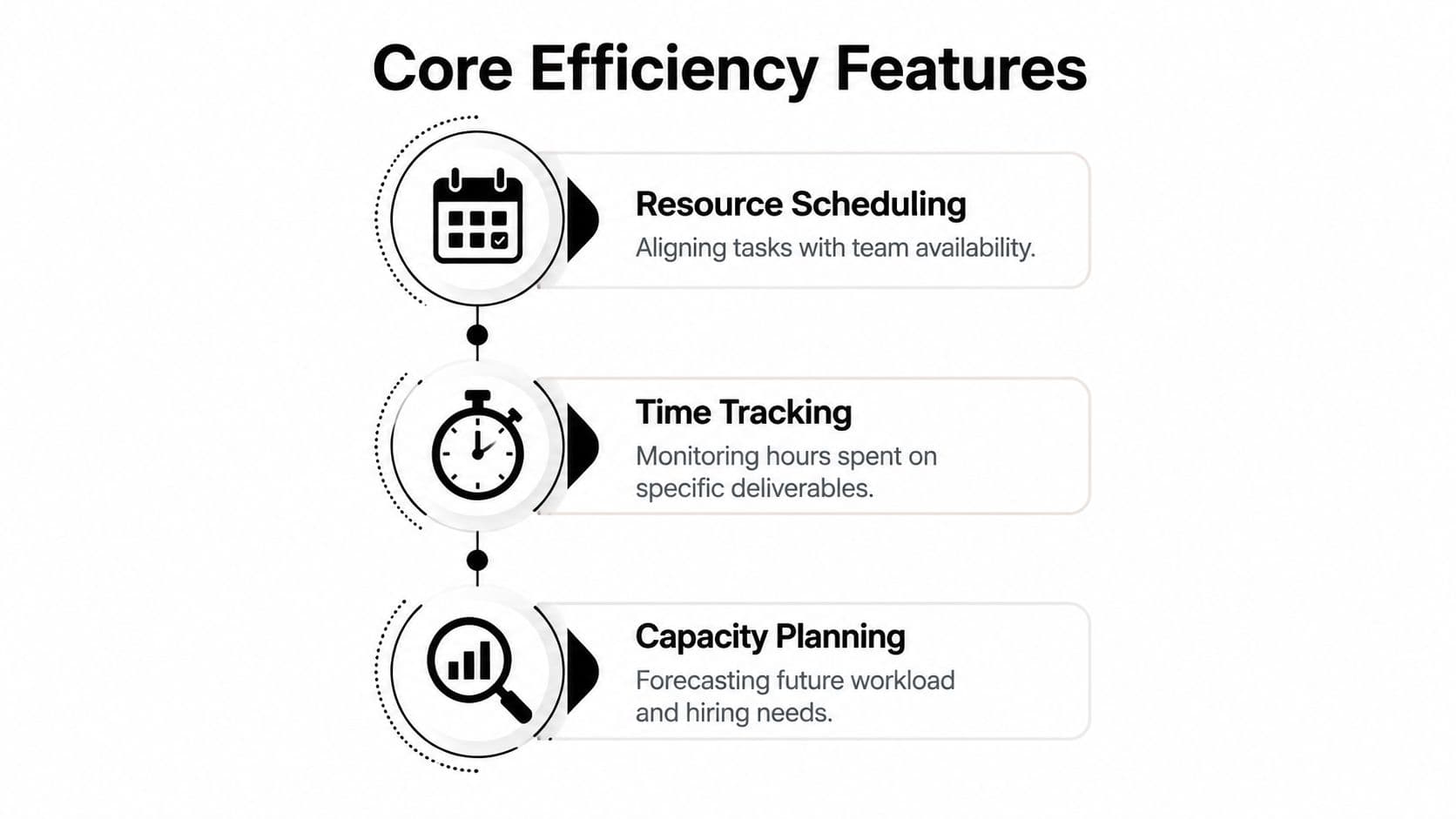
Core Features That Drive Efficiency
A lot of tools crowd their demo with dashboards, heatmaps, and automation labels. The useful test is simpler. Can the system help a manager assign work, see future strain, capture actual effort, and explain what changed?
Those are the features that move the operation.
Planning and scheduling
This is the front line. Managers need to assign the right work to the right person at the right time without creating hidden collisions.
The strongest systems make scheduling visual and easy to revise. Drag-and-drop matters less than many vendors claim, but live visibility matters a lot. If a date moves or scope changes, the software should show the knock-on effect quickly.
Useful planning features include:
- Assignment by role and skill: You should be able to search by capability, not just by name.
- Shared visibility: PMs, operations, and team leads need to see the same plan.
- Fast reallocation: Good tools make it easy to test alternatives before you commit to them.
Capacity planning
Capacity planning is where managers stop making promises they can't keep.
This feature matters most when work is arriving faster than teams can absorb it. You need to see not only who is busy now, but who will be overloaded next week, next month, or after a new deal closes. That helps with hiring decisions, contractor use, and project timing.
A practical capacity view should show:
| Signal | Why it matters |
|---|---|
| Overload | catches burnout risk and unrealistic deadlines |
| Underuse | surfaces available capacity before new hiring |
| Skill gaps | shows where demand exceeds current coverage |
| Timing conflicts | exposes projects competing for the same people |
Time tracking and actuals
A lot of teams resist this because they think it creates admin. Bad setups do. Good setups create feedback.
Without actuals, estimates drift into fiction. Managers keep planning based on hope, not evidence. Time tracking doesn't need to become surveillance. It needs to answer whether similar work takes longer than expected, whether non-billable support is draining delivery capacity, and whether project assumptions are still credible.
Track enough detail to improve future decisions. Don't turn time capture into a second job.
Reporting and decision support
Reporting is where raw planning becomes management.
The strongest reports don't just show utilization. They connect planned work, actual effort, and cost exposure in a way leaders can act on. A good reporting layer should help answer hard questions fast. Can we take on another project? Do we need to delay a launch? Is one team carrying invisible support load? Are we underestimating certain work types every cycle?
If a tool can't support those decisions, it might still be useful software. It just isn't strong resource management software.
Unlocking Your Team's True Potential and ROI
The return on resource management software doesn't come from having prettier schedules. It comes from making fewer bad commitments.
When managers can see true availability, they stop assigning work based on optimism. When they can compare planned effort to actual effort, they stop repeating the same estimate errors. When the system catches overload early, they stop paying for it later through delays, quality issues, and burnout.
Where the financial value shows up
The strongest business case usually appears in four places.
- Utilization quality: Better alignment means skilled people spend more time on the work they're needed for.
- Fewer scheduling collisions: Teams spend less time in reshuffling meetings and emergency reprioritization.
- More accurate forecasting: Future plans improve when estimates are grounded in real delivery data.
- Cleaner staffing decisions: Leaders can hire, delay, or redistribute work based on visible demand rather than gut feel.
Advanced systems push this further. According to ElectroIQ's overview of project resource management software, AI-driven resource management systems improve resource utilization accuracy by 25% to 40% and reduce scheduling conflicts by 30% to 50% compared with manual planning.
Those gains are meaningful, but the implementation detail matters just as much as the headline.
What actually makes the numbers possible
The hidden requirement is data completeness. If one major project lives outside the system, the forecast is wrong. If time tracking is sloppy, utilization signals get distorted. If HR, project planning, and delivery data don't connect, the software will still produce a dashboard, but it won't produce a trustworthy one.
That's why teams should think about operating discipline before they think about AI features.
A practical rollout usually works better when managers do three things early:
- Bring all live project demand into one planning layer
- Connect existing tools so updates don't depend on manual copying
- Review estimate quality regularly, not just after something goes wrong
For teams trying to improve resource allocation optimization, software moves from reporting tool to operating system. The benefit isn't abstract efficiency. It's better decisions under pressure.
If your system makes people look available when they aren't, it will create false confidence. False confidence is more dangerous than visible constraint.
What doesn't work
A lot of software rollouts fail for predictable reasons. Leaders buy a tool and expect behavior to change on its own. Teams keep managing side work in private channels. Nobody agrees on what counts as committed work. Time tracking becomes optional for the busiest people, which makes the data weakest where it matters most.
The software can't fix that. Management has to.
Resource management software pays off when it becomes the place where allocation decisions are made and challenged. If it's only where plans go to be documented after the fact, the ROI will always look disappointing.
How to Choose the Right Software for Your Team
Many teams purchase the wrong system for one simple reason. They shop by feature list before they define the operating problem.
A slick interface won't save a weak fit. Start with the friction in your current workflow. Are you struggling to forecast demand, assign specialist work, track actual effort, or manage constant reprioritization? The answer should shape the shortlist.

Questions worth asking before any demo
Use these as a filter, not a procurement exercise.
- What kind of work are you managing: Client delivery, internal operations, product development, support, or a mix?
- Where does demand originate: Sales pipeline, recurring operations, ticketing systems, ad hoc executive requests?
- How stable are your plans: Some teams need structured forecasting. Others need fast reallocation because priorities change daily.
- Which systems already hold critical data: Think Jira, Asana, Monday.com, Slack, HR systems, and calendars.
- Do you manage named individuals, pooled roles, or both: That changes how much detail the software needs to support.
If managers can't answer those questions clearly, software selection is premature.
What to test in a real trial
The best trial isn't the polished vendor walkthrough. It's a live planning exercise using your own messy work.
Create a small test set. Use current projects, real names, known deadlines, and a few likely disruptions. Then see what the tool does when one deadline moves, one person goes unavailable, and one urgent request enters the queue.
Watch for these signals:
| Test | What good looks like |
|---|---|
| Reassignment | fast, visible, low friction |
| Availability view | clear enough to trust in a live meeting |
| Reporting | useful for decisions, not just decoration |
| Adoption risk | managers and contributors can use it without heavy coaching |
A useful walkthrough on evaluation criteria is below.
Red flags that show up early
Some tools are too rigid. They assume every resource is a full-time employee attached to a stable project plan. Others are too loose and become another place to store disconnected tasks.
Watch for products that do any of the following:
- Force duplicate entry: If your team has to update three systems to keep one plan accurate, adoption will drop.
- Hide trade-offs: Managers need to see what gets displaced when something new is added.
- Treat reporting as an afterthought: If leadership can't read the outputs, the process won't stick.
- Ignore mixed work models: Teams increasingly blend internal staff, contractors, and flexible support.
That last point matters more than most buying guides admit. Traditional tools usually handle employees well. They often struggle when some capacity comes from on-demand contributors, virtual assistants, or task-based external support.
The Next Frontier Beyond Traditional Tools
Traditional resource management software is built around a familiar assumption. A resource is either an employee or a contractor assigned through a standard project structure.
That assumption is getting old.
A growing share of work now moves through hybrid arrangements. A founder delegates research to an on-demand assistant. An operations lead offloads admin-heavy follow-up work. A team uses automation for routing and humans for judgment-heavy tasks. Most systems still don't model that reality well.
Where traditional tools break down
The gap isn't that old tools are useless. It's that they were designed for cleaner org charts than many teams have.
A modern manager may need to plan around:
- Core employees: predictable but finite capacity
- Contract specialists: useful, but not always immediately available
- Automated workflows: fast for structured tasks, limited for exceptions
- On-demand human support: flexible, but often absent from formal planning
Most platforms don't handle that fourth category well. They can assign a project to a person. They don't always know what to do with delegated task capacity that can be purchased, routed, and completed outside a fixed headcount model.
Planview notes a real gap here. Existing guidance rarely explains how to treat AI or virtual assistants as measurable capacity within formal planning models, even though poor resource visibility and manual scheduling are behind many delays, as described in Planview's guide to finding resource management solutions.
Why skills matching matters more in hybrid teams
Once teams mix internal and external execution, manual assignment becomes slower and less reliable. Managers need more than availability. They need fit.
According to The Digital Project Manager's overview of resource management software, intelligent skills-matching algorithms can reduce manual resource allocation overhead by up to 40% by analyzing competency profiles, project requirements, and deadlines.
That matters even more when the available capacity isn't limited to your payroll roster. In a hybrid model, the key management question changes from "Who on the team can do this?" to "What is the fastest, most appropriate path to completion?"
The next step in resource planning isn't just better scheduling. It's treating different forms of capacity as part of the same operating system.
One approach to this is AI-powered workflow automation, especially when automation and delegated human execution live in the same flow. Fluidwave fits that model by combining task management with pay-per-task virtual assistant support, which is closer to how many busy teams now work than the old employee-only planning model.
What managers should do now
You don't need to rebuild your operating model overnight. But you do need to update your definition of a resource.
If recurring work can be delegated outside the core team, it should show up in planning. If AI can handle part of intake, triage, or task routing, that capacity should be considered before adding headcount. If a virtual assistant network handles repeatable execution, managers should account for that work in forecasting and workload design rather than treating it as invisible overflow.
Teams that learn to plan around hybrid human-AI capacity will make faster staffing decisions and protect their core people for higher-value work.
From Reactive to Proactive Management
Resource management software matters because work gets messy fast. Priorities shift. People get overloaded. Side work creeps in. Delivery plans look solid until one hidden dependency breaks them.
The fix isn't more status meetings. It's better operating visibility.
The strongest teams use resource management software to make trade-offs early instead of apologizing late. They know where capacity sits, where demand is building, and which work belongs with core staff versus delegated support. They also understand that software only helps when the data reflects reality and managers use it to make decisions.
If you're trying to get out of reactive mode, start small. Review one live project, one overloaded role, or one recurring type of work that keeps surprising the team. Then ask a simple question. Could better visibility have changed the decision earlier?
That's usually where improvement starts.
If you need a practical next step, review your current planning process against a few proven workload management strategies. You don't need a perfect system on day one. You need one that lets managers see the truth before the deadline does.
If your team is juggling internal work, delegated tasks, and shifting priorities, Fluidwave is worth a look. It combines AI-driven task management with human virtual assistant delegation in one workflow, which makes it relevant for teams that need more than a traditional employee-only planning tool.
Focus on What Matters.
Experience lightning-fast task management with AI-powered workflows. Our automation helps busy professionals save 4+ hours weekly.