Master project planning and management with our hands-on guide. Learn to define scope, automate workflows, and hit your goals with practical, real-world tips.
March 27, 2026 (6mo ago)
A Practical Guide to Project Planning and Management
Master project planning and management with our hands-on guide. Learn to define scope, automate workflows, and hit your goals with practical, real-world tips.
← Back to blog
Project planning and management isn't just about Gantt charts and deadlines. At its heart, it’s the thing that turns a great idea into a finished product, steering it through all the chaos to deliver on time and within budget. It's the framework that keeps your team on the same page and moving forward.
The Reality of Modern Project Management
Let's be real for a second. Managing a project today feels less like a structured process and more like a high-wire act. You're constantly juggling shifting deadlines, tight budgets, and a team that’s being pulled in a dozen different directions. It’s a delicate dance where one wrong move can bring the whole thing crashing down.
The old-school, textbook methods just don't cut it anymore. Those neat theories were designed for a different era, not for today’s fast-moving, often remote, work culture. They just can’t keep up with last-minute scope changes or the communication gaps that quietly sink progress. We're not here to talk theory; we're focused on what it actually takes to keep projects on track when things get messy.
The Widening Gap Between Demand and Success
This new reality puts a ton of pressure on anyone in a leadership role, from a startup founder to a dedicated Product Manager. The demand to innovate and deliver has never been higher, but the available talent and resources haven't kept up. The result is a growing gap between what we need our projects to achieve and what they actually deliver.
This isn't just a feeling; it's a real problem. High market demand puts a strain on a limited talent pool, which almost always leads to missed goals and disappointing outcomes.
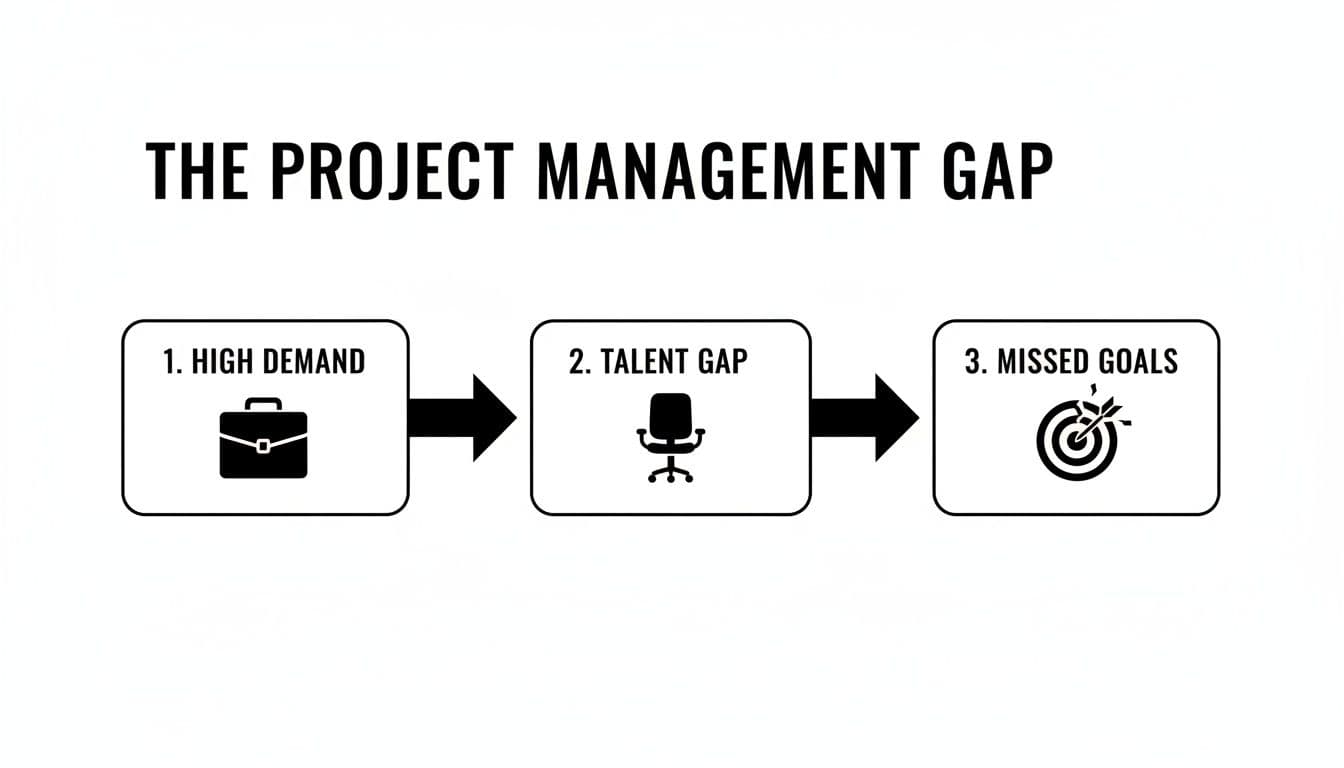
The numbers tell an even scarier story. Research shows the average project performance rate is only 73.8%. That means a staggering 26.2% of projects are failing—missing deadlines, blowing their budgets, or not delivering on their original promise.
And it’s about to get worse. With a projected need for 25 million new project professionals by 2030, this talent gap is only going to get wider. This makes having a rock-solid system for planning and execution more critical than ever.
The core problem isn't a lack of effort; it's the lack of a modern system built for today's chaotic work environment. Without a practical framework, even the most dedicated teams are set up to struggle.
Why Modern Projects Falter: A Quick Overview
So, where are things actually going wrong? From what I've seen, it's rarely one big catastrophe. Instead, it’s a series of smaller, connected issues that create a domino effect. The table below breaks down some of the most common reasons projects fail, which often tie back to a few core project management challenges.
| Challenge | Impact on Project | A Modern Solution |
|---|---|---|
| Vague Goals | Teams work without a clear finish line, leading to wasted effort and rework. | Define concrete, measurable objectives and "what done looks like" from day one. |
| Poor Communication | Information gets lost in emails or DMs, causing misalignment and duplicated tasks. | Use a central project hub where all communication and files are visible to the team. |
| Unrealistic Timelines | Schedules that ignore dependencies and risks set the team up for burnout and failure. | Build schedules with buffers and use tools to map out dependencies between tasks. |
| Scope Creep | Uncontrolled additions and changes slowly bloat the project, derailing timelines and budgets. | Implement a formal change request process to evaluate the impact of every new request. |
By understanding these common failure points, you're already a step ahead. The rest of this guide will give you a practical, actionable playbook for navigating these issues and leading your projects to success.
Defining Your Project Scope and Goals
Every project that's ever gone sideways has one thing in common: a fuzzy starting line. Before you even think about tasks or timelines, you have to answer a crucial question: what does "done" actually look like? Getting crystal clear on this is the absolute foundation of successful project planning and management.
I've seen it happen countless times—a brilliant team starts moving at a hundred miles an hour, only to realize weeks later that everyone has a slightly different destination in mind. Diving in without that shared vision is just busywork, and it’s a recipe for wasted effort and frustrated teams.
The Dangers of an Unclear Vision
When your scope is poorly defined, you open the door to scope creep. It's that silent project killer where one "small" request after another slowly bloats your timeline and wrecks your budget. One study I often refer to found that a shocking 52% of projects fall victim to it, a number that feels painfully accurate from my own experience.
Scope creep rarely announces itself. It starts with a stakeholder asking for "just one more thing" or a seemingly harmless tweak. Without a rock-solid scope document to point back to, these little additions pile up until the project is completely unrecognizable. This is why defining what you won't do is just as important as defining what you will.
A well-defined project scope isn't a restriction; it's a shield. It protects your team's focus, your timeline, and your budget from the chaos of endless "good ideas."
From Fuzzy Ideas to Concrete Goals
So, how do you get from a vague concept to a plan you can actually follow? The trick is to translate broad ambitions into specific, measurable outcomes. The SMART goal framework is a classic for a reason—it forces you to get real.
- Specific: Don't just "improve the website." A better goal is "Redesign the homepage to reduce bounce rate."
- Measurable: Instead of "increase sales," aim for something like "Increase online sales by 15% in Q3."
- Achievable: Look at your resources, budget, and timeline. Is the goal actually possible? Be honest with yourself here.
- Relevant: Does this project directly support the company's bigger goals? If not, why are you doing it?
- Time-bound: Every single goal needs a finish line. "Launch the new feature by October 31st" is a clear target.
Going through this exercise gives you a clear definition of done. It also forces you to identify your key deliverables—the actual, tangible things you’ll produce, whether that's a report, a marketing campaign, or a new software feature. To see how this all comes together in a formal document, check out this example of a project scope statement.
Setting Up Your Foundational Elements for Success
Once you’ve defined your scope and goals, don't just file them away in a document. They need to be front and center, guiding your daily work. Think of it as a constant balancing act.

This is what managing a project feels like—juggling scope, time, and budget. By setting up these core pillars in a tool like Fluidwave right from the start, your goals become the visible framework for every decision. This simple step is what keeps your whole team aligned and laser-focused on the right outcome.
Structuring the Work and Choosing Your View
Okay, you’ve locked in your project goals. Now for the hard part: turning that big, ambitious idea into something your team can actually work on. A massive objective like "Launch New Product Line" can be paralyzing. Where do you even begin? The trick is to break it down.
We need to translate the "what" and "why" into a concrete "how." In project management circles, this is called building a Work Breakdown Structure (WBS). It’s less complicated than it sounds—it's just taking a huge deliverable and chopping it up into smaller and smaller pieces until you’re left with individual tasks. This approach brings instant clarity to the whole project.
From Big Goals to Bite-Sized Tasks
Let’s use a real-world example. Imagine your goal is to launch a new marketing campaign. That's a huge undertaking. So, we'll break it down into more digestible chunks.
-
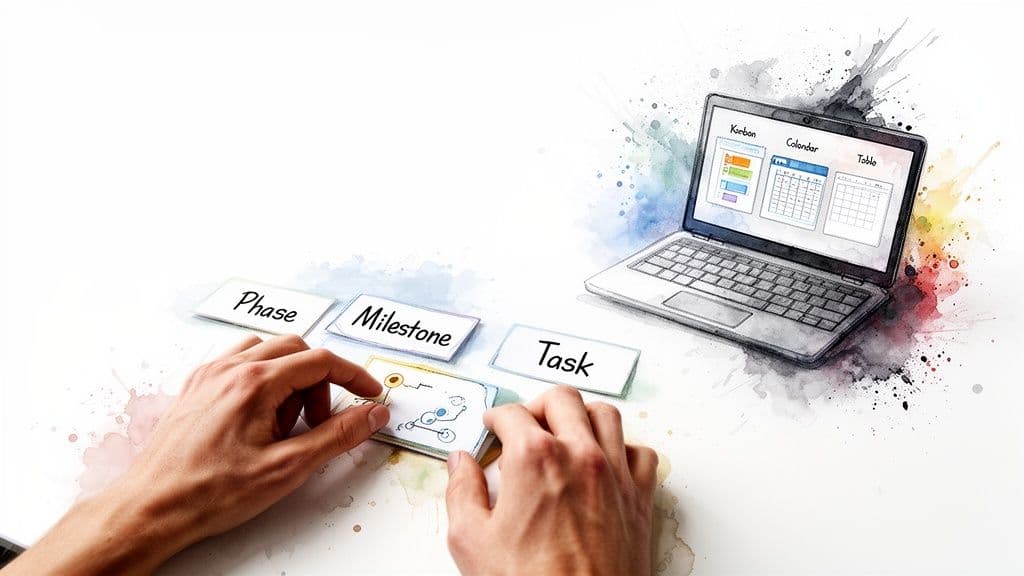
Phases: First, think in big stages. For a campaign, this might be Research & Strategy, Creative Development, Campaign Launch, and Post-Launch Analysis. These are the major chapters of your project story.
-
Milestones: Within each phase, you need checkpoints that signal real progress. Finishing your market research report is a milestone. Getting final approval on all ad creative is another. Hitting these proves you’re on track and gives the team a reason to celebrate.
-
Tasks: These are the tiny, actionable steps needed to hit a milestone. "Interview three target customers," "design social media graphics," or "A/B test email subject lines" are all tasks. A good task is specific enough that you can assign it to one person and expect it to be done in a reasonable amount of time.
Suddenly, that intimidating goal becomes a clear, step-by-step plan. Everyone on the team can see exactly how their day-to-day work connects to the finish line, and that’s a powerful motivator.
Choosing the Right View for Your Workflow
Once all the work is mapped out, you have to decide how you’re going to look at it. A simple to-do list might be perfect for one person but feel like total chaos to another. This is where modern tools like Fluidwave really shine, giving you multiple ways to visualize the same project so everyone can work how they think.
Choosing a view isn’t just about looks; it's about function. From my experience, one of the most common reasons projects fall apart is a lack of a clear, shared view of the process. When your workflow is invisible, problems hide in the shadows.
Think of your project views like different kinds of maps. A road map, a subway map, and a topographical map all show the same city, but you'd never use a subway map to plan a hike. Your project plan needs that same flexibility.
Let's look at the most common views and where they fit best:
| View Type | Best For | Real-World Example |
|---|---|---|
| Kanban Board | Visualizing work that moves through stages. Amazing for spotting bottlenecks. | A content team moves articles from "Writing" to "Editing" to "Published." A quick glance shows if the editing column is getting overloaded. |
| Calendar View | Managing anything with a hard deadline. Perfect for event planning or editorial calendars. | A social media manager plans an entire month of posts, making sure there are no gaps and that campaign-specific content drops on the right day. |
| Table/List View | Projects with a lot of data, details, and custom fields. Ideal for tracking budgets or bugs. | An engineering team manages a bug list with columns for priority, status, assigned developer, and a link to the relevant code. |
And remember, you’re not stuck with one view forever. You might start with a Calendar to plan a campaign, then flip to a Kanban board to manage the daily execution. The whole point of these tools is to bring order to the chaos and make your project planning and management feel natural for everyone on the team.
Setting Realistic Timelines, Budgets, and Priorities
Now that your project has a solid structure of phases and tasks, it’s time to get real. This is where we anchor your plan to the two most important real-world constraints: time and money. Without them, what you have is just a wishlist.
One of the most common traps I see is teams just guessing how long a task will take. It’s a recipe for failure right from the start. A much smarter way is to lean on data. Look at similar projects you’ve done before. How long did that design phase actually take? If you're flying blind without past data, talk to the person doing the work. Get their estimate, and then, as a rule of thumb, add a buffer.
This process is absolutely key to effective project planning and management. It’s how you turn abstract goals into a concrete schedule. It's also where you'll start spotting dependencies—those critical tasks that can't move forward until another is complete. Mapping these out is what makes a timeline strong, preventing a single small delay from wrecking the entire project.
Building a Practical Project Budget
Budgeting can feel like the scariest part of planning, but it doesn't have to be a nightmare. The key is to start by listing out every possible cost. Don't just focus on the big-ticket items; think about every little thing that adds up.
I always recommend breaking costs down into a few simple categories:
- Labor: This is usually the biggest piece of your budget. Estimate the hours your team will need and multiply by their rates.
- Tools & Software: Account for any new subscriptions or software licenses needed to get the job done.
- External Resources: Factor in the cost of freelancers, contractors, or virtual assistants you might use through a platform like Fluidwave.
- Contingency: This is non-negotiable. Always add a buffer of 10-15% of the total budget for unexpected problems. After years of managing projects, I can tell you that something always comes up.
When you track all these expenses in one place, you get a real-time pulse on your project's financial health. This visibility lets you make smart trade-offs on the fly, like deciding whether it's better to hire a pricey specialist or give a task to a more cost-effective resource.
Moving Beyond Manual Prioritization
With your timeline and budget set, the next big question is: what do we do first? Relying on gut feelings to shuffle tasks around isn't just inefficient, it’s also how critical work gets lost in a sea of "urgent" but low-impact requests.
This is exactly where automation becomes your secret weapon in project management. Instead of constantly re-thinking what’s most important, you can build a system that does the heavy lifting for you.
The project management software market is exploding, projected to hit $15.06 billion by 2030. Why? Because while 82% of companies are using these tools for efficiency, a huge 50% still struggle to access real-time KPIs. This is the exact gap that automated prioritization is designed to fill. You can dig into these figures in recent project management statistics.
By creating a few simple rules, you can make sure your team is always focused on the work that delivers the most value. It’s a simple shift in thinking that has a massive impact on your project's momentum and final outcome.
How to Automate Your Priorities
Setting up auto-prioritization rules in a tool like Fluidwave is surprisingly easy. The goal is to create a smart system based on key factors that automatically brings the most important work to the top. This keeps everyone aligned without you needing to micromanage daily to-do lists.
Here are a few powerful rules you can put into practice right away:
- Deadline Proximity: Automatically raise the priority of any task due within the next 48 hours. This simple rule builds a natural sense of urgency around your most time-sensitive work.
- Dependency-Based: If Task B is blocked by Task A, automatically flag Task A as "High Priority." This is a great way to clear roadblocks before they stall progress.
- Impact vs. Effort: Add custom fields for "Impact" (High, Medium, Low) and "Effort" (High, Medium, Low). Then, create a rule that assigns "Highest Priority" to tasks with "High Impact" and "Low Effort." These are your quick wins that build momentum.
Rules like these create a dynamic system that adapts as your project changes. This is a core part of modern project planning and management: build an intelligent framework that manages the work for you, freeing you up to focus on leading your team and solving bigger problems.
Automating Workflows and Delegating Like a Pro
The most effective project managers I know have a secret: they don’t actually do all the work. Instead, they build smart systems that work for them, reclaiming countless hours through clever automation and good delegation. This is the real turning point where you shift from just being busy to being truly productive.
True efficiency in project planning and management isn't about grinding out longer hours. It's about working smarter by spotting the low-value, repetitive tasks that drain your energy and building a machine to handle them. This frees you up for the high-impact, strategic work that actually moves the needle.
Reclaim Your Time with Smart Automation
Take a second and think about your typical week. How much time gets swallowed up by manual, recurring chores? Things like chasing status updates, creating the same weekly report, or nudging team members about deadlines. These are all perfect for automation.
An automated workflow is really just a simple recipe you teach your project management tool. For example, you can create a rule where moving a task to the "Done" column automatically sends a notification to a key stakeholder. These small automations stack up, saving you hours each week and reducing the mental load of having to remember every little detail.
Automation isn’t about replacing people; it's about freeing them up. When you automate the tedious work, you create breathing room for creativity, strategy, and collaboration. It's the single biggest upgrade you can make to your project management system.
A Real-World Automation Example
Let's walk through a common scenario that is a huge time-suck: preparing for a weekly content production meeting.
The Old, Manual Way:
- Every Monday morning, you create a new task for each person on the content team to "Prepare Weekly Content Updates."
- You spend Tuesday afternoon chasing down those who haven't finished.
- On Wednesday, you manually copy and paste all the updates into a single agenda document.
The New, Automated Workflow:
- Recurring Tasks: First, you set up a single task to "Prepare Weekly Content Updates" that automatically regenerates every Monday at 9 AM and assigns itself to the whole team.
- Automated Reminders: Then, you create a simple rule: if a task is still marked "To Do" by Tuesday at noon, the system automatically sends a reminder to the assignee. No more chasing.
- Status Reporting: Finally, as each person moves their task to "Completed," another rule can pull the key information from that task and add it directly to a shared "Meeting Agenda" document.
Just like that, you’ve built a simple system that gets rid of three manual steps. This is the core idea of making your tools work for you. If you want to dive deeper, we've put together a full guide on how to automate workflows in your projects.
The Art of Effective Delegation
While automation is brilliant for predictable, rules-based tasks, delegation is your tool for work that needs a human touch—like nuance, creativity, or complex problem-solving.
But good delegation is more than just handing off a task. It’s an art. It's about being crystal-clear on the desired outcome, providing all the necessary resources, and then trusting your team to deliver. A lot of managers I've worked with struggle with this, fearing a loss of control. The secret is to delegate outcomes, not activities. Tell them what you need to achieve, not how to do it, and give them the ownership to find the best path forward.
This becomes incredibly powerful when working with virtual assistants (VAs). Thanks to platforms like Upwork and Fiverr, it’s never been easier to find skilled people for administrative, creative, or technical work on a per-project basis. It's a very cost-effective way to get more done without the overhead of a full-time hire.
Automation vs. Delegation: Making the Right Call
So, when should you automate, and when should you delegate? This is a crucial decision. Getting it right means building a system that scales beautifully. Here’s a quick guide to help you decide.
Tasks to Automate vs Tasks to Delegate
| Task Type | Best for Automation | Best for Delegation to a VA |
|---|---|---|
| Complexity | Simple, repetitive, and follows a clear set of "if-then" rules. | Requires judgment, creativity, or complex problem-solving. |
| Example | Archiving completed tasks, sending deadline reminders, generating basic data reports. | Conducting market research, transcribing meeting notes, designing a presentation. |
| Human Input | None is needed after the initial setup. The process runs on its own. | Requires human intelligence and interaction to complete successfully. |
By mastering both automation and delegation in your project planning and management approach, you're essentially building a hybrid engine for productivity. You let the machines handle the predictable, and you empower skilled people to tackle the complex. That's how you build a truly unstoppable workflow.
Monitoring Progress and Keeping Everyone Aligned
A brilliant plan is just a pretty document if you don’t actually track your progress against it. This is where the rubber meets the road. Monitoring is how you turn a static plan into a living guide for your team, constantly checking your position on the map to make sure you’re still heading in the right direction.
Let’s be clear: this part of project planning and management isn't about micromanaging. It’s about creating a culture of transparency where small course corrections happen daily, long before they turn into major problems. When you get this right, people feel safe to bring up issues early, and successes become something the whole team can celebrate.
Metrics That Actually Matter
Forget about drowning in vanity metrics. I've seen teams get totally bogged down in spreadsheets that track everything but tell you nothing. Your real focus should be on a few key indicators that give you a true pulse on the project's health.
Here are the core metrics I always keep a close eye on:
- Budget vs. Actual Spend: Are you burning through your budget faster than you thought? Keeping a real-time pulse on this prevents those awful financial surprises at the end of a project.
- Task Completion Rate: This isn't just about busy work. It’s about measuring the number of tasks completed against what you planned for a specific sprint or week. If this rate is consistently low, it’s a red flag for roadblocks or bad planning.
- Milestone Progress: This is your high-level view. Hitting your major checkpoints on schedule is one of the best signs that you’re on track to meet your final deadline.
These metrics provide a quick, honest picture of your project’s status without creating a lot of noise. If you want to dig deeper into aligning goals with measurements, the Project Management Institute has some fantastic resources.
Creating a Rhythm for Communication
Keeping everyone on the same page doesn’t mean scheduling more meetings—in my experience, it often means the opposite. The real goal is to create a predictable communication rhythm so information flows smoothly and everyone feels in the loop.
A well-designed communication plan eliminates guesswork and empowers your team. It makes sure the right information gets to the right people at the right time, minimizing interruptions and keeping everyone focused on what matters.
A simple, effective rhythm might look something like this:
- Daily Stand-ups: A quick, 15-minute check-in for the core team to sync on progress, plans, and blockers. No fluff, just the essentials.
- Weekly Summary Emails: A short update for stakeholders that hits the highlights: major wins, upcoming milestones, and any risks or decisions needed from them.
- Real-Time Dashboards: This is a game-changer. Using a tool like Fluidwave to create a live dashboard gives everyone a single source of truth. It dramatically cuts down on the "just checking in" pings and emails.
This kind of structured communication ensures everyone is working from the same playbook. It’s a foundational piece of disciplined project planning and management that builds trust and keeps the work moving forward.
Answering Your Top Project Management Questions
Even the most seasoned project managers hit a few common snags. Over the years, I've seen the same questions pop up again and again. Let's tackle a couple of the big ones.
How Do I Handle Scope Creep Without Damaging Client Relationships?
Ah, the classic "scope creep." It's going to happen. The best way I've found to manage it is by having an incredibly clear project scope document from day one, signed off by everyone involved. It becomes your anchor.
When a client comes to you with a brilliant new idea—and they often are brilliant—don't shut them down. Instead, pull up the original scope and say something like, "I love that idea. It falls outside what we'd planned for this phase, but it's definitely something we should look at. Let me put together a separate estimate and timeline for you."
This approach validates their input and turns a potential conflict into a new opportunity, all while keeping your current project on track.
What Is the Best Project Management View for a Beginner?
When you're just starting out, it’s easy to get overwhelmed by all the options. My advice? Start with a Kanban board.
The visual nature of dragging tasks from a "To Do" column to "In Progress" and finally to "Done" is incredibly satisfying and intuitive. It gives you a bird's-eye view of your workflow and makes it immediately obvious where bottlenecks are forming. Once you’re comfortable, you can always branch out into calendar or list views for different needs.
The real secret isn't finding the "perfect" view, but choosing one and sticking with it for the project's duration. Consistency is what gives your team clarity and momentum in project planning and management.
For those serious about turning this skill into a certified expertise, getting familiar with a Project Management Professional (PMP) practice exam is a great way to benchmark your knowledge.
Ready to put these strategies into action without all the manual effort? Fluidwave is designed with intelligent automation and on-demand delegation to help you master your workflow. Start simplifying your projects today at https://fluidwave.com.
Focus on What Matters.
Experience lightning-fast task management with AI-powered workflows. Our automation helps busy professionals save 4+ hours weekly.