Learn how to use a virtual assistant to offload routine work, reclaim hours for higher-value projects, and measure ROI with clear briefs, secure onboarding, and simple KPIs.
December 26, 2025 (8mo ago) — last updated March 19, 2026 (5mo ago)
Boost Productivity with a Virtual Assistant
Delegate routine work to a virtual assistant to reclaim time, scale operations, and measure ROI with clear briefs and secure onboarding.
← Back to blog
Boost Productivity with a Virtual Assistant
Learn how to use a virtual assistant effectively to delegate routine work, reclaim your time, and measure ROI with clear briefs, secure onboarding, and simple performance metrics.
Working with a virtual assistant is more than offloading tasks; it’s about building systems that let you focus on growth. Shift from doing everything yourself to managing work strategically so you can spend time where it matters most.
Why a Virtual Assistant Is Your Secret Productivity Weapon
Hiring a virtual assistant isn’t just about clearing your inbox or scheduling meetings. It’s a strategic move to win back your most valuable resource: time. Learning to work with a VA is one of the smartest steps an entrepreneur can take.
Successful founders and leaders master delegation. They use VAs to handle day-to-day operational work that slows them down, freeing them to focus on strategy, client relationships, and product development.
Slashing Costs and Scaling Growth
Offloading routine tasks often delivers immediate financial benefits. Many businesses see meaningful cost savings and gain flexibility to scale faster. The global virtual assistant market is projected to grow significantly1. For many U.S. companies, hiring a virtual assistant can create meaningful annual savings compared with a local, full-time hire2.
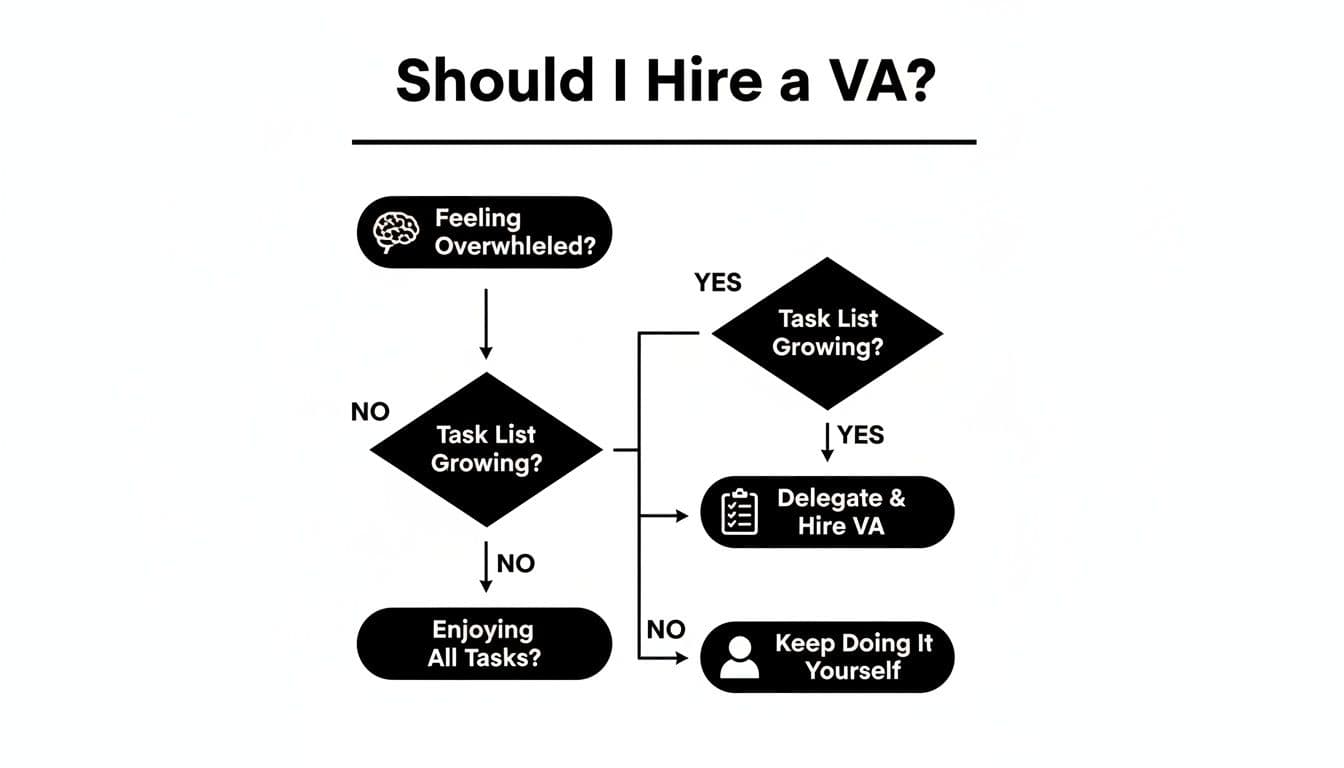
If you’re unsure, ask two questions: are you overwhelmed, and are recurring tasks increasing? If the answer is yes, it’s time to delegate to avoid burnout and keep momentum.
More Than Administrative Support
A skilled VA can support multiple functions:
- Marketing: scheduling social content, managing email campaigns, and engaging with customers.
- Sales enablement: CRM data entry, lead research, and prospect follow-ups.
- Back-office operations: invoicing, light bookkeeping, and basic reporting.
Many entrepreneurs spend a large share of their week on low-value administrative tasks; delegating these frees time for higher-impact work3.
Bringing on a VA creates leverage. Your business can operate at a higher level without adding your hours.
Pinpointing Exactly What to Delegate for Maximum Impact

One of the hardest parts isn’t finding a VA, it’s deciding what to let go of. Start with a task audit: track everything you do for one week. By the end of the week you’ll see where your time goes.
Identifying Your Best Delegation Candidates
Sort tasks by repetition and strategic value. Look for these buckets:
- Repetitive and routine: compiling reports, updating CRM, queueing social posts.
- Time-consuming but low-skill: transcribing notes, vendor research.
- Tasks you dislike or procrastinate on: filing expenses, scheduling.
This moves you from vague requests like “I need help with email” to concrete tasks a VA can own. For a step-by-step approach, see our guide on delegating tasks effectively.
From General Ideas to Specific Actions
Turn broad responsibilities into clear instructions. The clearer your instructions, the faster a VA can add value.
Instead of “Manage my calendar,” try:
- “Screen meeting requests and schedule them according to my availability rules: mornings for deep work, afternoons for calls.”
- “Send a confirmation email 24 hours before each meeting using the attached template.”
- “Find a new time that works for everyone if appointments conflict.”
Instead of “Help with marketing,” try:
- “Create five social media snippets for each new blog post for LinkedIn and X.”
- “Compile a monthly competitor report noting new product launches or major campaigns.”
- “Draft the weekly newsletter using the bullet points and links I add to our shared document.”
Aim for five to ten highly specific tasks you can hand off right away. Clear instructions reduce back-and-forth and speed onboarding.
The Delegation Matrix: What to Hand Off and What to Keep
Use a simple framework to sort tasks by strategic value and skill needed:
| Task Type | Examples | Delegate or Keep? | Why it Matters |
|---|---|---|---|
| High value, high skill | Closing a major sales deal, setting strategy, key client work | Keep | Directly drives revenue and needs your expertise. |
| Low value, low skill | Data entry, scheduling, transcription | Delegate | Classic VA tasks—big ROI for time saved. |
| High value, low skill | First drafts of presentations, project timeline management | Delegate (with guidance) | VA can handle most work; you finalize strategy. |
| Low value, high skill | Complex design, specialized coding | Keep or outsource to a specialist | Requires technical expertise a general VA may not have. |
This framework helps you stop being busy and start being productive by keeping focus on what only you can do.
Writing Task Briefs That Actually Get Results

When a task goes off the rails, it’s usually the instructions that failed. A vague, one-line request leads to frustration, wasted time, and poor results. A good brief is the blueprint for success.
The Anatomy of a Powerful Task Brief
Every brief should be a self-contained instruction manual. Include these elements:
- A crystal-clear objective: start with the “why.”
- Step-by-step guidance: break the task into logical steps.
- All necessary resources: logins (shared securely), links, templates, and brand guidelines.
- Budget and timeline: explicit deadlines, time zones, and financial limits.
For repeatable tasks, create Standard Operating Procedures (SOPs) to ensure consistent results. An SOP is one of the best investments to scale reliable work. Learn more about building SOPs in our SOP playbook.
Spending five extra minutes on a detailed brief is often the biggest time-saver when working with a VA.
From Vague Request to Actionable Brief
Example: planning a business trip.
A poor brief: “Please book my flights and hotel for the Spark Conference in Denver from Oct 14–17.”
A great brief includes the objective, flight and hotel preferences, logins, budget limits, and a deadline for options to review. The clearer the brief, the fewer follow-up questions and the faster the VA can act.
Setting Your New Assistant Up for Success: The Onboarding Phase
The first few days with a new VA set the tone for the partnership. A structured onboarding experience helps them add value quickly.
First Things First: Securely Granting Access
A VA needs access to tools, but security matters. Never send passwords through email or chat. Use a password manager to share specific credentials securely and revoke access when needed5.
Common tools include Slack or Microsoft Teams, project management software like Fluidwave, Asana, or Trello, email and calendar accounts, CRM systems, and social schedulers.
Establishing a Communication Rhythm
Great remote relationships start with clear expectations. Set communication protocols so your VA knows when and how to reach you.
- Primary channels: specify where task questions and urgent issues should go.
- Availability: share your typical response windows and expected reply times.
- Meetings: set a recurring short sync, for example a 15-minute call each Monday morning.
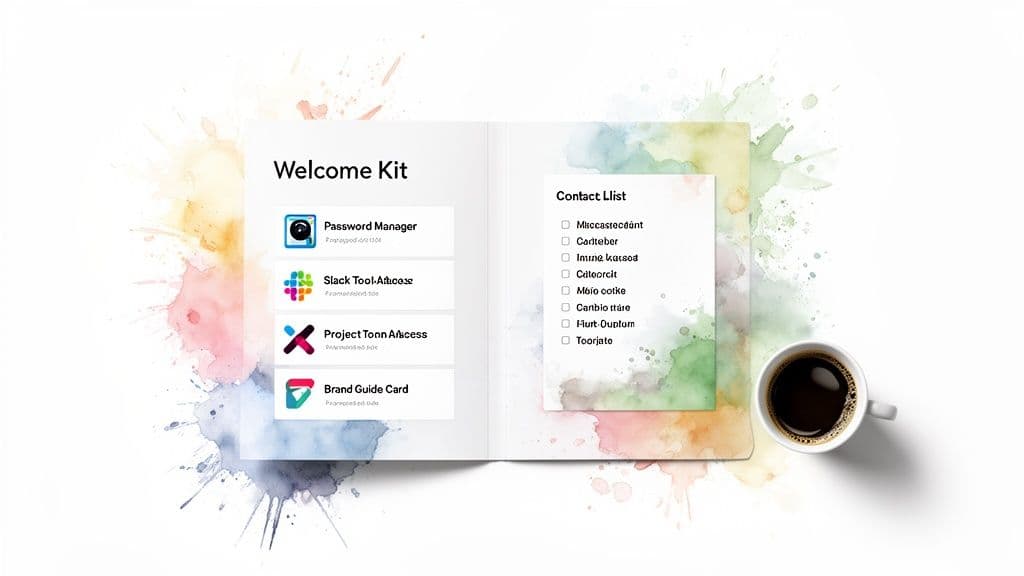
Consistency reduces friction and gives your VA confidence to act independently. For a starter onboarding checklist, see our Welcome Kit template.
The Welcome Kit: Your VA’s Go-To Guide
A Welcome Kit collects essential company info in one place and shortens the learning curve. Include:
- Key contacts and roles.
- Brand guidelines and tone of voice.
- Standard procedures for recurring tasks.
- Important links to your website, shared drives, and client folders.
A well-organized onboarding process signals you’re a professional who values their time and success.
Mastering Communication and Constructive Feedback
Delegation is a conversation. The best VA relationships are built on clear, consistent, and constructive communication. When you set a predictable rhythm, your VA becomes a proactive member of the team.
Finding Your Communication Cadence
A simple check-in structure works well:
- Daily check-ins: a short morning message to set priorities.
- Weekly syncs: a 15-minute call or detailed update email to review progress.
Centralize communication in your task tool so conversations stay organized and in context.
The Art of Giving Feedback That Actually Helps
Mistakes will happen. The goal is to correct the issue and prevent recurrence while building confidence.
Give feedback that’s specific, kind, and actionable. For example, instead of “Redo this,” say, “The layout is solid, but swap the font to ‘Montserrat’ and use the image from the Q3 Campaign folder.” That tells the VA exactly how to improve.
Templates for Clearer Communication
Weekly Update template:
Subject: Weekly Sync & Priorities for [Week of Date]

Hi [VA Name],

Great work last week on [specific accomplishment].

Top priorities this week:
- Priority 1: [Task and goal]
- Priority 2: [Task and goal]
- Priority 3: [Task and goal]

Any roadblocks or questions? Let’s touch base on our call tomorrow.

Thanks,
[Your Name]
Recognizing good work builds rapport and encourages initiative.
Tracking Performance and Measuring Your Real ROI
Hiring a VA should deliver measurable benefits. Track numbers to calculate ROI and improve delegation choices.
Key Indicators to Monitor
Focus on a few core metrics:
- Tasks completed per week or month.
- Hours saved: multiply saved hours by the dollar value of your time.
- Impact on business goals: link delegated work to measurable outcomes like engagement, qualified leads, or revenue.
Using your task platform’s reporting features makes this easier and reveals new delegation opportunities7.
Calculating Your True Return
A simple ROI example: if your VA saves you 20 hours in a month and your time is worth $100 per hour, that’s $2,000 in reclaimed value. Add any direct revenue generated from delegated projects, subtract the VA cost, and you have your net return.
A data-driven approach helps you refine which tasks to delegate for the biggest impact.
Frequently Asked Questions About Virtual Assistants
How do I handle security and privacy?
Never share passwords through email or chat. Use a password manager to share access securely and revoke credentials when needed. For sensitive projects, use an NDA to protect proprietary information and client data5.
Pay-per-task or monthly retainer: which should I choose?
Monthly retainers work for predictable, steady workloads. Pay-per-task gives flexibility and ensures you pay only for completed work. Choose the model that matches how steady and predictable your task load is.
What if the work isn’t up to my standards?
Start with specific, constructive feedback tied to the original brief. If quality doesn’t improve, escalate through the platform’s support or consider a different assistant. Many services offer dispute resolution to ensure you’re satisfied with final results.
Quick Q&A — Common User Questions
Q: What should I delegate first?
A: Start with repetitive, time-consuming, or disliked tasks—data entry, scheduling, and basic research. Do a one-week task audit to identify these tasks clearly.
Q: How do I ensure a VA delivers consistent results?
A: Use detailed task briefs, SOPs for repeatable work, and a Welcome Kit during onboarding. Clear objectives, resources, deadlines, and templates reduce errors.
Q: How do I measure a VA’s impact?
A: Track tasks completed, hours saved, and direct business outcomes. Convert hours saved into dollar value to compare against the VA’s cost and calculate ROI.
Ready to delegate with confidence and only pay for results? With Fluidwave, you can assign tasks to skilled assistants on a flexible pay-per-task basis. Start streamlining your workflow today.
1.
Grand View Research, “Virtual Assistant Market Size, Share & Trends Analysis Report,” https://www.grandviewresearch.com/industry-analysis/virtual-assistant-market
2.
Business News Daily, “Should You Hire a Virtual Assistant?” https://www.businessnewsdaily.com/10772-hire-virtual-assistant.html
3.
Harvard Business Review, “Stop Wasting Time on Low-Value Work,” https://hbr.org
5.
LastPass, “Business Password Manager,” https://www.lastpass.com; 1Password, “Business Password Manager,” https://1password.com
7.
Fluidwave, “Measuring Team Performance,” https://fluidwave.com/blog/measuring-team-performance
Focus on What Matters.
Experience lightning-fast task management with AI-powered workflows. Our automation helps busy professionals save 4+ hours weekly.