Being organized isn’t about buying fancy containers or chasing apps. It’s about a reliable system that captures tasks, reduces clutter, and helps you focus so you can do your best work with less stress.
January 5, 2026 (9mo ago) — last updated April 21, 2026 (6mo ago)
Organized Workflow for Busy Professionals
Practical system for busy professionals to capture tasks, reduce clutter, prioritize work, and reclaim focus with routines, automation, and delegation.
← Back to blog
How to Be Organized for Busy Professionals
Summary: Practical system for busy professionals to capture tasks, reduce clutter, prioritize work, and reclaim focus using simple routines, automation, and delegation.
Introduction
Being organized isn’t about buying fancy containers or chasing the latest app. It’s about building a reliable, repeatable system to manage the flow of tasks and commitments so you can do your best work with less stress.
Capture every idea, clarify what each item actually is, and prioritize what to do next. Nail that loop and you’ll trade constant overwhelm for steady control and clearer focus.
Why staying organized feels impossible
Telling someone to “just be more organized” misses the point. Disorganization is usually a systems problem: workflows built for yesterday’s work fail under today’s demands. The hidden cost is more than lost minutes—it’s the constant mental overhead of holding deadlines, follow-ups, and stray ideas in your head, which reduces your ability to do deep work.
The real price of clutter and chaos
Many knowledge workers are productive for roughly half of the typical workday; interruptions, context-switching, and searching for information consume the rest1. Global losses from disengagement and inefficient workflows add up, with researchers estimating productivity costs in the trillions annually2.
That lost time affects career progress, stress, and well-being. Professionally, it’s like trying to fill a bucket with a hole in it—everything you do leaks value if your system can’t hold information and priorities reliably.
Diagnose your personal bottleneck
Start by identifying which pattern fits you:
- The Information Hoarder: A desktop full of icons, an overflowing inbox, and dozens of open tabs. Fear of deleting creates a digital swamp where finding things is slow.
- The Chronic Procrastinator: Easy tasks get done while important projects slide because the first concrete step is unclear.
- The Overwhelmed Juggler: Multiple inputs—email, chat, notes, calendar—compete for attention with no central place to process them.
A disorganized mind isn’t a sign of failure; it’s a symptom of a weak system. The goal isn’t perfection. It’s a flexible framework that supports planning, prioritizing, and executing.
Build your central command center
Your brain is great at creative thinking, not at being a filing cabinet. Move everything out of your head and into a single trusted system: your central command center.
Rule one: capture everything. Every task, idea, and reminder—big or small—should be offloaded immediately. This isn’t about creating a daunting to‑do list; it’s about reclaiming mental energy. When your brain trusts that an idea is safely stored, the background hum of anxiety quiets.
Getting it all down on paper or screen is the first step. Only then can you step back and see what you’re actually dealing with.
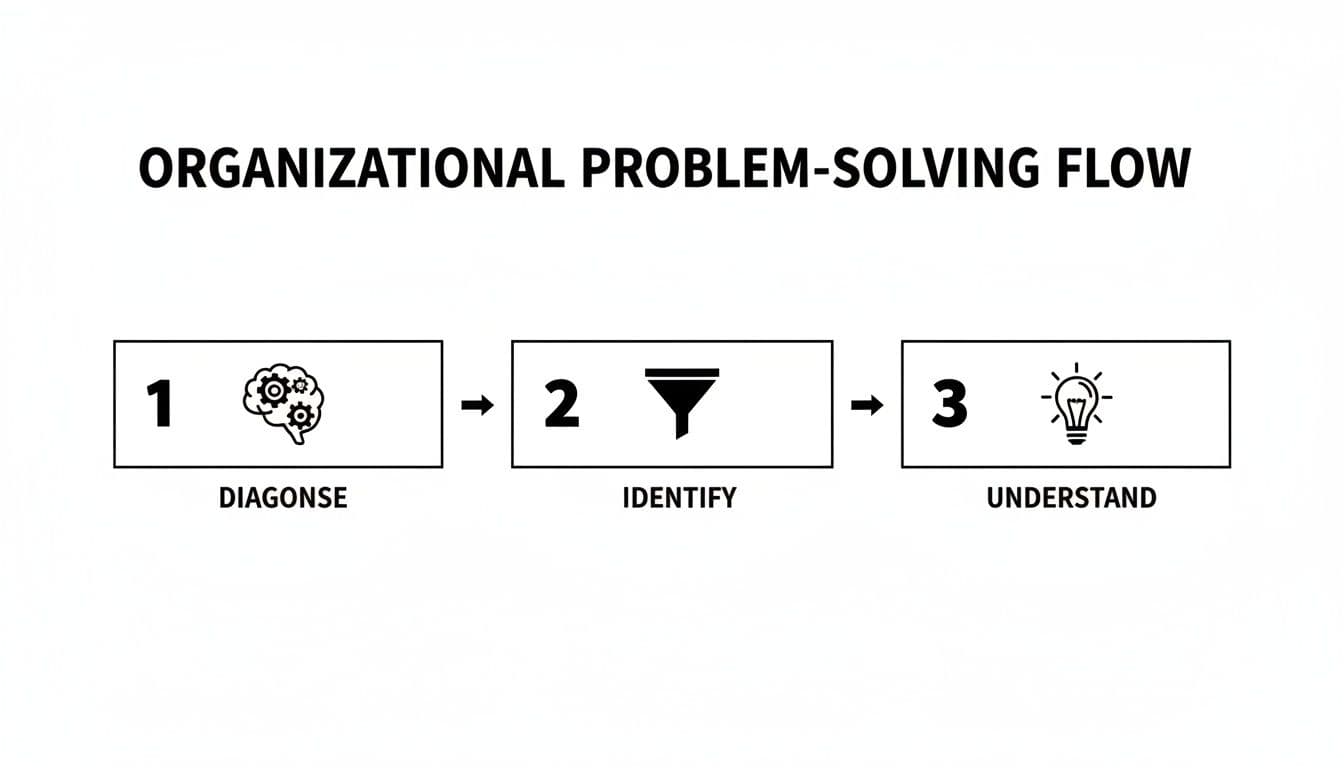
This flow highlights a key truth: you can’t prioritize what you haven’t captured.
From brain dump to action plan
With everything in one “inbox,” processing and clarifying begins. A powerful tool is the Eisenhower Matrix:
- Urgent and Important: Do now.
- Important, Not Urgent: Schedule these strategic tasks.
- Urgent, Not Important: Delegate when possible.
- Not Urgent, Not Important: Eliminate.
Sorting like this helps you stop reacting and start focusing on what moves the needle. For a deeper walkthrough, see the Eisenhower Matrix guide at https://fluidwave.com/guides/eisenhower-matrix.
Choose a prioritization model that fits
The Eisenhower Matrix is a great start, but pick the model that matches how you and your team think. For teams, MoSCoW (Must, Should, Could, Won’t) prevents scope creep and keeps everyone aligned.
Put it all together
Your command center can be a notebook or a full-featured app like Fluidwave. The best tool is the one you’ll use consistently. Visual people often prefer a Kanban board; deadline-driven work favors a calendar view. The same capture–clarify–prioritize routine applies to physical clutter: your desk, kitchen, or closet. For closet design ideas, see https://fluidwave.com/guides/closet-design.
Conquer digital and physical clutter
Clutter competes for attention—on screen and on your desk. Each out-of-place file or notification pulls at focus, making deep work harder.

Tame the email beast
Treat your inbox as a processing plant, not a warehouse. Process messages into three places:
- Action: Tasks that require work—move the task to your command center and archive the email.
- Waiting For: Items where you’re waiting on someone else.
- Archive: Reference material.
Use filters to send newsletters and low-value messages to a Read Later folder. Your inbox should help you act, not bury you.
Design a logical digital filing system
A simple folder structure that mirrors how you work is often enough. Example:
- Clients (subfolders per client)
- Admin (Invoices, Contracts, Taxes)
- Marketing (Social Media, Blog Posts)
- Archive (completed projects)
Save new files in the right place immediately. Simplify online accounts to cut the number of inputs you manage.
Create a high-focus physical workspace
A clutter-free desk reduces cognitive load. Keep only essentials within arm’s reach. Use an in-tray for incoming papers and process it daily. Store weekly items nearby and less-used items further away. Design a calm, functional workspace that supports focus.
Research shows that physical and visual clutter can reduce attention and task performance3.
Lighten your load with automation and delegation
Organized people build systems that work for them. Automation and delegation buy back your most precious resource: time. Identify repetitive tasks that follow clear rules and automate them with no-code tools.
Pinpoint tasks ripe for automation
Look for weekly repeats: follow-up emails, weekly reports, copying data between apps, or scheduling posts. Automations can create projects, send welcome emails, or move data across tools automatically. See our automation primer at https://fluidwave.com/guides/automation.
The not‑so‑scary art of delegation
Delegate tasks that someone else can do 80% as well, that are recurring, or that don’t play to your highest-value strengths. Give clear scope, deadlines, resources, and check-in points so the other person can succeed. For market research: define the deliverable, set a deadline and budget, provide resources, and schedule a midway check-in.
Maintain your system when life gets messy
A useful system must bend without breaking. When a chaotic week arrives, don’t abandon your system—triage. Ask: “Does this have to be done this week?” If not, move it. Clear non-essentials so you can handle real emergencies.
Navigate a chaotic week
Shift to triage mode: push non-essential tasks to next week or a someday/maybe list. This isn’t failure; it’s strategic focus.
Monthly systems check-up
Do a 30-minute monthly review. Ask:
- What’s working?
- What’s causing friction?
- What can be simplified or eliminated?
Small, consistent tweaks keep your system aligned with how you actually work. For instructions on running a Weekly Review, see https://fluidwave.com/guides/weekly-review.
Compassionate strategies for executive dysfunction
For people with ADHD or executive function challenges, a rigid system can be the enemy. Make your system compassionate and flexible. Practical techniques include:
- Task chunking: Break projects into tiny first steps, e.g., “Open a document and write one sentence.”
- Visual timers: Make time feel concrete with a visible countdown.
- Body doubling: Work alongside someone—physically or virtually—for gentle accountability.
These approaches lower activation energy and make starting easier4.
FAQs
How long does it take to set up?
You can gain meaningful control in the first week by capturing everything and creating one central place. Initial setup—clearing inboxes and configuring tools—may take a few hours over a weekend. Habit forms with daily upkeep and a consistent weekly review.
What’s the single most important habit for staying organized?
The Weekly Review. Spend 30 to 60 minutes each week processing inboxes, scanning your calendar, checking progress on goals, and mapping the week ahead. This ritual keeps your system alive and prevents reactive firefighting.
I have ADHD and starting tasks is my kryptonite. How can this help?
Adapt the system to your brain: break tasks into tiny steps, use visual progress tools like Kanban, work in short timed sprints (Pomodoro), and try body doubling. These strategies reduce activation energy and make starting much easier.
Ready to stop juggling and start achieving? Fluidwave combines smart task management with on-demand virtual assistants to help you conquer your to-do list and reclaim your focus. Build the organized, efficient workflow you’ve always wanted at https://fluidwave.com.
1.
Microsoft Work Trend Index and related research on workplace time use indicate that many knowledge workers spend a significant portion of the day on meetings, emails, and interruptions rather than focused work. https://www.microsoft.com/en-us/worklab/work-trend-index
2.
Gallup, State of the Global Workplace: research and analysis on employee engagement and global economic impact from disengagement. https://www.gallup.com/workplace/349484/state-of-the-global-workplace.aspx
3.
Research on how physical and visual clutter affects attention and cognitive performance highlights the impact of environment on focus and task performance. See university research on attention and environmental factors. https://www.princeton.edu
4.
Prevalence and clinical resources on adult ADHD and strategies to support executive function. https://www.cdc.gov/ncbddd/adhd/data.html
Focus on What Matters.
Experience lightning-fast task management with AI-powered workflows. Our automation helps busy professionals save 4+ hours weekly.