Set powerful goals for administrative assistants with these 8 SMART examples. Learn to track, delegate, and achieve more with actionable tips and templates.
April 2, 2026 (5mo ago)
8 Actionable Goals for Administrative Assistants to Excel in 2026
Set powerful goals for administrative assistants with these 8 SMART examples. Learn to track, delegate, and achieve more with actionable tips and templates.
← Back to blog
The role of an administrative assistant is evolving faster than ever. It's no longer just about managing calendars and answering phones; it's about becoming a strategic linchpin that drives efficiency and helps your team do their best work. To really thrive in this role, you need more than just a to-do list—you need a clear set of ambitious, measurable goals.
This guide is designed to give you a solid framework for setting powerful goals for administrative assistants. We'll break down 8 specific, actionable SMART goals, digging into why they matter and how to actually achieve them. You’ll find practical ways to turn abstract objectives into concrete results, helping you move past simple task completion to make a real professional impact.
You’ll also learn how tools like Fluidwave can help with assigning, delegating, prioritizing, and monitoring your progress. The whole point of this article is to help you transform your role from a support function into a strategic force. Let's get beyond the daily grind and start building a plan for real professional growth and recognition.
1. Reduce Email Response Time to Under 2 Hours for 95% of Messages
Setting specific, measurable goals for administrative assistants is super important for boosting efficiency and showing your value. A great place to start is email management, since it’s the communication backbone of any organization. The goal to get email response times under two hours for 95% of messages sets a clear performance benchmark and directly impacts executive productivity and the team's information flow.

This target isn't just about being fast; it's about creating a reliable system. When people know they'll get a timely acknowledgment or answer, it builds trust and cuts down on all those follow-up emails that just clog up the inbox. The 95% rate is smart because it leaves a little wiggle room for those really complex questions that naturally take more time, making the goal both ambitious and realistic.
Strategic Breakdown and Implementation
Hitting this standard means you have to shift from a reactive to a proactive email strategy. For example, an executive assistant at a big company might set up filters that automatically sort messages by sender, keywords, or urgency. This lets them spot high-priority communications from key executives or clients right away.
Another great approach is delegation. Using a tool like Fluidwave, an administrative assistant can delegate the initial email triage to a virtual assistant. The VA can handle sorting, archiving spam, and flagging messages that need the assistant’s direct attention, freeing up the assistant to focus on the more important responses.
Key Insight: The point isn't just to answer emails faster. It's to build a system that sorts, prioritizes, and delegates communication. This ensures critical messages are never missed and that your time is spent on high-value tasks.
Actionable Tips for Success
- Create Email Templates: Have pre-written responses ready for frequently asked questions, like meeting scheduling, document requests, or status updates.
- Batch Your Email Time: Instead of constantly checking your inbox, schedule 3-4 dedicated blocks per day to process emails. This helps you stay focused on other important tasks.
- Automate and Filter: Set up rules in your email client to automatically categorize messages. Give priority to emails from key leadership and clients.
- Track Your Progress: Use task management analytics, like those in Fluidwave, to monitor your average response time each week. This data will help you spot bottlenecks and tweak your workflow.
2. Increase Calendar Management Accuracy to 100% Conflict-Free Scheduling Within 60 Days
One of the most impactful goals for administrative assistants is mastering calendar management. The objective to achieve 100% conflict-free scheduling is a direct investment in your executive's focus and the company's smooth operation. A messy calendar leads to wasted time, missed opportunities, and frustration, while a perfectly organized one is the foundation of a productive organization. This goal sets a clear, high-stakes benchmark for excellence.
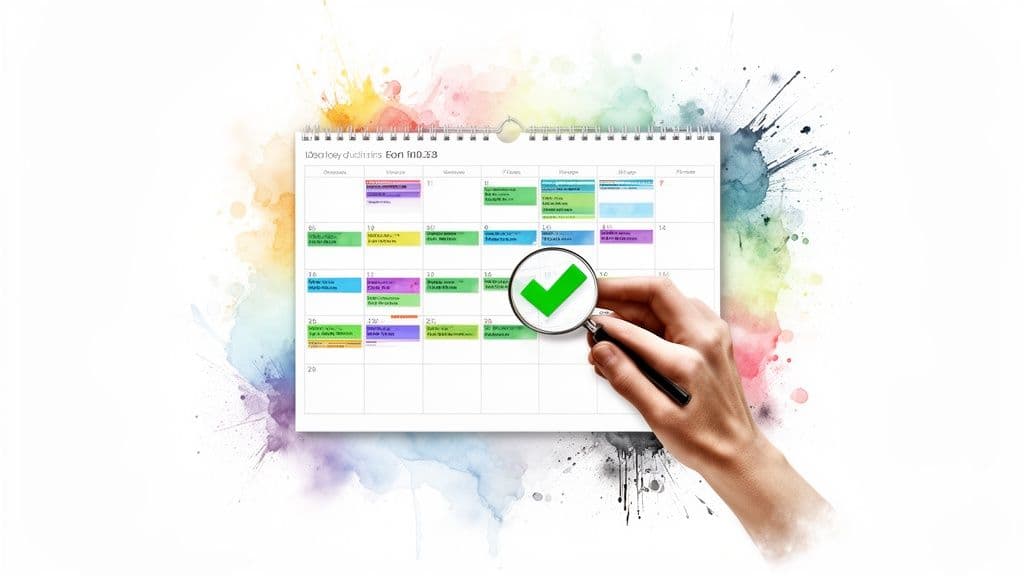
Trying to get to zero scheduling conflicts over a 60-day period needs a systematic approach, not just careful attention. It’s about building a reliable process that stops errors before they even happen. Achieving this goal shows off an assistant’s strategic value by protecting the organization's most precious resource: its leaders' time.
Strategic Breakdown and Implementation
Flawless scheduling really needs a centralized, visual system. For instance, a C-suite executive assistant who manages calendars for several leaders might use a color-coded system to distinguish between internal meetings, client-facing appointments, and personal holds. This visual separation makes potential overlaps immediately obvious.
In a fast-paced consulting firm, an administrative professional could use a shared calendar view in a platform like Fluidwave to align project timelines with individual consultants' availability. By putting all commitments in one place, they can prevent double-bookings between client work and essential internal strategy sessions. You can learn more about how to create a shared calendar to see how this works in practice.
Key Insight: The goal isn't just to avoid double-booking. It's to create a single source of truth for all time-based commitments, establishing clear rules that make scheduling proactive and predictable instead of reactive and chaotic.
Actionable Tips for Success
- Implement a Buffer Time Rule: Automatically add 15-minute buffers before and after meetings to account for travel, prep, and potential overruns.
- Establish a Scheduling Protocol: Create a clear process for how executives and team members submit meeting requests, making sure all the necessary info is provided upfront.
- Conduct Weekly Calendar Audits: Set aside time every Friday to review the upcoming week’s schedule, proactively finding and fixing any potential conflicts.
- Use Visual Management Tools: Use a tool with a good calendar view, like Fluidwave, to see all tasks, deadlines, and appointments in one place, which makes it easier to spot issues.
3. Master Four Task Management Views to Process 50+ Daily Items by End of Quarter
Among the most effective goals for administrative assistants is developing true operational excellence. This goal is all about mastering different task visualization formats—like the ones in a project management platform—to handle a high volume of daily items efficiently. The idea is to process over 50 tasks a day by fluently switching between list, table, calendar, and Kanban views, which can boost your personal productivity by more than four hours a week.
This approach is about adapting your workflow to the task at hand, not forcing every task into a one-size-fits-all format. A skilled assistant knows that a list view is perfect for a quick daily scan, while a Kanban board is better for tracking a multi-stage process. Developing this versatility lets you manage a growing workload without sacrificing quality, making you an indispensable part of the organization.
Strategic Breakdown and Implementation
Achieving this requires a conscious effort to move beyond just one favorite view and embrace a multi-view system. For example, a project management administrator could use a Kanban view to visualize the workflow stages for a new office setup, moving tasks from "To Do" to "In Progress" and "Complete." At the same time, they can switch to a calendar view to track critical deadlines for vendor payments and equipment delivery.
An executive assistant might start their day with a list view for a quick overview of their 50+ items. They can then pivot to a table view in Fluidwave to sort tasks by specific things like priority or due date, before diving into complex projects. This multi-view method supports both big-picture planning and detailed execution.
Key Insight: The goal isn't just about learning new software features. It's about building cognitive flexibility, letting you pick the right tool for the job instantly and process information more effectively, which in turn increases your capacity for high-value work.
Actionable Tips for Success
- Practice with Purpose: Dedicate 30 minutes each week to practice with your least-used view on real, low-stakes tasks.
- Gradual Integration: Start by using your two favorite views for two weeks, then add a third for the next two weeks before bringing in the fourth.
- Create a Cheat Sheet: Write down the best use case for each view (e.g., List for daily triage, Calendar for deadlines) to help it stick.
- Track Your Performance: Use task analytics to monitor how many items you process daily and weekly. This data provides clear evidence of your productivity gains.
4. Achieve 85% Task Delegation Utilization Rate Within 90 Days
One of the most powerful goals for administrative assistants is to master the art of delegation. Setting a goal to achieve an 85% utilization rate for delegatable tasks within 90 days moves an assistant from a "doer" to a "manager" of administrative functions. This goal directly addresses your workload capacity by strategically outsourcing routine, non-core tasks, freeing up your valuable time for higher-impact work that supports executive priorities.
This target is about building a system of support, not just dumping work on others. It requires you to identify which tasks are a good fit for delegation and to develop the skill to manage external resources, like Fluidwave’s pay-per-task virtual assistant network. Nailing this goal shows a high level of organizational skill and a commitment to maximizing efficiency for the whole team.
Strategic Breakdown and Implementation
Success here really depends on a clear understanding of what can and should be delegated. For example, an administrative assistant supporting a small business owner might do a quick audit of their weekly duties and find that data entry, basic online research, and initial scheduling communications take up over 10 hours a week. These are perfect candidates for delegation.
Using a platform like Fluidwave, the assistant can assign these tasks to specialized virtual assistants. The key is providing crystal-clear instructions and deadlines. For instance, when delegating calendar management, the assistant would provide rules for booking appointments, buffer times, and preferred meeting slots, turning a time-consuming activity into a managed, automated process. You can learn more about how to delegate tasks effectively to ensure a smooth transition.
Key Insight: Effective delegation isn't about getting rid of tasks you don't like. It's a strategic move to focus your energy where it provides the most value, building a reliable support system that handles the rest.
Actionable Tips for Success
- Audit Your Tasks: Make a log of your weekly activities to find at least 10-15 recurring, time-consuming tasks that are delegatable.
- Write Clear Instructions: For each task, document the exact steps, what you expect the outcome to be, and the deadlines. A clear brief prevents mistakes and endless back-and-forth.
- Start with Low-Risk Tasks: Delegate something simple first, like transcribing meeting notes or organizing a digital file folder, to build confidence and check the quality of the work.
- Provide Constructive Feedback: Offer clear, specific feedback to virtual assistants on platforms like Fluidwave to help them align with your standards and get better on future assignments.
5. Develop Standardized Operating Procedures Documentation for 10 Core Administrative Processes Within 6 Weeks
One of the most valuable goals for administrative assistants is to shift from just doing tasks to designing systems. The objective to document 10 core administrative processes within six weeks solidifies an assistant's role as a strategic partner. This creates institutional knowledge that sticks around long after any single employee, ensuring consistency in how things like expense reporting, meeting coordination, and new hire onboarding are handled.
Documenting procedures is the first step toward effective delegation and automation. When a process is clearly mapped out, it can be handed off to a new team member or a virtual assistant with very little friction. This goal is ambitious yet measurable, and it directly contributes to operational efficiency and scalability.
Strategic Breakdown and Implementation
Achieving this takes a systematic approach to identifying and detailing routine workflows. For example, a corporate administrative team could start by documenting the expense approval process, outlining every single step from receipt submission to reimbursement. Similarly, a law firm administrator might create clear Standard Operating Procedures (SOPs) for client intake, making sure all necessary information is captured consistently every time.
This documentation becomes a foundation for delegation. Using a platform like Fluidwave, an assistant can attach the relevant SOP document directly to a delegated task. This empowers a virtual assistant to do the task accurately without needing constant oversight, freeing up the administrative assistant for higher-level work. For more detailed guidance, check out resources on Standard Operating Procedures (SOPs).
Key Insight: The goal isn't just to write down steps. It's to build a replicable, scalable playbook for your role that cuts down on errors, simplifies training, and makes seamless delegation possible.
Actionable Tips for Success
- Start with High-Impact Processes: Pinpoint the three most time-consuming or critical tasks you handle weekly and document them first.
- Use Visuals: Include screen recordings or screenshots to create visual guides, making complex steps easier to follow.
- Store as Templates: Add completed SOPs to a shared knowledge base or as templates within Fluidwave for easy access when you assign tasks.
- Schedule Reviews: Set a quarterly reminder to review and update all SOPs to make sure they stay current and accurate. You can learn more about this process in our guide on how to create standard operating procedures.
6. Reduce Meeting Preparation Time from 30 Minutes to 10 Minutes Per Meeting by Implementing Automated Pre-Meeting Workflows
Administrative professionals often spend a ton of time on repetitive, low-value tasks like getting ready for meetings. Setting a goal to slash this prep time from 30 minutes to just 10 minutes per meeting is one of the most impactful goals for administrative assistants, as it directly converts administrative overhead into strategic capacity. This objective focuses on building automated workflows that handle the heavy lifting of meeting logistics.
This goal is about systemizing your preparation, not just rushing through it. By creating a repeatable, automated process, assistants can ensure every meeting is consistently well-prepared, with all the necessary documents, agendas, and participant information ready to go. This makes everyone in the meeting more productive and reinforces the assistant's role as a strategic partner.
Strategic Breakdown and Implementation
Cutting prep time by 67% requires a deliberate shift from manual processes to automated and delegated workflows. For example, an executive assistant for a sales director can create an automated workflow that kicks in two days before any client meeting. This workflow could automatically pull the client's history from the CRM, find the previous meeting's minutes, and whip up a draft agenda based on a template.
Delegation is another key piece of the puzzle. Using a platform like Fluidwave, an administrative assistant can assign routine prep tasks to a virtual assistant. The VA can handle formatting the agenda, compiling presentation slides, and confirming attendees' availability, freeing the primary assistant to focus on more complex coordination or strategic support for the executive.
Key Insight: The aim isn't to work faster, but to work smarter by building a self-operating system. Automating and delegating the boring parts of meeting prep frees up valuable time for high-impact activities that need your unique expertise.
Actionable Tips for Success
- Create a Master Checklist: Build a meeting preparation checklist template in Fluidwave that you can duplicate for every meeting, ensuring no step is ever missed.
- Delegate Material Gathering: Assign tasks like collecting documents, formatting presentations, and drafting agendas to a virtual assistant through a shared task board.
- Use Calendar Triggers: Set up automations in your calendar or task manager to automatically create a prep task a few days before each scheduled meeting.
- Track Your Time: Monitor the actual time you spend on meeting prep each week. Use this data to see where you're saving time and which tasks could be optimized even more.
7. Build and Maintain a Comprehensive Task Knowledge Base with 50+ Searchable Templates by Month-End
One of the most powerful goals for administrative assistants is to move from being a sole knowledge holder to a knowledge builder. This goal is all about creating a centralized, searchable repository of task templates, checklists, and standard operating procedures. By committing to build a knowledge base with over 50 templates by the end of the month, you turn undocumented processes into strategic assets, ensuring consistency and making delegation a breeze.
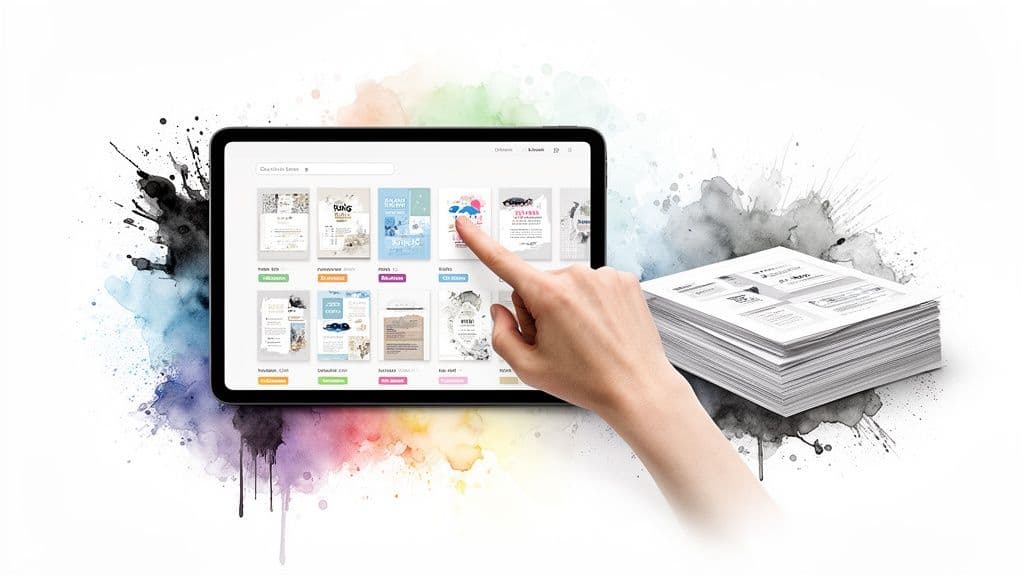
This objective directly supports organizational scalability and efficiency. Instead of reinventing the wheel for every expense report, meeting agenda, or travel request, the team has a go-to resource. It also dramatically speeds up onboarding for new team members or virtual assistants, since the "how-to" for critical tasks is already documented and easy to find.
Strategic Breakdown and Implementation
Hitting this goal requires a systematic approach to identifying and documenting repeatable tasks. For instance, a corporate assistant supporting a sales team might notice they process client onboarding paperwork every week. They can create a template for the client welcome email, a checklist for required documents, and a standard format for the project setup request.
This repository becomes a living library. When a new compliance rule is introduced, the assistant doesn't just learn it; they update the relevant template and let the team know. By storing these assets in a shared platform like Fluidwave, templates can be linked directly to specific task types. This means when you assign a "New Client Onboarding" task, the correct checklist and email templates are automatically attached.
Key Insight: This goal isn't about creating more documents. It's about building a system that captures institutional knowledge, reduces repetitive work, and empowers the whole team to execute tasks with precision and consistency.
Actionable Tips for Success
- Start with High-Frequency Tasks: Identify the 10 most common tasks you do each week and create templates for them first.
- Organize by Category: Group templates into logical folders like Scheduling, Communications, Financial, and Project Management for easy navigation.
- Use Variable Fields: Design templates with placeholder text (e.g.,
[CLIENT_NAME],[DATE]) to make them quick to customize. - Tag for Searchability: Apply relevant keywords to each template (e.g., "expense," "travel," "Q4") so they can be found easily, even by someone who isn't familiar with the system.
8. Achieve 90% Stakeholder Satisfaction Rating on Task Completion and Communication Quality Within 45 Days
Proactive goals for administrative assistants should go beyond just task completion and include the quality of the stakeholder experience. Setting a goal to achieve a 90% stakeholder satisfaction rating within 45 days shifts the focus from simply getting the work done to ensuring the work meets and exceeds expectations. This goal measures the direct impact of your support on those you assist, making your value clear and quantifiable.
This target is powerful because it ties your administrative performance directly to how your stakeholders perceive it. It encourages a service-oriented mindset, where task quality, timeliness, and communication are all viewed through the eyes of the person you're supporting. The 90% benchmark is high enough to drive excellence, while the 45-day timeframe creates a sense of urgency to set up feedback systems and make improvements.
Strategic Breakdown and Implementation
Nailing this requires a systematic approach to collecting and acting on feedback. For instance, an administrative team supporting a sales department could send out a brief pulse survey after completing major projects, like coordinating a client event. The survey would ask for ratings on preparation, responsiveness, and overall support quality.
Another practical application is using post-meeting surveys to gather feedback on scheduling, agenda preparation, and minute-taking accuracy. Virtual assistant managers can use these stakeholder ratings to pinpoint specific training opportunities for their team members, turning subjective feedback into actionable performance coaching. To ensure high communication quality, assistants can benefit from guidance on [Mastering Email Etiquette for Professionals].
Key Insight: This goal isn't about chasing a score. It’s about building a continuous feedback loop that fosters open communication, highlights areas for improvement, and proves the tangible value of high-quality administrative support.
Actionable Tips for Success
- Create a Simple Survey: Develop a short, 3-question satisfaction survey focusing on task quality, timeliness, and communication clarity.
- Time Your Surveys: Send the survey after completing 5-10 significant tasks for each stakeholder to get meaningful, consolidated feedback.
- Track and Analyze: Use the task tracking features in a tool like Fluidwave to log which stakeholders have been surveyed and monitor satisfaction scores over time.
- Develop Action Plans: For any stakeholder rating below the 90% threshold, proactively follow up to understand their concerns and create a plan for improvement.
8-Goal Comparison for Administrative Assistants
| Objective | Implementation Complexity 🔄 | Resource & Tools ⚡ | Expected Outcomes 📊 | Ideal Use Cases 💡 | Key Advantages ⭐ |
|---|---|---|---|---|---|
| Reduce Email Response Time to Under 2 Hours for 95% of Messages | Medium 🔄🔄 — training + workflow setup | Moderate — templates, filters, VA support | 95% ≤2hr SLA; faster decisions; reduced backlog 📊 | High-volume inboxes; executive support | Improves stakeholder trust; measurable SLA ⭐ |
| Increase Calendar Management Accuracy to 100% Conflict-Free Scheduling Within 60 Days | High 🔄🔄🔄 — protocols & ongoing monitoring | Moderate–High — calendar tools, stakeholder coordination | 100% conflict-free schedules; fewer reschedules 📊 | C-suite assistants; multi-exec coordination | Prevents double-bookings; boosts reliability ⭐ |
| Master Four Task Management Views to Process 50+ Daily Items by End of Quarter | High 🔄🔄🔄 — steep learning curve across views | Time-intensive practice + Fluidwave views | Process 50+ items/day; ~4+ hours weekly saved 📊 | Complex workflows; high task volume teams | Maximizes platform capabilities; flexible task handling ⭐ |
| Achieve 85% Task Delegation Utilization Rate Within 90 Days | Medium 🔄🔄 — requires task audit and delegation practices | Moderate — clear task briefs, VA budget (pay-per-task) | 85% of delegatable tasks offloaded; more strategic time 📊 | Assistants seeking to outsource routine work | Frees capacity; transparent cost-per-task model ⭐ |
| Develop SOPs for 10 Core Administrative Processes Within 6 Weeks | Medium–High 🔄🔄🔄 — detailed documentation & reviews | High time investment; documentation tools & stakeholder input | 10 SOPs completed; faster onboarding; fewer errors 📊 | Teams with turnover or frequent delegation | Enables consistent quality; easier delegation ⭐ |
| Reduce Meeting Preparation Time from 30 to 10 Minutes Per Meeting by Implementing Automated Pre-Meeting Workflows | Medium 🔄🔄 — workflow design + automation tuning | Moderate — automation tools, templates, cooperation | ~66% prep time reduction; ~4+ hours weekly saved 📊 | Recurring meetings; busy calendars | Improves meeting quality; reduces prep stress ⭐ |
| Build and Maintain a Comprehensive Task Knowledge Base with 50+ Searchable Templates by Month-End | High 🔄🔄🔄 — content creation and taxonomy design | Significant — time, tagging system, maintenance | 50+ templates; faster task execution; better onboarding 📊 | Scaling teams; repetitive administrative tasks | Consistency, speed, and searchable institutional knowledge ⭐ |
| Achieve 90% Stakeholder Satisfaction Rating on Task Completion and Communication Quality Within 45 Days | Medium 🔄🔄 — implement feedback loops and act on results | Moderate — surveys, tracking, follow-up processes | 90% satisfaction; actionable improvement insights 📊 | Client-facing assistants; performance improvement efforts | Measures impact; directs targeted improvements ⭐ |
Turning Goals into Achievements: Your Key Takeaways
The journey from a capable administrative assistant to a strategic partner starts with intention. Setting well-defined goals for administrative assistants is the first, most important step. As we've seen, the difference between an aspirational wish and a real career achievement comes down to structure, measurement, and consistent action. The goals we've talked about—from slashing email response times to building a searchable knowledge base—aren't just about doing more; they're about working with greater precision and impact.
This is more than just a to-do list. It's a strategic plan for showing your value in ways you can actually measure. Moving from a support role to an operational linchpin requires a shift in mindset. You're not just managing tasks; you're optimizing processes, saving valuable executive time, and creating a more efficient backbone for the entire team.
Your Strategic Action Plan
To really put these ideas into practice, focus on these core takeaways:
- Start with One High-Impact Goal: Don't try to boil the ocean. Look at your current challenges and pick one goal, like achieving 100% conflict-free scheduling or cutting down meeting prep time. A single, decisive win builds the confidence and momentum you need for future growth.
- Embrace Data as Your Ally: The "M" in SMART (Measurable) is your best friend. Track everything. How many scheduling conflicts happened this month? What was the average email response time? This data isn't for judgment; it's for insight. It proves your progress and shows you where you can improve.
- Document and Standardize: Your mind is a powerful tool, but it's not a scalable one. The whole point of creating Standardized Operating Procedures (SOPs) or building a task knowledge base is to get your expertise down on paper. This makes your methods replicable, your role easier to support when you're out, and your contributions undeniably concrete.
- Automate and Delegate Intelligently: Your highest value isn't in doing repetitive, manual tasks. It's in your strategic thinking, problem-solving, and communication. Use tools like Fluidwave to automate pre-meeting workflows or delegate recurring tasks to junior staff or virtual assistants. Freeing up your time is essential for tackling bigger professional development goals.
Ultimately, these goals are a roadmap to becoming indispensable. By mastering task management, standardizing core processes, and consistently measuring your performance, you go from being a reactive task-doer to a proactive operational force. You stop just managing the calendar and start creating more time for your executives. You stop just answering emails and start building a more effective communication system. This proactive approach is what separates good administrative professionals from great ones, making your contributions both visible and invaluable to the organization's success. Your career isn't something that just happens to you; it's something you actively build, one well-defined goal at a time.
Ready to turn your goals into a structured reality? Fluidwave is built to help you assign, prioritize, and track every goal we’ve discussed, from managing daily tasks to delegating complex projects. Stop juggling and start achieving by exploring how Fluidwave can become your central command for professional growth.
Focus on What Matters.
Experience lightning-fast task management with AI-powered workflows. Our automation helps busy professionals save 4+ hours weekly.