Tired of feeling overwhelmed? We reviewed the best productivity apps for focus, task management, & collaboration. Reclaim your time; find your perfect fit.
March 25, 2026 (6mo ago)
Maximize Efficiency: A Real-Person's Guide to the Best Productivity Apps
Tired of feeling overwhelmed? We reviewed the best productivity apps for focus, task management, & collaboration. Reclaim your time; find your perfect fit.
← Back to blog
In the endless search for peak performance, the right software isn't just a tool; it's a partner. But finding the one that actually clicks with your workflow can feel like searching for a needle in a digital haystack. This guide is meant to cut through the noise, offering a direct path to figuring out the best productivity apps for what you actually need. I've gone beyond the usual feature lists to give you a practical, no-fluff look at the top contenders out there.
This is for busy professionals, teams, and anyone who needs to make a good decision fast. Instead of wading through marketing fluff, you'll get a clear-eyed view of what each app is genuinely good at—and where it falls short. We'll look at how tools like Notion, Asana, and our own Fluidwave actually perform in the wild, whether you're managing complex team projects, organizing a freelancer's day, or just trying to find some focus.
Throughout this roundup, you will find:
- Honest pros and cons for each app.
- Specific use cases to see which tool fits your role.
- Detailed pricing breakdowns for clear budget planning.
- Direct comparisons to help you choose confidently.
Each review has screenshots and direct links so you can get started without any hassle. My goal is simple: to give you the info you need to pick an app that doesn't just manage your tasks, but actively improves how you work, saving you valuable time and mental energy. Let's find the right fit for you.
1. Fluidwave
Fluidwave gets the top spot because it uniquely combines AI-driven task management with a real, human-powered delegation system. It's built for people who need more than just a to-do list; they need a smart system that helps them focus on what's important and hand off the rest. The platform's AI automatically prioritizes tasks, but the real standout feature is the on-demand network of human virtual assistants.

Unlike other tools that hide delegation behind expensive subscriptions or make you use separate freelance platforms, Fluidwave has a pay-per-task marketplace. This lets you hire skilled assistants for specific jobs without getting locked into a long-term contract, making it a super practical solution for both individuals and teams needing occasional backup. This mix of AI and human intelligence tackles a core productivity challenge: managing your own work and knowing when to ask for help.
The user interface is designed for deep focus, with different views like Kanban, calendar, and lists, all in a clean, distraction-free space. For teams, real-time updates and collaboration features make sure everyone's on the same page without needing constant meetings. People from executives to creatives are saying good things, and its design also keeps neurodivergent users in mind, making it a powerful and accessible choice for a lot of people.
Best For: Individuals and teams wanting a smart system for prioritization and flexible task delegation.
Pricing:
- Free Forever: Core task management for up to 100 tasks.
- Premium: $10/month (billed annually) for analytics, automations, and advanced features.
- Delegation: Pay-per-task marketplace with no subscription required.
Pros:
- AI + Human Assistance: Blends automated prioritization with a pay-per-task virtual assistant network.
- Flexible Views: Offers table, list, calendar, Kanban, and card layouts to fit different workflows.
- Transparent Pricing: A functional free tier and an affordable premium plan make it accessible.
Cons:
- Delegation Rollout: The human-assistant marketplace is being rolled out gradually, so it might not be available to everyone right away.
- Potential Costs: The free plan is limited to 100 tasks, and if you hire assistants a lot, the costs can add up.
Website: https://fluidwave.com
2. Notion
Notion has cemented its place as a top-tier productivity app by being an incredibly flexible, all-in-one workspace. It's unique in how it blends documents, wikis, and databases into one single place. You can build anything from a simple to-do list to a huge company-wide operating system, connecting notes, tasks, and project roadmaps in a way that few other tools can. Its biggest strength is this modularity—it lets you design a workflow that fits you perfectly, instead of forcing you into a rigid structure.
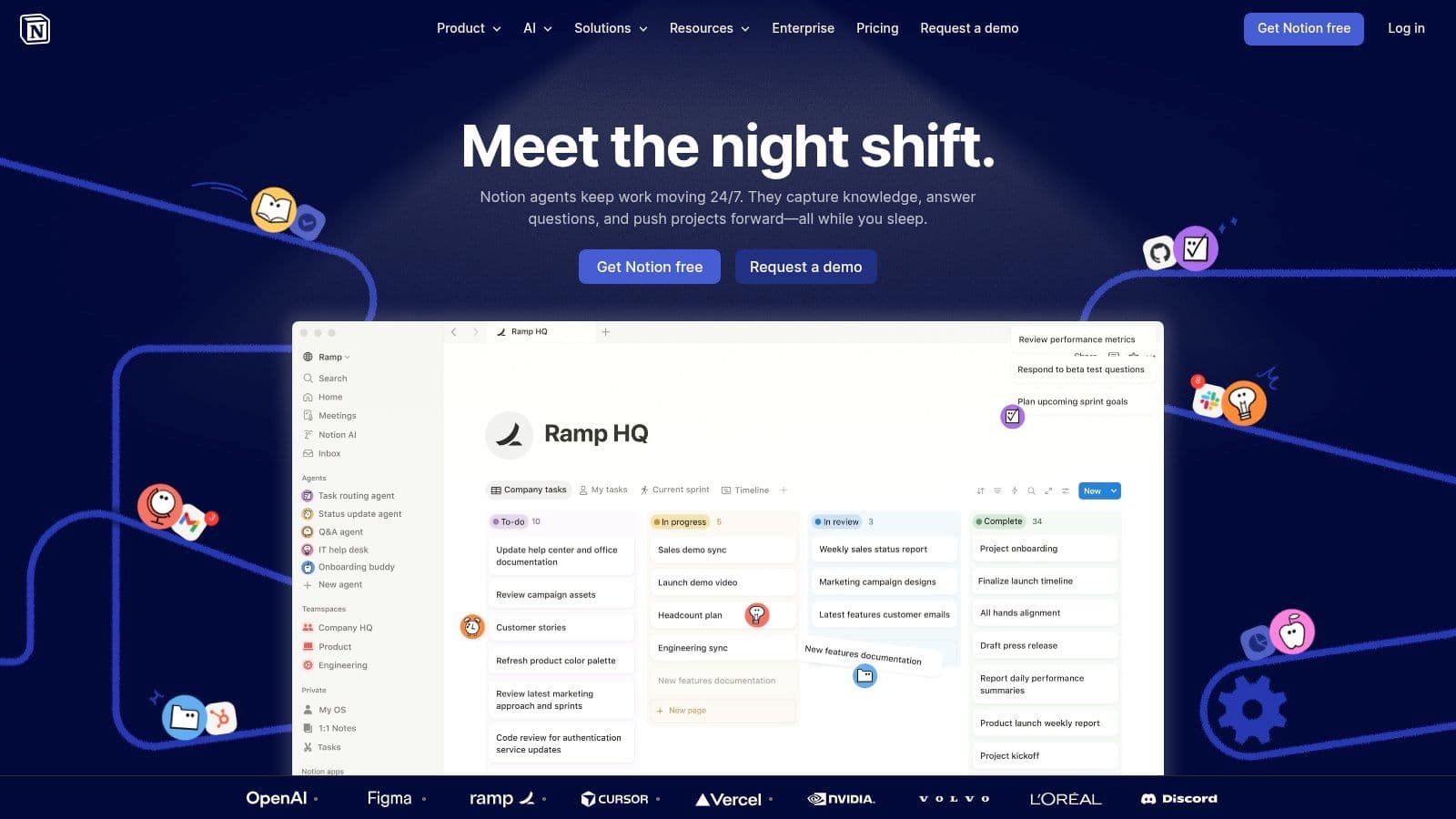
The platform is great as a "second brain" for knowledge workers or a central hub for team collaboration. Its database features are powerful, letting you see your stuff in Kanban boards, calendars, or tables, so you can track projects and tasks right next to your documents. Lately, Notion has also added AI features that can summarize long documents, help you write, and even automate tasks, which just makes it even more capable.
Key Details
- Best For: Teams that need a single place for their knowledge base and project management, folks who love to customize their workspace, and content creators.
- Pros: It's super customizable, so it can do a lot of different things. Mixing docs and databases is a game-changer. The new AI features are genuinely useful.
- Cons: Because it's so open-ended, it can get messy if you're not careful. For really complex reporting from multiple sources, some power users find its database capabilities a bit limited.
- Pricing: There's a free Personal plan. Paid plans start at $8 per user/month (billed annually) for the Plus plan, which gives you more features and collaboration tools.
To really use Notion well, I'd say start with one of their templates for something like a content calendar or CRM, and then tweak it. This helps you avoid that "blank page" paralysis and gives you a solid base to build on.
Website: https://www.notion.so/
3. Todoist
Todoist is one of the best productivity apps because it sticks to a focused, fast, and reliable way of managing tasks. It's brilliant at capturing tasks quickly with its smart natural-language input—you can just type "Schedule team meeting every Friday at 10am" and it will set up the recurring task perfectly. This smooth capture, along with its dependable syncing across all your devices, makes it a favorite for handling the daily flood of personal and professional to-dos. It's really built for action, not for building complicated systems.
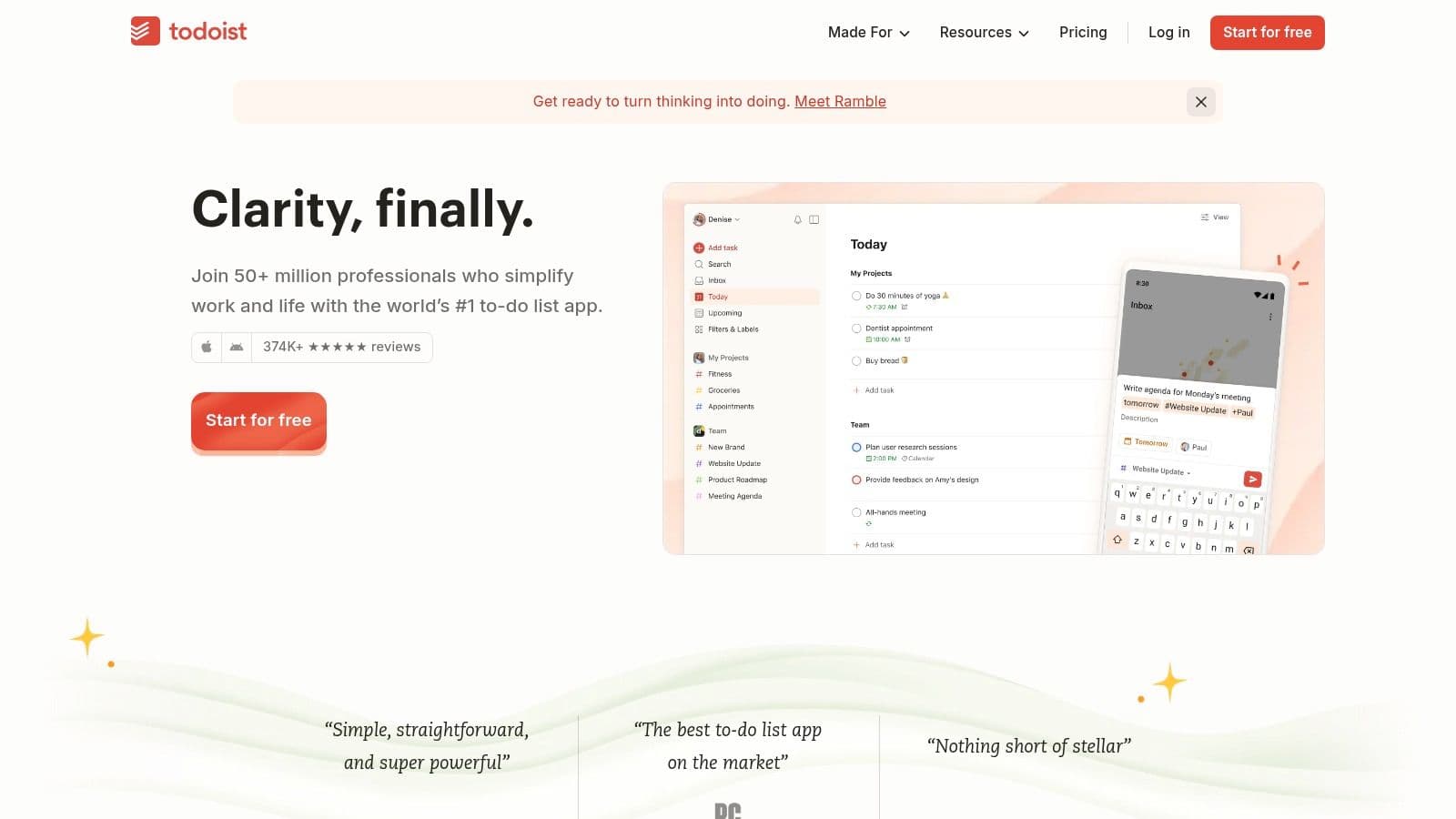
The whole platform is designed to get out of your way. It has a clean interface that you can organize with lists, Kanban boards, or a new calendar layout. You can organize everything with a simple system of labels, priorities, and powerful filters that let you create custom views like "all Priority 1 work tasks due this week." They've recently added things like task duration and an AI-powered Task Assist feature to help you break down bigger goals, which solidifies its spot as a top-notch tool for just getting things done.
Key Details
- Best For: Individuals looking for a simple but powerful task manager, users with ADHD who benefit from quick capture, and small teams needing basic shared to-do lists.
- Pros: The super-quick task capture and reliable syncing are top-notch. It's easy to learn, and its simple-but-structured design is often praised by people who need an ADHD-friendly workflow.
- Cons: Power users might find it a bit limiting for calendar-first workflows or need workarounds for complex recurring tasks, like something due on the "second Tuesday of the month."
- Pricing: There's a solid free plan for beginners. Paid plans start at $4 per user/month (billed annually) for the Pro plan, which gets you filters, reminders, and unlimited project history.
My advice for using Todoist effectively is to lean into its natural language processing for quick entry on the go. If you pair that with a consistent morning review of your "Today" and "Upcoming" views, you can build a really solid daily productivity habit.
Website: https://todoist.com/
4. Asana
Asana is a heavyweight in the world of work and project management, making it one of the best productivity apps for teams that need structured, scalable oversight. It's really engineered for managing complex workflows, giving you a clear view of who is doing what, and by when. Unlike more free-form tools, Asana gives you a solid framework for project, portfolio, and workload management, which is why it's a favorite for PMOs, operations, marketing, and product teams. It's great at turning big strategic goals into actual tasks and tracking progress across the whole company.
Its power is in its multiple project views (list, board, timeline, and calendar) and its ability to connect work to high-level company goals. They've recently introduced Asana AI to cut down on admin work. This includes AI-powered smart summaries, automatic status reports, and even "AI Teammates" that can help manage projects. The no-code AI Studio also lets teams build custom automations, saving a ton of time on routine tasks and reporting.
Key Details
- Best For: Teams and big companies that need structured project management, portfolio oversight, and clear goal tracking. Perfect for PMOs, marketing, and ops departments.
- Pros: It scales really well from small teams to huge enterprises with strong governance features. The new AI additions genuinely cut down on admin work and make reporting easier.
- Cons: The huge feature set can feel heavy or overwhelming for individuals or very small teams. Some of the more advanced AI and automation features might cost extra or require higher-tier plans.
- Pricing: There's a free Basic plan for individuals and small teams. Paid plans start at $10.99 per user/month (billed annually) for the Starter tier, which unlocks more advanced project management features.
To get started with Asana, I'd suggest importing a project from a spreadsheet or using one of their many pre-built templates for something like a product launch. This gives you a solid structure from the get-go and helps your team adopt good habits quickly.
Website: https://asana.com/
5. Trello
Trello holds its own as one of the best productivity apps by absolutely nailing the visual, Kanban-style workflow. Its strength is its simplicity. It organizes projects into boards, lists, and cards that are just intuitive and easy to move around. This simple approach makes it incredibly easy for teams to pick up, giving them instant clarity on who is doing what and where tasks are in the process. Instead of forcing you into a complicated system, Trello gives you a flexible visual canvas for tracking everything from editorial calendars to software development sprints.
As part of the Atlassian family, Trello has grown up a lot. It's more than just a simple board tool now. It has powerful automation through "Butler," which can handle routine stuff like moving cards and pinging team members. "Power-Ups" add more functionality, letting you integrate with tools like Slack, Google Drive, and Jira. On some plans, new AI features can even pull action items from emails or messages, which cuts down on manual data entry and keeps your board up-to-date with less effort.
Key Details
- Best For: Visual thinkers, small teams needing a simple project tracker, and individuals managing personal projects or straightforward business workflows.
- Pros: Extremely easy to start using with almost no learning curve. The visual Kanban layout is super intuitive. Power-Ups and integrations add a lot of capability without making it too complex.
- Cons: It can feel a bit limited for managing really complex, multi-team programs unless you're also using other Atlassian tools. The automation limits on lower-tier plans might mean you have to upgrade if you use them a lot.
- Pricing: There's a great free plan for individuals and small teams. Paid plans start at $5 per user/month (billed annually) for the Standard plan, which adds unlimited boards and advanced checklists.
A great way to start with Trello is to use it for one single, well-defined process, like a sales pipeline or a content creation workflow. Start with basic lists (e.g., To Do, Doing, Done) and then add more specific stages as you get the hang of it.
Website: https://trello.com/
6. ClickUp
ClickUp markets itself as the "one app to replace them all," and it really tries to be an all-in-one work hub for teams. It does a good job of packing an impressive range of features—like tasks, documents, whiteboards, goals, and time tracking—into a single platform. Its main advantage is just how much it can do, which lets companies centralize their work and use fewer scattered tools. This makes it a strong choice among the best productivity apps for operations-heavy teams that need a lot of customization and reporting.
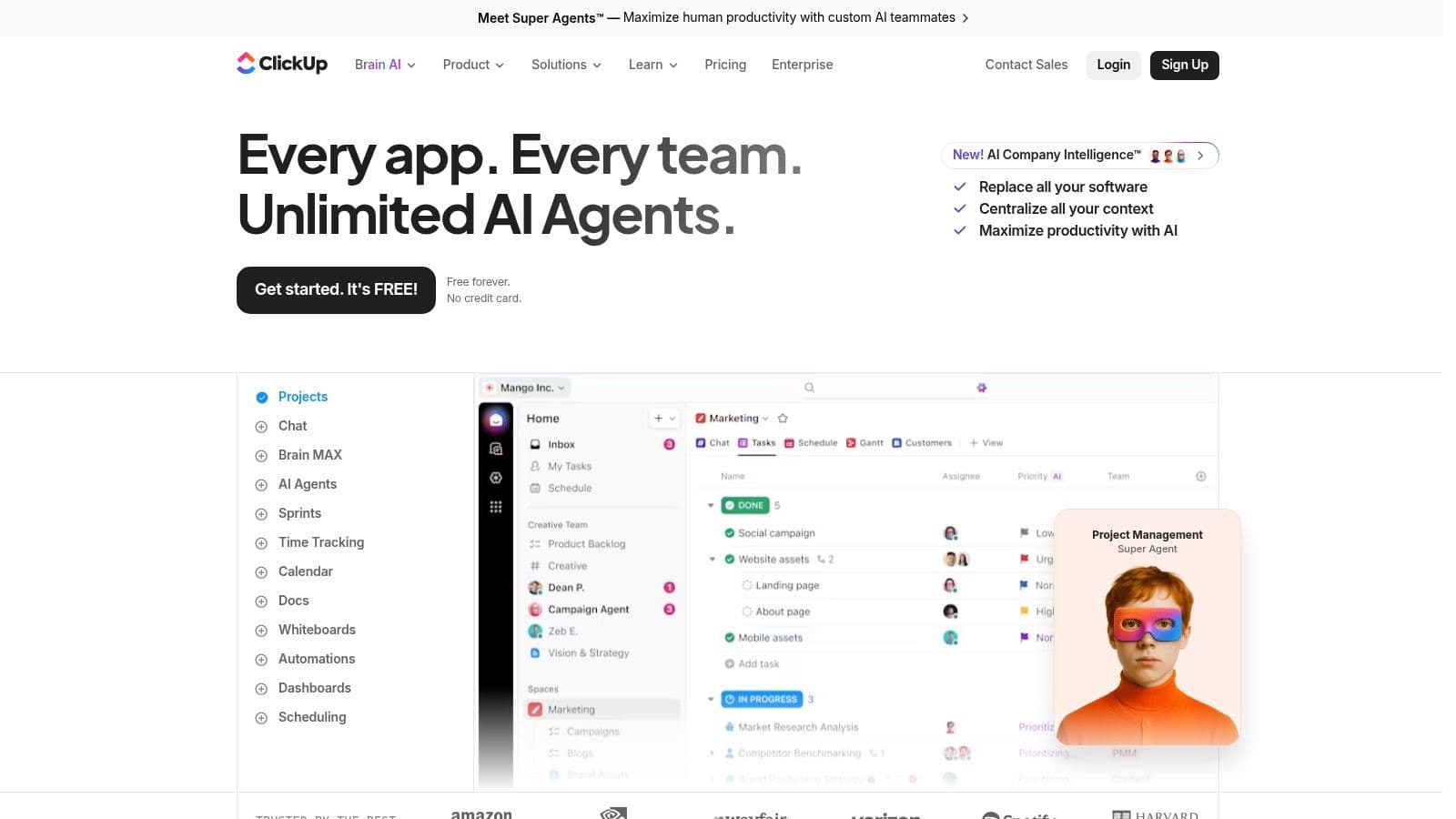
The platform gives you a high degree of control, with customizable task statuses, fields, and multiple project views like lists, boards, and calendars. Its automation builder is particularly strong, letting you create multi-step rules that save a lot of time on repetitive admin work. They've also recently added ClickUp Brain AI for summarizing content and generating task details, while built-in tools for goal tracking and dashboards give managers a clear view of team performance.
Key Details
- Best For: Growing teams trying to consolidate their software stack, project managers who need detailed control, and organizations with complex operational workflows.
- Pros: Its extremely broad feature set can replace a bunch of other apps. The automation and reporting options are powerful for managing complex processes. Multiple views for tasks cater to different work styles.
- Cons: The platform's complexity can be overwhelming for new users and might take a lot of setup. Some users have been frustrated with frequent plan changes and have found that AI features can be pricey add-ons.
- Pricing: A "Free Forever" plan is available with core features. Paid plans start at $7 per member/month (billed annually) for the Unlimited plan, which unlocks more storage and features.
To get started with ClickUp without feeling totally lost, I'd say focus on one core area first, like task management. Use a pre-built template for a simple project and just play around with the different views before you try to set up any advanced automations or dashboards.
Website: https://clickup.com/
7. Microsoft To Do
Microsoft To Do makes the list of best productivity apps by offering a clean, focused, and powerful task management experience, especially for anyone deep in the Microsoft 365 world. As the successor to Wunderlist, it takes a simple approach to personal and team tasks without the clutter of bigger project management platforms. Its real selling point is the deep, native integration with Outlook; flagged emails instantly become tasks, and you can manage your To Do tasks right from Outlook's desktop and web apps.
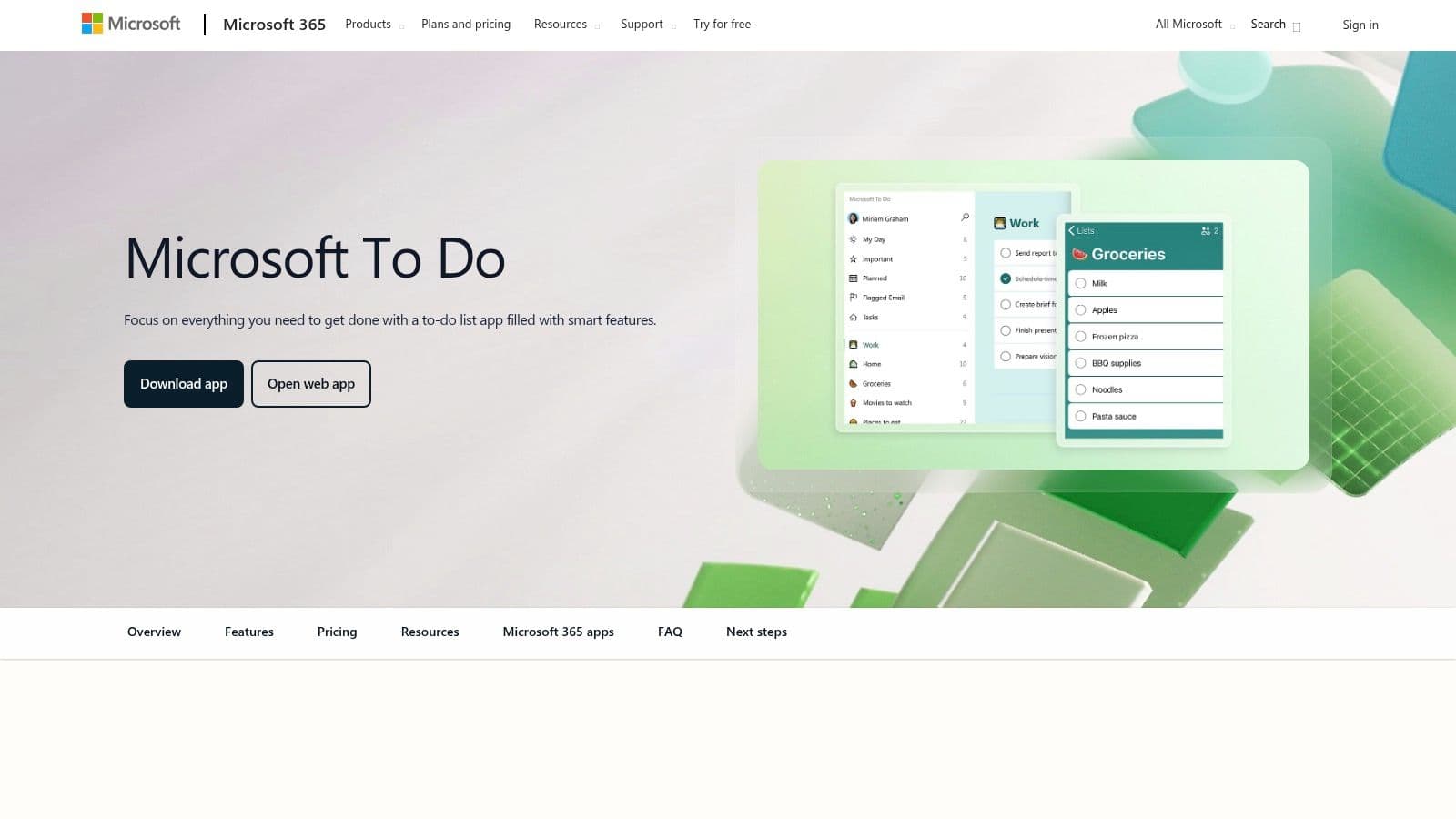
The app is built around simplicity and focus. The "My Day" feature gives you a clean slate every morning and intelligently suggests tasks from your lists that you might want to work on, which helps prevent feeling overwhelmed. While it doesn't have the complex databases of Notion or the advanced automation of other tools, its strength is that it just works. For people who live in Outlook and Teams, it's the easiest way to keep track of tasks reliably.
Key Details
- Best For: Individuals and teams heavily invested in the Microsoft 365 suite, users who want to turn Outlook emails into actionable tasks, and anyone needing a simple, free to-do list app.
- Pros: It's completely free for personal use and comes with business subscriptions. The seamless integration with Outlook is its killer feature, offering zero-friction task capture.
- Cons: The feature set is intentionally light, so it's not great for complex project management. For advanced reporting or automation, you'd need to use other Microsoft apps like Power Automate.
- Pricing: Free with a personal Microsoft account. Included with all Microsoft 365 business and enterprise plans.
To use Microsoft To Do well, really lean into the "My Day" feature as your daily dashboard. At the start of each day, check its suggestions and add your top priorities to this list. This creates a focused, manageable plan instead of trying to work from your entire backlog.
Website: https://www.microsoft.com/en-us/microsoft-365/microsoft-to-do-list-app
8. Google Workspace
Google Workspace is one of the best productivity apps because it offers a deeply integrated and familiar set of tools that millions of people already know how to use. It pulls together essentials like Gmail, Calendar, Drive, Docs, Sheets, and Meet into a single, cohesive ecosystem for business. This unity is its key advantage, providing real-time collaboration, centralized administration, and shared cloud storage that works seamlessly across all the apps. For both startups and established companies, it's a practical and powerful foundation for day-to-day work.
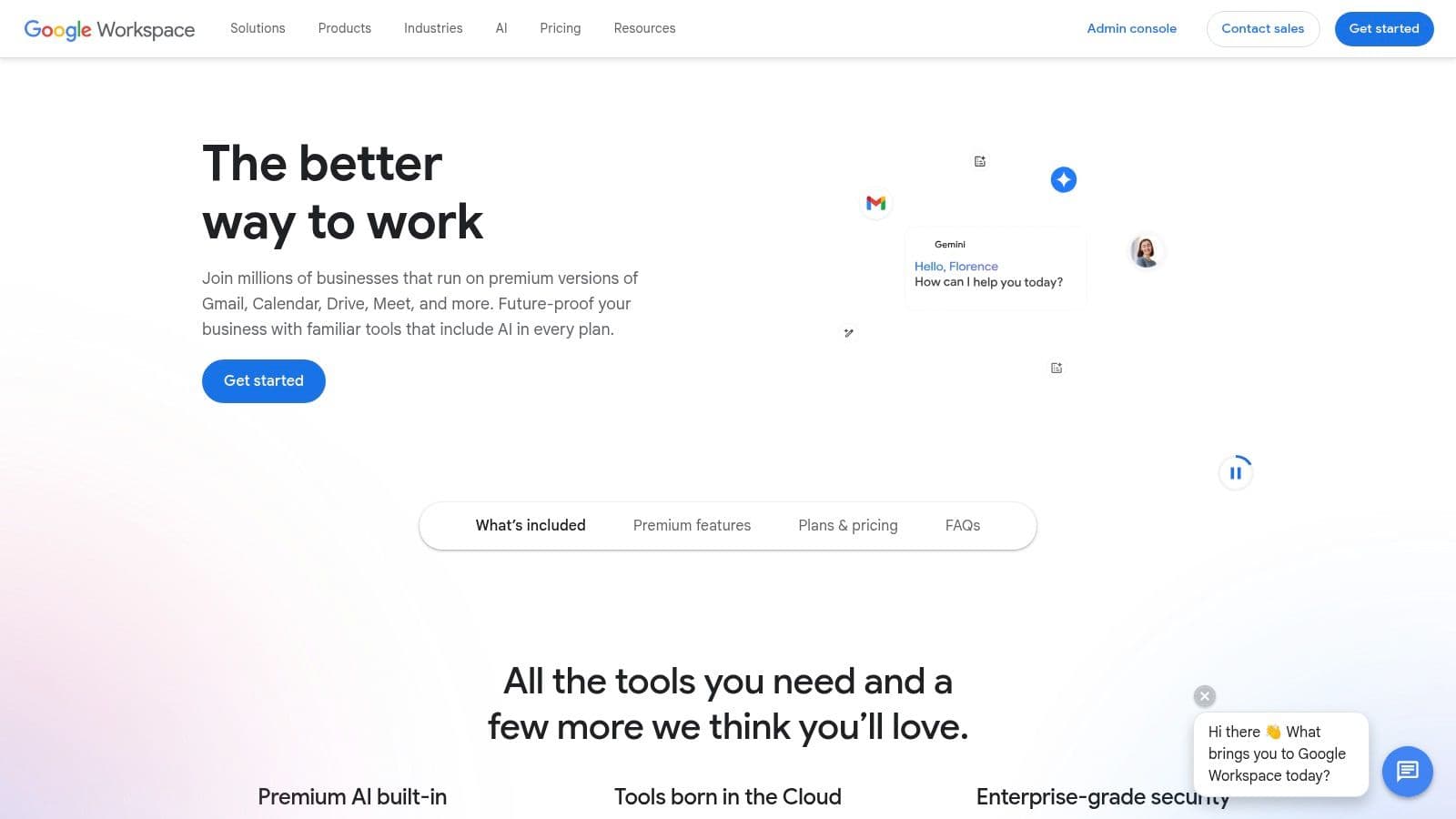
The whole platform is built for speed and accessibility. Team members can co-edit documents, hop on video meetings, and manage shared calendars with almost no learning curve. Its strength isn't so much about flashy new features, but more about how its existing, best-in-class tools work together so smoothly. With the recent addition of Gemini AI, you can now summarize email threads, generate text in Docs, and create formulas in Sheets, adding a layer of smart automation to an already solid platform.
Key Details
- Best For: Organizations of any size that need a reliable and integrated suite for email, communication, and document collaboration. Startups love its easy setup and scalability.
- Pros: The user interface is extremely familiar to most people, which means quick adoption. Real-time collaboration is fast and effective. It also has a massive ecosystem of third-party integrations.
- Cons: Advanced security, compliance, and archival features are usually locked behind the more expensive tiers. Storage limits can be a problem for teams with large files on the lower plans.
- Pricing: Free for personal use (with a @gmail.com address). Business Starter plans begin at $6 per user/month, with higher tiers that increase storage and add administrative controls.
To get the most out of Workspace, really lean into its integrations. Connect it with your project management tool or CRM to create automated workflows, like creating a Google Doc from a task or saving attachments directly to a specific Drive folder.
Website: https://workspace.google.com/
9. Sunsama
Sunsama carves out a unique spot in the crowded field of best productivity apps by focusing on intentional daily planning instead of just endless task lists. It's built around a guided ritual that helps you mindfully plan what you want to accomplish each day, pulling tasks from your other tools into a single, focused view. This day-centric approach encourages timeboxing and prevents the overwhelm that comes from a huge backlog of tasks, guiding you toward a more sustainable and calm workflow.
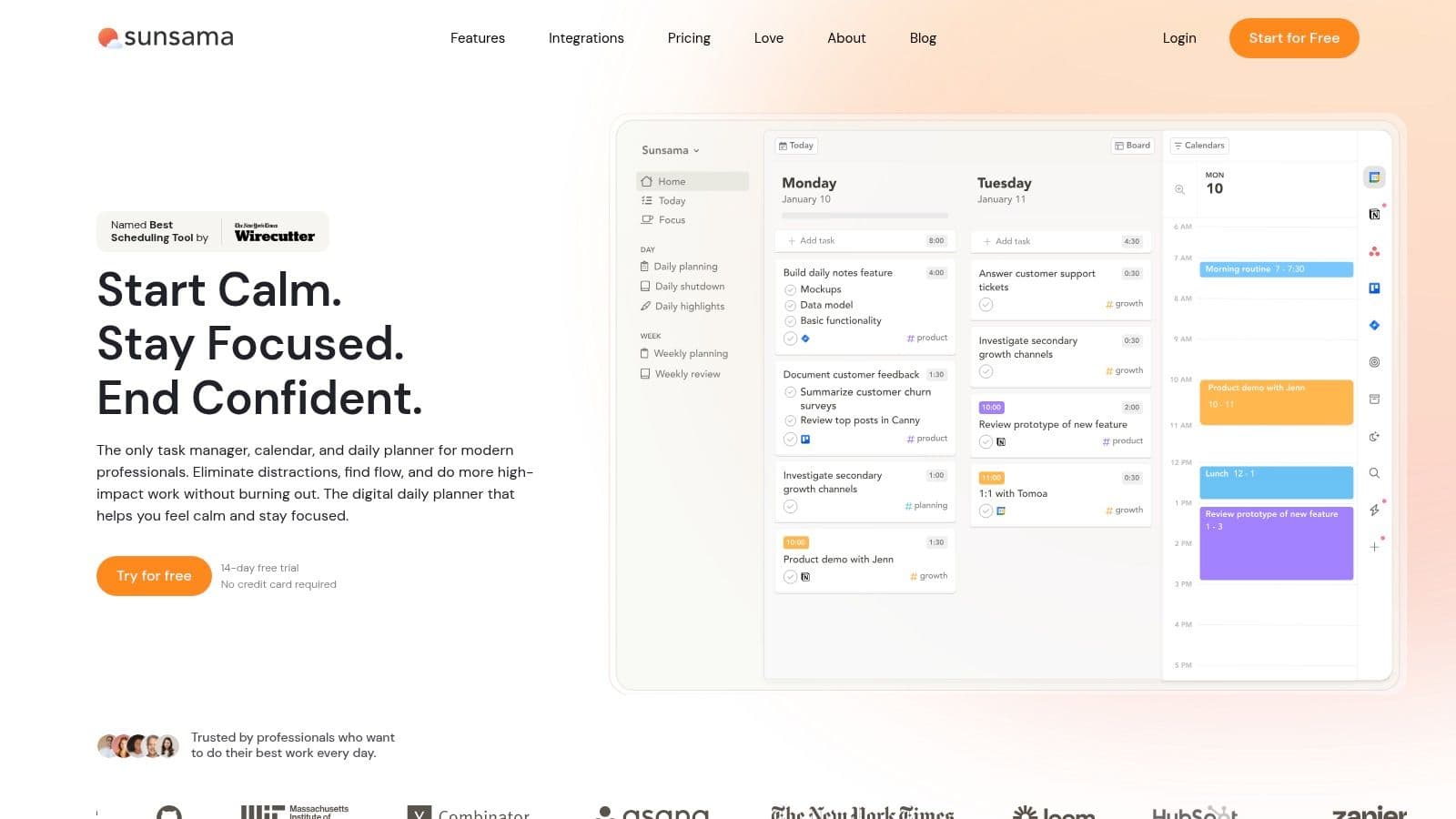
The app acts like a daily command center, especially for those of us who feel scattered across multiple systems like Slack, Trello, and our calendar. Its main job is to integrate with these tools, letting you drag tasks directly into your daily plan. The guided "plan your day" and "daily shutdown" workflows are central to the experience, creating boundaries between work and personal time. This structure is particularly effective for professionals trying to do deep work and for individuals with ADHD who benefit from clear, repeatable routines.
Key Details
- Best For: Busy professionals managing tasks from multiple sources, people with ADHD who need structure, and anyone trying to be more intentional with their time.
- Pros: The guided daily planning ritual really cuts down on overwhelm. It smoothly pulls tasks from multiple tools like Trello and Slack into a single daily plan. Excellent for building deep work habits.
- Cons: It doesn't have a free plan, so it's a paid product after the trial. It's optimized for individual daily planning, not for full-on team project management.
- Pricing: Sunsama offers a 14-day free trial. The single paid plan is $16 per month when billed annually, which includes all features.
To get the most out of Sunsama, you have to fully commit to its daily planning and shutdown rituals. Connecting all your main work tools (calendar, email, project management software) during setup is key to creating a unified view and avoiding constant context switching during the day.
Website: https://www.sunsama.com/
10. Motion (usemotion)
Motion makes the cut as one of the best productivity apps by acting as an AI-powered assistant for your schedule. It goes beyond a simple task list by automatically organizing your to-do items right onto your calendar. The app analyzes your tasks, meetings, and deadlines to build a realistic daily plan, and it intelligently shuffles things around when conflicts pop up. This core function is aimed at busy professionals who need to turn a long list of responsibilities into a workable agenda without spending hours planning by hand.
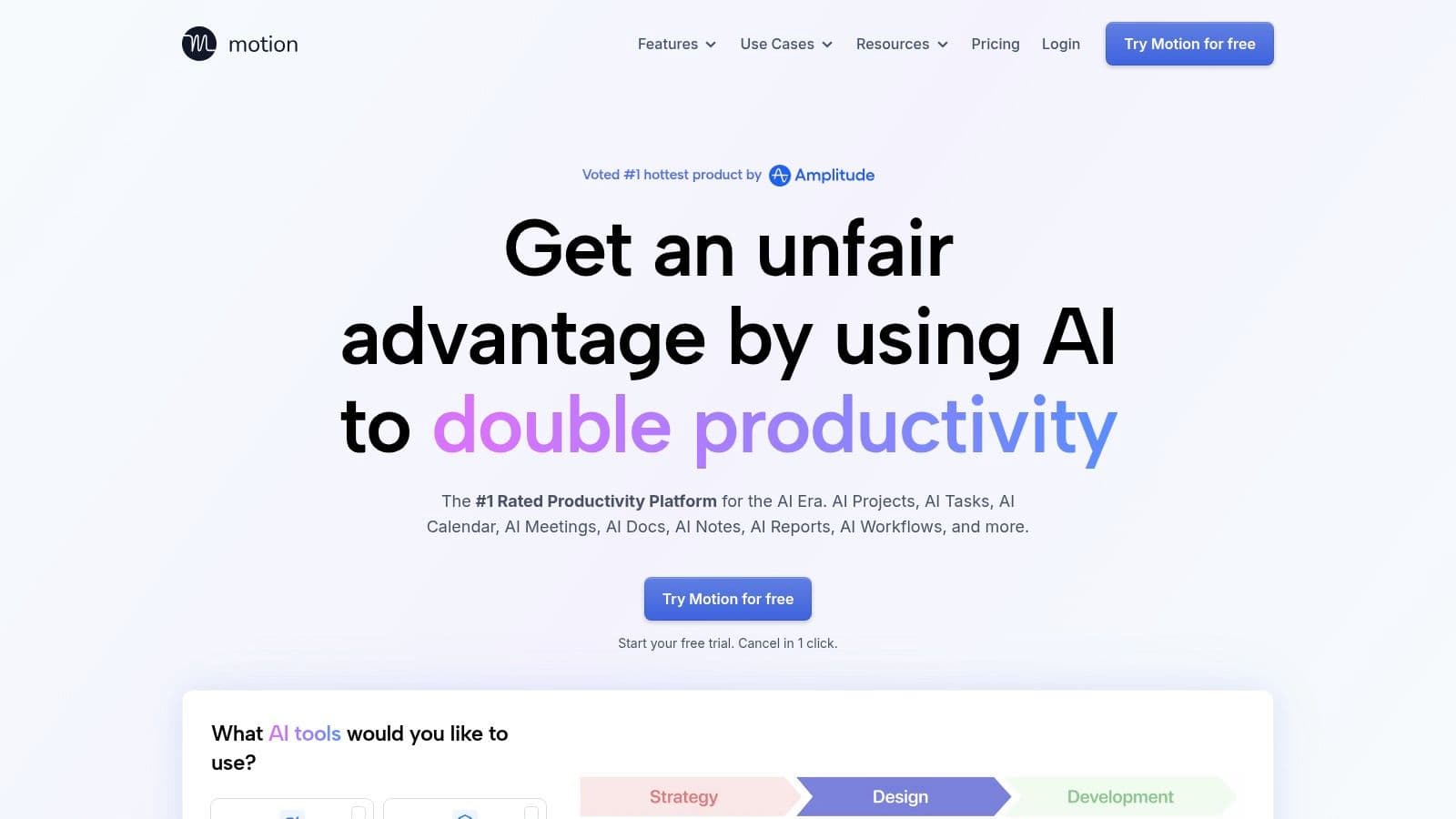
This tool is especially effective for executives, founders, and small teams who are drowning in tasks and meetings. By combining a project manager, calendar, and meeting scheduler, Motion creates a single source of truth for what needs to get done and when. Its AI assistant can even help draft emails or create meeting agendas, taking more cognitive work off your plate. To really benefit from it, you have to trust the algorithm to manage your time, which can be a big shift but can also dramatically reduce decision fatigue and protect your focus time.
Key Details
- Best For: Executives and founders with packed schedules, individuals who struggle with time-blocking, and teams needing automated task scheduling.
- Pros: Its automatic scheduling and rescheduling logic is a powerful way to build a realistic daily agenda. Combining task, project, and calendar management cuts down on tool switching.
- Cons: Pricing tiers have been known to change, so you should definitely check the current rates. Some users find that you have to fully commit to its system for it to work, which can be a tough adjustment.
- Pricing: Offers a 7-day free trial. The Individual plan is $19/month (billed annually), and the Team plan is $12 per user/month (billed annually).
To use Motion effectively, start by adding all your tasks with accurate deadlines and priority levels. The more data you give the AI, the smarter and more realistic your auto-generated schedule will become.
Website: https://www.usemotion.com/
11. Akiflow
Akiflow stands out as a top-tier productivity app for those who love speed and structure, building its whole experience around a powerful command bar and keyboard-driven workflow. It acts as a central hub by pulling tasks from various apps, emails, and messages into a single universal inbox. From there, you can rapidly sort, schedule, and time-block your entire day directly onto your calendar. This makes it an amazing tool for executing a pre-planned schedule with precision. Its real strength is helping you go from chaos to a focused, actionable plan with very little friction.
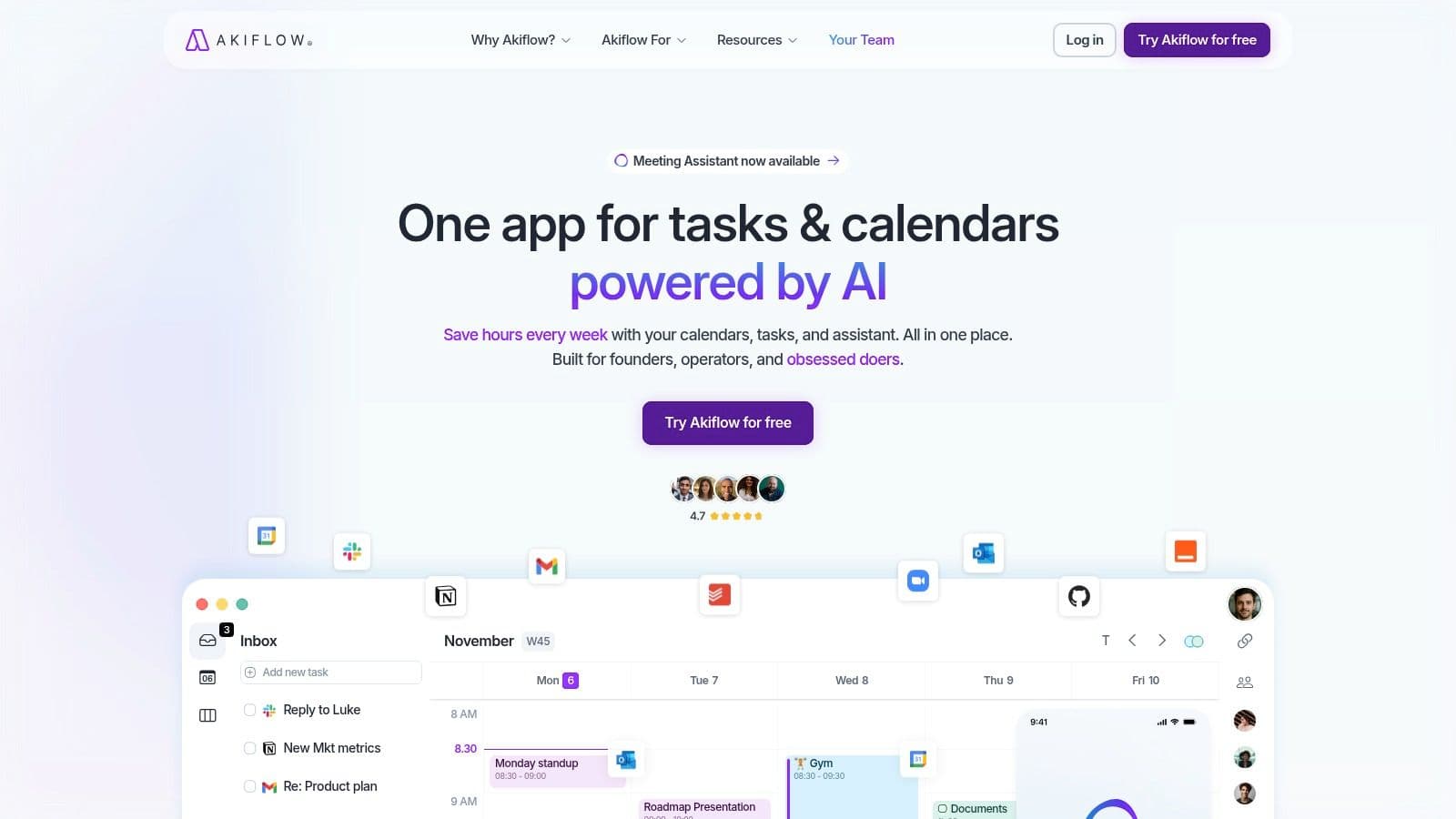
This platform is made for power users who want to manage their time, not just their tasks. By merging the to-do list and calendar, Akiflow makes sure that every task gets a specific time slot, a practice known as time-blocking. Features like guided daily and weekly planning rituals encourage consistent habits, while the built-in focus timer helps you execute your planned blocks without distraction. It's a system designed for people who think in terms of their calendar and want the fastest way to organize and work through their day.
Key Details
- Best For: Professionals managing high volumes of inputs, keyboard-centric power users, and anyone committed to a time-blocking methodology.
- Pros: The keyboard-first command bar is incredibly fast for capturing and scheduling tasks. Daily and weekly planning rituals create a strong, structured workflow. The universal inbox is great for centralizing action items.
- Cons: The price point is on the premium side for a task and calendar tool. Some users have reported mixed experiences with customer support and billing issues.
- Pricing: Akiflow offers a premium plan at $24.99 per month. A discount is available for annual billing, bringing the cost down to $14.99 per month.
To get the most out of Akiflow, you have to commit to using the command bar (Ctrl/Cmd + K) for everything. Take the time to connect your essential tools to the universal inbox so tasks don't fall through the cracks, and embrace the daily planning ritual to build a consistent habit.
Website: https://akiflow.com/
12. Superhuman (Superhuman Suite)
Superhuman earns its spot among the best productivity apps by completely rethinking email as a ridiculously fast, keyboard-centric experience. It started as a premium email client, but the Superhuman Suite now bundles that core product with Grammarly for AI writing help and Coda for collaborative documents. This combo aims to create a unified productivity hub built for speed, targeting professionals who live in their inbox and need to process communication with maximum efficiency. Its signature feature is the command-based interface that lets you archive, snooze, reply, and organize mail without ever touching your mouse.
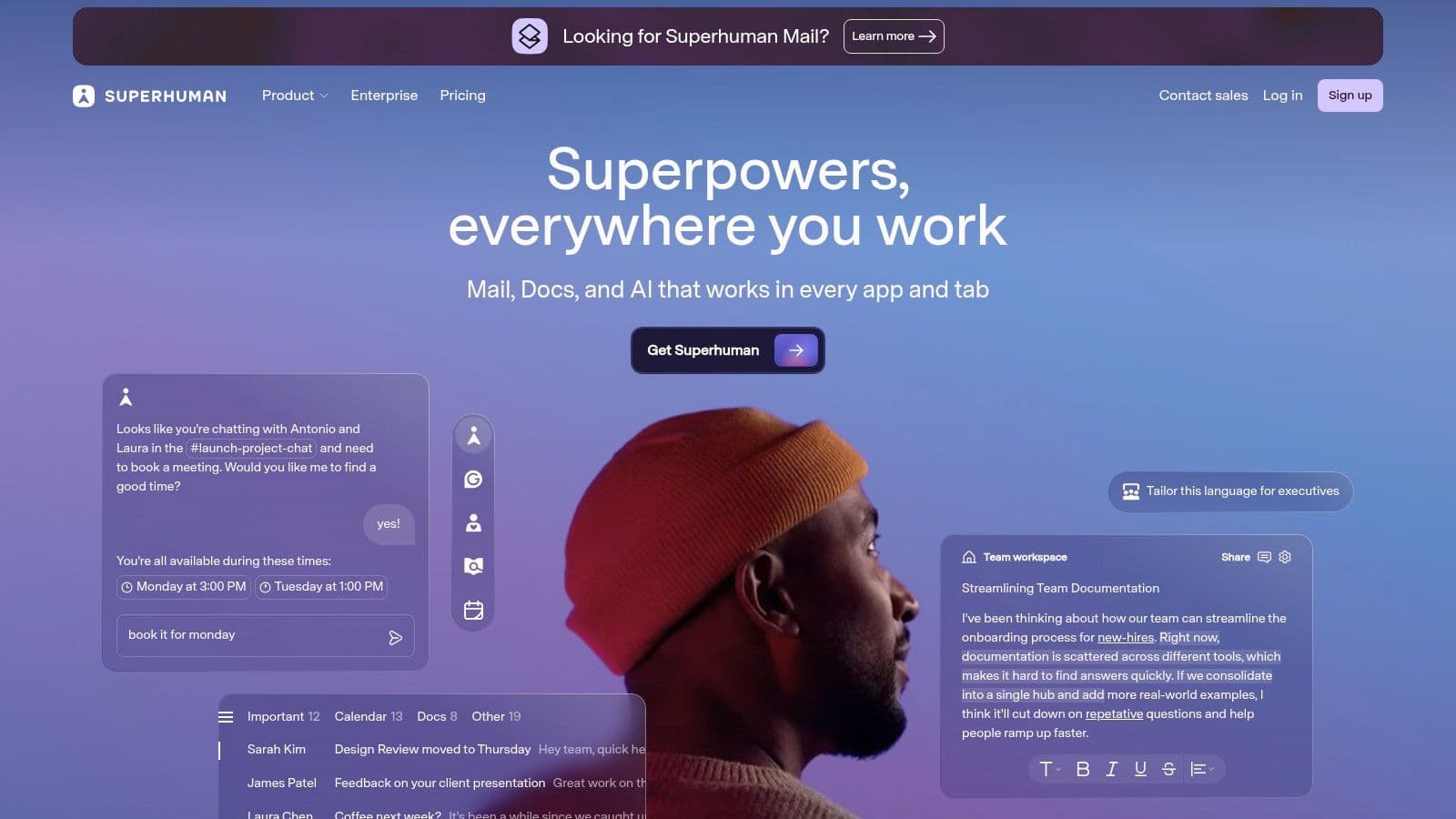
This suite is built for power users who see email as a series of tasks to be completed, not just messages to be read. AI features like Instant Reply and automatic summarization are baked right into the email workflow to reduce mental load and save time. Including Coda and Grammarly under a single subscription simplifies billing and provides a connected ecosystem, with an upcoming AI assistant called "Go" promising to provide proactive help across these bundled apps. The main draw is still its speed, which users often claim saves them hours every week.
Key Details
- Best For: Executives, salespeople, and anyone who deals with a high volume of email and values speed above all else.
- Pros: The keyboard-first email experience is exceptionally fast and can significantly cut down the time you spend in your inbox. Bundling email, AI writing, and docs under one subscription is convenient.
- Cons: The premium price tag means you have to really think about whether it's worth it compared to your current software. Some of the newer suite features and the "Go" assistant are still in beta or early development.
- Pricing: The full Superhuman Suite, which includes Superhuman Mail, Grammarly, and Coda, is priced at $49 per user/month. Pricing for the standalone email client may differ.
To get the most out of Superhuman, you absolutely have to commit to learning the keyboard shortcuts. The platform offers an interactive onboarding session to teach its core commands, and mastering them is the key to unlocking its full speed.
Website: https://superhuman.com/
Top 12 Productivity Apps Comparison
| Product | Core features | UX / Quality (★) | Price / Value (💰) | Target audience (👥) | Unique selling points (✨) |
|---|---|---|---|---|---|
| Fluidwave 🏆 | AI auto‑prioritization, multi‑view (list/board/calendar/table/cards), pay‑per‑task delegation, automations | ★★★★ | 💰 Free Forever (100 tasks) + Premium $10/mo (yrly) + pay‑per‑task delegation | 👥 Busy professionals, teams, neurodivergent users | ✨ Pay‑per‑task assistant marketplace, deep‑focus UI, saves 4+ hrs/wk |
| Notion | Pages, databases, Kanban/list/calendar, AI agents | ★★★★ | 💰 Freemium → per‑seat paid tiers | 👥 Knowledge teams, builders, docs + DB users | ✨ Highly customizable workspace + built‑in AI agents |
| Todoist | Fast capture, natural‑language dates, filters, boards | ★★★★ | 💰 Freemium + Premium plan | 👥 Individuals, day‑to‑day taskers, ADHD‑friendly workflows | ✨ Quick capture & reliable cross‑device sync |
| Asana | Tasks, timelines, portfolios, workload, AI Studio | ★★★★ | 💰 Freemium → Business/Enterprise tiers | 👥 PMOs, ops, product & marketing teams | ✨ Enterprise scaling, AI for summaries & automation |
| Trello | Visual Kanban boards, cards, Power‑Ups, Butler automation | ★★★ | 💰 Freemium + paid Power‑Ups/tiers | 👥 Visual thinkers, small teams, simple projects | ✨ Extremely easy adoption; flexible Power‑Ups |
| ClickUp | Tasks, docs, dashboards, automations, time tracking | ★★★★ | 💰 Freemium → feature‑rich paid plans | 👥 Teams wanting tool consolidation | ✨ Very broad feature set + powerful automations |
| Microsoft To Do | My Day, reminders, recurring tasks, Outlook sync | ★★★ | 💰 Free (personal) / Included with M365 | 👥 Microsoft ecosystem users, individuals | ✨ Native Outlook/Exchange integration |
| Google Workspace | Gmail, Calendar, Drive, Docs/Sheets/Slides, Meet | ★★★★ | 💰 Per‑user tiers; admin/security add‑ons | 👥 Startups, SMBs, collaboration‑focused orgs | ✨ Familiar suite + Gemini AI integrations |
| Sunsama | Daily planning ritual, timeboxing, multi‑tool intake | ★★★★ | 💰 Paid only (no free plan) | 👥 Busy pros, planners, ADHD users | ✨ Guided daily plan & shutdown workflow |
| Motion (usemotion) | Automatic task scheduling, dynamic calendar optimization | ★★★★ | 💰 Paid plans (verify current rates) | 👥 Execs, founders, small teams needing auto‑scheduling | ✨ Auto‑schedules tasks around meetings and deadlines |
| Akiflow | Command bar, universal inbox, calendar blocking, quick capture | ★★★★ | 💰 Premium pricing | 👥 Power users, keyboard‑centric planners | ✨ Command‑bar first, ultra‑fast capture & time‑blocking |
| Superhuman (Suite) | Keyboard‑first email, AI writing, docs, AI assistant "Go" | ★★★★ | 💰 Premium subscription | 👥 Heavy email users, professionals valuing speed | ✨ Instant Reply, auto‑summaries, cross‑app AI assistant |
Final Thoughts
Navigating the jam-packed market of productivity software can feel like a full-time job in itself. We've walked through a dozen of the best productivity apps, from big project management hubs like Asana and ClickUp to focused, AI-driven daily planners like Motion and Sunsama. Each one has its own philosophy on how to organize work, manage time, and ultimately, hit your goals.
The main takeaway is this: there's no single "best" app for everyone. The right solution depends completely on your specific situation. A freelance designer has totally different needs than a C-suite executive or a project manager coordinating a team of twenty. The real power isn't in the software itself, but in how well it fits with your personal workflow, team dynamics, and how you think.
How to Choose Your Productivity System
Making the right choice means taking a moment to think about your own needs before you commit. Don't just chase the app with the most features; instead, focus on the one that solves your biggest problems with the least amount of hassle.
Ask yourself these questions:
- What's my biggest pain point? Am I drowning in tasks (Todoist, Microsoft To Do)? Struggling to manage complex projects (Asana, Trello, ClickUp)? Or just failing to protect my focus time (Sunsama, Motion, Akiflow)? Figure out the core issue first.
- Do I work alone or with a team? Solo workers might love the simplicity of a personal task manager, while teams need strong collaboration features, permissions, and reporting like you'd find in tools like Asana or our own Fluidwave.
- What's my budget? A lot of the best productivity apps have generous free tiers that are perfect for getting started. But be realistic about the features you'll eventually need and whether the paid plans fit your budget.
- How much customization do I need? Power users who love building their own systems from scratch will feel right at home in Notion or ClickUp. If you'd rather have a more structured, opinionated system that just works, something like Sunsama or Fluidwave might be a better fit.
Implementation: The Key to Success
Just downloading an app won't magically make you more productive. To really make it work, you need a plan. Start by moving one small, manageable part of your workflow into the new app. Instead of trying to move your entire life's work over in one night, just try using it for a single project or for your personal to-do list for a week.
This slow-and-steady approach lets you learn the tool without feeling overwhelmed. It also gives you a clear sense of its strengths and weaknesses in a real-world scenario. As you get more comfortable, you can gradually bring more of your work into it. Also, don't forget to think about how other tools can support your main system. For instance, while you're looking at ways to be more efficient, consider how new AI solutions like Poppy AI could help out with content creation and communication tasks.
The ultimate goal is to build a productivity system, not just to use a productivity app. This system should feel natural, reduce mental clutter, and give you a clear, actionable view of what needs to be done. The search for the perfect tool is a personal journey, but with the insights from this guide, you're now equipped to make a good decision and take a real step toward mastering your time and attention.
Ready to unify your team’s projects, tasks, and communication in one intuitive platform? Fluidwave was designed to eliminate the chaos of juggling multiple apps. See how our streamlined approach to project management can bring clarity and focus to your team’s workflow. Start your free trial of Fluidwave today.
Focus on What Matters.
Experience lightning-fast task management with AI-powered workflows. Our automation helps busy professionals save 4+ hours weekly.