In 2025, remote work remains a dominant model. Studies show intentional remote practices can boost productivity and well‑being—one randomized experiment found a 13% productivity gain—when teams adopt clear processes and tools1. This guide presents nine practical practices you can apply today to improve focus, collaboration, and team culture.
August 8, 2025 (1y ago) — last updated April 19, 2026 (5mo ago)
Remote Work Best Practices 2025
Nine proven remote‑work practices to boost productivity, collaboration, and well‑being with actionable steps for 2025.
← Back to blog
Remote Work Best Practices 2025
In 2025, remote work remains a dominant model for many teams. Studies show remote arrangements can increase productivity—one randomized experiment reported a 13% productivity gain—when paired with intentional processes1. Remote and hybrid roles are still common across knowledge‑work sectors, and teams that adapt their practices see the biggest gains in performance and well‑being2.
This guide moves beyond generic advice to deliver nine practical, battle‑tested strategies for time‑starved professionals. While execution starts with individuals, leadership shapes the environment where distributed teams thrive. For leadership tactics, see our remote leadership guide or the detailed external resource linked below.
From clear communication protocols to measuring outcomes instead of hours, each practice includes actionable steps you can adopt today. Let’s dive into the rules for peak remote performance.
1. Establish Clear Communication Protocols
Successful remote teams rely on predictable, purposeful communication rather than constant contact. A documented communication plan removes guesswork and reduces digital anxiety. Assign a clear purpose to each tool so conversations happen in the right place and important information is easy to find1.
Example assignments: instant messaging for quick, informal updates; email for formal external messages; project management tools for task‑specific discussions and status. This creates a single source of truth and reduces duplicated conversations.

How to Implement This Practice
- Define channels and expectations: Document which tool to use for which purpose and set response-time norms, such as a 4‑hour window for non‑urgent messages to protect deep work.
- Default to asynchronous: Prioritize async updates so teammates across time zones can respond thoughtfully.
- Standardize meetings: Use predictable cadences—short daily stand‑ups for alignment and weekly check‑ins for broader updates—to reduce ad‑hoc calls.
Public examples from distributed companies like GitLab and Buffer show how written guidelines scale communication across time zones.
2. Create a Dedicated Workspace
Your physical environment shapes attention and mood. A dedicated workspace signals your brain to switch into work mode and to unplug when the day ends. It doesn’t need to be a separate room; a consistent corner with the same setup works well.

How to Implement This Practice
- Invest in ergonomics: Choose a supportive chair and a desk at the right height to reduce strain.
- Control sensory input: Use noise‑canceling headphones, maximize natural light, and add plants to improve well‑being.
- Establish “work mode” cues: Keep the space tidy and put away work materials at day’s end to signal shutdown.
Intentional workspace design supports deep focus and healthier boundaries. For affordable options, many teams reference vendors like IKEA for ergonomic basics.
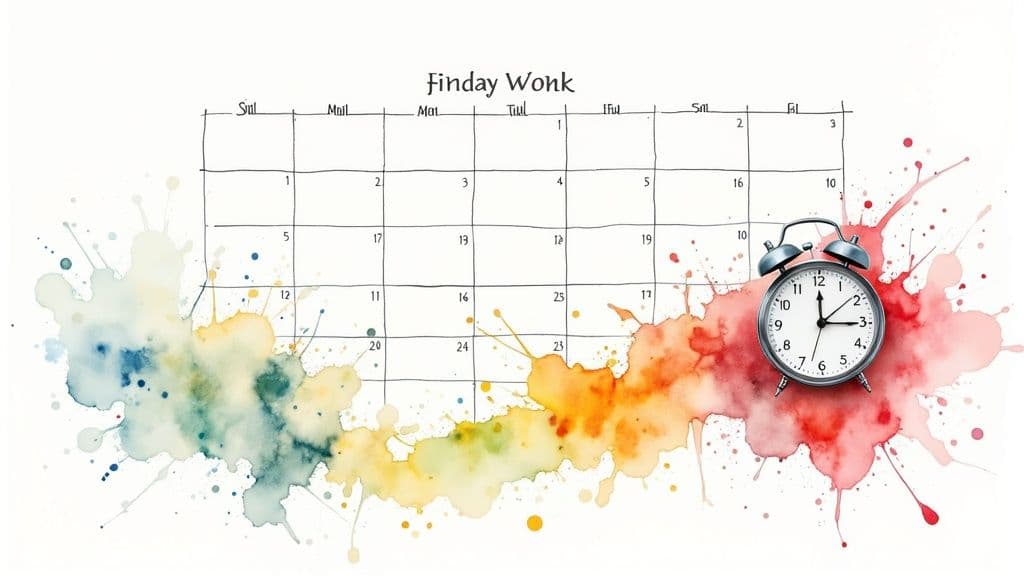
3. Implement Time Blocking and Calendar Management
Time blocking turns your calendar into a proactive tool for focus and balance. Assign specific blocks for deep work, meetings, and breaks so your schedule protects priority tasks rather than letting meetings dictate the day6.
How to Implement This Practice
- Protect peak hours: Identify when you’re most productive and reserve that time for focused work; use calendar features to block meetings.
- Color‑code activities: Use colors for deep work, meetings, and admin tasks to get a quick view of your day.
- Schedule buffers and breaks: Add short gaps between meetings to avoid back‑to‑back fatigue.
Start with a weekly template and adjust after a few cycles to fit your personal rhythm. Companies that champion deep work encourage employees to manage focus time while keeping essential collaboration available.
4. Maintain Regular Work Hours and Boundaries
Without an office, work can creep into personal time. Define start and end times and share availability with your team to avoid an “always on” culture. Clear boundaries support long‑term well‑being and sustainable performance3.
How to Implement This Practice
- Communicate availability: Publish your working hours in calendars and status messages to set expectations.
- Create a shutdown ritual: End the day with a short routine—review tomorrow’s priorities or tidy your workspace—to signal closure.
- Leverage technology: Use Do Not Disturb modes and consider separate work profiles to create digital boundaries.
These routines protect focus during work hours and help you recharge when the day ends. France’s “right to disconnect” is a legal example of supporting boundaries at scale3.
5. Use Project Management and Collaboration Tools Effectively
A clear software stack and documented workflows create a centralized operating system for distributed work. Typical stacks include Asana or Trello for tasks, Google Workspace for documents, and Slack for real‑time chat. Define each tool’s role to avoid overlap.

How to Implement This Practice
- Choose an integrated stack: Pick tools that connect with your calendar, chat, and files to reduce friction.
- Document workflows and train: Create short runbooks on how each tool is used and onboard new hires to those standards.
- Automate and optimize: Use automations for repetitive work and review usage periodically to remove bottlenecks.
A well‑managed toolkit supports asynchronous work and keeps progress visible. Explore integrations in your existing stack to reduce context switching.
6. Prioritize Video Communication and Face‑to‑Face Interaction
Asynchronous work is powerful, but face‑to‑face interaction preserves nonverbal cues and trust. Use video for one‑on‑ones, brainstorming, and critical project discussions while keeping routine updates asynchronous. That balance helps reduce misunderstandings and maintain rapport5.
How to Implement This Practice
- Adopt a video‑first guideline: Use video for check‑ins and complex discussions where tone and nuance matter.
- Invest in quality: Encourage decent webcams, microphones, and lighting to reduce distractions.
- Schedule camera‑off time: Mix in audio‑only meetings to prevent fatigue.
Structured in‑person or video‑first rituals, such as virtual retreats, help maintain culture and connection at scale7.
7. Develop Strong Self‑Discipline and Accountability Systems
Remote work requires dependable systems to sustain momentum. Self‑discipline isn’t micromanagement; it’s about turning goals into measurable actions. Tools like RescueTime can show where your time goes, and a weekly review keeps objectives visible. For principles on focused work, see Cal Newport’s work on deep focus6.

How to Implement This Practice
- Set clear daily and weekly goals: Pick 1–3 critical tasks each day to prevent reactive work.
- Use an accountability partner: Swap weekly check‑ins with a colleague to share progress and blockers.
- Celebrate small wins: Publicly acknowledge progress to reinforce positive habits.
Personal systems help you deliver consistently without constant oversight.
8. Focus on Results and Outcomes Rather Than Hours Worked
Measure productivity by outcomes, not time spent. Clear, measurable goals build trust and autonomy, allowing people to align schedules to their peak performance and personal needs. This approach requires targets, roles, and regular progress reviews4.

How to Implement This Practice
- Set measurable goals: Use SMART criteria so success is clear.
- Balance flexibility with accountability: Allow schedule flexibility while keeping outcome‑based check‑ins.
- Reframe performance reviews: Assess impact and problem‑solving rather than attendance.
When outcomes matter more than hours, organizations foster autonomy and higher job satisfaction. The Results‑Only Work Environment (ROWE) framework offers a practical blueprint for this shift4.
9. Build and Maintain Company Culture Virtually
Culture can thrive without a central office if it’s intentional. Translate rituals to digital formats and create virtual‑native traditions. Examples include dedicated non‑work channels, regular social events, and virtual retreats to reinforce values and belonging7.

How to Implement This Practice
- Schedule regular social events: Host activities that aren’t work‑related to build bonds.
- Create informal spaces: Designate channels for casual conversation and personal updates.
- Recognize publicly: Celebrate birthdays, anniversaries, and achievements to reinforce appreciation.
Consistent rituals woven into weekly rhythms help sustain engagement and belonging across distributed teams.
9 Best Practices for Remote Work — Comparison
| Practice | Implementation Complexity | Resource Requirements | Expected Outcomes | Ideal Use Cases | Key Advantages |
|---|---|---|---|---|---|
| Establish Clear Communication Protocols | Moderate | Low to moderate | Reduced miscommunication | Remote teams needing structure | Improved accountability |
| Create a Dedicated Workspace | Moderate | Moderate to high | Better focus, work‑life boundaries | Home workers with space | Productivity gains |
| Implement Time Blocking & Calendar Mgmt | Moderate | Low | Focused work, less switching | Professionals juggling tasks | Clarity on availability |
| Maintain Regular Work Hours & Boundaries | Low to moderate | Low | Better balance | Teams needing routine | Prevents burnout |
| Use Project Management & Collaboration Tools | Moderate to high | Moderate | Transparent workflows | Teams needing coordination | Accountability |
| Prioritize Video Communication | Moderate | Moderate | Stronger relationships | Teams needing rich interaction | Maintains culture |
| Develop Self‑Discipline & Accountability | High | Low | Increased productivity | Self‑managed workers | Professional growth |
| Focus on Outcomes Rather Than Hours | Moderate | Low | Higher satisfaction | Results‑driven orgs | Flexibility |
| Build & Maintain Virtual Culture | High | Moderate | Improved engagement | Distributed teams | Belonging |
Integrating These Practices for a Fluid Workflow
Mastering remote work is an ongoing process. The nine strategies form an interconnected system: a dedicated workspace supports boundaries; clear communication enables outcome‑focused work; and good tooling underpins reliable collaboration. Start with a single high‑impact change—time blocking if your day feels fragmented, or more video interaction if you feel disconnected—and iterate from there.
Building Your Remote Work Flywheel
- A dedicated workspace makes it easier to maintain boundaries and signal focus.
- Effective project management tools help shift teams toward outcomes by making progress visible.
- Clear communication protocols are the foundation for a resilient virtual culture.
Small, steady changes compound into major gains in efficiency and well‑being. To explore platform options that combine project management and communication, consider solutions like Fluidwave.
Ready to elevate your remote collaboration? The right practices and tools make the difference.
Frequently Asked Questions
Q: How do I set communication protocols that the whole team will follow?
A: Start by mapping each tool to a specific purpose, document expectations in a short playbook, set response‑time norms, and review the rules quarterly. Small, documented standards reduce friction and improve clarity.
Q: How can I prevent burnout while working remotely?
A: Protect focus time with calendar blocks, establish consistent work hours, use a shutdown ritual at day’s end, and schedule breaks between meetings. Shared team norms about availability also help prevent an always‑on culture3.
Q: What’s the best way to measure remote employee performance?
A: Focus on measurable outcomes and deliverables rather than hours. Use SMART goals, regular check‑ins, and transparent progress tracking so contributions are assessed by impact and not presence4.
1.
Bloom, Nicholas, et al. Does Working from Home Work? Evidence from a Chinese Experiment. The Quarterly Journal of Economics 130, no. 1 (2015): 165–218. See findings on productivity gains. [https://www.stanford.edu]
2.
Buffer. The State of Remote Work 2023. Data and trends on remote and hybrid work adoption. [https://buffer.com/state-of-remote-work/2023]
3.
Loi n° 2016‑1088 du 8 août 2016 relative au travail; French “right to disconnect.” [https://www.legifrance.gouv.fr/]
4.
Ressler, Cali and Jody Thompson. It’s Your Company… Not Your Employees: ROWE (Results‑Only Work Environment). ROWE framework resources. [https://www.roweonline.com/]
5.
Bailenson, Jeremy. Why video meetings can be tiring—and how to make them better. Harvard Business Review, 2020. [https://hbr.org/2020/04/why-zoom-fatigue-is-a-real-thing]
6.
Newport, Cal. Deep Work: Rules for Focused Success in a Distracted World. Grand Central Publishing, 2016. Principles for focused work. [https://www.calnewport.com/books/deep-work/]
7.
Zapier. Remote culture and virtual retreats. Examples of virtual culture practices. [https://zapier.com/blog/]
Focus on What Matters.
Experience lightning-fast task management with AI-powered workflows. Our automation helps busy professionals save 4+ hours weekly.