Tired of planners that just don't work? Discover what makes the best planner for ADHD adults and find a system built to calm the chaos and boost focus.
January 30, 2026 (6mo ago)
The Best Planner for ADHD Adults Who've Tried Everything
Tired of planners that just don't work? Discover what makes the best planner for ADHD adults and find a system built to calm the chaos and boost focus.
← Back to blog
Best ADHD Planner for Adults: Brain-Friendly System
Summary: Discover a brain‑friendly planner built for ADHD adults with intelligent prioritization, persistent reminders, and easy delegation to calm chaos and boost focus.
If you’ve ever bought a gorgeous planner in February only to abandon it weeks later, you’re not alone. For ADHD adults, the problem isn’t style—it’s that most planners don’t fit how your brain actually works. This guide explains what to look for in an ADHD‑friendly planner and how to build a system that reduces overwhelm, boosts focus, and actually gets things done.
Why Traditional Planners Don’t Work for ADHD Brains
Think of your brain as a super-fast computer with a few hundred browser tabs open at once. It’s incredibly creative and can make lightning‑quick connections between ideas, but it’s also easy to get overwhelmed and lose track of which tab holds the most important task. That’s a pretty good picture of the ADHD experience.

A standard planner, on the other hand, is designed for a single‑tab workflow. It expects you to list your tasks from A to Z and follow through in that exact order. For someone with ADHD, this rigid approach often creates more anxiety than it solves.
The Executive Function Mismatch
The root of this disconnect lies in a clash with our executive functions—the mental control panel responsible for planning, prioritizing, and getting things done. When these skills are a challenge, you run into some all‑too‑familiar roadblocks:
- Task Paralysis: A long to‑do list feels like a brick wall, leaving you completely unable to start.
- Time Blindness: You consistently underestimate how long things will take, leading to a schedule that’s always packed too tight.
- Prioritization Problems: Everything feels equally urgent, making it impossible to decide what to do first.
This isn’t a personal failing. It’s simply the result of using the wrong tool for the job. You can get a deeper understanding of this by reading up on what is executive function and the role it plays in our daily lives. A planner that requires perfect organization from a brain that struggles with it is a recipe for failure. 4
A Growing Demand for Smarter Tools
Thankfully, the world is catching on. There’s a growing awareness that neurodivergent folks need better tools, which has led to some exciting new developments. The global market for ADHD planner apps was valued at roughly USD 563 million and is expected to hit USD 1.1 billion by 2030. 1 That kind of growth sends a clear message: people are actively looking for specialized digital solutions that actually help.
“The goal isn’t to find a planner that will 'fix' your brain. It’s to find an external support system that helps you navigate the noise, harness your unique strengths, and ditch the guilt that comes with trying to force a system that was never built for you.”
The growth in the market cited below emphasizes the demand for tools that lessen cognitive load, not add to it. 2
The Core Features of an ADHD‑Friendly Planner
To find a planner that actually works for an ADHD brain, we have to toss out conventional wisdom. A truly supportive planner is more than a glorified to‑do list; it’s an external executive function system, a partner that helps manage the chaos. Forget about the bells and whistles—the best tools are built on clarity and reduce the mental load, not add to it.
This means we need to look for a handful of non‑negotiable features. These aren’t just nice‑to‑haves; they directly counteract common ADHD challenges like overwhelm, decision paralysis, and the struggle to just get started. Let’s dig into the four pillars of a genuinely ADHD‑friendly planner.
A Minimalist, Low‑Distraction Interface
Visual clutter is the kryptonite of focus. For a brain that’s already a whirlwind of thoughts, a busy planner interface—crammed with colors, buttons, and pop‑ups—is like trying to whisper in a hurricane. It’s a one‑way ticket to overwhelm, making it impossible to spot what actually needs your attention.
The most effective planners embrace a clean, minimalist design. Think ample white space, simple typography, and a layout so intuitive you don’t need a tutorial. The whole point is to turn down the visual noise so you can zero in on what matters without getting pulled down a rabbit hole.
Intelligent Prioritization Features
One of the heaviest burdens for adults with ADHD is decision fatigue. That’s the mental burnout you feel from making endless choices. When every single task on your list screams for attention with the same urgency, the brain just short‑circuits. The result? Task paralysis, where you end up doing nothing at all.
A good ADHD‑friendly planner has to cut through that mental fog for you.
“A planner shouldn’t just hold your tasks; it should help you decide what to do next. This is where intelligent prioritization is a total game‑changer, acting as an external filter when your own is overloaded.”
Look for tools that make sorting and ranking tasks almost effortless—whether through smart suggestions, clear visual cues, or automated filtering. The system should do the heavy lifting of organizing your day, so you don’t have to.
Must‑Have Features in an ADHD Planner
Use this checklist to see how ADHD‑friendly features directly solve common planning frustrations.
| Essential Feature | Why It Works for ADHD | Traditional Planner Pitfall |
|---|---|---|
| Minimalist UI | Reduces visual overwhelm and sensory overload, making it easier to focus on one thing at a time. | Cluttered pages, too many stickers, and complex layouts create distraction and anxiety. |
| Auto‑Prioritization | Fights decision fatigue by sorting tasks for you, preventing the “where do I even start?” freeze. | A long, unstructured list where every task feels equally important and urgent. |
| Persistent Reminders | Counteracts “out of sight, out of mind” by ensuring important tasks stay on your radar until completed. | A single, easy‑to‑dismiss notification that gets forgotten seconds later. |
| Delegation Tools | Helps overcome the “wall of awful” by providing a low‑friction way to get a task moving. | No mechanism for help; you’re on your own, which can make small hurdles feel insurmountable. |
Flexible and Persistent Reminders
The saying “out of sight, out of mind” is a literal, daily reality for many of us with ADHD. If a task isn’t right in front of you, it might as well not exist. This is exactly why a single, polite notification is almost useless—it’s swiped away and forgotten in an instant.
A planner built for an ADHD brain needs a reminder system with some real teeth. That includes:
- Customizable Alerts: The ability to set several reminders for one critical task.
- Persistent Notifications: Alerts that stick around and won’t vanish until you actively deal with them.
- Contextual Cues: Reminders that pop up based on where you are or the time of day.
The system has to be assertive enough to cut through the noise but not so aggressive that you just start tuning it out completely. It’s a fine balance, but a crucial one.
Strategic Delegation Capabilities
Finally, let’s talk about the dreaded “wall of awful.” It’s that invisible, brick‑wall feeling of resistance that can make starting even a simple task feel utterly impossible. Sometimes, the only way to get past it is to find a way around it. Thankfully, modern planners are starting to build in tools that allow for strategic delegation.
This isn’t about pawning off all your work. It’s about recognizing which tiny, nagging tasks are draining your limited mental energy and stopping you from tackling the big, important stuff. The ability to delegate something—like booking an appointment or researching a product—right from your planner is an incredibly powerful way to bust through task‑initiation barriers and keep your momentum going.
Choosing Your Tool: Digital vs. Paper Planners
The “digital versus paper” debate is a big one, especially when you have ADHD. This isn’t about finding the universally “best” planner; it’s about finding the tool that clicks with your unique brain wiring. Each option has its own set of strengths and weaknesses that can either help you focus or send you spiraling into overwhelm.
A paper planner provides a really satisfying, hands‑on experience. For many, the physical act of writing things down helps lock them into memory and makes intentions feel more concrete. It’s a closed‑off system, which means no notifications, no endless scrolling, and no temptation to check just one more thing. But that strength can also be its biggest flaw. Your notebook can’t buzz your pocket to remind you about an appointment, and if you forget it at home, your entire day’s plan is gone with it.
Digital planners, on the other hand, are incredibly powerful and are almost always with you. They sync effortlessly across your phone, tablet, and computer, send you the reminders you need to fight “out of sight, out of mind,” and can even sort your tasks for you. The obvious pitfall? Your phone is a minefield of distractions. A simple plan to check your calendar can quickly morph into an hour lost down a social media rabbit hole.
Finding Your Planner Style
Picking the right planner is a deeply personal journey. If you’re not sure where to start, this little flowchart can point you in the right direction based on how you’re feeling at this very moment.
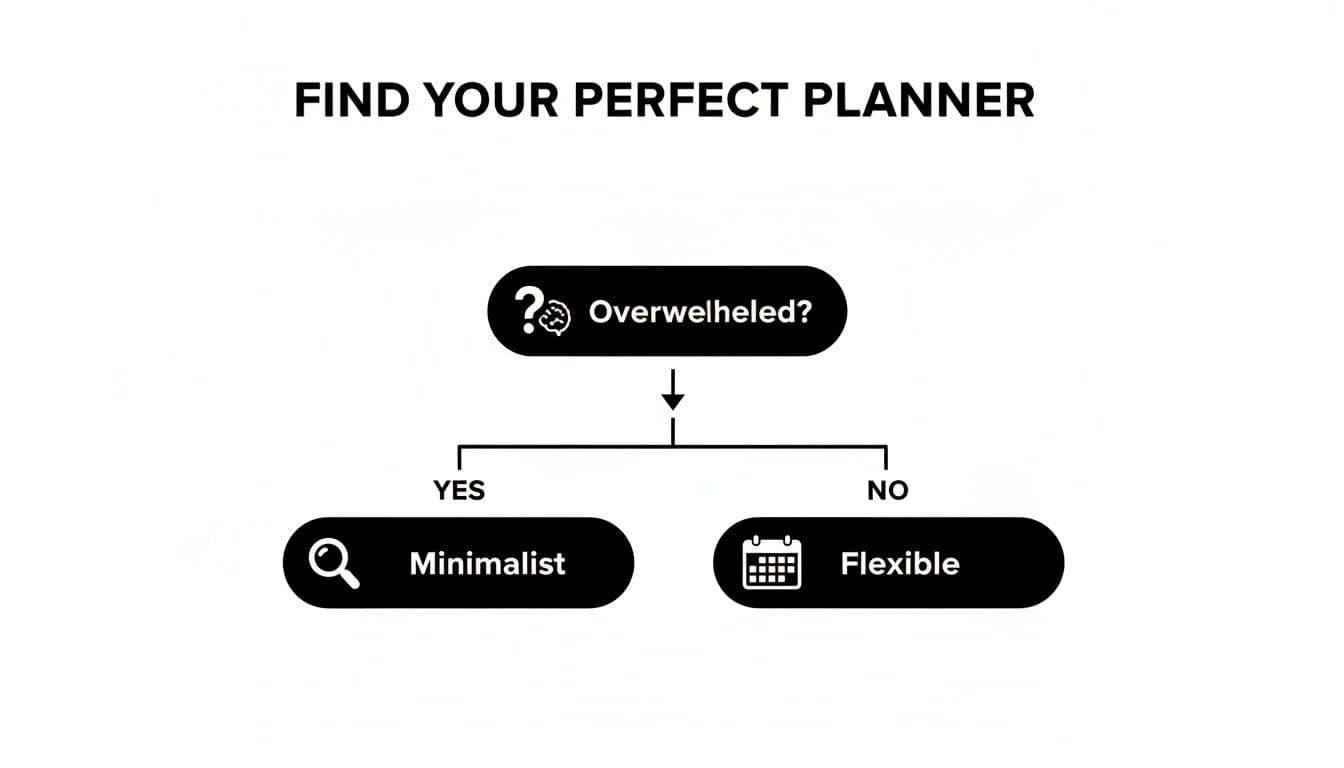
As the flowchart suggests, if you’re feeling completely overwhelmed, a simple, minimalist tool is probably your best bet. If you’re feeling more on top of things, a flexible, feature‑rich system might be a better fit.
There’s a reason so many new tools are popping up. The entire ADHD planner market, from apps to notebooks, was valued at USD 1.21 billion and is expected to hit USD 2.77 billion by 2033. This surge, detailed in market analyses from firms like Data Insights Market, points directly toward digital tools designed to give our executive functions the support they need. 2
The Hybrid Approach and Smarter Solutions
You don’t have to choose just one. Many people land on a hybrid system that works beautifully. They might use a digital calendar for hard deadlines and appointments while keeping a paper notebook for brainstorming, journaling, or setting daily intentions. This way, you get the best of both worlds.
“The most effective system is the one you actually use consistently. The goal is to reduce friction between your intention and your action, whether that’s with a pen or a click.”
Thankfully, modern digital tools are getting much smarter. The best ADHD productivity apps are now built with features designed to combat distraction, like focus modes that temporarily block notifications. This creates a quiet digital space for planning, giving you all the benefits of automation and reminders without the constant risk of getting sidetracked. For many with ADHD, this makes today’s digital planners a more powerful and reliable option than ever before. 2
How AI and Delegation Can Transform Your Productivity
For adults with ADHD, the biggest productivity hurdles aren’t laziness or lack of knowledge—they’re decision fatigue and the immense effort it takes to just get started. Luckily, modern tools are hitting these challenges where it hurts, primarily through artificial intelligence and smart delegation. Think of these features as a powerful support system for your brain’s executive functions.
Imagine handing your sprawling, chaotic to‑do list to an assistant who instantly makes sense of it all. That’s exactly what AI‑powered task management does. It handles the mentally exhausting job of sorting, categorizing, and prioritizing—the very work that can lead to burnout before you’ve even tackled a single item.
AI as Your External Executive Function
An AI‑driven planner acts as a true partner in getting things done. It starts to learn your work patterns, helping you direct your limited mental energy toward the tasks that actually matter, not just the administrative busywork of planning them. 3 This frees you up to do the creative, high‑impact work you’re best at.
“An AI assistant doesn’t try to change how your brain works. Instead, it provides the structure and clarity your brain needs to thrive, turning a mountain of tasks into a manageable series of steps.”
This kind of support is more than a simple convenience; it’s a fundamental change in how planning tools can operate. For example, some studies show that professionals who use ADHD‑friendly digital tools with automated workflows can get back roughly four hours per week. 3
Overcoming the Wall of Awful with Delegation
Beyond just smart tech, the ability to delegate is another superpower for managing ADHD. This has nothing to do with avoiding responsibility. It’s about strategically protecting your energy and finding a way around the “wall of awful”—that paralyzing feeling of resistance that can make starting certain tasks feel impossible.
Many modern planners are now building in delegation features, letting you offload small but draining tasks in just a few clicks. Think about things like scheduling appointments, getting insurance quotes, or transcribing meeting notes. These might seem minor, but they are often the exact kind of tasks that can completely derail an entire day.
By handing them off, you save your focus and momentum for the work that really counts. This strategy helps you keep moving forward, even on days when your energy is low or your focus is shot. Combining an AI executive assistant with human help builds a support system that finally gets to the root of ADHD‑related challenges. For more ideas, exploring practical advice on how to use AI for productivity can offer even more ways to refine your approach. 3
How to Set Up Your New Planner for Success
Cracking open a new planner is a mix of excitement and pressure. It’s a fresh start, but the blank pages can feel a little intimidating. The secret to making it stick isn’t about becoming a perfect, hyper‑organized person overnight. It’s about building a simple, repeatable routine that works with your ADHD brain, not against it.
Our goal is to create a system you can trust—one that finally quiets the noise.
Start with a Brain Dump
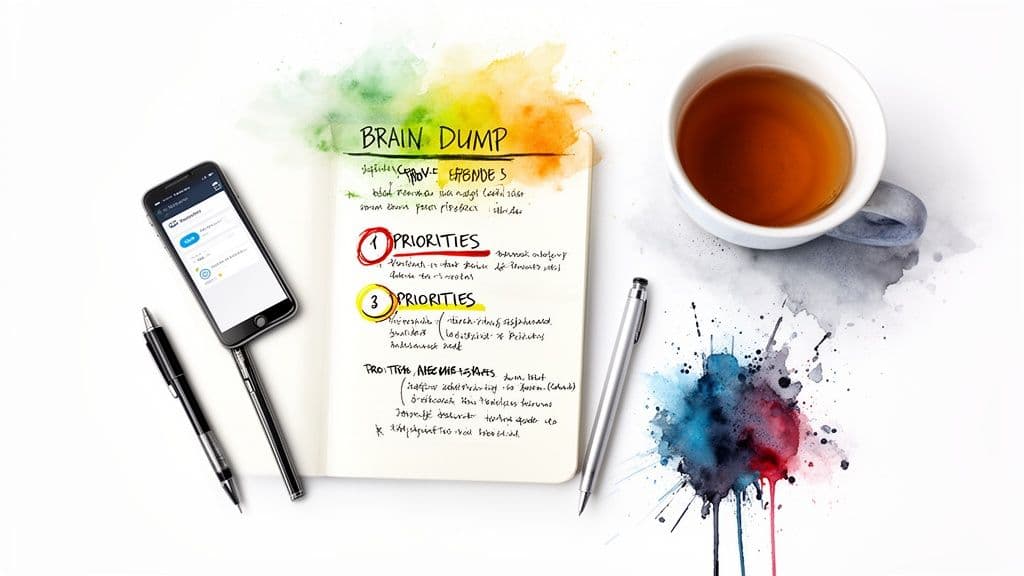
Before you can organize anything, you have to get it all out. Your very first step is a brain dump. Grab your planner and write down every single thing that’s on your mind. List the big projects, the tiny errands, the half‑baked ideas, the nagging worries—everything. Don’t filter, don’t judge, and definitely don’t try to organize it yet. Just write.
This one step is a game‑changer. It pulls all that mental clutter out of your head, which immediately eases that feeling of being overwhelmed. By getting it all down in one place, you free up precious working memory and get a real look at what you’re juggling.
Sort and Prioritize Intelligently
With everything laid out in front of you, it’s time to bring in some order. This is where a modern planner can be a huge help. If your tool has smart features, let it do the heavy lifting of grouping similar items or suggesting what’s most important. If you’re going analog with a paper planner, grab a few highlighters and color‑code tasks by category (like work, home, and personal).
The point isn’t to build a complicated, color‑coded masterpiece. The goal is to quickly see what actually needs your attention right now. 4
Tip: Once things are sorted, look at the list and pick just 3–5 top priorities for the day. That’s it. These are your non‑negotiables—the things that, if you get them done, will make the day feel like a win. A short, focused list is your best defense against the paralysis that comes from staring at a giant to‑do list.
Set Up Effective Reminders
Now that you know your priorities, you have to make sure they don’t vanish into thin air. The “out of sight, out of mind” struggle is very real, so your reminders need to be persistent enough to cut through the noise.
- For digital planners: Don’t just set one alarm. For critical deadlines, set multiple alerts. Look for options like persistent notifications that won’t go away until you actively check off the task.
- For paper planners: Sticky notes are your best friend. Plaster them where you absolutely cannot miss them—the corner of your computer monitor, the bathroom mirror, or right on the front door.
Think of your reminders as a safety net, there to make sure your most important tasks always stay on your radar.
End with a Quick Daily Reset
Finally, the most powerful habit you can build is the daily reset. At the end of each day, take just five minutes to look over your planner. Check off what you finished, move any incomplete priorities to tomorrow’s list, and archive what’s done.
This simple ritual does two crucial things: it prevents your planner from turning into a graveyard of old, irrelevant tasks, and it ensures you start every morning with a clean, trustworthy tool. Building this habit is essential when you’re looking for the best planner for adhd adults, because it creates the consistency that helps manage long‑term overwhelm.
Find a System That Finally Works for You
The search for the best planner for ADHD adults finally ends when you stop trying to force your brain to fit a system and start finding a system that fits your brain. This isn’t about suddenly becoming a productivity guru; it’s about building a framework that helps quiet the chaos.
Think back on the core principles we’ve covered: a clean, low‑distraction interface, smart prioritization that does the heavy lifting for you, reminders that actually work, and the ability to ask for help when you need it. The real goal here is to shift from feeling like you’re constantly playing catch‑up to feeling like you’re finally in the driver’s seat.
“A planner shouldn’t be another thing on your to‑do list that makes you feel overwhelmed. It should be an external hard drive for your brain—a tool that calms the mental clutter and shows you exactly what to do next.”
This is your opportunity to break the cycle of half‑filled notebooks and abandoned apps. While you can find great general advice on the best planners for busy individuals—many of the challenges are similar—the ultimate proof is in the experience. See for yourself what it feels like to have a tool that works with you, not against you. That’s how you finally get organized, stay focused, and start making real progress.
Frequently Asked Questions
Finding a planner that actually works for an ADHD brain can feel like a never‑ending quest. Let’s tackle some of the most common questions that pop up during the search for a system that finally sticks.
Q: How can I stick with a planner long‑term?
A: The trick is to find a system that lowers the barrier to entry, not one that adds another chore to your list. The best planners for ADHD adults are incredibly easy to use and don’t add to the mental clutter. Look for a clean, minimalist design that won’t overwhelm you visually. Start small with a simple daily habit—checking your top three priorities each morning—so consistency feels achievable. And remember, the goal isn’t perfection; it’s momentum. If you fall off for a day or two, just get back on. No judgment, no guilt.
Q: Are Digital Planners Better Than Paper for ADHD?
A: It really comes down to personal preference, but digital planners have some game‑changing advantages for the ADHD brain. Automated reminders are a huge win, helping you fight that classic “out of sight, out of mind” battle. Beyond that, features like AI‑powered prioritization and built‑in delegation directly address core executive function challenges. A great digital tool gives you a powerful, structured system without becoming just another source of distraction.
Q: What if I Have Too Many Tasks to Start Organizing?
A: This is a perfect description of task paralysis, and it’s incredibly common. When you’re staring at a mountain of to‑dos, the brain just shuts down. The single best way to start is with a “brain dump.” Just get every single task, idea, and worry out of your head and into a digital inbox. Don’t even think about organizing them yet—the goal is simply to clear your mind. Once everything is captured, you can use a smart tool to help you make sense of it all and find your real priorities.
— Ready to stop fighting your planner and start getting things done? Fluidwave combines intelligent prioritization, a distraction‑free design, and seamless delegation to create a system that works with your brain, not against it. Try Fluidwave for free and experience the difference.
1.
Grand View Research, ADHD Planner Market Size (2023). [Grand View Research](https://www.grandviewresearch.com/industry-analysis/adhd-planner-market).
2.
Data Insights Market, ADHD Planner Market Size (2024). [Data Insights Market](https://www.datainsightsmarket.com/reports/adhd-planner-app-market-1446683).
3.
Fluidwave, AI Executive Assistant for ADHD Productivity (2023). [Fluidwave AI article](https://fluidwave.com/blog/ai-executive-assistant).
4.
What is executive function? Fluidwave: What is executive function.
Focus on What Matters.
Experience lightning-fast task management with AI-powered workflows. Our automation helps busy professionals save 4+ hours weekly.