Discover the best AI workflow automation tools to streamline your tasks. Our guide covers features, pricing, and use cases to boost your productivity.
February 5, 2026 (7mo ago)
The Top 12 AI Workflow Automation Tools to Try in 2026
Discover the best AI workflow automation tools to streamline your tasks. Our guide covers features, pricing, and use cases to boost your productivity.
← Back to blog
The Top AI Workflow Automation Tools for 2026
Summary
A practical guide to the best AI workflow automation tools, with features, pricing, use cases, and real-world tips to boost productivity.
Introduction
Automation can reclaim your time from endless tasks, notifications, and busywork. By letting AI handle routine work, you can focus on high‑impact projects. This guide compares top AI workflow automation tools, highlighting what they do best, who they’re for, and how they price, so you can choose with confidence. For a deeper dive into practical automation, consider exploring AI-powered workflow automation and how it can fit your unique needs.
Whether you’re building simple two‑step automations or complex, multi‑app workflows, there’s a solution here for you. For example, customer services automation can level up your customer experience and cut operating costs, directly addressing overwhelm. Each review includes screenshots and direct links, so you can quickly evaluate tools that fit your workflow and start building a more efficient, automated day.
1. Fluidwave
Fluidwave carves out its own space in the AI workflow automation world by mixing smart task management with a flexible, on‑demand human delegation model. It’s built for professionals who want to cut through the noise and enter a state of deep focus. The platform’s AI auto‑prioritization engine sifts through your tasks, automatically sorting them so you can jump into what’s most important.

This blend of machine efficiency with human smarts is Fluidwave’s differentiator. Beyond software automation, Fluidwave lets you delegate tasks to a marketplace of skilled virtual assistants on a pay‑per‑task basis. This hybrid approach is powerful for work that AI can’t easily handle, from in‑depth research to creative projects, without hiring a full‑time assistant. The UI is fast and distraction‑free, with multiple project views (Kanban, calendar, list) that make managing personal and team workflows feel natural. Learn more on their blog about AI‑powered workflow automation.
Key Features & Use Cases
- Hybrid AI + Human Delegation: Assign tasks to virtual assistants directly from your to‑do list—perfect for outsourcing market research or assembling presentation slides.
- Intelligent Auto‑Prioritization: AI weighs deadlines, importance, and your goals to maintain an up‑to‑date priority list.
- Multiple Workflow Views: Switch between Kanban, calendar, and list views for flexible work styles.
- Real‑Time Collaboration: Share projects, assign tasks, and track progress across individuals and teams.
Pricing and Access
Fluidwave features a scalable pricing model:
- Free Forever: Up to 100 tasks for individuals.
- Premium Plan: $10 per month (billed annually) with advanced analytics, unlimited automations, and custom prioritization.
- Delegation: Virtual assistant marketplace access based on a pay‑per‑task model; no subscription required.
Pros and Cons
| Pros | Cons |
|---|---|
| Hybrid AI + on‑demand human delegation | Some delegation integrations are still rolling out |
| Reduces decision fatigue with AI auto‑prioritization | Pay‑per‑task costs can be unpredictable without careful management |
| Generous free tier and affordable premium plan | Free tier has a 100‑task cap for power users |
| Built for solo pros and teams, including neurodivergent users |
Website: https://fluidwave.com
Implementation Tip: Start with a high‑value task you repeat often, like preparing a weekly report. Use a personal to‑do integration to test hybrid AI + human delegation and refine your workflow.
2. Zapier
Zapier is a giant in the automation space, connecting thousands of apps with its visual, no‑code editor. It lets you build multi‑step workflows called “Zaps” that automate routine business processes. Its strength is breadth: thousands of integrations and a robust library of templates make automation approachable for non‑technical users. Its AI features include text summarization, lead classification, and draft responses inside a Zap.
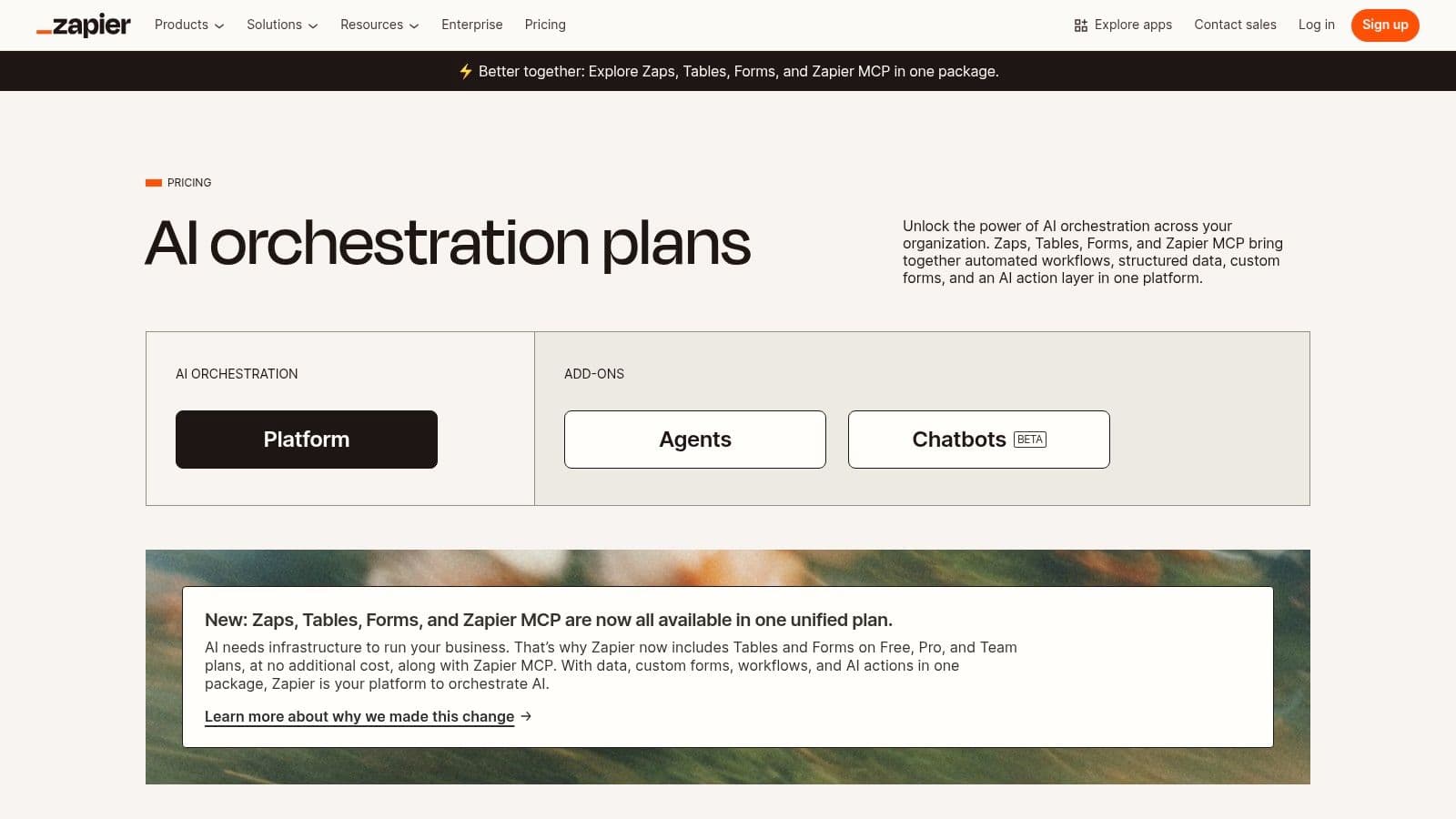
What makes Zapier stand out is its maturity and scale. With thousands of integrations, you can automate cross‑department processes—from lead nurturing to customer support routing and data syncing. Its AI tools add value inside Zaps by summarizing content, classifying information, or drafting messages.
Core Features & Use Cases
- Ideal Use Case: Cross‑department automation for processes spanning multiple apps, like lead nurturing, ticket routing, and data syncing.
- Key Features: Visual builder with conditional logic (Paths), data transformation (Formatter), and a large library of templates. Plans add Interfaces and Tables for web apps and databases.
- Pricing: Free plan with limited single‑step Zaps. Paid plans start at $19.99/month (billed annually) and scale with tasks and features.
Implementation Tip: Start with one high‑volume task—saving email attachments to cloud storage, for example—and build a simple Zap first to learn the logic before tackling complex workflows.
Pros:
- Massive app ecosystem with 6,000+ integrations 1
- Mature, well‑documented platform
- Pay‑per‑task overages help keep workflows running smoothly
Cons:
- Costs can rise quickly with volume
- Advanced team management features require higher‑tier plans
Learn more at Zapier.
3. Make (formerly Integromat)
Make is a visually rich automation platform that lets you design, build, and automate complex tasks with a drag‑and‑drop interface. It uses “scenarios” that connect modules to handle multi‑path logic, featuring routers, filters, and error handling. It’s highly intuitive for users who want deep control without coding.
What sets Make apart is its operation‑based pricing, which charges per action instead of per task. This model is incredibly flexible for intricate workflows, enabling complex data routing and orchestration without exorbitant costs.
Core Features & Use Cases
- Ideal Use Case: Complex data manipulation and multi‑path processes, like parsing tricky webhooks or building advanced API integrations.
- Key Features: Visual editor with routers and filters, detailed execution history, and an "any API" connector that broadens reach.
- Pricing: Free plan with 1,000 operations/month. Paid plans start at $9/month (billed annually).
Implementation Tip: Use detailed execution history to see how data flows through modules and to debug connection problems quickly.
Pros:
- Excellent visual interface for complex logic
- Granular controls and logs for troubleshooting
- Cost‑effective for intricate workflows
Cons:
- The "operations" model can be confusing at first
- Slightly steeper learning curve for advanced features
Learn more at Make.
4. n8n
n8n is an open‑source, self‑hostable workflow automation platform that offers a rare blend of no‑code simplicity and developer power. It supports a cloud version and a self‑hosted option for full data control and customization. It’s ideal for teams seeking vendor independence and deep integrations.
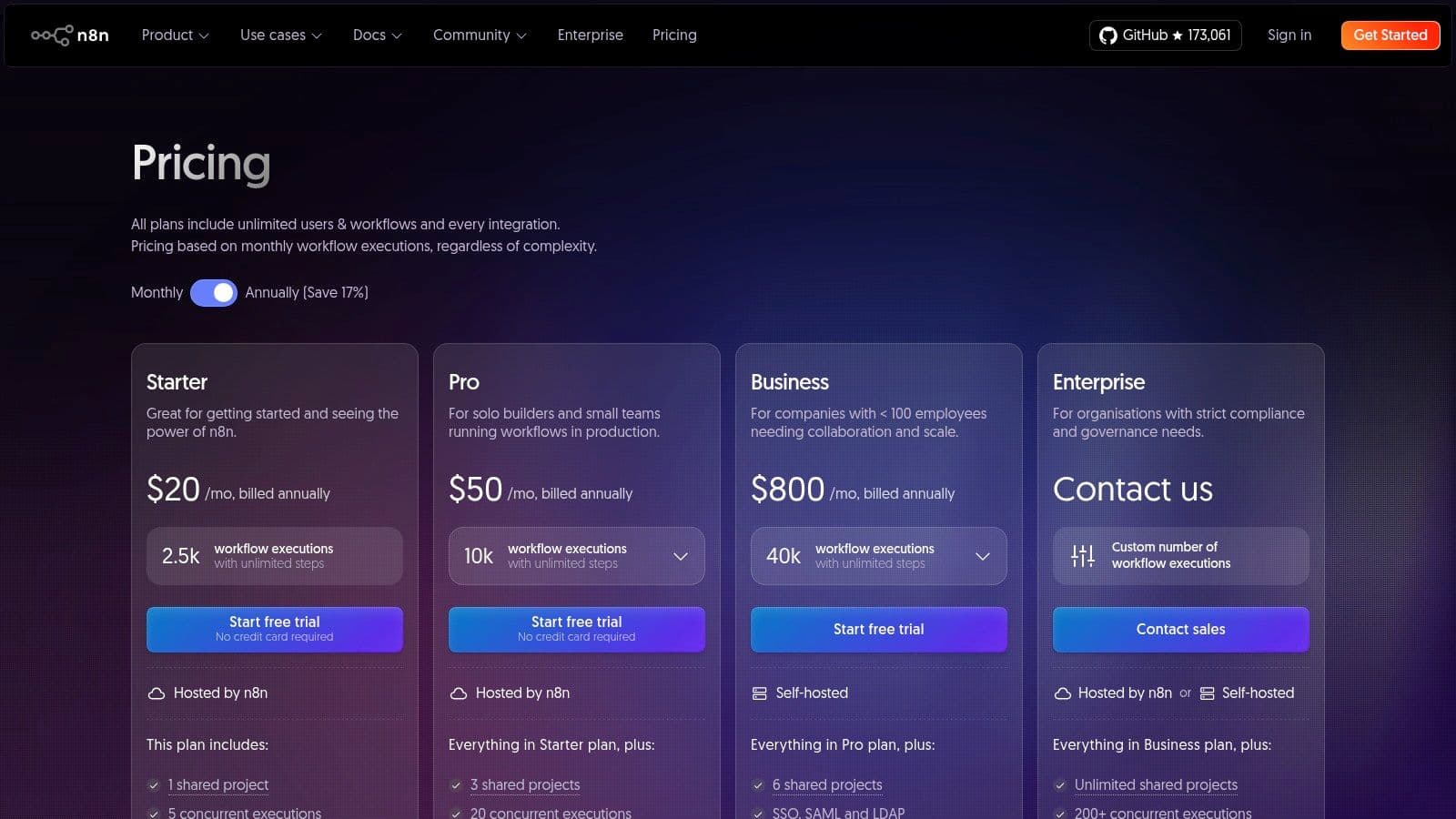
n8n distinguishes itself with a “fair‑code” model and a node‑based editor. Build complex logic, transform data, or run custom code within a workflow. It connects to hundreds of services and supports custom nodes for internal tools. Its pricing is workflow‑execution based, often cheaper for dense, multi‑step automation.
Core Features & Use Cases
- Ideal Use Case: Technical teams building internal tools or data‑heavy ETL workflows requiring custom logic and code.
- Key Features: Node editor with 1,000+ nodes, self‑hosting, an Agent feature for AI assistants, and in‑nodes code support (JavaScript, Python).
- Pricing: Free self‑hosted option; cloud plans start at €20/month for 2,500 executions.
Implementation Tip: Start with the cloud version to learn the node interface. If you need stronger control or compliance, migrate to a self‑hosted setup later.
Pros:
- Self‑hosting avoids vendor lock‑in and can reduce costs
- Highly extensible with custom nodes and code support
- Strong community and transparent open‑source development
Cons:
- Steeper learning curve than purely no‑code platforms
- Self‑hosting requires more technical know‑how
Learn more at n8n.
5. Microsoft Power Automate
For organizations deeply invested in the Microsoft ecosystem, Power Automate provides a powerful, low‑code automation solution spanning cloud and desktop. It’s the automation component of the Microsoft Power Platform, connecting Office 365, Dynamics 365, Azure, and many third‑party apps. It’s a compelling choice for large teams seeking standardization and governance across a familiar tech stack.
Power Automate blends cloud flows with desktop RPA and AI Builder, enabling scenarios like extracting text from documents and passing data into legacy apps. Deep integration with Microsoft Graph and Dataverse strengthens data handling and governance.
Core Features & Use Cases
- Ideal Use Case: Enterprise processes spanning Microsoft 365, Dynamics 365, and legacy software (invoice processing, HR onboarding, IT service requests).
- Key Features: Cloud flows, desktop flows for RPA, and AI Builder for form processing and predictions. Strong governance and security features.
- Pricing: Per‑user and per‑flow licensing; complexity can make pricing opaque. Per‑user plans with RPA start around $15/user/month.
Implementation Tip: Leverage the extensive catalog of pre‑built templates for Teams, Outlook, and SharePoint to jump‑start automation.
Pros:
- Deep integration with the Microsoft ecosystem
- Enterprise security, governance, and compliance features
- Unified platform for cloud and desktop automation
Cons:
- Licensing can be complex and costly for some teams
- Value is highest when you’re already in the Microsoft stack
Learn more at Microsoft Power Automate.
6. IFTTT
IFTTT—"If This Then That"—is one of the most user‑friendly automation platforms, connecting smart home devices, mobile apps, and online services with simple if‑then rules called Applets. While it started as consumer‑focused automation, its AI features and Pro plans have broadened its appeal for individuals and small businesses seeking quick, dependable automations with broad device support.
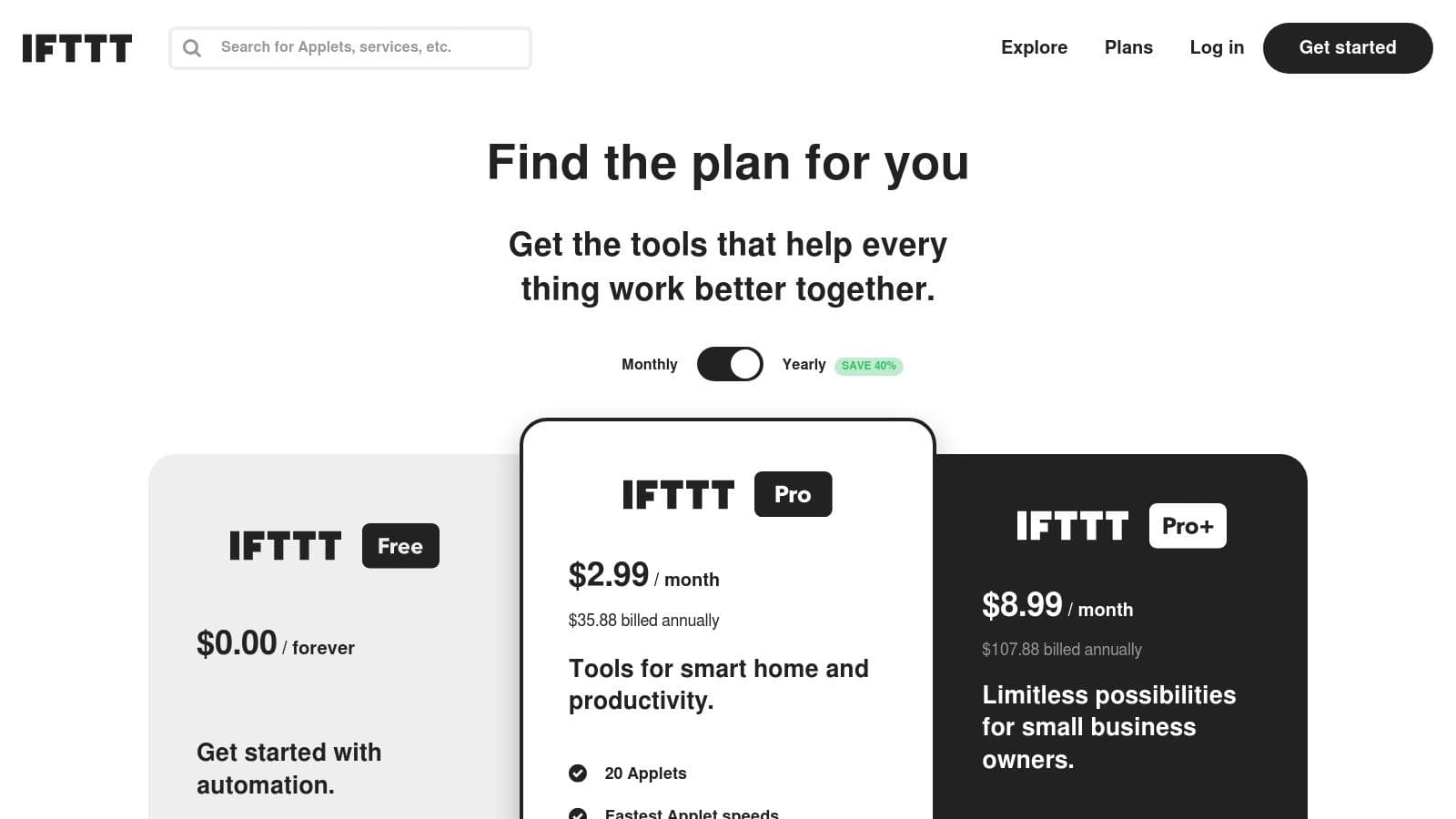
What makes IFTTT stand out is its vast community library of Applets and its "set it and forget it" simplicity. Create automations like saving Instagram photos to Dropbox or getting an alert when a smart alarm triggers. With OpenAI integrations, you can summarize articles from an RSS feed and email them for quick consumption.
Core Features & Use Cases
- Ideal Use Case: Personal productivity, smart home management, and simple cross‑app content sharing.
- Key Features: A vast library of community Applets, multi‑action Applets on paid plans, broad device support, and an intuitive mobile app.
- Pricing: Free plan includes two custom Applets. Pro plan ($2.50/month) unlocks 20 Applets; Pro+ ($5/month) unlocks unlimited Applets and developer tools.
Implementation Tip: Use the mobile app to trigger automations in real time—mute your phone on arrival, or text a family member when you leave a location.
Pros:
- Extremely easy to learn with a huge library of Applets
- Excellent mobile experience for quick management
- Strong support for smart home devices and IoT
Cons:
- Not ideal for complex, multi‑step business processes
- Advanced features require paid plans
Learn more at IFTTT.
7. Pipedream
Pipedream is an integration platform built for developers, designed to blend no‑code ease with the power to write custom code. It connects over 3,000 apps and lets you insert JavaScript, Python, or Go code at any step. This hybrid approach makes it one of the most flexible AI workflow automation tools for technical users who need precise data transformations, API interactions, and robust debugging.
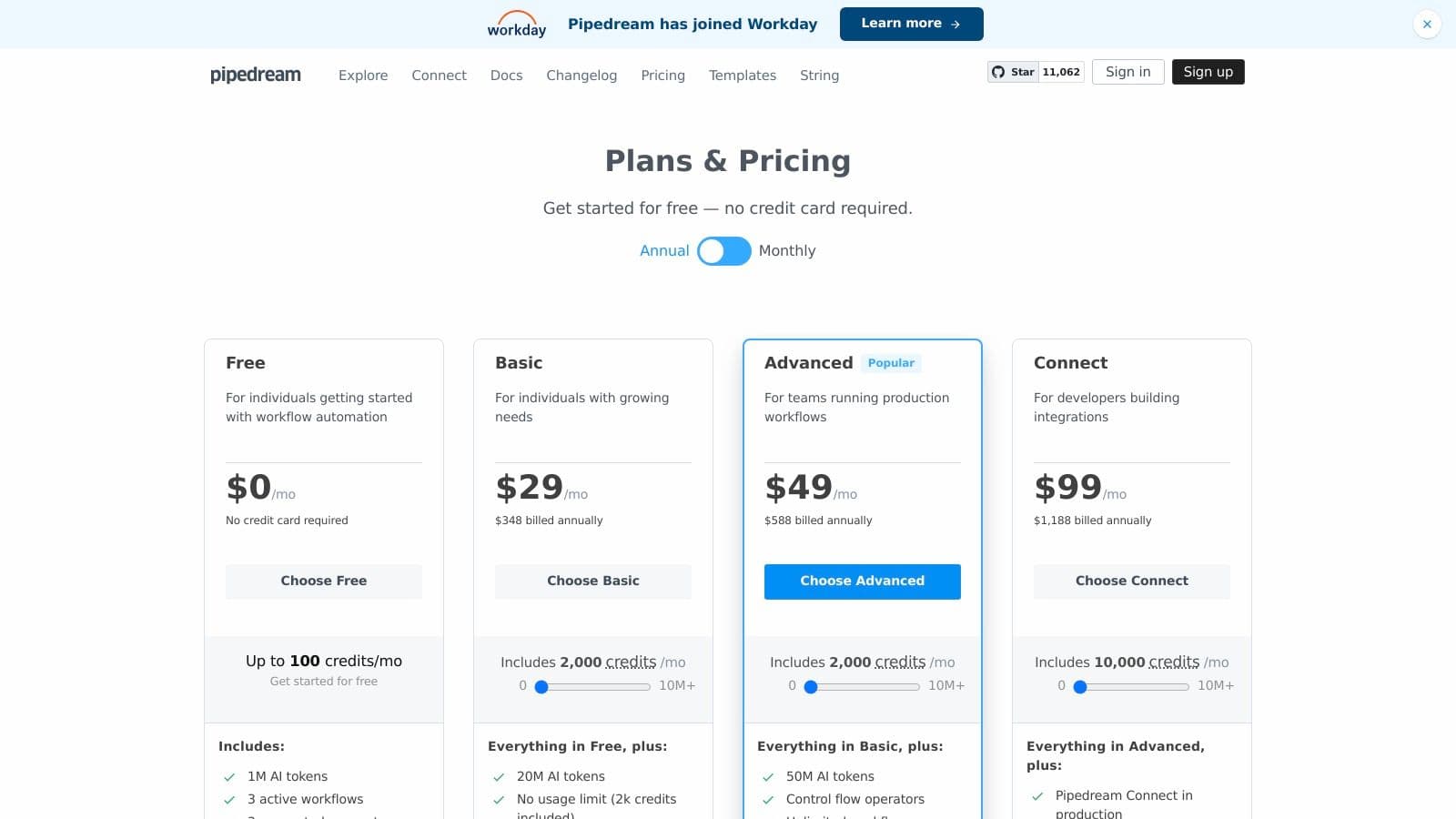
What sets Pipedream apart is its code‑level control within an event‑driven setup. You can write custom Node.js code to handle tricky responses, and its compute‑based pricing and token bundles are friendly for developers building high‑volume automations.
Core Features & Use Cases
- Ideal Use Case: Custom API integrations, DevOps automation, and AI‑powered workflows needing exact data processing.
- Key Features: Multi‑language steps (Node.js, Python, Go), built‑in data stores for state, debugging and observability tools, and GitHub sync for version control.
- Pricing: Generous free tier for individuals. Paid plans start at $19/month and are based on compute credits rather than tasks.
Implementation Tip: Use webhooks and the HTTP request builder to prototype new connectors. Inspect the full request/response data to quickly build and debug a custom integration before expanding the workflow.
Pros:
- Code‑level flexibility for developers
- Transparent compute credit model and robust debugging
- Strong API‑first support and webhooks
Cons:
- Higher learning curve than no‑code tools
- Compute duration limits require planning for heavy use
Learn more at Pipedream.
8. Workato
Workato positions itself as an enterprise‑grade iPaaS designed for large‑scale, mission‑critical automation. While Zapier excels at app‑to‑app connections, Workato shines in orchestrating end‑to‑end workflows across departments like finance, HR, and IT. It combines a low‑code environment with governance, security, and lifecycle management features that big organizations demand.
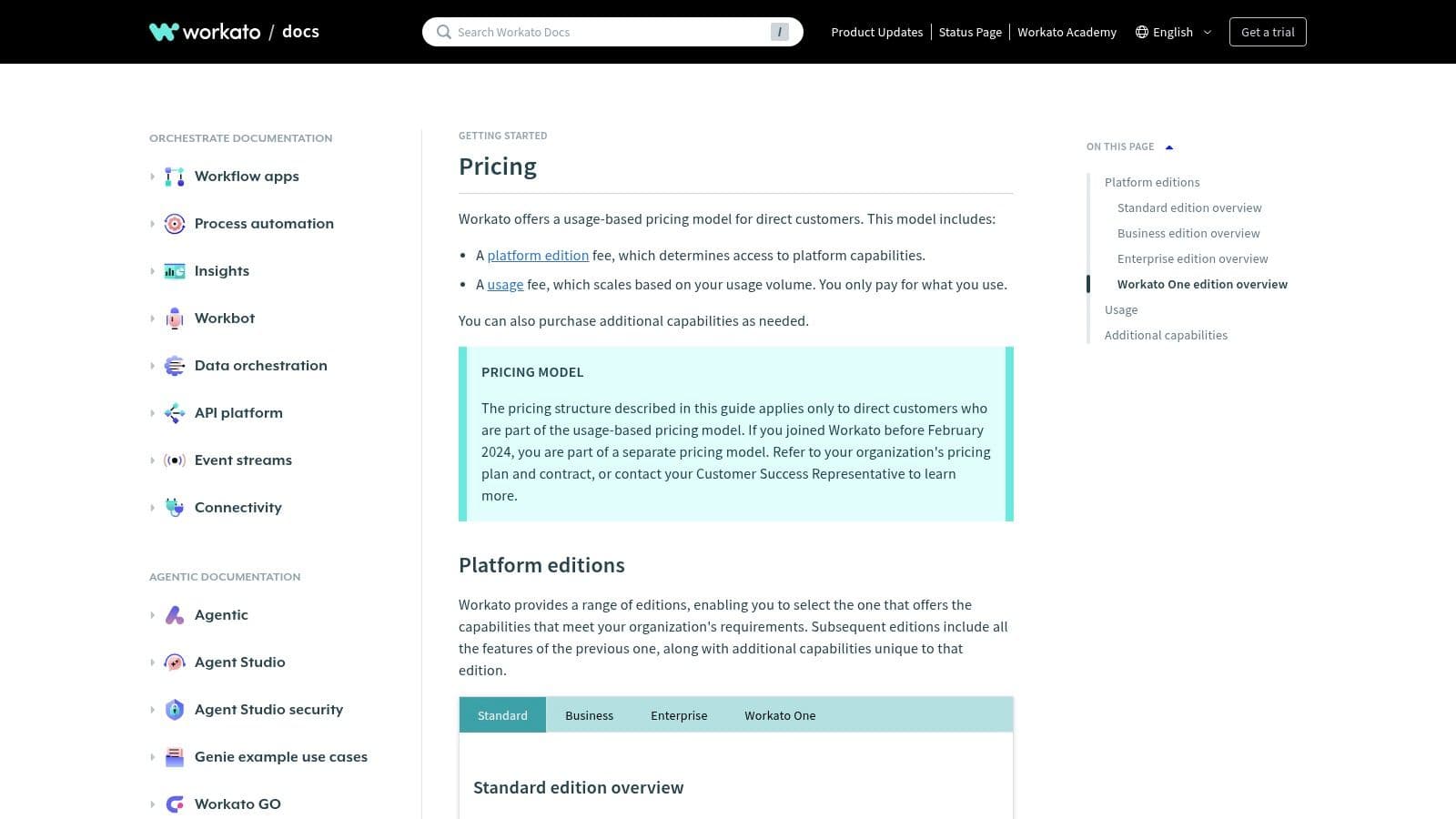
Workato’s standout Capability is its Recipe system, with versioning, collaboration, and error handling built in. Its AI capabilities are woven throughout the platform to assist with data mapping, recipe creation, and operational intelligence. It’s designed for reliability and scale, capable of managing complex automations like multi‑system onboarding or real‑time order processing.
Core Features & Use Cases
- Ideal Use Case: Cross‑department automation for large organizations (quote‑to‑cash, IT service management, employee lifecycle).
- Key Features: Enterprise connectors with strong security, collaborative recipe building with version control, governance dashboards, and DevOps‑like lifecycle management.
- Pricing: Custom, not publicly listed; sales‑driven pricing based on usage and needs.
Implementation Tip: Use a governance plan from the start. Map the business process, identify owners, and set clear roles for building, testing, and deploying recipes.
Pros:
- Suited for high‑scale, mission‑critical automations
- Mature governance, security, and enterprise support
- Powerful collaboration and lifecycle management features
Cons:
- Pricing is not transparent and requires a sales discussion
- Can be overly complex for small teams or simple use cases
Learn more at Workato.
9. Tray.io
Tray.io is a robust low‑code integration platform built for enterprise‑scale automation. It empowers IT, Revenue Ops, and Customer Success teams to connect the entire tech stack—from ERPs to marketing platforms—through a flexible visual builder and a suite of APIs. It’s one of the most capable AI workflow tools for advanced users who need resilient, scalable automation.
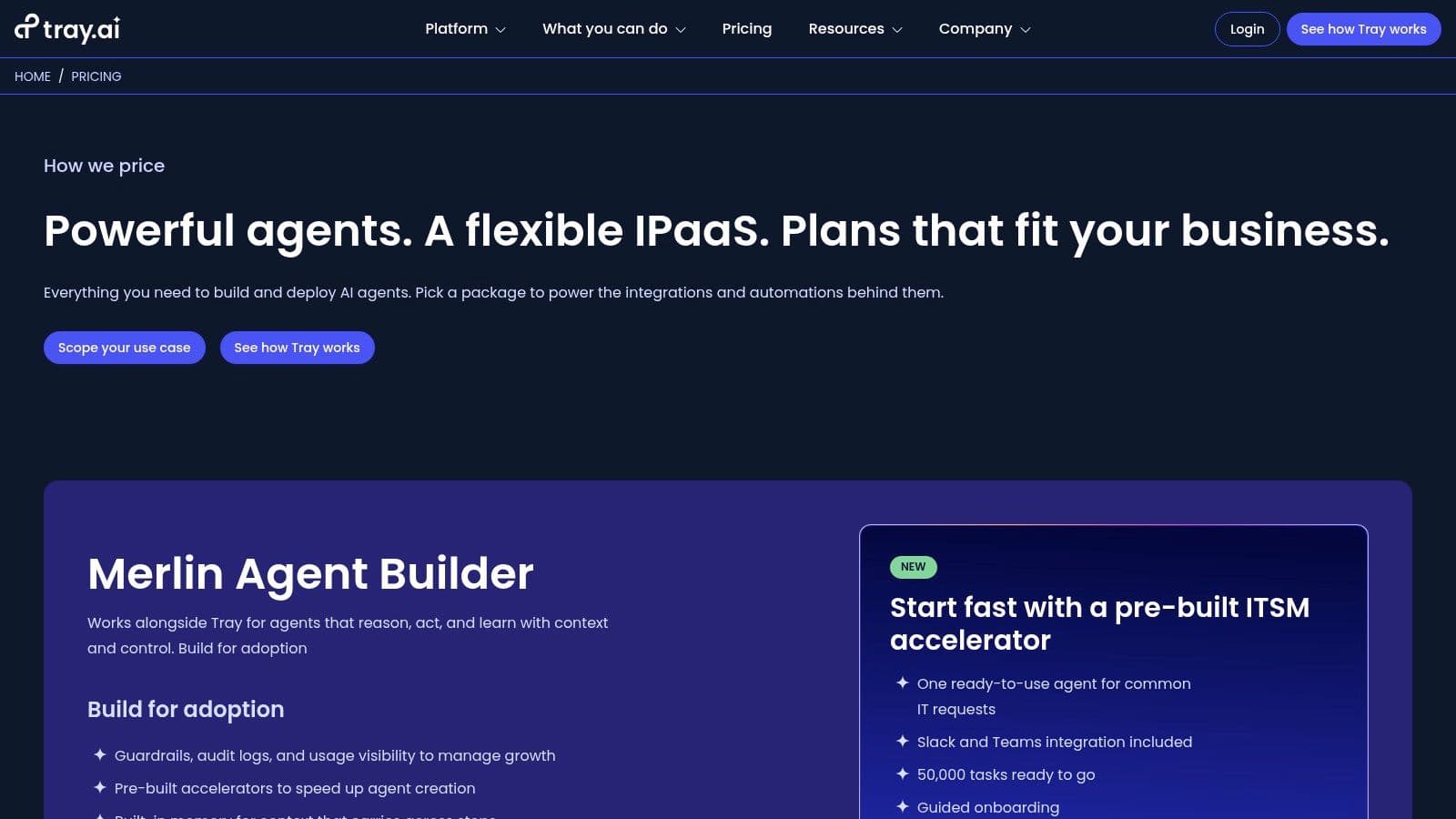
Tray.io also offers Merlin AI capabilities for building AI agents, guardrails, memory, and multi‑LLM support inside automations. It’s strong for embedding integrations into products via embedded platforms for ISVs.
Core Features & Use Cases
- Ideal Use Case: Complex, high‑volume processes (lead‑to‑cash, onboarding, data warehousing) or ISVs delivering native integrations.
- Key Features: Visual workflow builder, extensive API suite, Merlin AI Agent Builder, and embedded integration capabilities.
- Pricing: Custom pricing via sales, based on usage and support needs.
Implementation Tip: Use dedicated development workspaces to sandbox automations before promoting to production, avoiding disruption to live processes.
Pros:
- Enterprise‑grade security and governance
- Strong embedded integration capabilities for ISVs
- Advanced AI agent builder for governed automation
Cons:
- Pricing requires a sales conversation
- Steeper learning curve than simpler tools
Learn more at Tray.io.
10. Integrately
Integrately markets itself as a fast, simple automation platform with a focus on "1‑Click Automations." It offers a large library of ready‑to‑use workflows between popular apps, designed for quick setup and rapid results. This makes it ideal for teams that need automation up and running with minimal fuss.
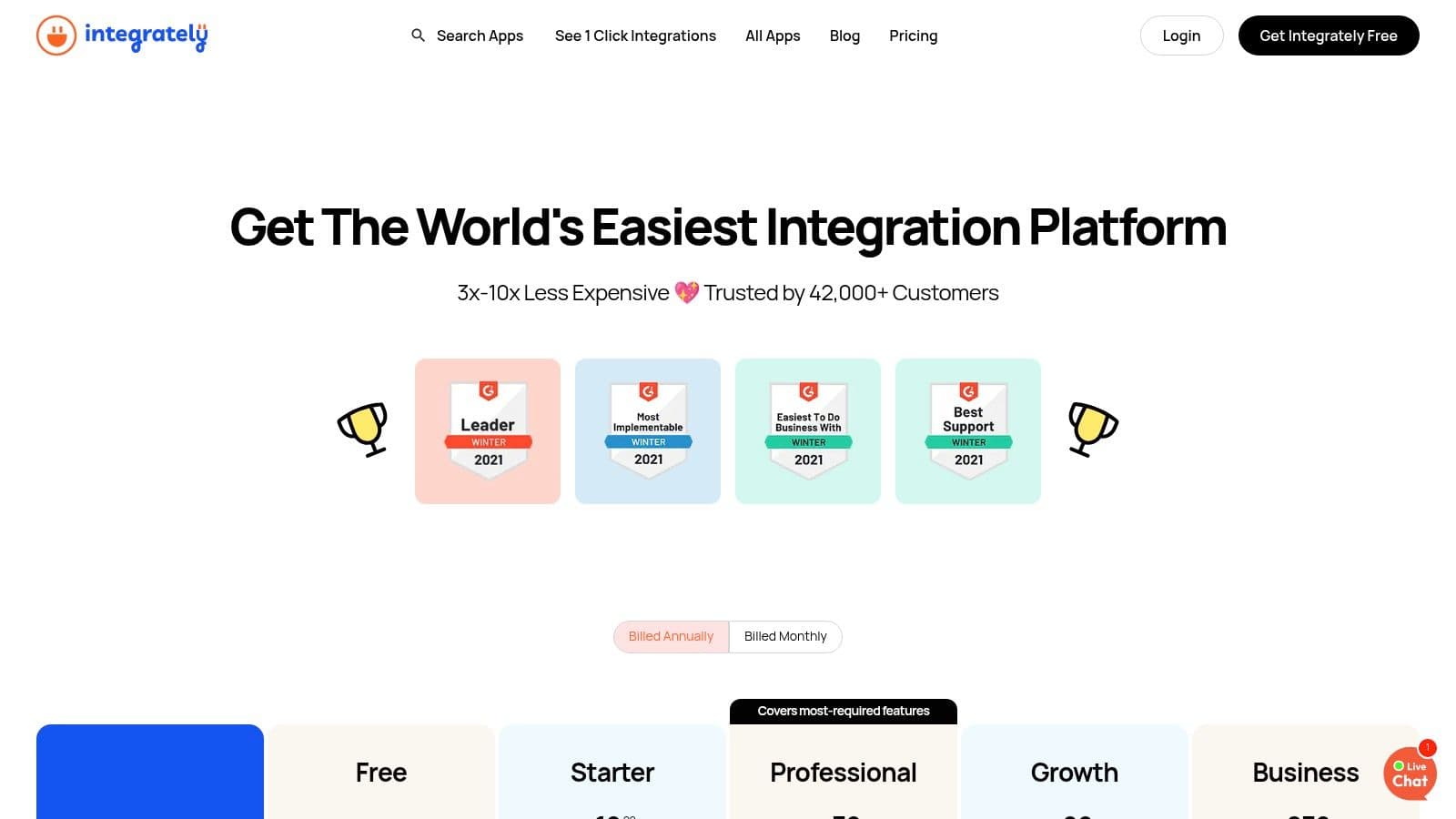
What sets Integrately apart is its value focus. Plans often deliver more tasks for your money, making it an attractive option for scaling automation without breaking the bank. With over 1,500 integrations, it covers a wide range of business needs, from CRM syncing to social media management. Higher tiers even include a dedicated account manager for personal support.
Core Features & Use Cases
- Ideal Use Case: Small to medium businesses or solopreneurs needing quick, cost‑effective automation for standard processes (lead syncing, welcome emails).
- Key Features: 1‑Click Automations, webhooks support, data modification tools, and advanced logic like iterators and schedulers. Live chat is available on most plans.
- Pricing: Free plan with 100 tasks per month. Paid plans start at $19.99/month (billed annually) for 2,000 tasks, with higher tiers offering more capacity.
Implementation Tip: Browse the 1‑Click Automations library to find a workflow that matches a manual task you currently perform and activate it for a fast win.
Pros:
- Generous task allowances and fast setup
- Large library of ready automations
- Active support channels, including live chat
Cons:
- Smaller app ecosystem than leaders like Zapier
- Advanced logic can be less intuitive than some competitors
Learn more at Integrately.
11. Parabola
Parabola is a no‑code data workflow platform designed for operations teams. It shines at automating recurring data tasks common in ecommerce, logistics, and finance—like transforming CSVs, enriching CRM data, or syncing inventory. Its visual, drag‑and‑drop interface makes it one of the more specialized AI workflow tools for data‑heavy processes.
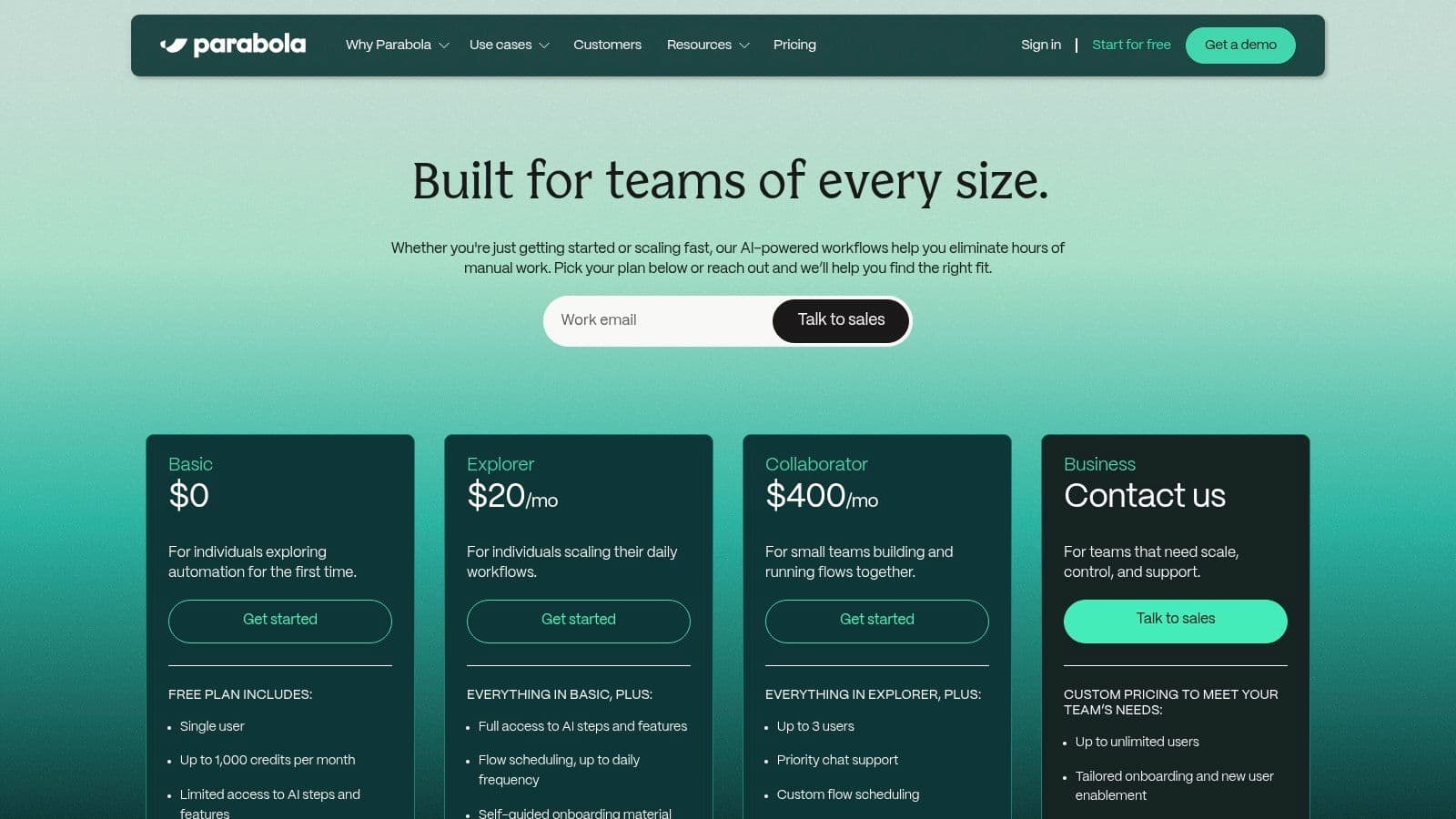
Parabola’s uniqueness lies in scheduled, batch processing rather than instant triggers. Build a flow that runs each morning to pull sales data, merge it with ERP shipping data, and deliver a formatted report. AI steps can categorize products, clean addresses, or summarize feedback within the flow.
Core Features & Use Cases
- Ideal Use Case: Recurring data operations for operations teams, such as daily sales reporting or syncing warehouse data.
- Key Features: Visual flow builder, scheduling, built‑in data storage, and AI‑powered data transformation.
- Pricing: Free plan for individuals; paid plans from $80/month (billed annually) based on flow runs and credits.
Implementation Tip: Start with a simple data pull and format flow, then gradually add sources and transformations as you gain comfort.
Pros:
- Excellent for recurring data tasks (CSV, ERP, ecommerce)
- Clear credit model; flows don’t waste credits
- Visual interface reduces the need for coding
Cons:
- Not ideal for real‑time, event‑driven automation
- Collaboration features are stronger on higher tiers
Learn more at Parabola.
12. Tines
Tines is a security‑first automation platform focused on SecOps and IT teams. It excels at no‑code, event‑driven workflows and API‑first connections, making it a solid choice for any process requiring high reliability and data integrity. Its emphasis on security and incident response makes it a strong contender for teams where risk management is critical.
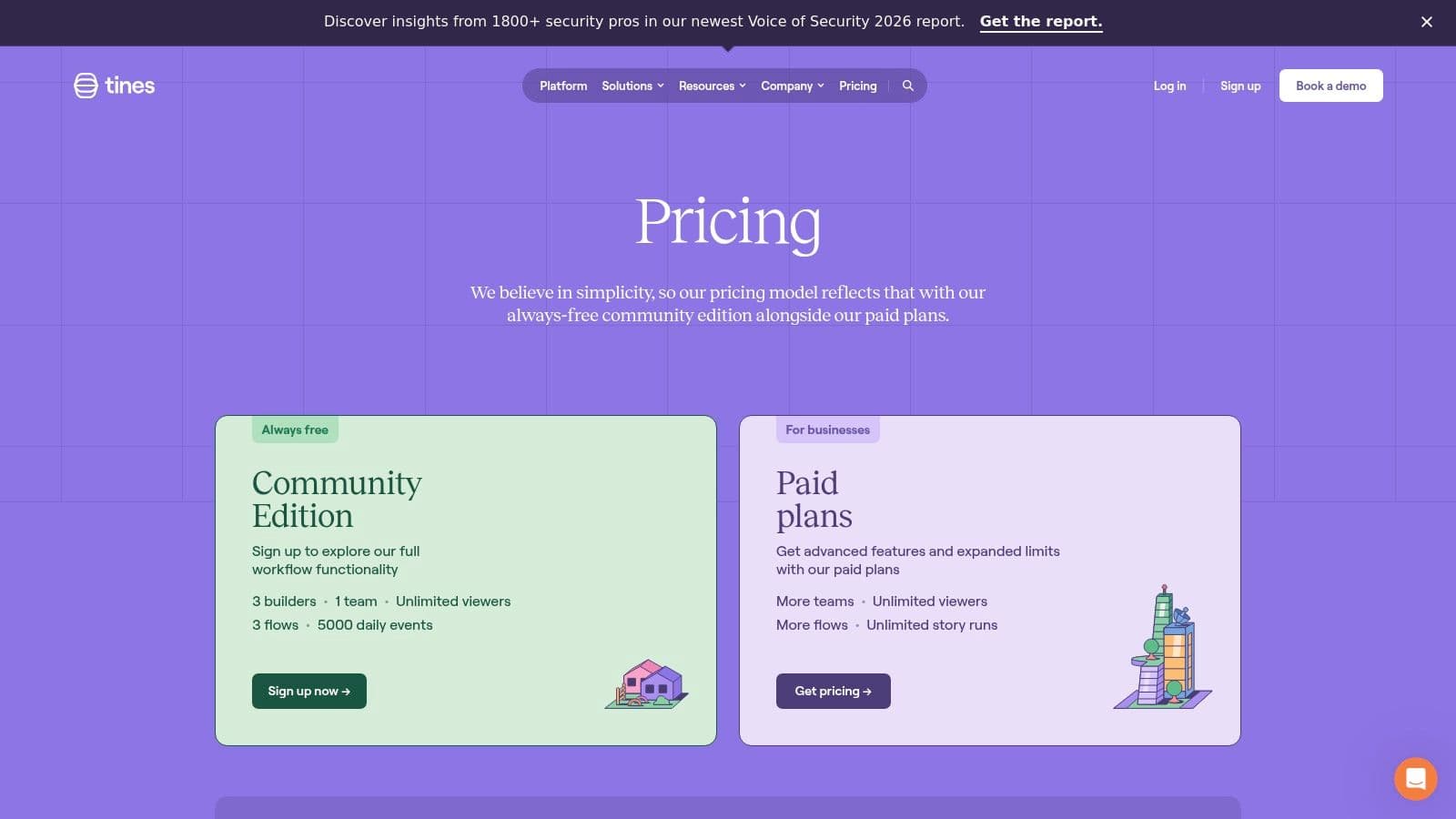
What sets Tines apart is its relentless focus on security and reliability. It lets you build “Stories” that automate threat intelligence enrichment, phishing response, user provisioning, and incident management. The visual story builder lets you string actions together—from simple HTTP requests to complex data transformations—creating a powerful system for alerting and response without a human stepping in.
Core Features & Use Cases
- Ideal Use Case: Security and IT operations workflows requiring high data sensitivity and operational reliability.
- Key Features: Visual story builder, API‑centric actions, credential management, and strong security controls.
- Pricing: Free Community Edition with limits on builders and daily events; enterprise pricing via sales.
Implementation Tip: Use the free Community Edition to automate a high‑volume IT or security alert to showcase real value.
Pros:
- Security‑driven and reliable for critical workflows
- Clear free tier for hands‑on evaluation
- Highly flexible due to API‑first design
Cons:
- Paid tiers are not publicly listed
- Language and focus are technical, geared toward IT/SecOps
Learn more at Tines.
12 AI Workflow Automation Tools — Feature Comparison
| Product | Core features | UX / Quality (★) | Price & Value (💰) | Audience & USP (👥 ✨) |
|---|---|---|---|---|
| 🏆 Fluidwave | AI auto‑prioritization; multi‑view tasks (table/list/calendar/Kanban/cards); automations; human assistant marketplace | ★★★★☆ instant‑response, distraction‑free | 💰 Free Forever (100 tasks); Premium $10/mo ( billed yearly); pay‑per‑task delegation | 👥 Entrepreneurs, teams, freelancers, neurodivergent; ✨ hybrid AI + on‑demand human delegation, deep‑focus UI |
| Zapier | 6,000+ integrations; visual editor, Filters/Paths; Interfaces & Tables | ★★★★ mature, well‑documented | 💰 Free tier; paid plans scale with task volume (can rise with usage) | 👥 Business ops, marketing, SMBs; ✨ massive app ecosystem, easy no‑code automation 1 |
| Make (Integromat) | Drag‑drop scenarios with routers/filters; minute scheduling; credit model | ★★★★ granular control, detailed logs | 💰 Free/paid credits; cost‑efficient for complex flows | 👥 Technical ops & automation builders; ✨ fine‑grained routing & scheduling |
| n8n | Open‑source; cloud or self‑host; extensive node library | ★★★☆ flexible but more technical | 💰 Free self‑host; cloud plans by executions | 👥 Devs/IT, privacy‑minded teams; ✨ self‑hosting, extensibility, no vendor lock‑in |
| Microsoft Power Automate | Cloud flows + desktop RPA + AI Builder; Dataverse/Graph integration | ★★★★ enterprise, integrated with MS stack | 💰 License & consumption based; complex pricing | 👥 Enterprises on Microsoft stack; ✨ RPA + process mining + enterprise security |
| IFTTT | Millions of Applets; mobile‑first; wide device/brand support | ★★★☆ extremely easy, consumer UX | 💰 Free/basic; Pro tiers for multi‑action Applets | 👥 Consumers, smart‑home users; ✨ huge library of ready‑made automations |
| Pipedream | No‑code + custom code (JS/Python/Go); webhooks & HTTP builder | ★★★★ developer‑focused, strong debugging | 💰 Compute/credit‑based pricing; AI token bundles | 👥 Developers & API teams; ✨ run custom code inside workflows |
| Workato | Enterprise iPaaS; governance, observability, lifecycle mgmt | ★★★★☆ robust for enterprise | 💰 Sales‑priced; platform + metered usage | 👥 Large enterprises; ✨ enterprise connectors, governance, mission‑critical automation |
| Tray.io | Low‑code iPaaS; API suite; Merlin agent builder; embedded integrations | ★★★★ powerful, scalable | 💰 Sales‑based pricing (tiered usage) | 👥 IT/RevOps/ISVs; ✨ AI agent builder & embedded integration capabilities |
| Integrately | 1,500+ apps; 1‑click ready automations; live support on higher tiers | ★★★ quick to start | 💰 Budget‑friendly; generous task allowances | 👥 Small teams & SMBs; ✨ one‑click automations and low cost per task |
| Parabola | Visual data flows; AI steps; flat‑rate credit model; scheduling | ★★★★ strong for recurring data ops | 💰 Credit model with clear step pricing; paid team tiers | 👥 Ecommerce & ops teams; ✨ powerful data transformation & reporting |
| Tines | Story‑based flows for security; high reliability; Community Edition | ★★★★ reliable, security‑first | 💰 Free Community Edition; enterprise via sales | 👥 SecOps & IT teams; ✨ security‑centric orchestration and compliance features |
How to Choose the Right AI Automation Tool for You
We’ve looked at a wide range of powerful AI workflow automation tools, from the approachable simplicity of Make to the enterprise‑grade power of Workato and the open‑source flexibility of n8n. The sheer number of options can feel overwhelming, but the main takeaway is simple: automation isn’t just for developers anymore. It’s a strategic advantage that helps you reclaim time and drive impact.
The journey from manual, repetitive tasks to smart, automated workflows is transformative. It frees mental bandwidth for strategic thinking, creativity, and high‑value work. Whether you’re a solopreneur drowning in admin, a project manager juggling complex handoffs, or an executive aiming to streamline operations, you’ll find a fit here.
Recapping the Core Insights
Your decision shouldn’t be about who has the most features, but which tool best fits your situation. Consider:
- Start with the Problem, Not the Tool: Map the process you want to automate, including triggers, steps, and the end result. A well‑defined problem is half the solution.
- Technical Skill is a Spectrum: Zapier and Integrately are great for non‑technical users, while Pipedream and n8n offer power for developers.
- Scalability Matters: Will the tool handle future complexity, multi‑user access, and more tasks as you grow?
- Integration is Everything: Ensure native integrations with core apps before committing.
A Practical Framework for Your Decision
Ask yourself:
- What is my primary use case? Do you need simple automations or complex multi‑step workflows?
- Who is this for? A solo user, a team, or the entire organization?
- What’s my budget and technical capacity? Free plans work well for beginners, but consider how features and usage scale.
Ultimately, embracing AI workflow automation is about time. By offloading repetitive work to intelligent systems, you create space for innovation, connection, and leadership. The right tool will feel like a trusted digital partner, quietly improving your day‑to‑day work.
Q&A
Q: What exactly is AI workflow automation, and when should I consider it? A: AI workflow automation uses software and AI to connect apps, automate repetitive tasks, and orchestrate multi‑step processes. Consider it when you spend too much time on admin, data entry, or manual routing that could be standardized and improved with automation.
Q: How do I choose the right tool for my team? A: Start by mapping a single, high‑value process, compare the ease of use, integrations, and collaboration features, and consider whether you’ll benefit from self‑hosting or enterprise controls. A gradual pilot can reveal ROI before you expand.
Q: Can automation truly reduce my workload, or is it hype? A: When implemented thoughtfully, automation reduces busywork, speeds up repetitive tasks, and minimizes human error. Start with small wins and scale to more complex automations as you gain confidence.
Footnotes
1.
Zapier Apps. https://zapier.com/apps
2.
McKinsey Global Institute, Jobs lost, jobs gained: What the future of work will mean for earnings, age, and productivity. https://www.mckinsey.com/featured-insights/future-of-work/jobs-lost-jobs-gained
3.
n8n Documentation and pricing. https://n8n.io/
Focus on What Matters.
Experience lightning-fast task management with AI-powered workflows. Our automation helps busy professionals save 4+ hours weekly.